Vittle Pro Video Whiteboard

Vittle Pro Video Whiteboard

다운로드: App Store
로고: Vittle Pro Video Whiteboard

Vittle Pro 동영상 화이트보드: 올인원 전문 녹화 스튜디오

PDF와 사진을 즉시 매력적인 동영상 스크린캐스트로 전환하세요. 렌더링 시간 없이 나레이션, 주석 달기, 고품질 1080p 콘텐츠를 공유하세요. 교육자, 트레이너, 시각적 사고가에게 완벽합니다.

개발사

Qrayon, LLC

카테고리

Business

다운로드

113K+

사용자 평점

4.8/5

총 평가 수

1K+

지원 언어

1

움직이는 마법을 경험하세요

이 인터페이스를 사용하는 113K+ 명의 사용자.

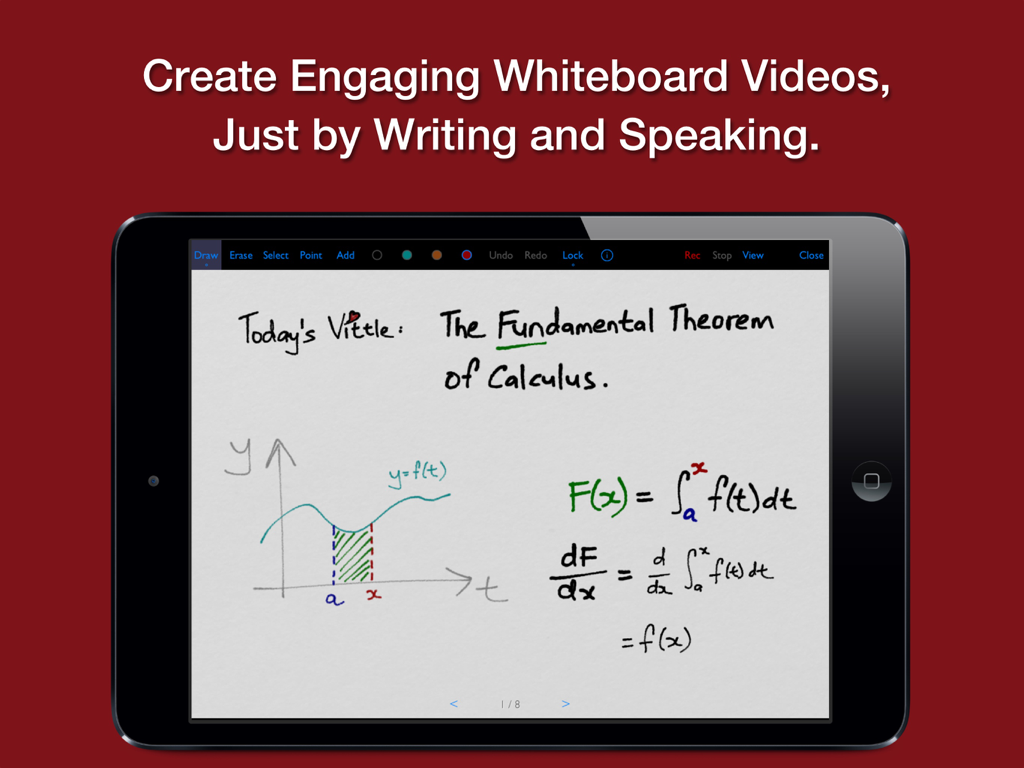
디지털 화이트보드에서 손으로 그린 미적분학 수업이 표시된 Vittle Pro 앱의 iPad 화면
디지털 화이트보드에서 손으로 그린 미적분학 수업이 표시된 Vittle Pro 앱의 iPad 화면

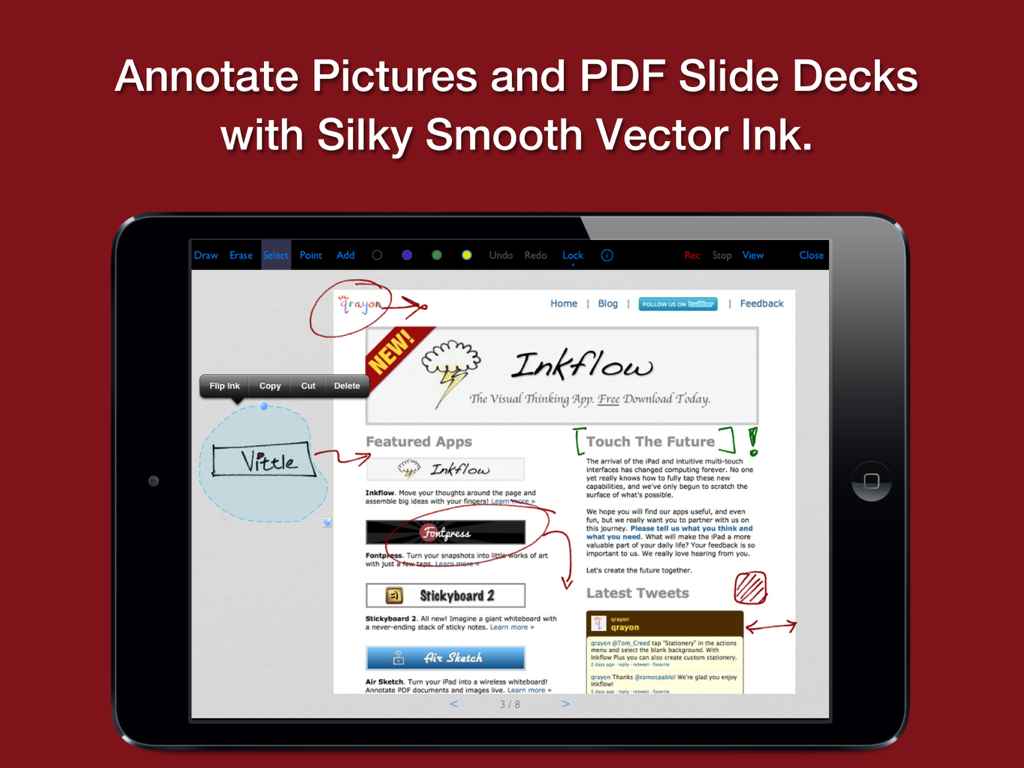
부드러운 디지털 잉크로 PDF 문서에 주석을 다는 데 사용되는 Vittle Pro 앱이 표시된 iPad 화면
부드러운 디지털 잉크로 PDF 문서에 주석을 다는 데 사용되는 Vittle Pro 앱이 표시된 iPad 화면

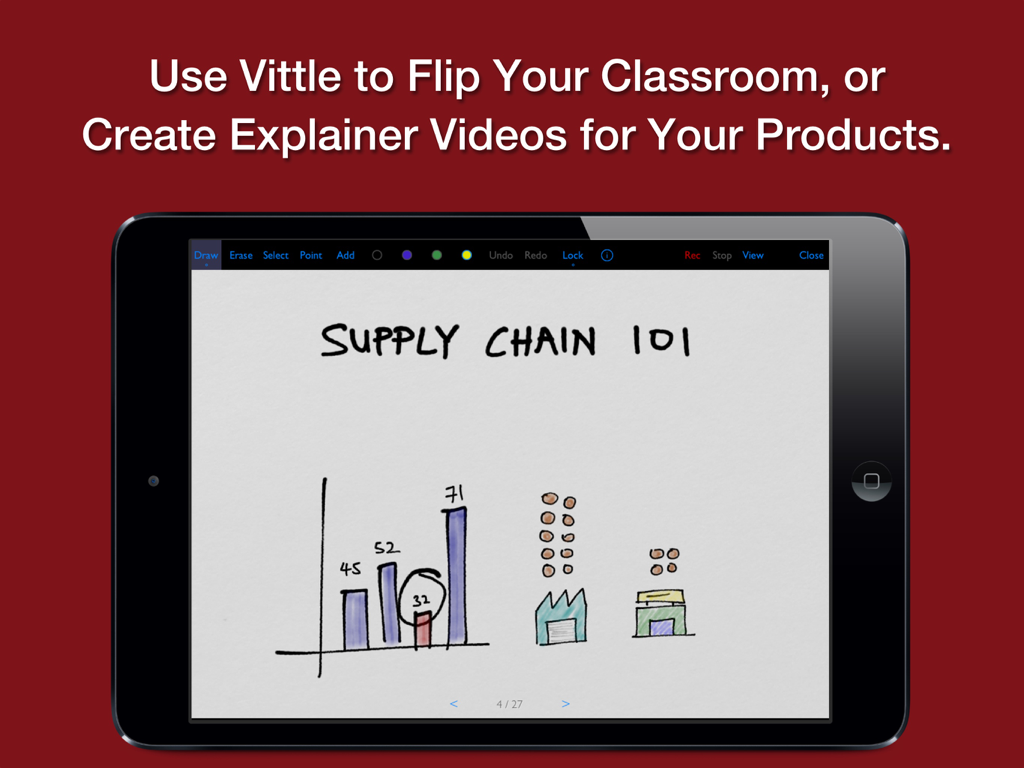
Vittle Pro 앱 인터페이스 내에서 손으로 그린 공급망 수업이 표시된 iPad
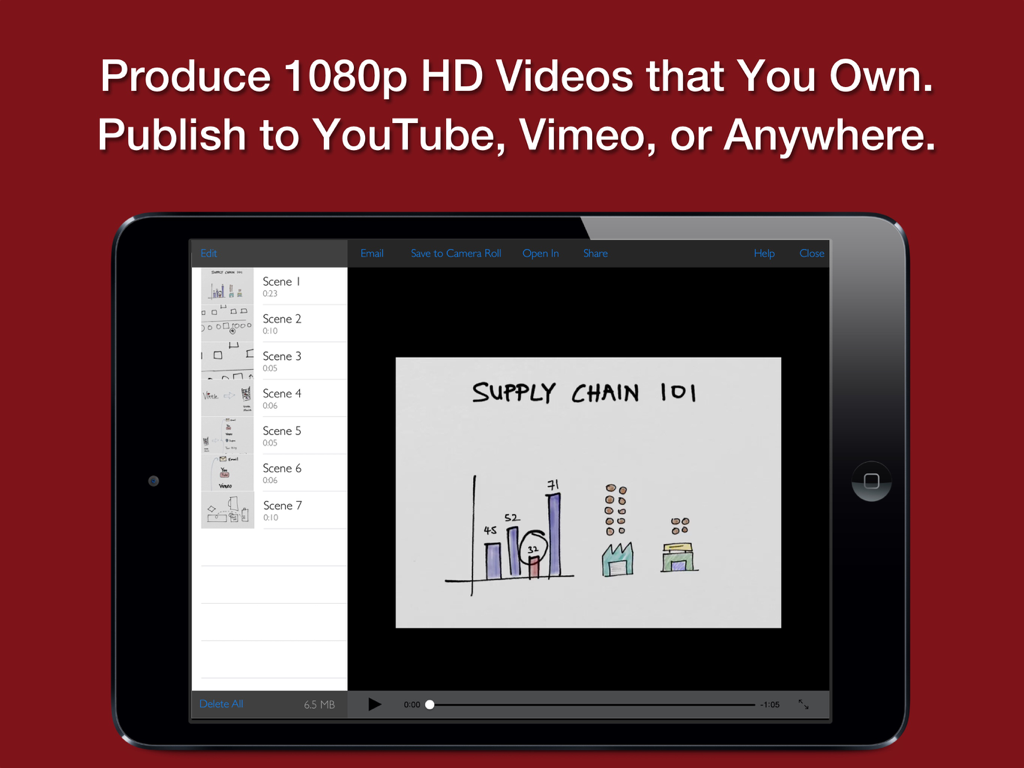
Vittle Pro 앱 인터페이스 내에서 손으로 그린 공급망 수업이 표시된 iPad

손으로 그린 공급망 프레젠테이션과 동영상 장면 목록이 표시된 Vittle Pro 앱의 iPad 화면
손으로 그린 공급망 프레젠테이션과 동영상 장면 목록이 표시된 Vittle Pro 앱의 iPad 화면

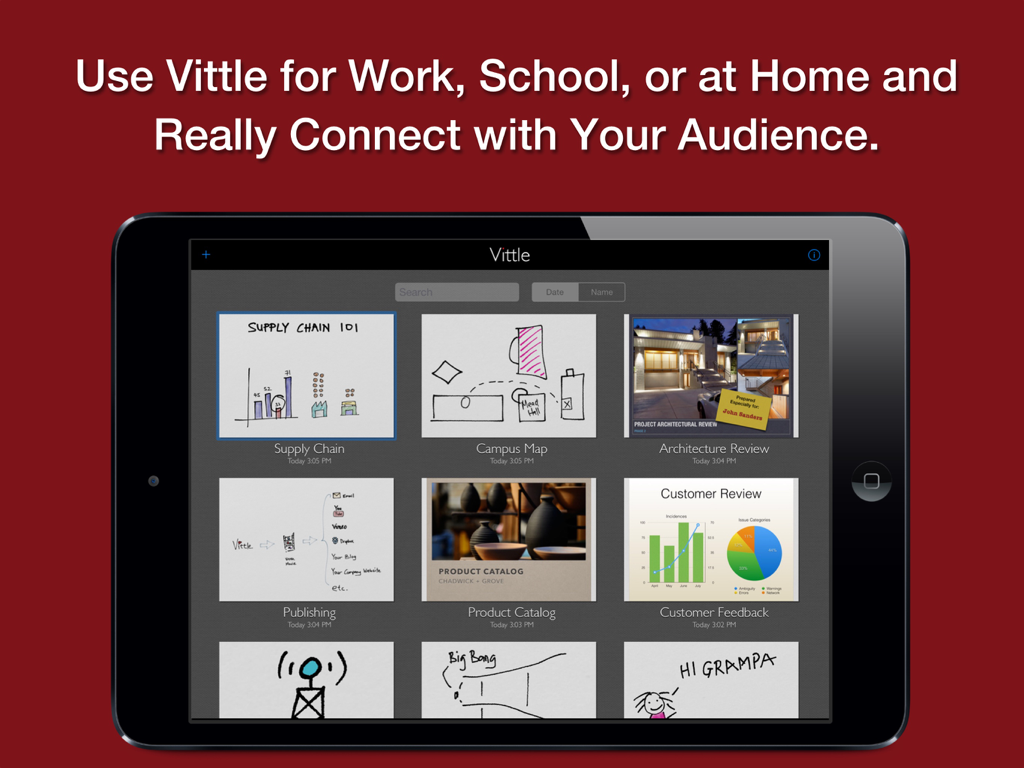
다양한 교육 및 전문 동영상 썸네일이 포함된 Vittle Pro 앱 프로젝트 갤러리가 표시된 iPad 화면

다양한 교육 및 전문 동영상 썸네일이 포함된 Vittle Pro 앱 프로젝트 갤러리가 표시된 iPad 화면

시각적 커뮤니케이션을 쉽게 마스터하세요

이 앱을 돋보이게 하는 도구, 113K+ 명의 사용자가 선택.

렌더링 시간 없음

인코딩을 기다리지 마세요. 1080p HD 동영상은 실시간으로 처리되며 말하는 즉시 공유할 준비가 됩니다.

✏️

자연스럽고 지연 없는 화이트보드 경험을 위해 독자적인 Inkflow 엔진으로 스케치, 쓰기, 요소를 이동하세요.

🔒

완전한 창의적 제어

전문 MP4 파일을 기기로 직접 내보내세요. 클라우드 잠금이나 제3자 계정 없이 — 콘텐츠의 소유자는 귀하입니다.

전 세계 사용자들에게 사랑받는 앱

Trusted by 113K+ 명이 이 앱을 사랑합니다.

"

"수학 교수로서 복잡한 방정식을 설명하는 데는 수 시간의 동영상 편집이 걸렸습니다. Vittle Pro를 사용하면 화면을 녹화하고 말하기만 하면 됩니다. 잉크가 놀랍도록 부드럽고 렌더링 시간이 없다는 사실은 캔버스에 강의를 즉시 업로드할 수 있다는 것을 의미합니다. 제 플립 수업에 완전히 새로운 변화입니다!"

Dr. Sarah Jenkins
"

"Vittle Pro는 우리 제품 팀의 수많은 불필요한 회의를 대체했습니다. PDF 덱에 빠르게 주석을 달고, 카메라 잠금을 사용하여 특정 UI 세부 정보에 집중하고, 몇 분 안에 세련된 1080p 동영상을 개발자에게 보낼 수 있습니다. 이를 통해 원격 작업 흐름이 원활하고 전문적으로 느껴집니다."

David Chen, 선임 제품 관리자

앱 소개

에 대해 알아야 할 모든 것 Vittle Pro Video Whiteboard.

설명

Create Video Screencasts from your Slides and Photos. Vittle lets you easily narrate and annotate your photos and PDF slide decks to create highly engaging videos. CREATE VIDEO SCREENCASTS, JUST BY WRITING AND SPEAKING Import a PDF from Keynote, PowerPoint, or elsewhere into Vittle. Drop in photos from your camera roll. Hit record, and start talking. It's that easy. Vittle works like a magic whiteboard that records what you write and say: - Annotate images and sketch using the ultra-smooth ink of our proprietary Inkflow Engine, - Resize and move anything around the page, - Zoom in to focus on key points, - Describe even complex topics in a clear and engaging way. - Record quick memos or entire lectures - hours and hours if you like, - Use any color you want with the fully customizable color palette, - Import PDFs of your slide decks, - Use sophisticated storytelling techniques with the Camera Lock tool, - And more. POST VIDEOS TO YOUTUBE, SHARE THEM WITH ANYONE Use Vittle to flip your classroom, or create engaging explainer videos for your products. Quickly annotate slides and share a video recording with your colleagues. Get your point across exactly and in an impactful way. Collaborate across time and space with any number of people. Create personalized videos for your family and friends. Narrate your adventures with your photos. Stay in touch no matter where you are. VIDEO FILES THAT YOU OWN AND CONTROL Vittle produces video files that you own. They can be easily shared on Facebook, YouTube, Vimeo, or elsewhere. You can also email videos directly, or securely post them to your company server. No third party service is needed. NO WAITING There's no lengthy encoding step or extra compressors to buy. Videos are ready the moment you stop recording, even on older devices. PRO FEATURES FOR PRO EDUCATORS Additional features in Vittle Pro include: + Import PDF slide decks and documents from Keynote, PowerPoint, and more. + Type text with multiple fonts. + 1080P HD (vs. 720P) Widescreen videos. + Adjust video speed 1.0 - 2.0x. + Camera lock and smooth pan. + Custom page background colors. + Color-Select (separate ink by color). + Flip selected ink. + Export to PDF and JPEG. + And more! THE FUTURE OF CREATIVITY We strongly believe that the iPad is a powerful creativity device. Vittle is a new kind of tool that's designed specifically with the iPad in mind. We can't wait to see what you'll do with it!

최신 버전

6.5

크기

20.3 MB

출시일

2013년 5월 9일

아이디어를 즉시 영향력 있는 동영상으로 만드세요

Vittle Pro로 시간을 절약하고 더 잘 설명하는 113,000명 이상의 전문가 및 교육자 커뮤니티에 참여하세요. 편집도, 기다림도 없이 — iPad, 목소리, 비전만 있으면 됩니다.

다운로드: App Store
추천

비슷한 앱

유사한 기능과 사용자 경험을 가진 앱