Vocal Analyzer Z
Vocal Analyzer Z
다운로드: App Store

이 페이지는 앱이나 개발자의 공식 페이지가 아니며, 정보 제공 및 논평을 목적으로 작성된 독립 편집 간행물입니다. 명시적으로 달리 언급되지 않는 한, 해당 앱이나 개발자는 MWM, Apple, Google Play, 앱 퍼블리셔 또는 앱 개발자와 제휴, 보증, 후원, 승인 또는 공식적으로 연결되어 있지 않으며, 이 페이지의 어떤 내용도 해당 앱이 MWM의 서비스를 사용하여 개발되었음을 의미하지 않습니다. 모든 상표, 로고, 스크린샷 및 기타 콘텐츠는 해당 소유자의 자산입니다.

로고: Vocal Analyzer Z
다운로드: App Store

Vocal Analyzer Z

가수와 음악가를 위한 최고의 정밀 도구 키트. 실시간으로 보컬 정확도를 분석하고, 피치 롤 그래프로 어려운 부분을 마스터하고, 멜로디를 다음 프로덕션을 위한 MIDI 파일로 원활하게 변환하세요.

주요 수치

다운로드

2K+

사용자 평점

1.0/5

총 평가 수

0

개발사

Masanori Katsuta

카테고리

Music

지원 언어

2

최신 버전

1.1.5

크기

7.6 MB

출시일

2023년 2월 14일
기능

전문적인 음정 분석으로 퍼포먼스를 향상시키세요

가수와 크리에이터가 음정을 시각화하고, 기술을 마스터하고, 보컬 멜로디를 MIDI로 변환할 수 있는 올인원 도구 키트입니다.

정확하게 모든 음을 맞추세요

실시간 피치 롤 그래프와 고정밀 스케일 미터를 통해 즉각적인 시각적 피드백을 받아 노래가 항상 완벽한 음정인지 확인하세요.

음성을 MIDI로 변환하는 워크플로우

영감과 프로덕션 사이의 격차를 원활하게 해소하세요. 보컬 멜로디를 MIDI 파일(SMF)로 내보내 모든 DAW에서 사용할 수 있습니다.

다음 스크린샷과 설명은 앱의 공식 스토어 목록에서 직접 가져온 것이며 앱 개발자의 자산입니다.

앱 스토어

스크린샷
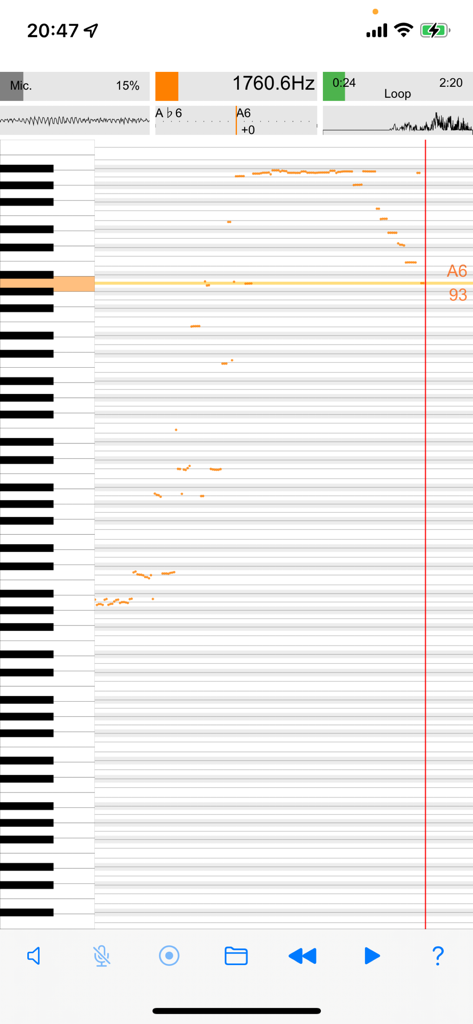
Vocal Analyzer Z - 수직 피아노 건반 인터페이스에서 보컬 주파수 분석을 보여주는 Vocal Analyzer Z 앱의 실시간 피치 롤 그래프
수직 피아노 건반 인터페이스에서 보컬 주파수 분석을 보여주는 Vocal Analyzer Z 앱의 실시간 피치 롤 그래프

Vocal Analyzer Z - Vocal Analyzer Z 실시간 음정 분석 및 주파수 표시

Vocal Analyzer Z 실시간 음정 분석 및 주파수 표시

Vocal Analyzer Z - 보컬 분석을 위한 실시간 피치 롤 그래프 및 수직 피아노 건반 표시
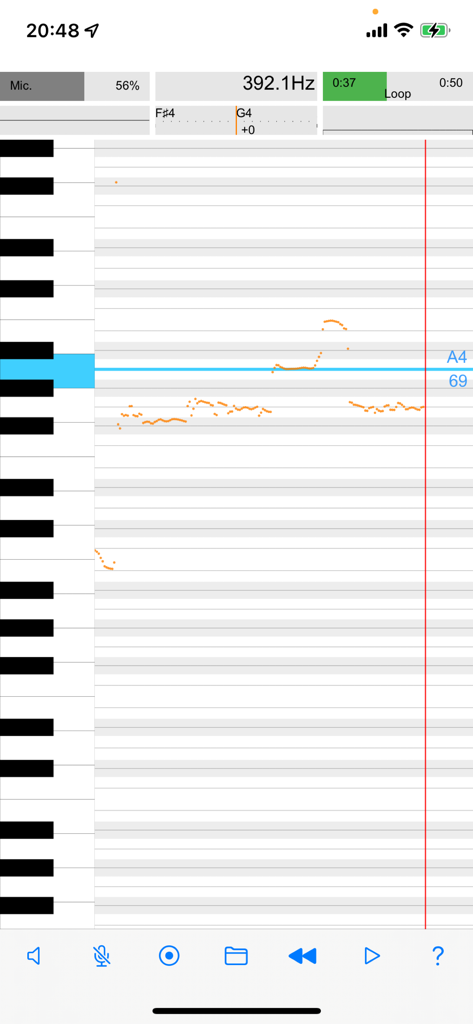
보컬 분석을 위한 실시간 피치 롤 그래프 및 수직 피아노 건반 표시

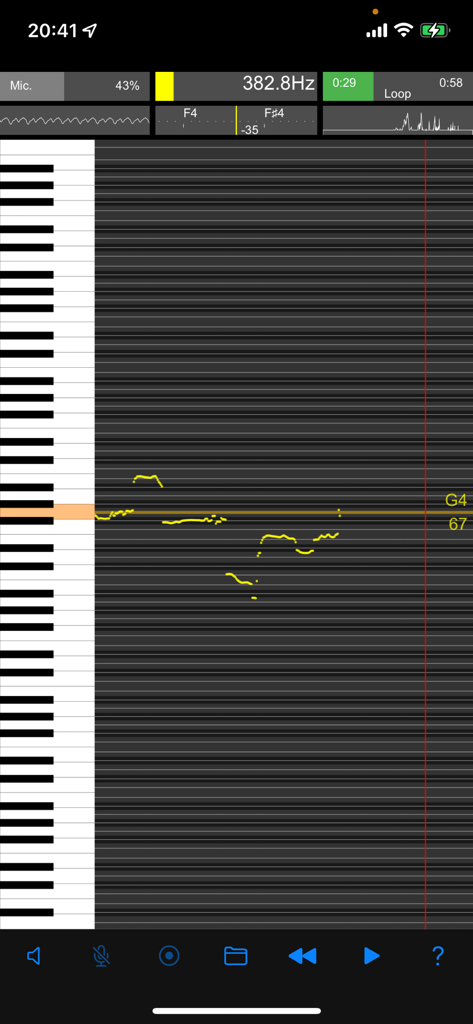
Vocal Analyzer Z - 피아노 건반이 있는 롤링 그래프에서 실시간 음정 분석을 보여주는 Vocal Analyzer Z 앱
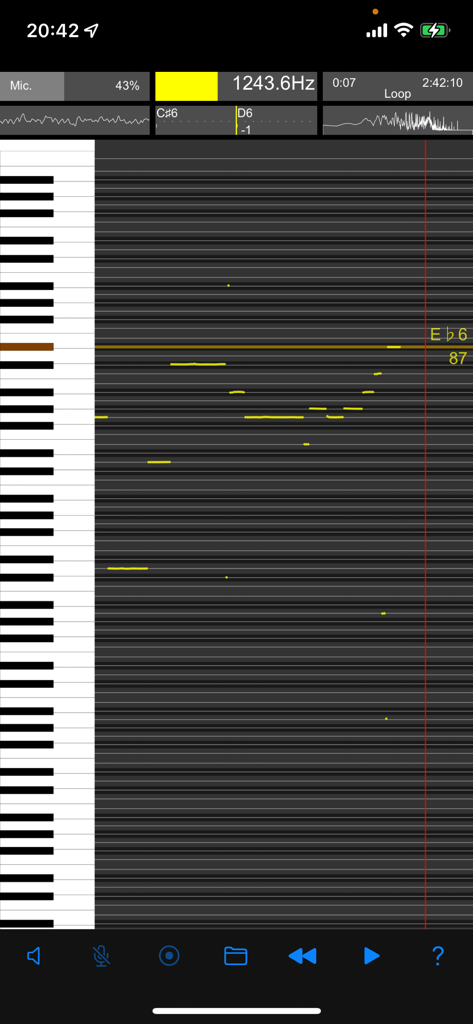
피아노 건반이 있는 롤링 그래프에서 실시간 음정 분석을 보여주는 Vocal Analyzer Z 앱

Vocal Analyzer Z - Vocal Analyzer Z의 주파수 및 음악적 음표를 표시하는 실시간 피치 롤 그래프
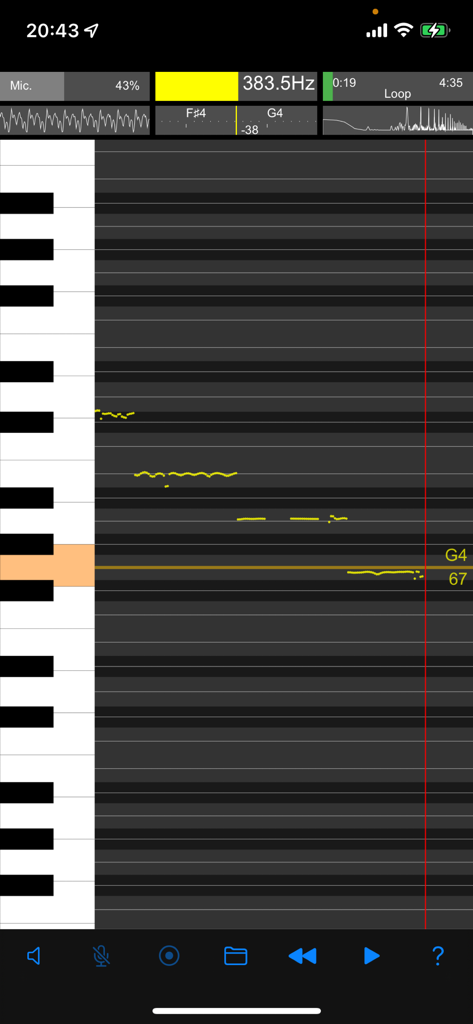
Vocal Analyzer Z의 주파수 및 음악적 음표를 표시하는 실시간 피치 롤 그래프

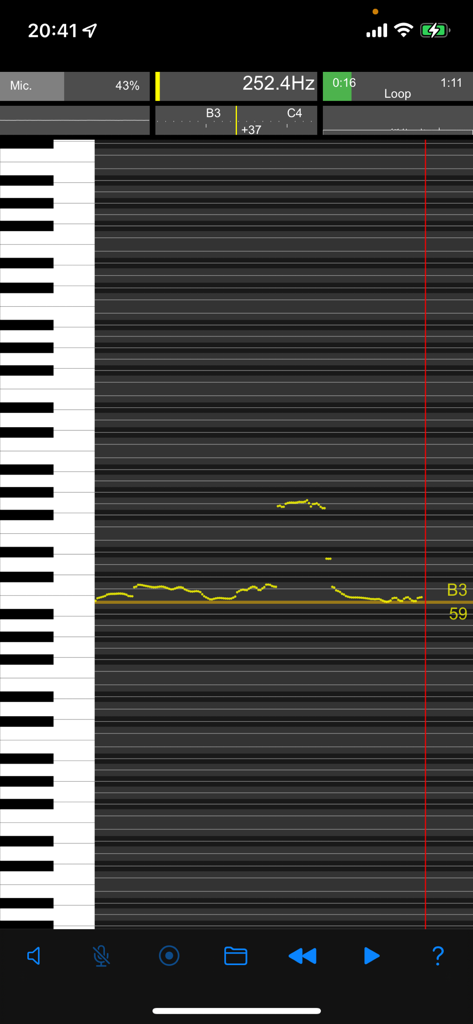
Vocal Analyzer Z - 보컬 분석을 위한 실시간 피치 롤 그래프 및 피아노 건반 인터페이스
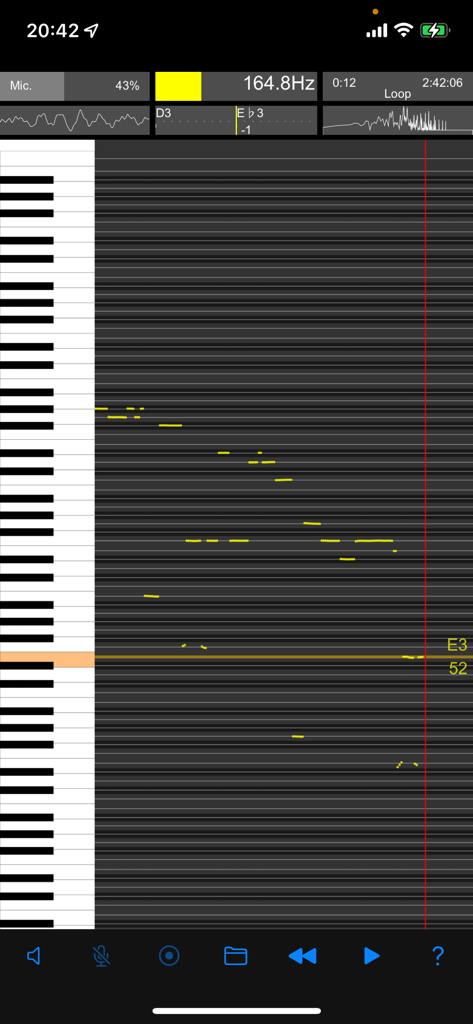
보컬 분석을 위한 실시간 피치 롤 그래프 및 피아노 건반 인터페이스

Vocal Analyzer Z - 주파수 및 MIDI 노트 데이터가 있는 스크롤 그래프를 보여주는 실시간 음정 분석 인터페이스.
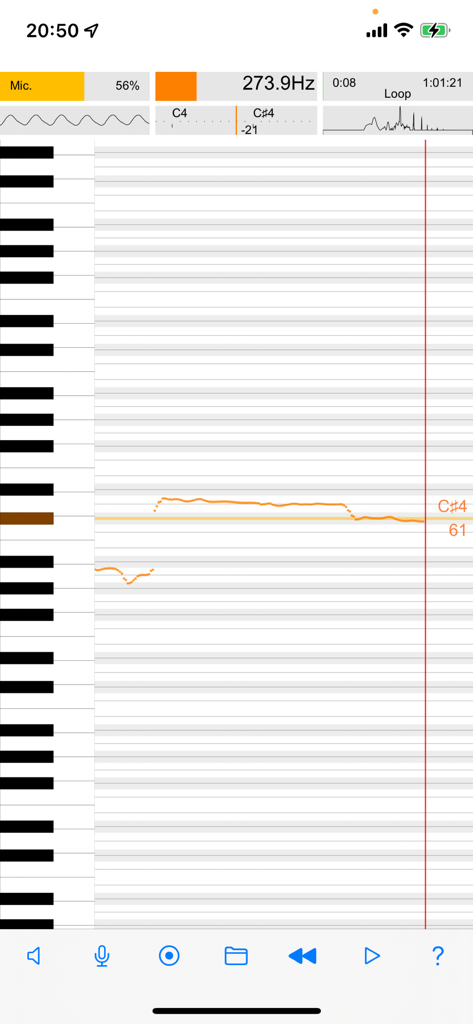
주파수 및 MIDI 노트 데이터가 있는 스크롤 그래프를 보여주는 실시간 음정 분석 인터페이스.

Vocal Analyzer Z - Vocal Analyzer Z 앱의 실시간 피치 롤 그래프 및 주파수 분석 표시
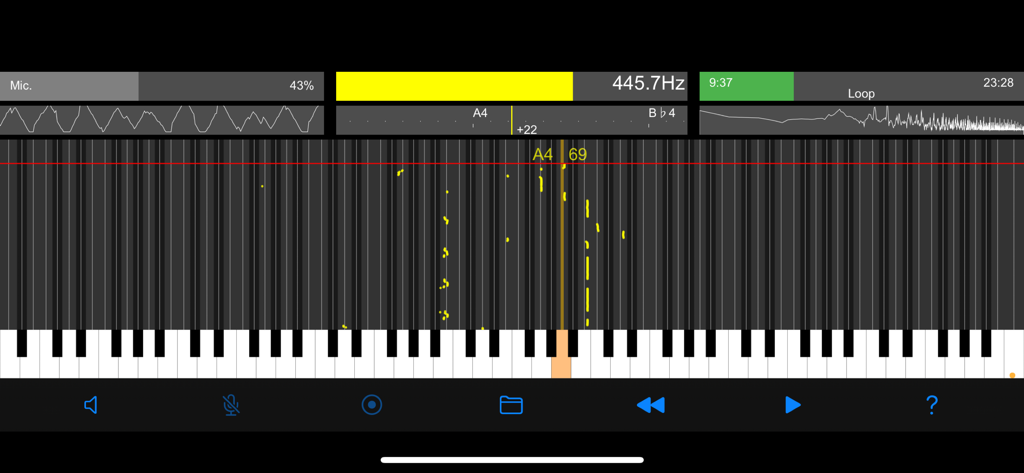
Vocal Analyzer Z 앱의 실시간 피치 롤 그래프 및 주파수 분석 표시
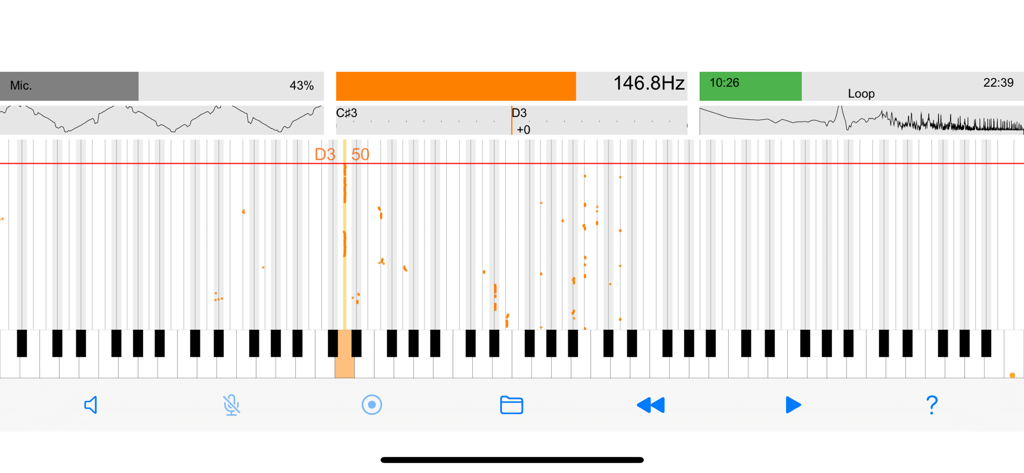
Vocal Analyzer Z - Vocal Analyzer Z 앱의 실시간 피치 롤 그래프 및 주파수 분석

Vocal Analyzer Z 앱의 실시간 피치 롤 그래프 및 주파수 분석

Vocal Analyzer Z - 주파수 데이터와 피아노 건반 시각화를 보여주는 실시간 음정 분석 화면

주파수 데이터와 피아노 건반 시각화를 보여주는 실시간 음정 분석 화면

설명

◎ Newly added conversion output to MIDI file (SMF) and file sharing function. ● A powerful tool for pitch analysis and visualization, suitable for a variety of uses such as karaoke, musical instrument practice, and tuning. ● The real-time pitch analysis feature to analyze the pitch of voices and musical instruments from the sound input from the microphone. ● The multifaceted screen display with a pitch graph that automatically rolls the pitch of the analyzed sound. ● Zoom and scroll the keyboard display using intuitive easy gesture operation to navigate and interact with the application. ● The ability to record audio and play back the file later with the same level of analysis and visualization. ● Import videos and sounds via file sharing and perform pitch analysis on them. ● Loop and jump the recorded or shared files to focus on specific sections of the sound. ● The pitch pipe feature is a convenient way to check the pitch of the sound before singing or playing it. ● Tap the keyboard to hear the pitch, and the pitch name and MIDI note number are displayed on the keyboard where the pitch of the detected sound shines. ● The pitch roll graph feature to zoom the time axis in conjunction with the keyboard display, providing a comprehensive view of the pitch over time. ● A Comprehensive tool for pitch analysis and visualization, suitable for musicians and music enthusiasts alike. ■ Features of the app ・Various and rich screen display ・Screen mode linked to device orientation ・Real-time analysis of microphone input sound ・Recording of microphone input sound ・Playback of recorded files ・Playback loop, playback jump ・Analysis of recorded files ・Play shared files ・Analysis of shared files ・Pitch pipe ・Zoom & scroll keyboard ・Automatic pitch roll graph ・(NEW) Conversion output to MIDI file (SMF) and file sharing ● Display items (real time) ・Pitch roll graph ・Scale meter (pitch name/cent difference) ・Frequency (Hz) ・MIDI note number ・Power spectrum (FFT analysis) ・Oscilloscope ・Microphone input level ・Audio level meter ・Playback progress bar ・Keyboard flash (detected pitch) ● Sound playback ・Audio files (recorded files, shared files) ・Loop playback ・Replay jump ・Pitch pipe (6 types of tones, keyboard tap) ● Precautions ・Please use it for solo singing and instrumental sounds that are not chords. ・It is not suitable for analysis of voices mixed with multiple instruments and voices. ・To prevent howling, the microphone input signal is automatically disabled during pitch pipe or audio file playback.

Download

다운로드: App Store

이 페이지는 앱이나 개발자의 공식 페이지가 아니며, 정보 제공 및 논평을 목적으로 작성된 독립 편집 간행물입니다. 명시적으로 달리 언급되지 않는 한, 해당 앱이나 개발자는 MWM, Apple, Google Play, 앱 퍼블리셔 또는 앱 개발자와 제휴, 보증, 후원, 승인 또는 공식적으로 연결되어 있지 않으며, 이 페이지의 어떤 내용도 해당 앱이 MWM의 서비스를 사용하여 개발되었음을 의미하지 않습니다. 모든 상표, 로고, 스크린샷 및 기타 콘텐츠는 해당 소유자의 자산입니다.