Vocal Remover, Audio Extractor
다운로드: App Store

이 페이지는 앱이나 개발자의 공식 페이지가 아니며, 정보 제공 및 논평을 목적으로 작성된 독립 편집 간행물입니다. 명시적으로 달리 언급되지 않는 한, 해당 앱이나 개발자는 MWM, Apple, Google Play, 앱 퍼블리셔 또는 앱 개발자와 제휴, 보증, 후원, 승인 또는 공식적으로 연결되어 있지 않으며, 이 페이지의 어떤 내용도 해당 앱이 MWM의 서비스를 사용하여 개발되었음을 의미하지 않습니다. 모든 상표, 로고, 스크린샷 및 기타 콘텐츠는 해당 소유자의 자산입니다.

로고: Vocal Remover, Audio Extractor
다운로드: App Store

Vocal Remover, Audio Extractor

보컬을 분리하고, 악기를 추출하고, 비디오를 오디오로 몇 초 만에 변환하세요. TikTok 사용자, 음악가, 크리에이터가 전문 수준의 AI로 사운드를 마스터할 수 있는 궁극의 올인원 툴킷입니다.

주요 수치

다운로드

6K+

사용자 평점

4.3/5

총 평가 수

0

개발사

Serhii Yehorov

카테고리

Music

지원 언어

14

최신 버전

3.1.1

크기

61.8 MB

출시일

2023년 3월 15일
기능

크리에이터 시대를 위한 전문가급 오디오 도구

AI 기반 보컬 제거, 번개처럼 빠른 변환, 모바일 우선 세대를 위해 설계된 정밀 편집으로 창의력을 발휘하세요.

AI 보컬 및 스템 제거

탭 한 번으로 보컬, 드럼 또는 베이스를 분리하세요. 맞춤형 노래방 트랙, 연습 루프 또는 실시간 전문 리믹스를 만드는 데 완벽합니다.

즉각적인 비디오 추출

모든 비디오 클립을 고음질 MP3로 변환하세요. 소셜 미디어 콘텐츠를 위한 인기 사운드 및 음성 해설을 캡처하는 궁극의 도구입니다.

다음 스크린샷과 설명은 앱의 공식 스토어 목록에서 직접 가져온 것이며 앱 개발자의 자산입니다.

앱 스토어

스크린샷
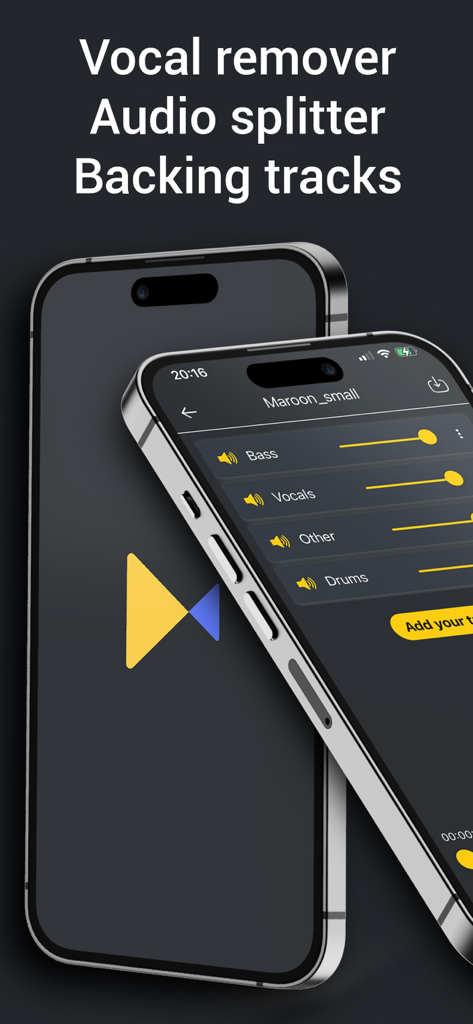
Vocal Remover, Audio Extractor - 리보이서 앱 인터페이스를 보여주는 스마트폰 화면. 슬라이더를 사용하여 노래의 보컬, 베이스, 드럼을 분리합니다.
리보이서 앱 인터페이스를 보여주는 스마트폰 화면. 슬라이더를 사용하여 노래의 보컬, 베이스, 드럼을 분리합니다.

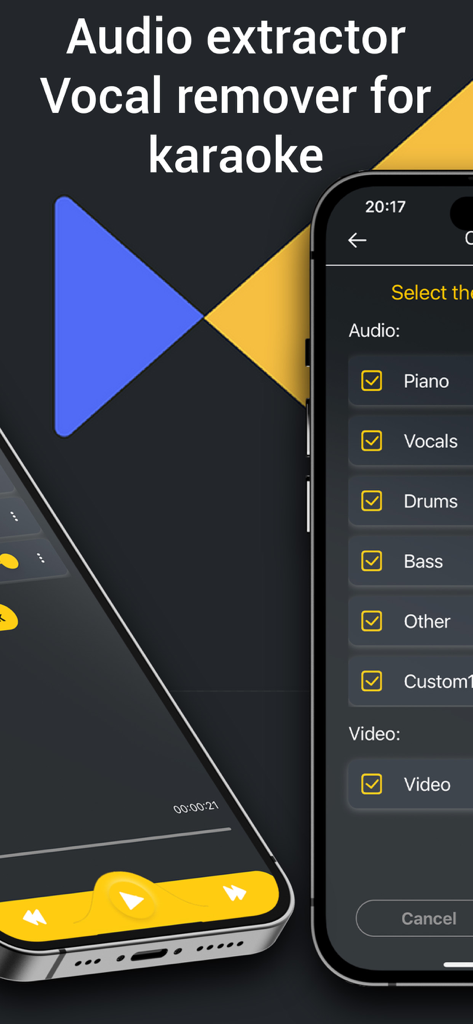
Vocal Remover, Audio Extractor - 노래방을 위해 피아노, 보컬, 드럼, 베이스를 분리하는 메뉴를 보여주는 모바일 앱 화면.
노래방을 위해 피아노, 보컬, 드럼, 베이스를 분리하는 메뉴를 보여주는 모바일 앱 화면.

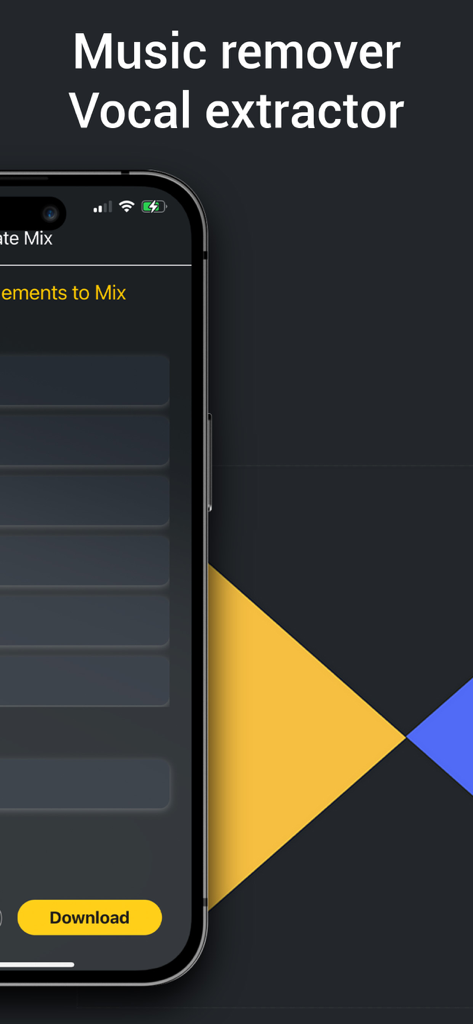
Vocal Remover, Audio Extractor - 스마트폰에서 음악 제거 및 보컬 추출을 위한 리보이서 앱 인터페이스.
스마트폰에서 음악 제거 및 보컬 추출을 위한 리보이서 앱 인터페이스.

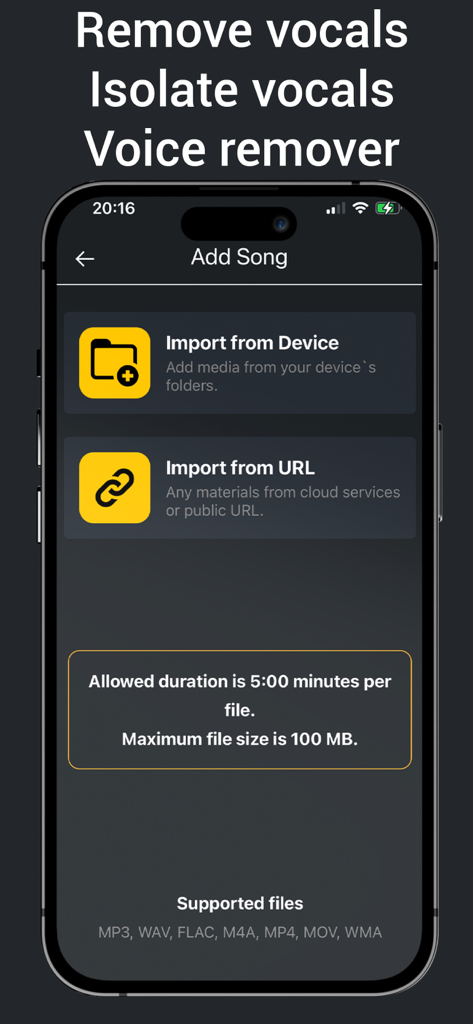
Vocal Remover, Audio Extractor - 보컬 제거를 위해 장치 또는 URL에서 노래를 가져오는 옵션을 보여주는 리보이서 앱의 모바일 인터페이스.
보컬 제거를 위해 장치 또는 URL에서 노래를 가져오는 옵션을 보여주는 리보이서 앱의 모바일 인터페이스.

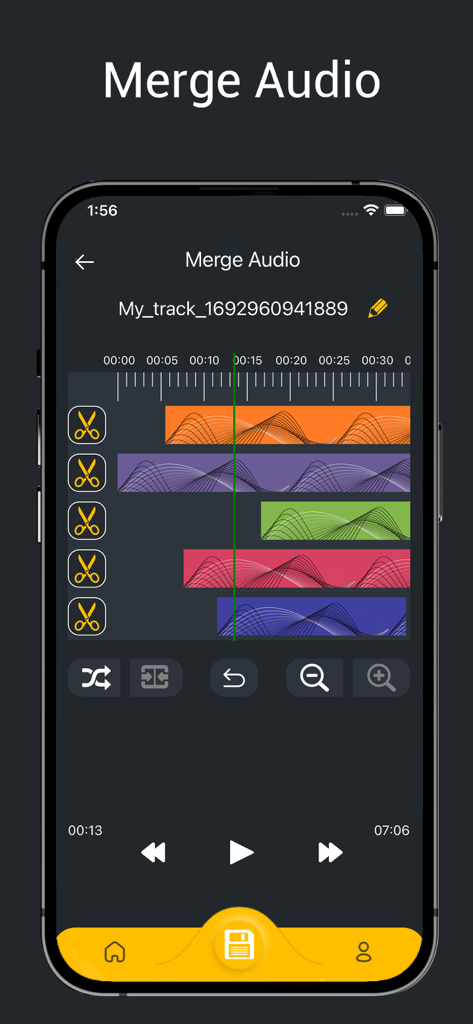
Vocal Remover, Audio Extractor - 화려한 파형으로 음악 트랙을 병합하기 위한 멀티 트랙 오디오 편집기를 보여주는 스마트폰 화면.
화려한 파형으로 음악 트랙을 병합하기 위한 멀티 트랙 오디오 편집기를 보여주는 스마트폰 화면.

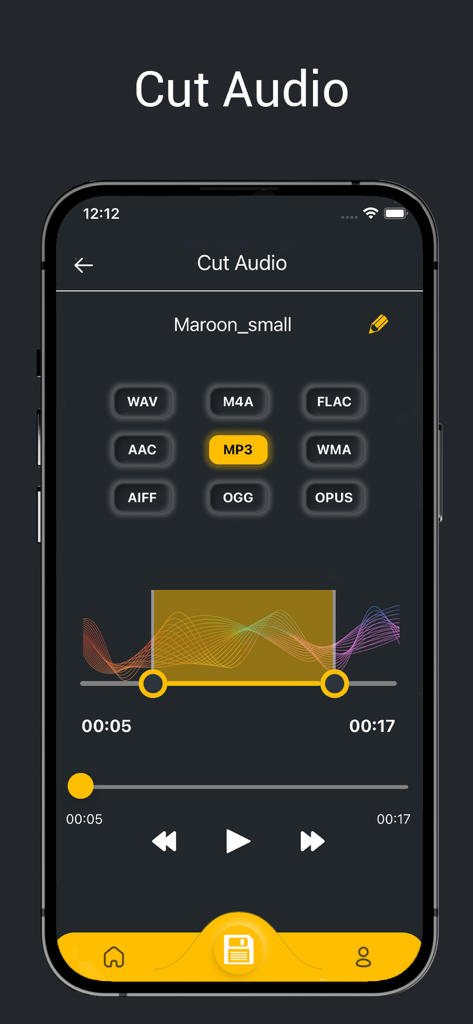
Vocal Remover, Audio Extractor - MP3 및 WAV와 같은 다양한 형식 옵션과 파형 트리머가 있는 오디오 자르기 기능을 보여주는 모바일 앱 인터페이스.
MP3 및 WAV와 같은 다양한 형식 옵션과 파형 트리머가 있는 오디오 자르기 기능을 보여주는 모바일 앱 인터페이스.

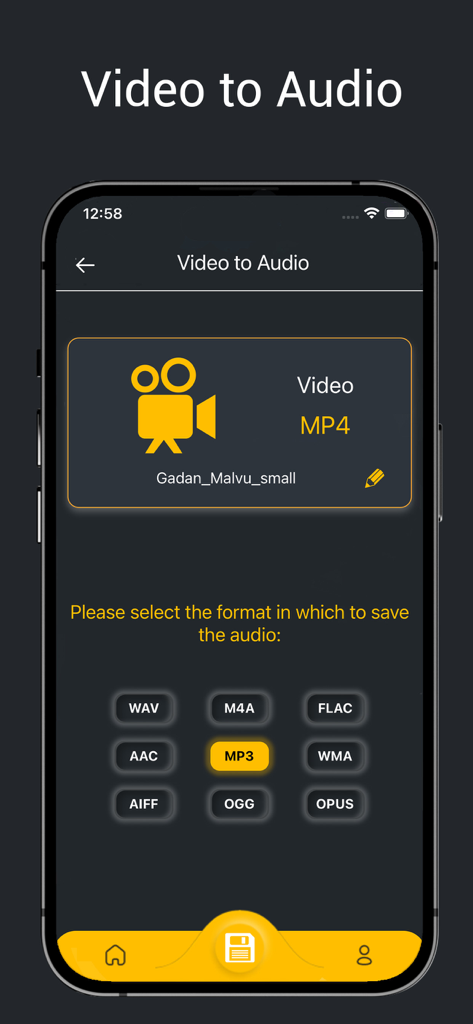
Vocal Remover, Audio Extractor - MP3 및 WAV와 같은 형식으로 비디오 파일에서 오디오를 추출하기 위한 모바일 앱 인터페이스.
MP3 및 WAV와 같은 형식으로 비디오 파일에서 오디오를 추출하기 위한 모바일 앱 인터페이스.

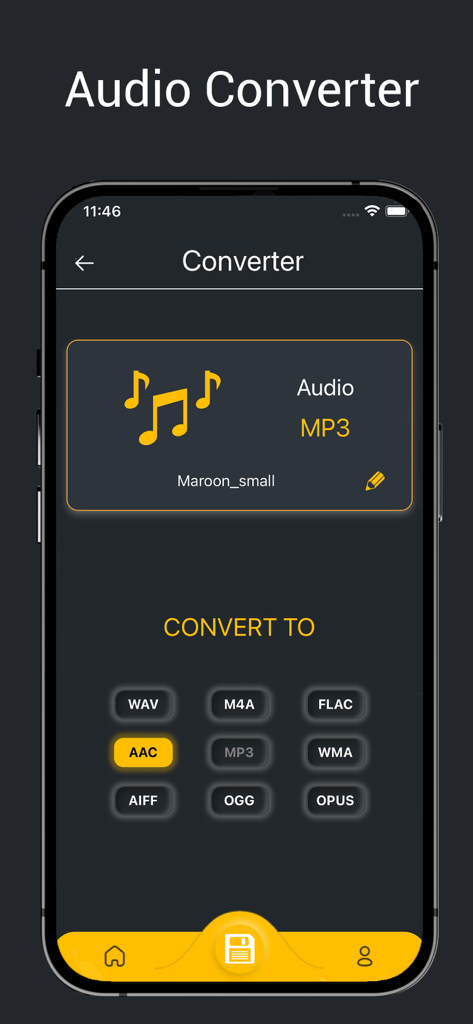
Vocal Remover, Audio Extractor - AAC 및 WAV와 같은 여러 형식으로 오디오 파일을 변환하기 위한 모바일 앱 화면.

AAC 및 WAV와 같은 여러 형식으로 오디오 파일을 변환하기 위한 모바일 앱 화면.

설명

Do you need application for trim audio, convert audio, convert video to mp3, vocal remover, music remover, audio extractor, mp3 converter, merge audio files and etc? We can help you with this. All these features in one application. Revoicers is a cutting-edge mobile application that empowers you to take control of your music and video experience like never before. With its powerful AI-driven technology, this app allows you to remove vocals and instruments from any song or video effortlessly. Key Features that Will Delight You: - Vocal Remover: Unleash your creativity with Revoicers' advanced vocal remover. Say goodbye to vocals and remove vocals to immerse yourself in the pure instrumentals of your favorite tracks. - Audio Extractor: Extract piano sound for practicing piano and singing! - Remove vocals, practice singing with backing track! - Remove drums, remove bass, remix guitar and other tracks! - Easily create songs or mix audio tracks! - Create song for karaoke or convert song to karaoke! Convert video to audio: - Convert Audio: Revoicers acts as a versatile audio converter, allowing you to convert audio files to different formats effortlessly. - MP3 Converter: Convert audio files to the universally compatible MP3 format with ease. Revoicers supports various audio formats, ensuring smooth playback on any device. For example, you can easily convert MP3 to WAV - Video to MP3 Converter. Do you want to convert MP4 to MP3? Convert your favorite video clips into MP3 audio tracks effortlessly using Revoicers' MP4 to MP3 conversion. Easily to cut audio and trim music: - Trim Audio: Precision audio editing made simple. Trim and cut audio files using Revoicers to keep only what you need and create your personalized audio clips. - MP3 Cutter: Refine your MP3 files by cutting out unwanted segments with Revoicers' intuitive MP3 cutter. - MP3 Trimmer: Easily trim your MP3 files and create personalized audio clips with Revoicers' intuitive MP3 trimmer. Revoicers takes your audio experience to the next level with its powerful features. Whether you're an aspiring musician, content creator, or an audio enthusiast, this app is your gateway to limitless possibilities. Use the vocal remover to dive into pure instrumentals, or the music remover to customize your audio mix. Extract audio from videos effortlessly with the audio extractor and convert audio files to various formats using the MP3 converter. Trim and cut audio files with precision using the mp3 cutter and mp3 trimmer. Convert video to MP3 with the video to mp3 converter and enjoy your favorite soundtracks independently. Revolutionize your audio world now. -In addition, you can merge or join mp3 or any audio files together in one file. Upgrade to Premium and unlock a world of possibilities! Here's what awaits you: 1) Karaoke Creation and Recording: Unleash your creativity on center stage. Record your own tracks, bringing your musical vision to life and showcasing your unique talent to the world. 2) Ad-Free Experience: Say goodbye to interruptions and distractions. 3) Expanded Instrumentation: Dive deeper into your compositions with our expanded instrument selection. With access to five instruments, you'll have a broader palette to craft rich, layered melodies that truly resonate with your audience. 4) Extended File Duration: Premium users benefit from increased file duration, allowing you to compose and share tracks with greater complexity and depth. 5) Amplified File Size: With an increased file size, you can incorporate more intricate arrangements, detailed soundscapes, and expressive performances, making your compositions truly stand out. 6) Merge audio files maximum 5 files Free: 1) Vocals, drums, and bass instrument isolation 2) Standard processing queue 3) 3 minute duration (per file) 4) 50 MB file size (per file) 5) Merge audio files maximum 2 files For Terms and Conditions, Privacy Terms https://revoicers.com/terms/ https://revoicers.com/privacy/

Download

다운로드: App Store

이 페이지는 앱이나 개발자의 공식 페이지가 아니며, 정보 제공 및 논평을 목적으로 작성된 독립 편집 간행물입니다. 명시적으로 달리 언급되지 않는 한, 해당 앱이나 개발자는 MWM, Apple, Google Play, 앱 퍼블리셔 또는 앱 개발자와 제휴, 보증, 후원, 승인 또는 공식적으로 연결되어 있지 않으며, 이 페이지의 어떤 내용도 해당 앱이 MWM의 서비스를 사용하여 개발되었음을 의미하지 않습니다. 모든 상표, 로고, 스크린샷 및 기타 콘텐츠는 해당 소유자의 자산입니다.







