Voice Recorder Plus Pro

Voice Recorder Plus Pro

다운로드: App Store
로고: Voice Recorder Plus Pro

Voice Recorder Plus Pro: 전문가급 오디오 녹음 및 파일 관리

한 번의 터치로 고품질 오디오를 캡처하고 폴더로 정리하세요. 회의, 강의, 인터뷰 내용을 주요 클라우드 드라이브에 원활하게 동기화할 수 있습니다.

개발사

AppDev Technolabs

카테고리

Business

다운로드

258K+

사용자 평점

4.4/5

총 평가 수

700

지원 언어

32

모든 픽셀의 정밀함

이 인터페이스를 사용하는 258K+ 명의 사용자.

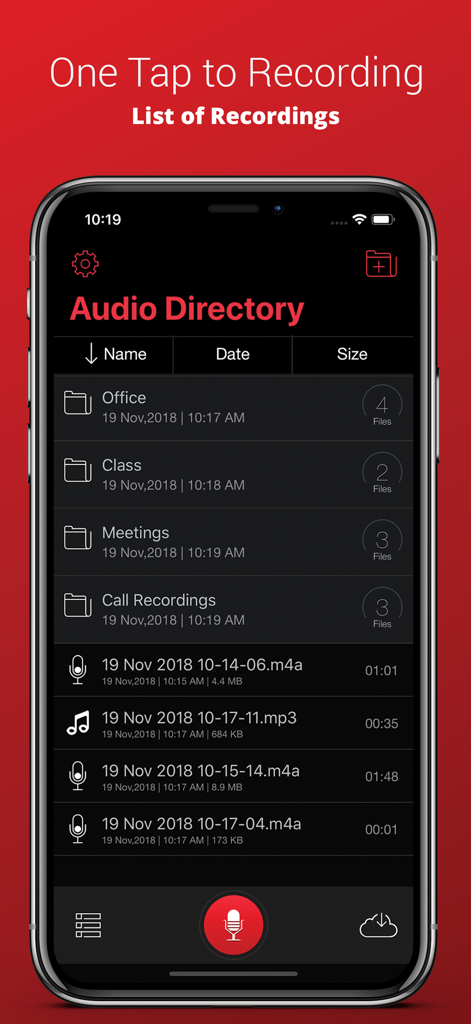
정리된 폴더와 오디오 디렉토리의 오디오 녹음 목록을 보여주는 Voice Recorder Plus Pro 앱 인터페이스

정리된 폴더와 오디오 디렉토리의 오디오 녹음 목록을 보여주는 Voice Recorder Plus Pro 앱 인터페이스

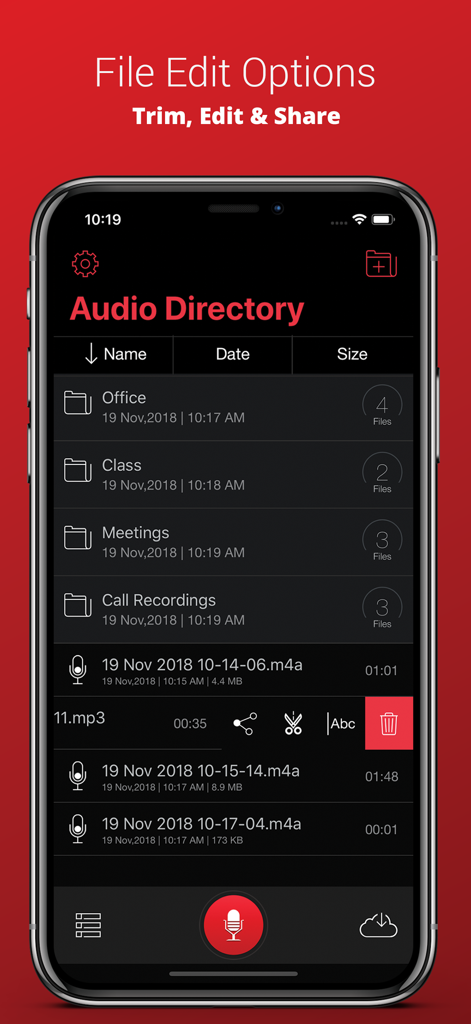
정리를 위한 폴더와 자르기 및 공유를 위한 파일 편집 도구를 보여주는 Voice Recorder Plus Pro 오디오 디렉토리 화면

정리를 위한 폴더와 자르기 및 공유를 위한 파일 편집 도구를 보여주는 Voice Recorder Plus Pro 오디오 디렉토리 화면

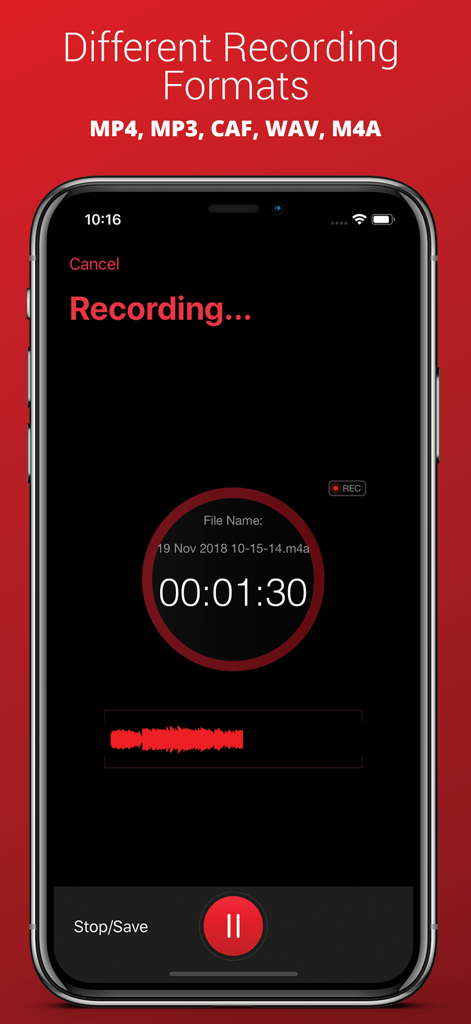
MP3 및 WAV와 같은 지원되는 오디오 형식 목록과 활성 녹음 인터페이스를 보여주는 Voice Recorder Plus Pro 앱 스크린샷

MP3 및 WAV와 같은 지원되는 오디오 형식 목록과 활성 녹음 인터페이스를 보여주는 Voice Recorder Plus Pro 앱 스크린샷

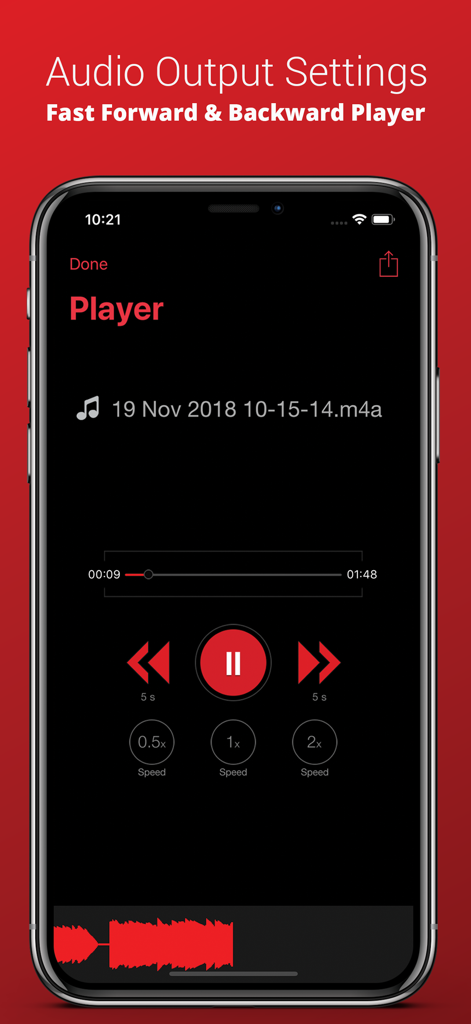
재생 속도 조절 및 건너뛰기 컨트롤이 포함된 Voice Recorder Plus Pro 오디오 플레이어 화면

재생 속도 조절 및 건너뛰기 컨트롤이 포함된 Voice Recorder Plus Pro 오디오 플레이어 화면

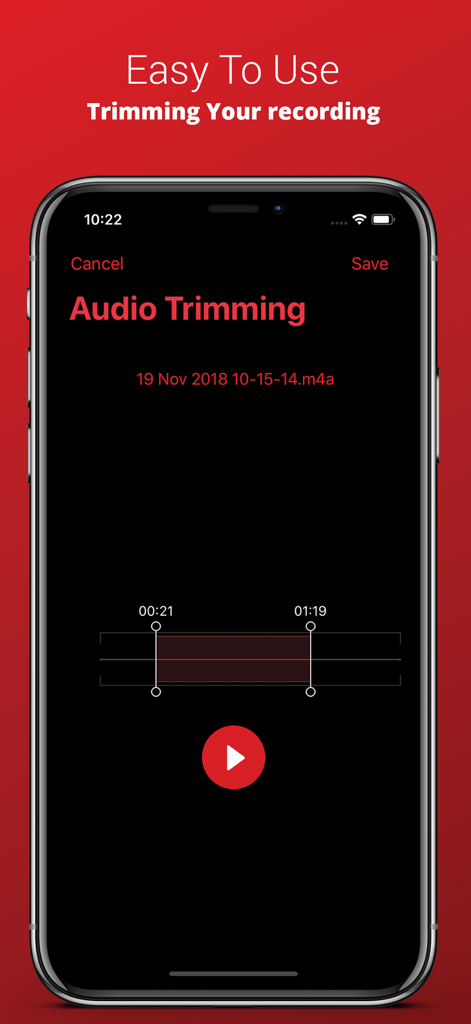
아이폰에서 Voice Recorder Plus Pro 오디오 자르기 인터페이스

아이폰에서 Voice Recorder Plus Pro 오디오 자르기 인터페이스

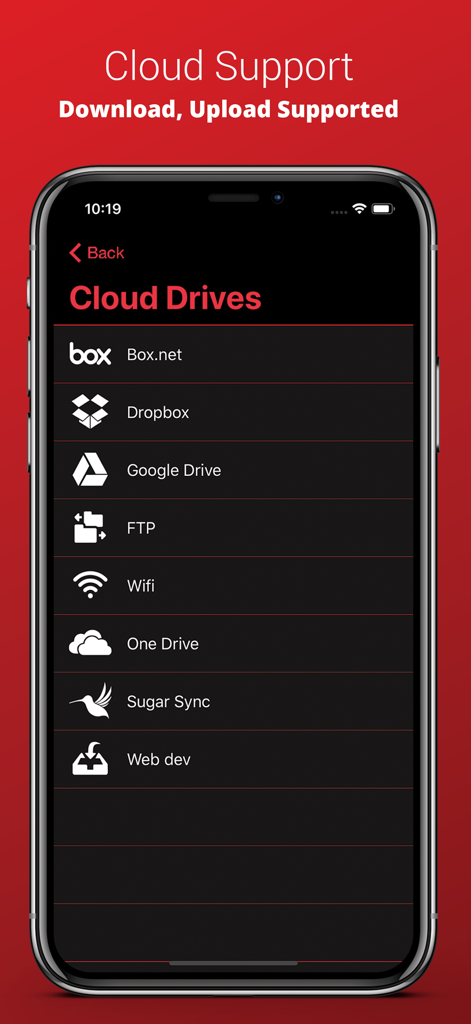
Dropbox, Google Drive, OneDrive와 같은 통합 클라우드 스토리지 옵션을 보여주는 Voice Recorder Plus Pro 앱 화면

Dropbox, Google Drive, OneDrive와 같은 통합 클라우드 스토리지 옵션을 보여주는 Voice Recorder Plus Pro 앱 화면

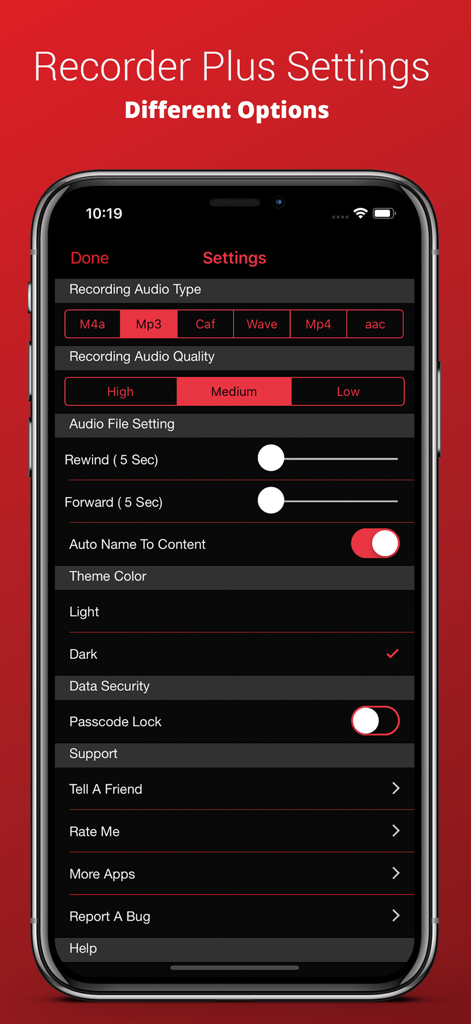
아이폰에서 오디오 형식 품질 및 다크 모드 옵션을 보여주는 Voice Recorder Plus Pro 설정 화면

아이폰에서 오디오 형식 품질 및 다크 모드 옵션을 보여주는 Voice Recorder Plus Pro 설정 화면

전문가급 오디오 워크플로우를 한 단계 업그레이드하세요

이 앱을 돋보이게 하는 도구, 258K+ 명의 사용자가 선택.

☁️

원활한 클라우드 통합

Google Drive, Dropbox, FTP로 녹음 내용을 즉시 동기화하고 내보내 모든 곳에서 작업에 액세스할 수 있도록 하세요.

📂

전문가급 파일 관리

폴더 지원 및 고급 관리 도구를 사용하여 강의 및 회의 내용을 항상 쉽게 찾을 수 있도록 정리 상태를 유지하세요.

정밀한 재생 및 자르기

더 빠른 속도로 오디오를 검토하여 시간을 절약하고 전문가 수준의 자르기 컨트롤을 사용하여 가장 가치 있는 내용만 유지하세요.

앱 소개

에 대해 알아야 할 모든 것 Voice Recorder Plus Pro.

설명

Audio Recorder Plus Pro is the easiest way to record and playback sounds. and it records professional audio with high quality feature. this application turns your iphone into a real audio recorder ●● Recording ●● √ One touch recording √ Record and playback in the background √ Fast, simple and easy to use √ Simple User Interface √ Pause and resume recordings √ Compressed Audio format √ Record for seconds or hours √ Great and High Quality audio recording √ Audio recording Output Settings-One touch recording √ Record and playback in the background ●●●● File Manager ●●●● 
 ● File Management Options √ Folder Supported √ Copy √ Move √Rename √ Delete ●●●● Supported Audio Formats ●●●● √ MP3 √ MP4 √ CAF √ WAVE √ M4A ●●●● Supported Sound Quality ●●●● √ Law √ Medium √ High ●●●● Audio Player Features ●●●● ● Adjustable Play Controls √ Fast Play √ Medium Play √ Slow Play ● Adjustable Audio Trim Controls ●●●● Supported Cloud Drives ●●●● √ Box.Net √ Dropbox √ My disk √ Sugar Sync √ Skydrive √ Webdav √ GoogleDrive √ FTP ●●●● Supported Cloud drives Features ●●●● √ Upload your recordings to different clouds √ Import from clouds √ Export to different Cloud drives √ Download your recordings from different clouds ●●●● Other Supported Features ●●●● √ Email multiple recordings √ Download the file from iTunes 
√ Save recording to your mac Via iTunes

최신 버전

6.6

크기

23.1 MB

출시일

2014년 5월 16일

전문가급 오디오 워크플로우를 직접 제어하세요

고품질 녹음, 고급 정리 기능, 원활한 클라우드 통합을 요구하는 250,000명 이상의 전문가 및 학생들과 함께하세요. 당신의 생산성에 걸맞은 전문가용 도구를 받으세요.

다운로드: App Store

App information, icons, screenshots, and descriptions displayed on this page are sourced from the Apple App Store and are the property of their respective developers. Download estimates and rankings are based on MWM's proprietary models and may not reflect actual figures. This page is provided for informational and analytical purposes only.

Believe this page infringes your intellectual property? File a dispute