
이 페이지는 앱이나 개발자의 공식 페이지가 아니며, 정보 제공 및 논평을 목적으로 작성된 독립 편집 간행물입니다. 명시적으로 달리 언급되지 않는 한, 해당 앱이나 개발자는 MWM, Apple, Google Play, 앱 퍼블리셔 또는 앱 개발자와 제휴, 보증, 후원, 승인 또는 공식적으로 연결되어 있지 않으며, 이 페이지의 어떤 내용도 해당 앱이 MWM의 서비스를 사용하여 개발되었음을 의미하지 않습니다. 모든 상표, 로고, 스크린샷 및 기타 콘텐츠는 해당 소유자의 자산입니다.


VST CoffeeTools PRO for iPhone
레시피 디자인과 데이터 기반 커피 분석을 위한 업계 표준 소프트웨어로 추출의 기술을 마스터하세요. 유니버설 브루잉 컨트롤 차트, 자동 수율 계산 및 원활한 전문 워크플로우 관리를 통해 추측에 의존하는 방식을 제거하십시오.
다운로드
102K+사용자 평점
총 평가 수
0개발사
카테고리
Food & Drink지원 언어
1최신 버전
2.0.9크기
5.3 MB출시일
2015년 12월 18일추출의 과학을 마스터하십시오
모든 잔에서 수학적 정밀함을 요구하는 전문 바리스타와 로스터를 위한 업계 표준 분석 제품군입니다.
시각적 추출 매핑
대화형 차트에 TDS와 추출 수율을 표시하여 추출 결과가 SCA 표준의 어디에 위치하는지 정확하게 시각화하십시오.
예측 레시피 디자인
모든 브루잉 방식에 걸쳐 원두량, 추출수량 및 수분 보유량에 대한 자동 계산을 통해 추측을 제거하십시오.
자주 묻는 질문
에 대해 알아야 할 모든 것 VST CoffeeTools PRO for iPhone
VST CoffeeTools PRO for iPhone은 무엇인가요?
VST CoffeeTools PRO for iPhone은 커피, 에스프레소, 커핑 및 장비 설계를 위한 전문 소프트웨어입니다. 정밀한 레시피 생성 및 분석을 위해 Universal Brewing Control Chart를 사용합니다.
VST CoffeeTools PRO for iPhone은 어떤 추출 방식을 지원하나요?
VST CoffeeTools PRO for iPhone은 드립, 자동 드립, 인퓨전, 풀 침지, 커핑 및 에스프레소를 포함한 다양한 추출 방식을 지원합니다. 모든 종류의 추출 공정을 처리할 수 있습니다.
VST CoffeeTools PRO for iPhone에 커피 리프랙토미터가 필요한가요?
아니요, VST CoffeeTools PRO for iPhone은 커피 리프랙토미터 없이도 완벽하게 작동합니다. 리프랙토미터 측정값은 분석을 위해 별도로 플로팅할 수 있습니다.
VST CoffeeTools PRO for iPhone은 커피 레시피 설계를 어떻게 단순화하나요?
VST CoffeeTools PRO for iPhone은 직접적인 차트 데이터 입력을 통한 간단한 2단계 설계 프로세스를 특징으로 합니다. 사용자는 차트에서 한 지점을 선택하고 음료, 추출수 또는 커피 용량을 지정합니다.
VST CoffeeTools PRO for iPhone에서 레시피를 공유할 수 있나요?
예, VST CoffeeTools PRO for iPhone을 사용하면 사용자는 개별 레시피, 데이터 및 측정값을 VST CoffeeTools의 다른 버전과 주고받을 수 있습니다. iTunes 파일 공유도 지원합니다.
VST CoffeeTools PRO for iPhone은 단위 변환을 처리하나요?
예, VST CoffeeTools PRO for iPhone은 부피 및 무게 측정에 대한 변환을 지원하며, 미국 표준(영어)에서 미터법 단위로 어떤 조합으로든 변환할 수 있습니다.
VST Universal Brewing Control Chart에는 어떤 기능이 포함되어 있나요?
VST Universal Brewing Control Chart는 직접적인 터치스크린 입력, 팬 및 줌, 차트 자동 스크롤 및 재설정 기능을 지원합니다. 스냅 투 그리드 증분으로 끊김 없는 설계 포인트를 제공합니다.
VST CoffeeTools PRO for iPhone은 사용자 정의 관심 영역(ROI) 오버레이를 지원하나요?
예, VST CoffeeTools PRO for iPhone은 선택적으로 SCAA, SCAE 및 NCA 영역 오버레이를 제공합니다. 사용자 정의 ROI도 모든 모드에 대해 별도로 포함됩니다.
VST CoffeeTools PRO for iPhone은 커피 레시피를 어떻게 관리하나요?
VST CoffeeTools PRO for iPhone은 커피, 에스프레소 및 커핑에 대한 전체 레시피 세부 정보 데이터베이스를 유지합니다. 사용자는 날짜, 이름 및 맛 점수로 레시피를 정렬할 수 있습니다.
VST CoffeeTools PRO for iPhone은 미리 정의된 커피 사전 설정을 제공하나요?
예, VST CoffeeTools PRO for iPhone은 모든 작동 모드에서 가정 및 상업용 서비스에 대한 다양한 사전 설정을 제공합니다. 사용자는 사용자 정의 사전 설정도 정의할 수 있습니다.
다음 스크린샷과 설명은 앱의 공식 스토어 목록에서 직접 가져온 것이며 앱 개발자의 자산입니다.
앱 스토어
스크린샷
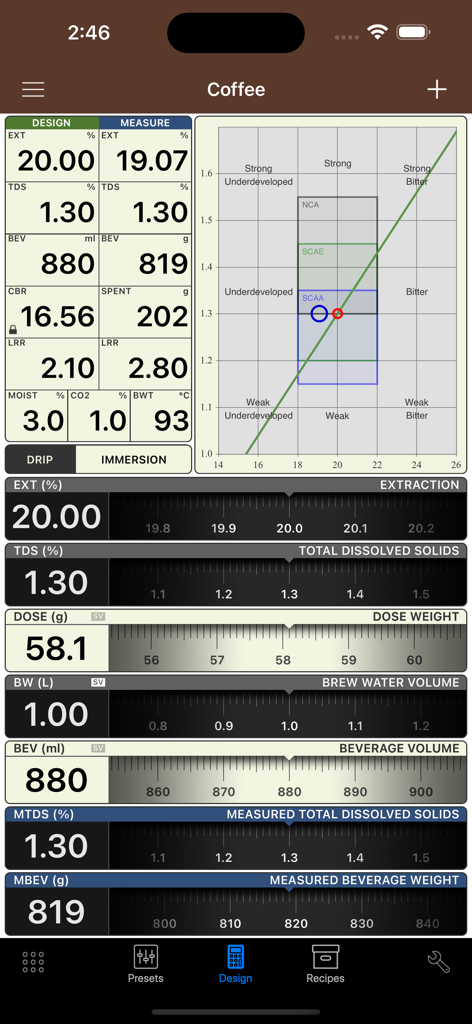
VST CoffeeTools PRO에서 커피 추출 및 브루잉 컨트롤 데이터를 보여주는 대시보드
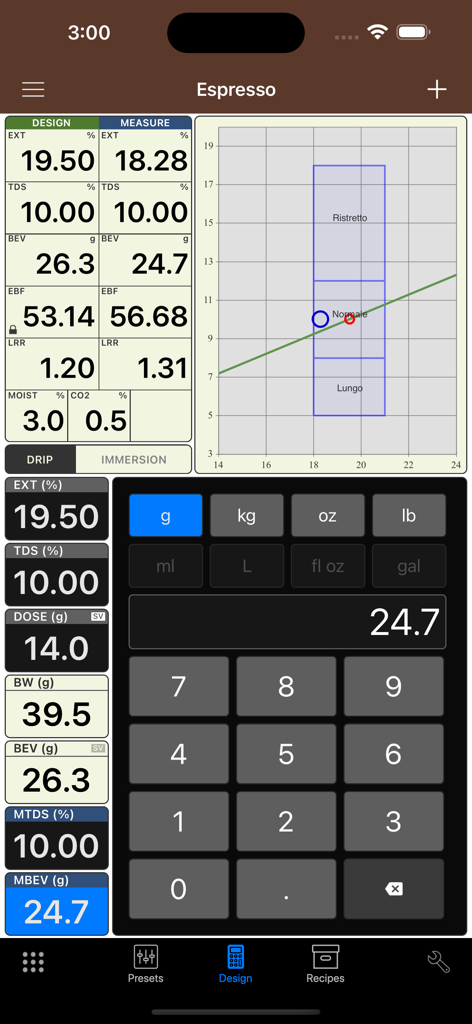
VST CoffeeTools PRO 에스프레소 레시피 디자인 및 브루잉 컨트롤 차트 화면
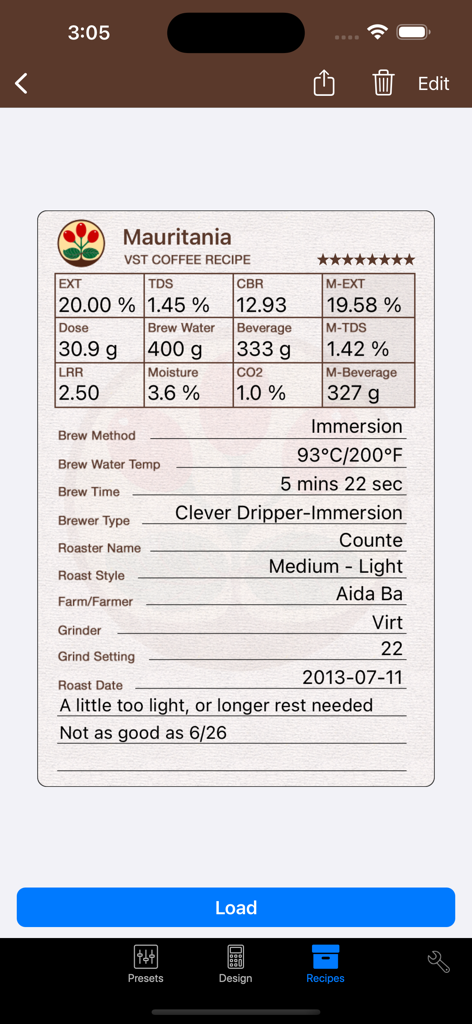
추출 지표 및 침출식 브루잉 설정을 보여주는 전문 커피 레시피 로그
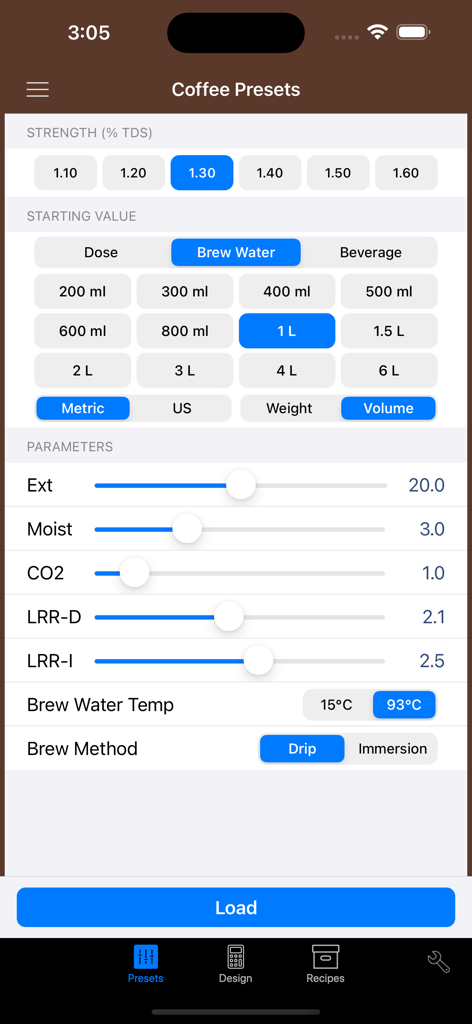
TDS 농도 및 추출 수율을 포함한 커피 프리셋 및 브루잉 파라미터를 보여주는 VST CoffeeTools PRO 앱 인터페이스
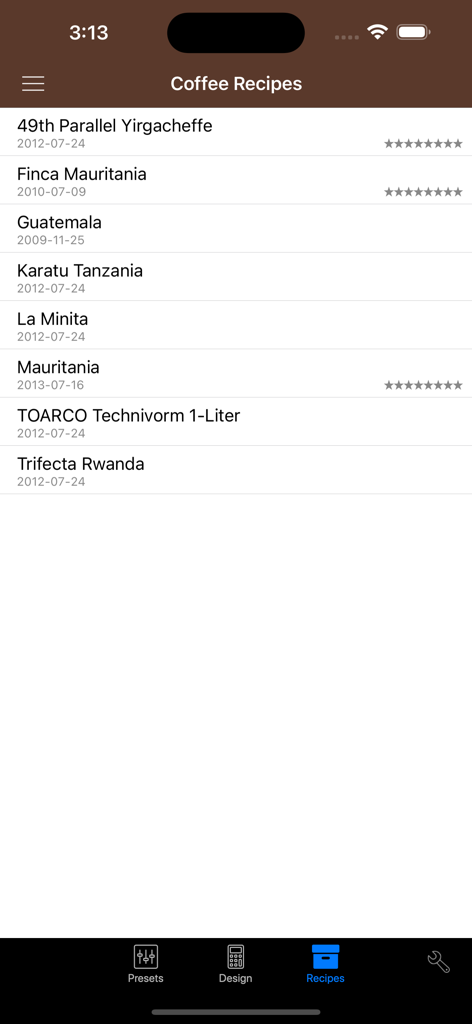
원산지와 날짜가 표시된 VST CoffeeTools PRO 앱 내 저장된 커피 레시피 목록
설명
Download
비슷한 앱
유사한 기능과 사용자 경험을 가진 앱

Ooni Pizza Ovens
Ooni Limited

Ricette Bimby
PGP Srl

Filtru: Brew the best coffee
Spirograph Limited

ThermoMaven
Shenzhen Auros Technology Innovation Co., Ltd

Gluten Morgen
Alan Parodi

Sous Vide °Celsius
Jonas Frei

Roastmaster
Rainfrog, Inc.

Loaflo: Sourdough Starter
No Worries Lifestyle, LLC

PizzApp+
Nasuti Francesco Paolo
이 페이지는 앱이나 개발자의 공식 페이지가 아니며, 정보 제공 및 논평을 목적으로 작성된 독립 편집 간행물입니다. 명시적으로 달리 언급되지 않는 한, 해당 앱이나 개발자는 MWM, Apple, Google Play, 앱 퍼블리셔 또는 앱 개발자와 제휴, 보증, 후원, 승인 또는 공식적으로 연결되어 있지 않으며, 이 페이지의 어떤 내용도 해당 앱이 MWM의 서비스를 사용하여 개발되었음을 의미하지 않습니다. 모든 상표, 로고, 스크린샷 및 기타 콘텐츠는 해당 소유자의 자산입니다.