Walkout Song DJ
Walkout Song DJ
다운로드: App Store

이 페이지는 앱이나 개발자의 공식 페이지가 아니며, 정보 제공 및 논평을 목적으로 작성된 독립 편집 간행물입니다. 명시적으로 달리 언급되지 않는 한, 해당 앱이나 개발자는 MWM, Apple, Google Play, 앱 퍼블리셔 또는 앱 개발자와 제휴, 보증, 후원, 승인 또는 공식적으로 연결되어 있지 않으며, 이 페이지의 어떤 내용도 해당 앱이 MWM의 서비스를 사용하여 개발되었음을 의미하지 않습니다. 모든 상표, 로고, 스크린샷 및 기타 콘텐츠는 해당 소유자의 자산입니다.

로고: Walkout Song DJ
다운로드: App Store

Walkout Song DJ

자동 워크아웃 곡, AI 발표, 원활한 이닝 브레이크로 선수들에게 프로 대우를 해주고, 플레이리스트 관리 대신 경기에 집중하세요.

주요 수치

다운로드

97K+

사용자 평점

4.8/5

총 평가 수

10K+

개발사

Joseph Vidunas

카테고리

Music

지원 언어

1

최신 버전

3.1.19

크기

17.3 MB

출시일

2013년 11월 17일
기능

모든 유소년 경기를 메이저리그 경험으로 전환하세요

자동 워크아웃 곡, 맞춤형 발표, 원활한 경기장 분위기를 위한 궁극의 도구로 팀의 경기 당일을 전문적으로 만들어 보세요.

원터치 워크아웃 완벽 구현

더 이상 플레이리스트를 만지작거릴 필요가 없습니다. 자동 11초 페이드로 정확한 곡 세그먼트를 재생하여 일시 중지 버튼이 아닌 경기에 집중할 수 있습니다.

핸즈프리 이닝 브레이크

자동 음악으로 이닝 간의 에너지를 유지하고, 경기가 재개될 때 정확히 페이드 아웃되어 간식을 먹거나 응원할 시간을 줍니다.

다음 스크린샷과 설명은 앱의 공식 스토어 목록에서 직접 가져온 것이며 앱 개발자의 자산입니다.

앱 스토어

스크린샷
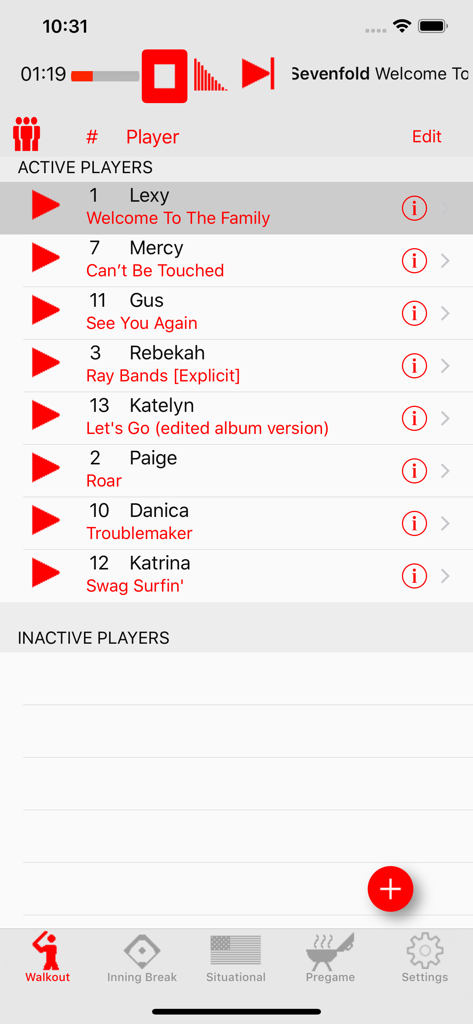
Walkout Song DJ - 워크아웃 송 DJ 앱에서 활동 중인 선수 목록과 할당된 워크아웃 곡을 보여주는 화면
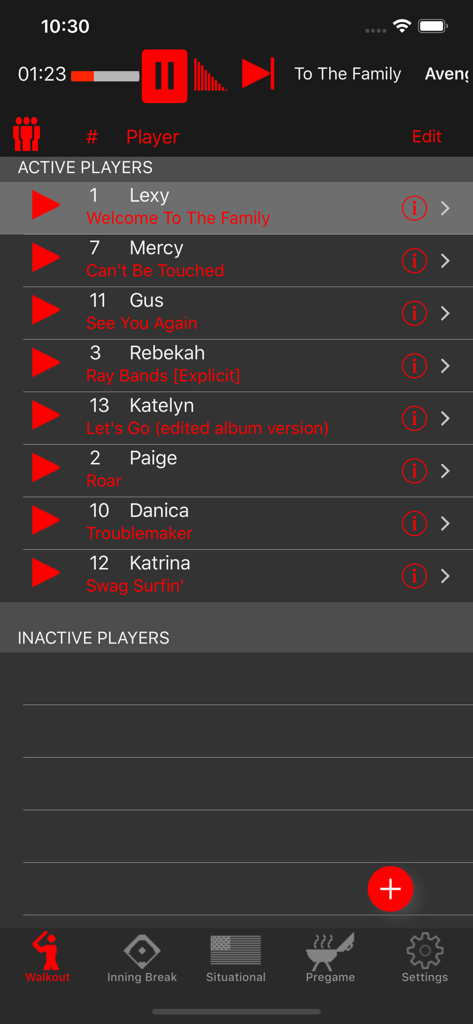
워크아웃 송 DJ 앱에서 활동 중인 선수 목록과 할당된 워크아웃 곡을 보여주는 화면

Walkout Song DJ - 워크아웃 송 DJ 앱 인터페이스에서 활동 중인 선수 목록과 할당된 워크아웃 곡을 보여주는 화면
워크아웃 송 DJ 앱 인터페이스에서 활동 중인 선수 목록과 할당된 워크아웃 곡을 보여주는 화면

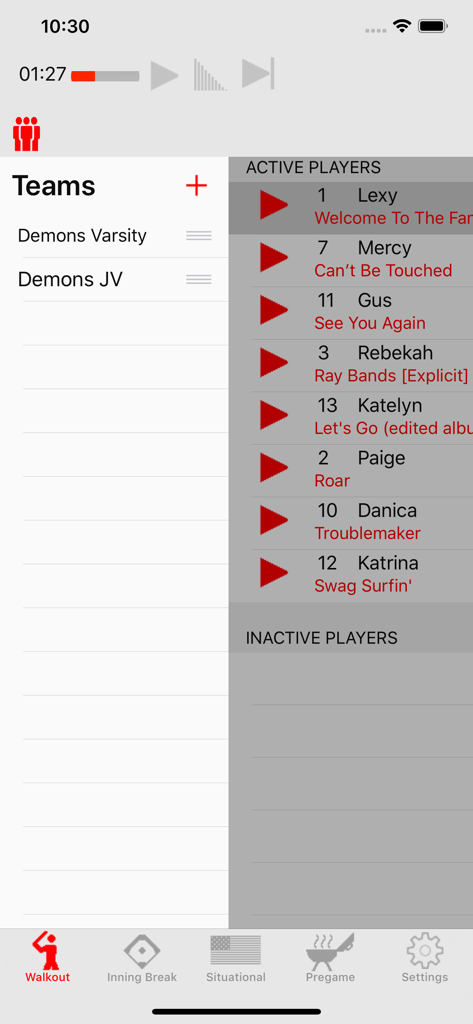
Walkout Song DJ - 워크아웃 송 DJ 앱 인터페이스에서 팀 목록과 활동 중인 선수 곡을 보여주는 화면
워크아웃 송 DJ 앱 인터페이스에서 팀 목록과 활동 중인 선수 곡을 보여주는 화면

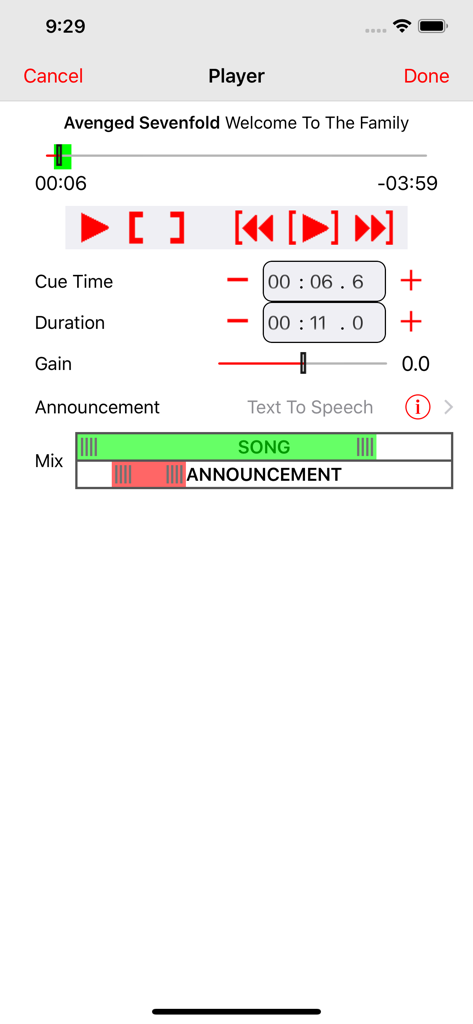
Walkout Song DJ - 워크아웃 송 DJ 앱 인터페이스에서 곡 큐 시간 길이 조정 및 선수 발표와 혼합하는 편집기를 보여주는 화면
워크아웃 송 DJ 앱 인터페이스에서 곡 큐 시간 길이 조정 및 선수 발표와 혼합하는 편집기를 보여주는 화면

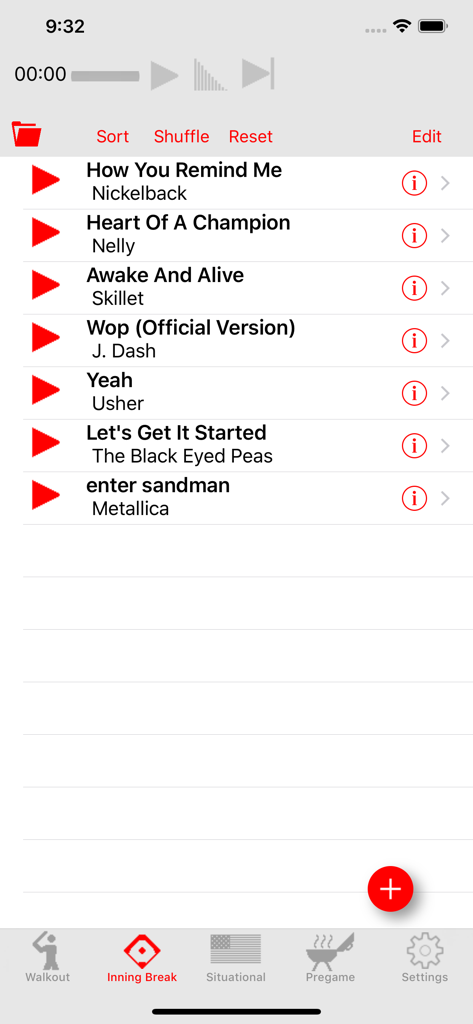
Walkout Song DJ - 워크아웃 송 DJ 앱의 이닝 브레이크 플레이리스트 보기로, 재생 버튼과 하단에 탐색 아이콘이 있는 곡 목록 표시
워크아웃 송 DJ 앱의 이닝 브레이크 플레이리스트 보기로, 재생 버튼과 하단에 탐색 아이콘이 있는 곡 목록 표시

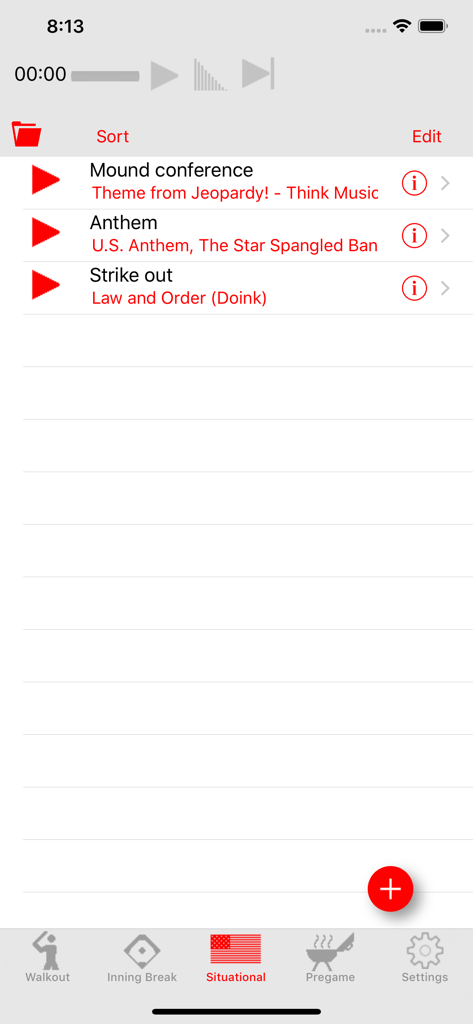
Walkout Song DJ - 야구 경기를 위한 워크아웃 송 DJ 앱의 상황별 음악 플레이리스트

야구 경기를 위한 워크아웃 송 DJ 앱의 상황별 음악 플레이리스트

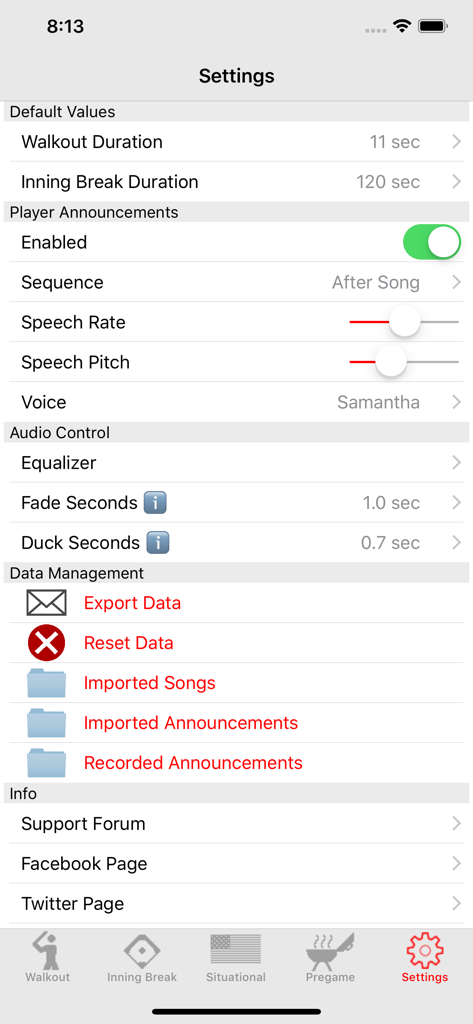
Walkout Song DJ - 워크아웃 송 DJ 앱의 설정 화면으로, 오디오 컨트롤 및 선수 발표 설정 표시
워크아웃 송 DJ 앱의 설정 화면으로, 오디오 컨트롤 및 선수 발표 설정 표시

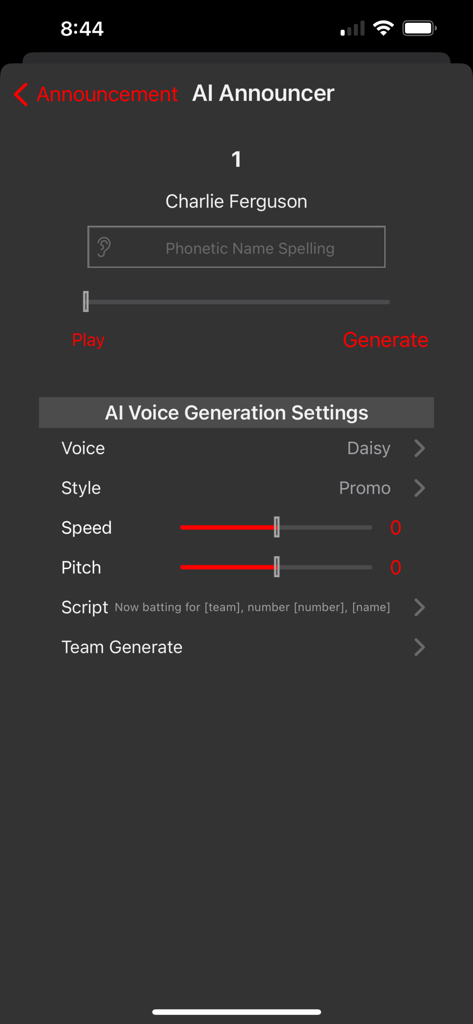
Walkout Song DJ - 워크아웃 송 DJ 앱의 AI 발표자 설정 화면으로, Charlie Ferguson이라는 선수를 위한 음성 생성 옵션 표시

워크아웃 송 DJ 앱의 AI 발표자 설정 화면으로, Charlie Ferguson이라는 선수를 위한 음성 생성 옵션 표시

설명

Music makes the ball field come to life but until now being the ballpark DJ wasn’t easy. Walkout Song DJ is here to make it simple to have every field filled with that pump-up music every athlete loves and needs for those big games. Walkout song DJ makes the difficult task of playing a walkout song for each individual batter as easy as tapping a button. Simply enter the player name and number then select a song from your iTunes library. The precise segment from that walkout song can then be set by selecting a position and playback duration using a simple and precise editing view. Press the play button and 11 seconds later you have one pumped-up batter, and a song that smoothly fades as the batter steps up to the plate. You can also choose between imported, recorded, or AI generated announcements for your players before, after, or mixed with their walkout song. The game doesn’t stop between innings so why should the music? Walkout Song DJ has a view dedicated to inning break songs. Just as before, select a song from your iTunes library and set a position and duration. Since inning breaks are usually two minutes long and most songs are over three minutes, Walkout Song DJ can automatically fade the song out before the start of play. That allows the human DJ to take a break or get a hot dog, and not have to worry about the music interrupting the game. There is also one-touch access to a situational music view. These are the songs that add character to the game, such as your national anthem, Take Me Out to the Ball Game, Jeopardy Theme Song, your team fight song and anything else that fits! For pre-game music, there is a pre-game view that allows you to select a group of songs from your library and arrange them in a simple playlist to play without interruption and help the athletes get “in the zone” during warm ups. If you happen to be a dedicated ballpark DJ and have multiple teams to DJ, don’t sweat it. Walk-Out Song DJ makes it possible to create and save song pages for multiple teams. So sit back, relax, and enjoy the game while playing the all-important music by barely lifting a finger. Please NOTE: The only subscription music source that will work with this app is Apple Music. The app is unable to access files from subscription sources like Spotify, Amazon Prime, Google Music, Tidal, or Napster because those services either have no third party offline playback interface or will not allow use of their interface with a third party commercial application. I have requested commercial approval from several of them and have had no response. The app will also work with standard music files either purchased from iTunes or imported to your device from email attachments or from cloud storage services.

Download

다운로드: App Store

이 페이지는 앱이나 개발자의 공식 페이지가 아니며, 정보 제공 및 논평을 목적으로 작성된 독립 편집 간행물입니다. 명시적으로 달리 언급되지 않는 한, 해당 앱이나 개발자는 MWM, Apple, Google Play, 앱 퍼블리셔 또는 앱 개발자와 제휴, 보증, 후원, 승인 또는 공식적으로 연결되어 있지 않으며, 이 페이지의 어떤 내용도 해당 앱이 MWM의 서비스를 사용하여 개발되었음을 의미하지 않습니다. 모든 상표, 로고, 스크린샷 및 기타 콘텐츠는 해당 소유자의 자산입니다.