Watch Reader - txt file
다운로드: App Store

이 페이지는 앱이나 개발자의 공식 페이지가 아니며, 정보 제공 및 논평을 목적으로 작성된 독립 편집 간행물입니다. 명시적으로 달리 언급되지 않는 한, 해당 앱이나 개발자는 MWM, Apple, Google Play, 앱 퍼블리셔 또는 앱 개발자와 제휴, 보증, 후원, 승인 또는 공식적으로 연결되어 있지 않으며, 이 페이지의 어떤 내용도 해당 앱이 MWM의 서비스를 사용하여 개발되었음을 의미하지 않습니다. 모든 상표, 로고, 스크린샷 및 기타 콘텐츠는 해당 소유자의 자산입니다.

로고: Watch Reader - txt file
다운로드: App Store

Watch Reader - txt file

Apple Watch를 위한 궁극의 전자책 리더기. TXT 및 ePub 파일을 쉽게 동기화하고, 텍스트 음성 변환을 즐기고, 모든 세부 사항을 사용자 정의하여 어디서든 눈에 띄지 않고 방해받지 않는 독서 경험을 제공합니다.

주요 수치

다운로드

21K+

사용자 평점

4.1/5

총 평가 수

0

개발사

kim juyoung

카테고리

Books

지원 언어

3

최신 버전

1.25

크기

63.6 MB

출시일

2023년 4월 6일
기능

손목에서 제한 없이 읽기

Apple Watch 파워 유저를 위해 설계된 궁극의 미니멀리스트 리더를 경험하세요. 완벽한 사용자 정의와 휴대폰 없이 액세스하여 모든 출퇴근, 운동 또는 휴식을 생산적인 독서 시간으로 바꾸세요.

원활한 클라우드 동기화

iCloud, SMB 또는 NAS에서 TXT 및 ePub 파일을 손쉽게 가져오세요. 개인 디지털 라이브러리는 항상 동기화되어 휴대폰을 꺼낼 필요 없이 오프라인 읽기를 할 수 있습니다.

전문가 수준의 사용자 정의

사용자 정의 글꼴, 줄 간격 및 테마로 경험을 미세 조정하세요. .otf 파일을 업로드하여 시계 화면에 완벽하게 최적화된 독서 인터페이스를 만드세요.

다음 스크린샷과 설명은 앱의 공식 스토어 목록에서 직접 가져온 것이며 앱 개발자의 자산입니다.

앱 스토어

스크린샷
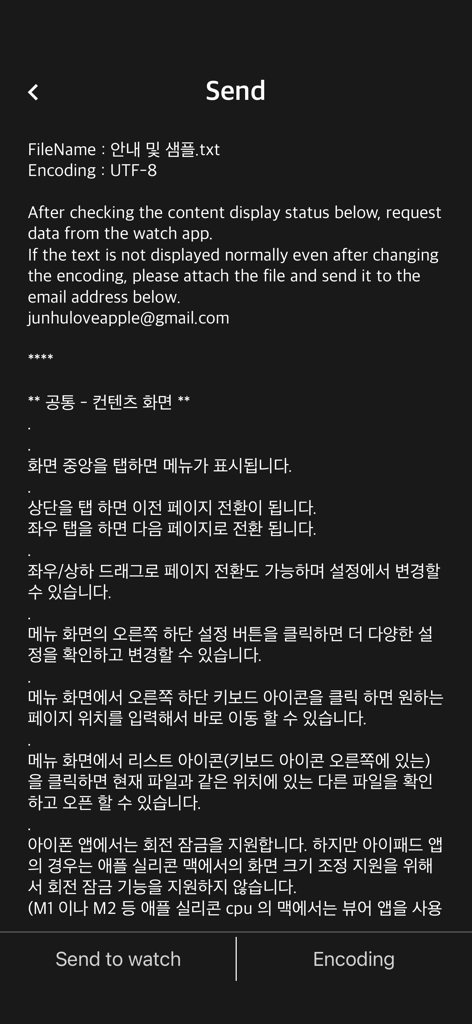
Watch Reader - txt file - 텍스트 파일을 Apple Watch로 보내는 화면을 보여주는 Watch Reader iPhone 앱 인터페이스.
텍스트 파일을 Apple Watch로 보내는 화면을 보여주는 Watch Reader iPhone 앱 인터페이스.

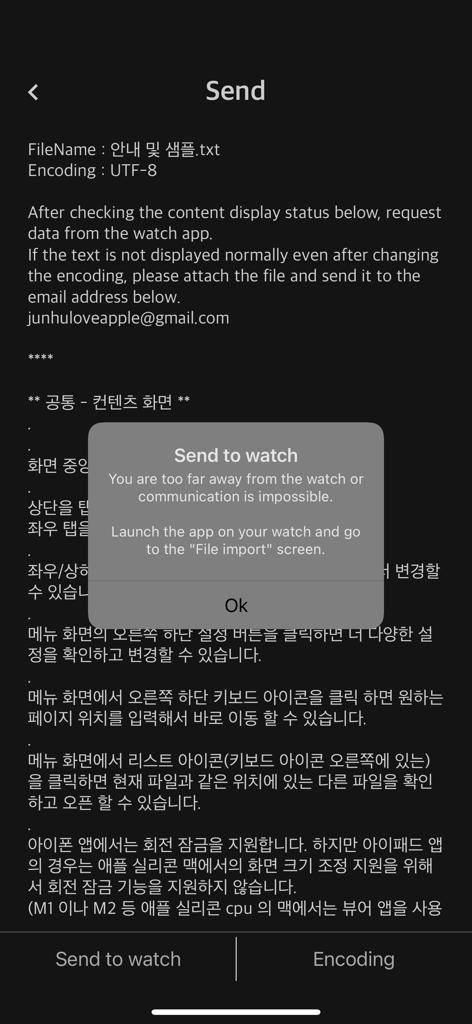
Watch Reader - txt file - 파일 가져오기를 위해 Watch Reader 앱을 Apple Watch에서 실행하라는 메시지가 표시된 iPhone 화면.
파일 가져오기를 위해 Watch Reader 앱을 Apple Watch에서 실행하라는 메시지가 표시된 iPhone 화면.

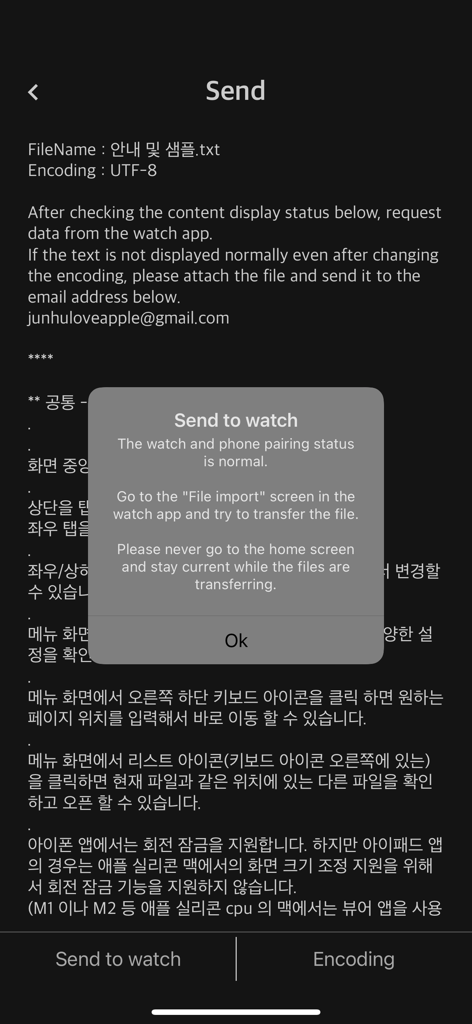
Watch Reader - txt file - 텍스트 파일을 Apple Watch로 보내는 알림 팝업을 보여주는 Watch Reader iPhone 앱 스크린샷
텍스트 파일을 Apple Watch로 보내는 알림 팝업을 보여주는 Watch Reader iPhone 앱 스크린샷

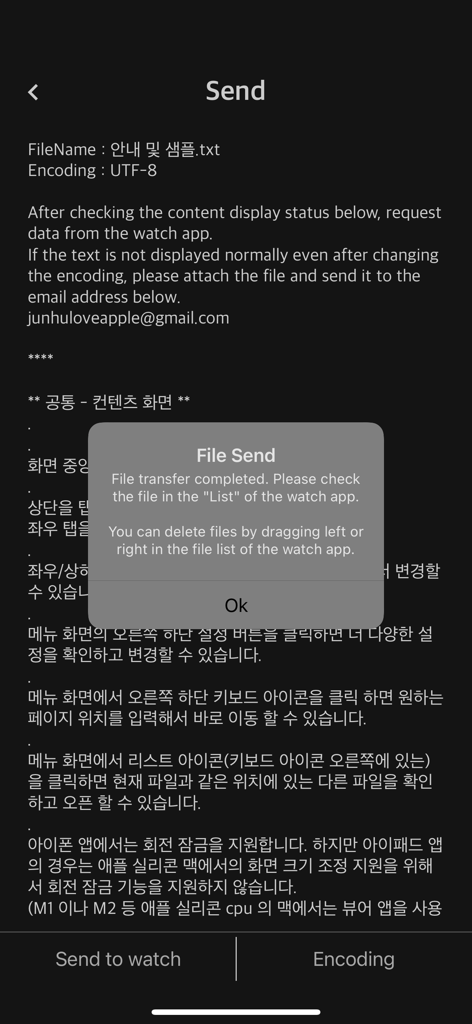
Watch Reader - txt file - Watch Reader 앱에서 Apple Watch로 파일 전송이 성공했음을 보여주는 iPhone 화면.

Watch Reader 앱에서 Apple Watch로 파일 전송이 성공했음을 보여주는 iPhone 화면.

설명

Watch Reader (Watch Reader) is a watch-only text viewer app. You can view the txt file you have by sending it to the watch. First check if you have a watch. (Supported from devices with WatchOS 9.0 or higher installed) It is possible to run the watch app alone, but The phone app is required to import files to the watch app. The steps to import the file are as follows. 1. The phone app checks some text contents in advance and waits to send the file to the watch app. 2. Launch the watch app and import the file to the watch app through “Import File”. 3. iPhone/iPad and Watch must be in close proximity when transferring files using the watch app. ** Watch App Features ** - Supported from devices with WatchOS 9.0 or higher installed (WatchOS 9.0+) - txt file - ePub: Display only text (not supported: image, audio, style (css), chapter) - Font: Watch default font - External font file: Transfer and apply font files in otf and ttf formats to the watch app - font size - letter spacing - line spacing - indent - Alignment (left, right, center, and justification are not supported) - Text color & recommended text color - Background color & recommended background color - Top information: Select one of non-display, progress, and battery - TTS: Background playback after Bluetooth connection - iCloud sync: sync last read location - App lock: If a password is set for the watch app - Clear all caches - Reset settings - Remove continuous blank lines from original file (automatic) - Remove blank lines - Remove a file from the watch app: Swipe left in the file list - App language: Auto / English / Japanese / Korean - Search (Location: Settings - Search) - Designate long-click operation: Unused/TTS/Search - App brightness - Internal speaker playback (background playback is not possible when the internal speaker is set) ** Phone App Features ** - Send files to the watch app - file management - Webdav, SMB, FTP, Synology NAS ** Search for "Watch Reader" on YouTube for a demonstration video

Download

다운로드: App Store

이 페이지는 앱이나 개발자의 공식 페이지가 아니며, 정보 제공 및 논평을 목적으로 작성된 독립 편집 간행물입니다. 명시적으로 달리 언급되지 않는 한, 해당 앱이나 개발자는 MWM, Apple, Google Play, 앱 퍼블리셔 또는 앱 개발자와 제휴, 보증, 후원, 승인 또는 공식적으로 연결되어 있지 않으며, 이 페이지의 어떤 내용도 해당 앱이 MWM의 서비스를 사용하여 개발되었음을 의미하지 않습니다. 모든 상표, 로고, 스크린샷 및 기타 콘텐츠는 해당 소유자의 자산입니다.









