WebToon Reader - WebComic File
다운로드: App Store

이 페이지는 앱이나 개발자의 공식 페이지가 아니며, 정보 제공 및 논평을 목적으로 작성된 독립 편집 간행물입니다. 명시적으로 달리 언급되지 않는 한, 해당 앱이나 개발자는 MWM, Apple, Google Play, 앱 퍼블리셔 또는 앱 개발자와 제휴, 보증, 후원, 승인 또는 공식적으로 연결되어 있지 않으며, 이 페이지의 어떤 내용도 해당 앱이 MWM의 서비스를 사용하여 개발되었음을 의미하지 않습니다. 모든 상표, 로고, 스크린샷 및 기타 콘텐츠는 해당 소유자의 자산입니다.


로고: WebToon Reader - WebComic File
다운로드: App Store

WebToon Reader - WebComic File

개인 CBR, CBZ, PDF 컬렉션을 현대적인 웹툰 스타일 스크롤로 경험하세요. 클라우드, 홈 서버 또는 NAS에 직접 연결하고 iPhone, iPad, Mac에서 전문가 수준의 독서를 즐기세요.

주요 수치

다운로드

53K+

사용자 평점

4.6/5

총 평가 수

100

개발사

kim juyoung

카테고리

Books

지원 언어

3

최신 버전

1.82

크기

69.7 MB

출시일

2020년 1월 8일
기능

개인 컬렉션 변환

최적의 모바일 독서 경험을 위한 부드러운 세로 스크롤, 끊김 없는 클라우드 통합, 전문가 수준의 개인 정보 보호 기능으로 디지털 만화를 경험하세요.

현대적인 세로 스크롤

기존 CBR, CBZ, PDF 파일을 최고의 모바일 독서 경험에 최적화된 부드럽고 무한한 세로 스크롤로 변환하세요.

무한한 클라우드 액세스

기기 저장 공간을 차지하지 않고 SFTP 및 SMB를 통해 iCloud, Google Drive 또는 자체 홈 NAS에서 전체 라이브러리를 직접 스트리밍하세요.

다음 스크린샷과 설명은 앱의 공식 스토어 목록에서 직접 가져온 것이며 앱 개발자의 자산입니다.

앱 스토어

스크린샷
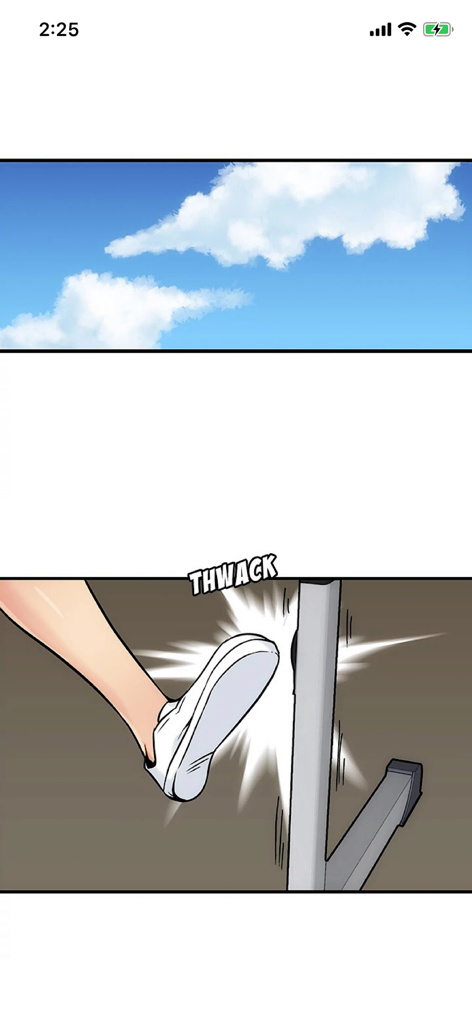
WebToon Reader - WebComic File - 세로 스크롤 인터페이스로 WebToon Reader에서 표시되는 액션 만화 패널
세로 스크롤 인터페이스로 WebToon Reader에서 표시되는 액션 만화 패널

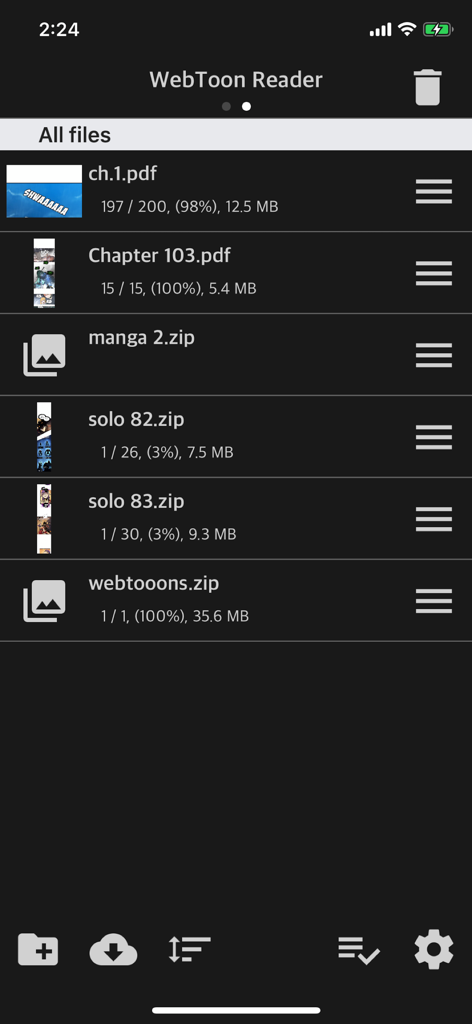
WebToon Reader - WebComic File - PDF 및 ZIP 형식의 만화 및 만화 파일 목록을 보여주는 WebToon Reader 앱 화면
PDF 및 ZIP 형식의 만화 및 만화 파일 목록을 보여주는 WebToon Reader 앱 화면

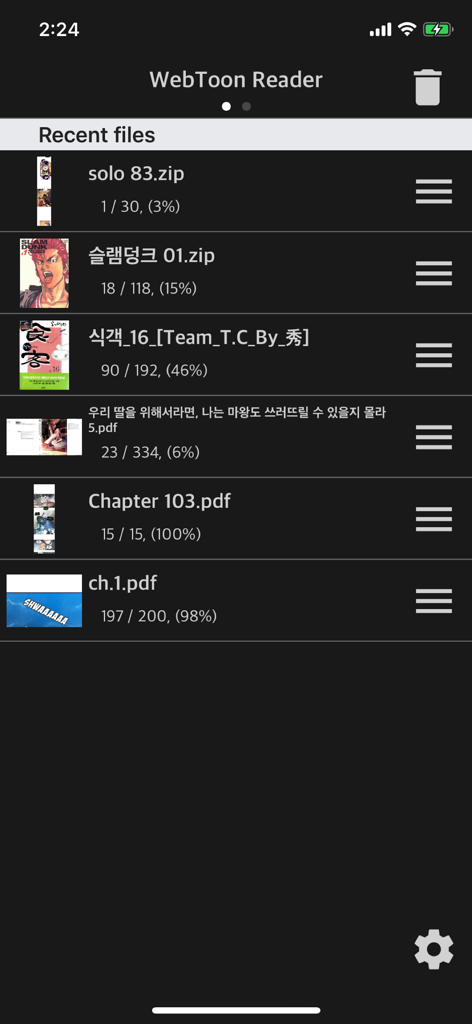
WebToon Reader - WebComic File - WebToon Reader 앱 인터페이스 내에서 zip 및 pdf 형식의 최근 열린 만화 및 만화 파일 목록
WebToon Reader 앱 인터페이스 내에서 zip 및 pdf 형식의 최근 열린 만화 및 만화 파일 목록

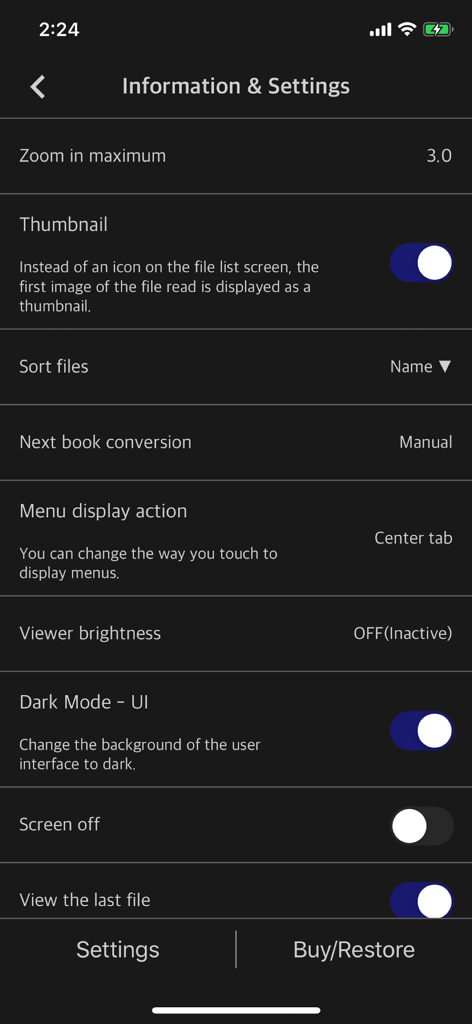
WebToon Reader - WebComic File - 다크 모드가 활성화되고 사용자 정의 옵션이 있는 WebToon Reader의 앱 설정 화면
다크 모드가 활성화되고 사용자 정의 옵션이 있는 WebToon Reader의 앱 설정 화면

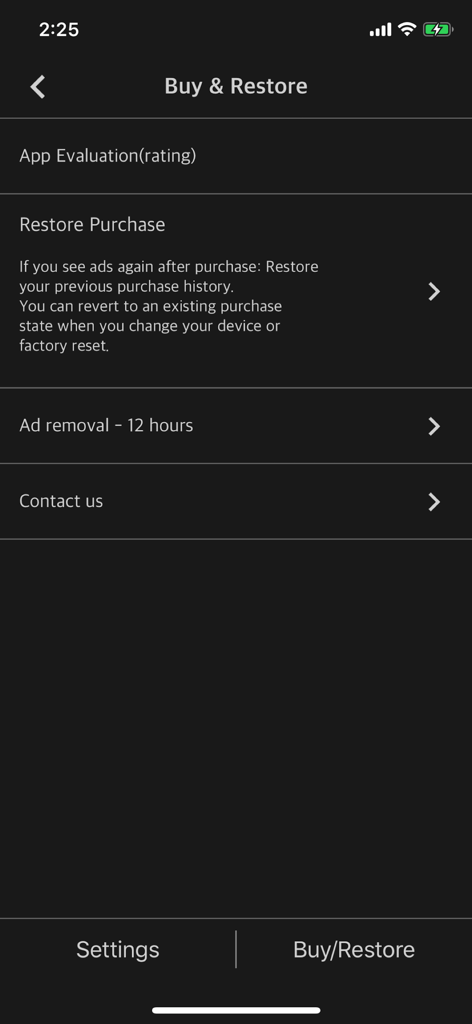
WebToon Reader - WebComic File - 광고 제거 및 구매 복원을 포함한 구매 및 복원 옵션을 보여주는 WebToon Reader 앱 화면

광고 제거 및 구매 복원을 포함한 구매 및 복원 옵션을 보여주는 WebToon Reader 앱 화면

설명

Simple Comic File Reader App Horizontal Scroll Like Korean Webtoon - Smooth horizontal scrolling - Simple options - CBR, CBZ, CB7, ZIP, RAR, 7Z - Also supports PDF files - iPhone, iPad, Mac(Apple Silicon) support (* Some functions may not be supported on Mac) This app can upload and view compressed files or PDF files that users have. (File containing webtoon or Manga image files) We've optimized and simplified the options to view webtoon files in the current “Manga Viewer” app. Normal cartoon files can be viewed like watching a webtoon. ** Characteristic ** - Zip, RAR, 7z, cbz, cbr, cb7 compressed files (including images with png, jpeg, jpg and gif extensions + bmp, tiff, tif, webp, avif) - PDF file support - Upload via PC web browser (WIFI) - Import files from cloud apps such as iCloud, Google Drive, Dropbox, OneDrive, Box, etc. - OneDrive, Dropbox direct login and download - WebDav, SMB, FTP - SFTP support - Upload files with iTunes file sharing - Cloud app, copy files from mail attachments - Apply default image sharpening filter - iPhone, iPad, Mac(Apple Silicon) support - Pad supports multitasking - Rotate the screen horizontally and vertically - “App Lock” function to enter password when entering the app - “File lock” function to enter password when opening file - Screen auto off (ON / OFF) - Continue to last file (ON / OFF) ** Please install the cloud app on your iPhone and log in to import files from the cloud. If you have any bugs or issues, please send them to the Send button on the top right of the setting screen or send them to junhuloveapple@gmail.com. (Answer in comments may take up to a day to respond to Apple's comment system. Please email us for a quick reply.)

Download

다운로드: App Store

이 페이지는 앱이나 개발자의 공식 페이지가 아니며, 정보 제공 및 논평을 목적으로 작성된 독립 편집 간행물입니다. 명시적으로 달리 언급되지 않는 한, 해당 앱이나 개발자는 MWM, Apple, Google Play, 앱 퍼블리셔 또는 앱 개발자와 제휴, 보증, 후원, 승인 또는 공식적으로 연결되어 있지 않으며, 이 페이지의 어떤 내용도 해당 앱이 MWM의 서비스를 사용하여 개발되었음을 의미하지 않습니다. 모든 상표, 로고, 스크린샷 및 기타 콘텐츠는 해당 소유자의 자산입니다.








