WhatsAgain for WhatsApp
다운로드: App Store

이 페이지는 앱이나 개발자의 공식 페이지가 아니며, 정보 제공 및 논평을 목적으로 작성된 독립 편집 간행물입니다. 명시적으로 달리 언급되지 않는 한, 해당 앱이나 개발자는 MWM, Apple, Google Play, 앱 퍼블리셔 또는 앱 개발자와 제휴, 보증, 후원, 승인 또는 공식적으로 연결되어 있지 않으며, 이 페이지의 어떤 내용도 해당 앱이 MWM의 서비스를 사용하여 개발되었음을 의미하지 않습니다. 모든 상표, 로고, 스크린샷 및 기타 콘텐츠는 해당 소유자의 자산입니다.


로고: WhatsAgain for WhatsApp
다운로드: App Store

WhatsAgain for WhatsApp

iPhone에서 여러 계정을 원활하게 동기화하고 iPad에서 놓쳤던 전체 화면 경험을 즐기세요. 업무와 삶의 격차를 해소하려는 전문가 및 멀티태스커를 위한 최고의 도구입니다.

주요 수치

다운로드

228K+

사용자 평점

4.3/5

총 평가 수

1K+

개발사

PGD Mobile Development, S.L.

카테고리

Social Networking

지원 언어

1

최신 버전

1.21

크기

10.9 MB

출시일

2019년 2월 3일
기능

생산성 향상

바쁜 라이프스타일을 위해 설계된 전문적인 인터페이스로 iPhone 및 iPad에서 여러 WhatsApp 계정을 손쉽게 관리하세요.

듀얼 계정의 자유

두 개의 휴대폰이 필요 없습니다. 하나의 장치에서 개인 및 업무 계정을 동시에 실행하세요.

기본 iPad 경험

더 이상 브라우저 탭은 없습니다. iPad 워크플로를 위해 특별히 설계된 전용 전체 화면 WhatsApp 인터페이스를 즐기세요.

다음 스크린샷과 설명은 앱의 공식 스토어 목록에서 직접 가져온 것이며 앱 개발자의 자산입니다.

앱 스토어

스크린샷
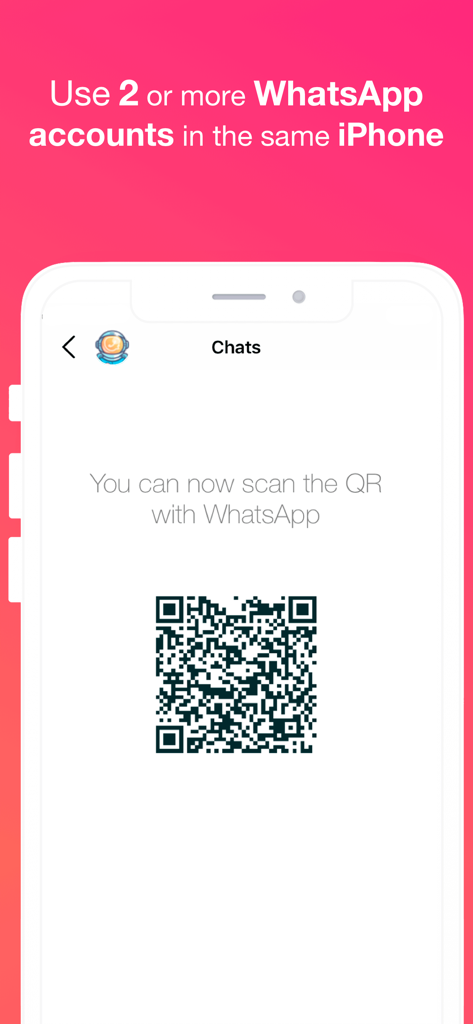
WhatsAgain for WhatsApp - WhatsApp용 WhatsAgain 앱이 단일 iPhone에서 여러 WhatsApp 계정을 동기화하기 위한 QR 코드를 표시하고 있습니다.
WhatsApp용 WhatsAgain 앱이 단일 iPhone에서 여러 WhatsApp 계정을 동기화하기 위한 QR 코드를 표시하고 있습니다.

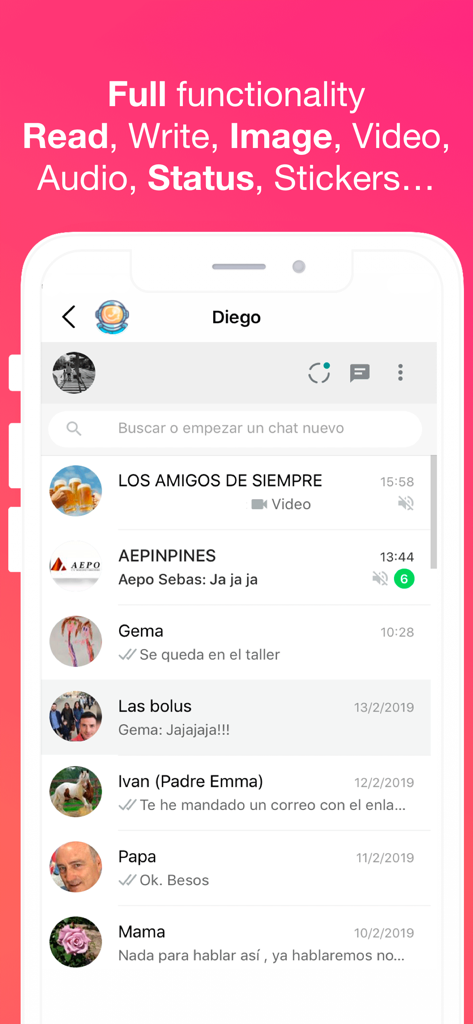
WhatsAgain for WhatsApp - WhatsApp용 WhatsAgain 앱 인터페이스에 여러 WhatsApp 채팅 대화와 지원되는 기능이 표시됩니다.
WhatsApp용 WhatsAgain 앱 인터페이스에 여러 WhatsApp 채팅 대화와 지원되는 기능이 표시됩니다.

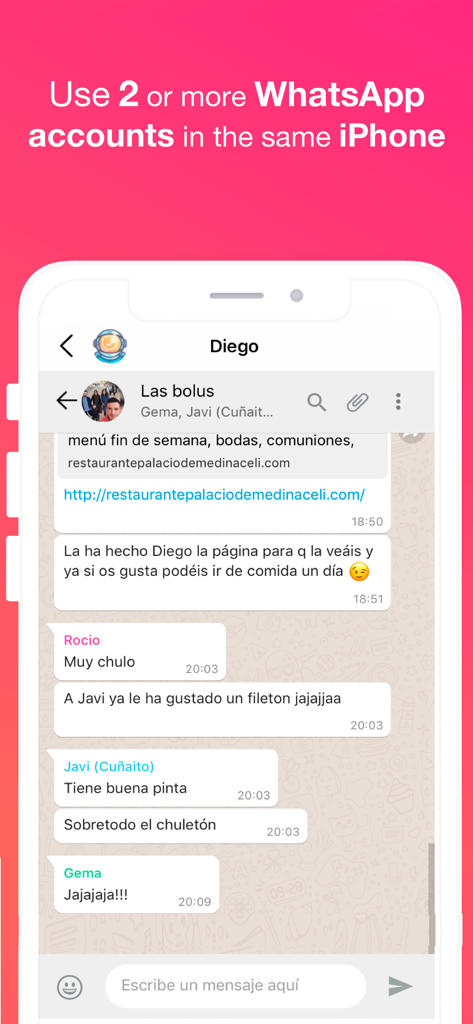
WhatsAgain for WhatsApp - WhatsApp용 WhatsAgain 앱의 스크린샷으로, 여러 계정 사용에 대한 텍스트와 함께 iPhone에서 WhatsApp 그룹 채팅이 표시됩니다.
WhatsApp용 WhatsAgain 앱의 스크린샷으로, 여러 계정 사용에 대한 텍스트와 함께 iPhone에서 WhatsApp 그룹 채팅이 표시됩니다.

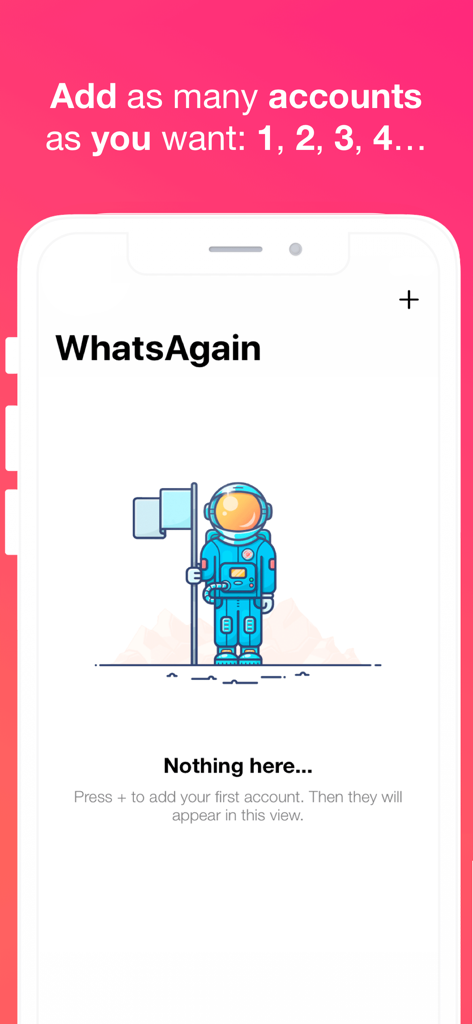
WhatsAgain for WhatsApp - WhatsApp용 WhatsAgain 앱 인터페이스에 우주비행사 삽화와 함께 여러 WhatsApp 계정을 추가하는 방법에 대한 지침이 있는 빈 상태가 표시됩니다.

WhatsApp용 WhatsAgain 앱 인터페이스에 우주비행사 삽화와 함께 여러 WhatsApp 계정을 추가하는 방법에 대한 지침이 있는 빈 상태가 표시됩니다.

설명

Welcome to WhatsAgain, the application that synchronizes your WhatsApp Web accounts. Yes, you have read well, YOUR ACCOUNTS, in plural, double accounts or multi accounts. And full screen! Read more to learn how to have more than one WhatsApp account on your iPhone, or WhatsApp on iPad, like Whatscan but working xD WhatsAgain allows you to access, through WhatsWeb, all the accounts that you have or need to manage. And also, with all the features you already have, like Whatscan but working xD And, why am I going to need something like that? Well, it's easy. We present to you several scenarios that we use now WhatsAgain. · I have two or more phones with WhatsApp: In this case, WhatsAgain, allows you to have all the WhatsApp accounts on the same device. For example, if you have a personal account, a professional account, and another technical support account. With WhatsAgain, you can access them from a single device. Great, right? How does WhatsAgain work? WhatsAgain works by pairing the official WhatsApp accounts through the WhatsWeb platform. How to match a WhatsApp account with WhatsAgain? · Open WhatsAgain and follow the steps until you see a QR code on the screen. · On the mobile with the WhatsApp account, navigate to 'Settings' -> 'WhatsApp Web / Desktop' -> 'Scan QR code'. · Scan the QR code of the mobile screen with WhatsAgain and wait for the account to load. AND READY!!! Can I stop using my official WhatsApp account on WhatsAgain? Yes of course. You simply have to close the session or the WhatsWeb sessions that you want from your WhatsApp app. SUBSCRIPTION PRICING AND TERMS You can find all related information in these links: PGDMobile / iWazowski.com Terms of Service: https://pgdmobile.com/legal/pdf/Terms_of_Service.pdf PGDMobile / iWazowski.com Privacy Policy: http://pgdmobile.com/legal/pdf/Privacy_Policy.pdf 1) About Subscription: WhatsAgain offers you the following subscription: Monthly Membership offers a monthly subscription for $0.99 after a 3-day free trial. After buying this subscription, you will unlock the following features: Send audio messages, you will be able to signin the app with your Google account, you will be able to save your WhatsApp Web session in the cloud, you will be able to open your stored sessions in other device signing in with your Google account. 2) About end of trial and subscription renewal: This price is for United States customers. Pricing in other countries may vary, and actual charges may be converted to your local currency depending on the country of residence. Your subscription will be charged to your iTunes Account at confirmation of purchase. Subscription automatically renews unless auto-renew is turned off at least 24-hours before the end of the current period. Account will be charged for renewal within 24-hours prior to the end of the current period, and identify the cost of the renewal. Subscriptions may be managed by the user and auto-renewal may be turned off by going to the user's Account Settings after purchase. Any unused portion of a free trial period, if offered, will be forfeited when the user purchases a subscription to that publication, where applicable. 3) About canceling trial or subscription: You can turn off the auto-renew for the subscription whenever you want to through iTunes. Check https://support.apple.com/HT202039. When your current trial/subscription period expires, you will be unsubscribed. The current active subscription period can not be canceled. After your subscription expires, you will no longer have access to premium features. If you have any questions or comments, feel free to contact us at support@iwazowski.com Disclaimer: WhatsAgain is a third-party app for WhatsApp. It does not have, nor does it exist, any commercial relationship, nor is it endorsed or endorsed by WhatsApp, Facebook Inc. or any of its affiliates. The application connects to your official WhatsApp Web account and complies with the terms of use of WhatsApp.

Download

다운로드: App Store

이 페이지는 앱이나 개발자의 공식 페이지가 아니며, 정보 제공 및 논평을 목적으로 작성된 독립 편집 간행물입니다. 명시적으로 달리 언급되지 않는 한, 해당 앱이나 개발자는 MWM, Apple, Google Play, 앱 퍼블리셔 또는 앱 개발자와 제휴, 보증, 후원, 승인 또는 공식적으로 연결되어 있지 않으며, 이 페이지의 어떤 내용도 해당 앱이 MWM의 서비스를 사용하여 개발되었음을 의미하지 않습니다. 모든 상표, 로고, 스크린샷 및 기타 콘텐츠는 해당 소유자의 자산입니다.