WiDI - MIDI Studio
WiDI - MIDI Studio
다운로드: App Store

이 페이지는 앱이나 개발자의 공식 페이지가 아니며, 정보 제공 및 논평을 목적으로 작성된 독립 편집 간행물입니다. 명시적으로 달리 언급되지 않는 한, 해당 앱이나 개발자는 MWM, Apple, Google Play, 앱 퍼블리셔 또는 앱 개발자와 제휴, 보증, 후원, 승인 또는 공식적으로 연결되어 있지 않으며, 이 페이지의 어떤 내용도 해당 앱이 MWM의 서비스를 사용하여 개발되었음을 의미하지 않습니다. 모든 상표, 로고, 스크린샷 및 기타 콘텐츠는 해당 소유자의 자산입니다.

로고: WiDI - MIDI Studio
다운로드: App Store

WiDI - MIDI Studio

iOS 기기를 전문적인 MIDI 허브로 바꿔보세요. 맞춤형 레이아웃을 디자인하고, CC를 자동화하고, 복잡한 시퀀스를 무선으로 트리거하여 더 빠르고 촉각적인 스튜디오 워크플로우를 경험하세요.

주요 수치

다운로드

2K+

사용자 평점

4.4/5

총 평가 수

0

개발사

HYPERTIDE

카테고리

Music

지원 언어

1

최신 버전

1.8.3

크기

26.1 MB

출시일

2018년 8월 7일
기능

당신의 스튜디오, 당신의 규칙

iOS 기기를 DAW와의 창의적 흐름 간극을 메우도록 설계된 전문적인 MIDI 컨트롤 서페이스 및 시퀀서로 바꿔보세요.

맞춤형 컨트롤 서페이스

맞춤형 노브, 페이더, 패드를 사용하여 필요한 정확한 MIDI 레이아웃을 구축하세요. 마우스를 잡고 있는 대신, 촉각적이고 반응성이 뛰어난 컨트롤을 사용하여 음악과 상호작용하세요.

원활한 무선 통합

기본 MIDI 네트워크 세션 지원으로 케이블을 끊으세요. 복잡한 설정 없이 제로에 가까운 무선 연결로 스튜디오 어디에서든 Ableton, Logic 또는 하드웨어 신디사이저를 제어하세요.

다음 스크린샷과 설명은 앱의 공식 스토어 목록에서 직접 가져온 것이며 앱 개발자의 자산입니다.

앱 스토어

스크린샷
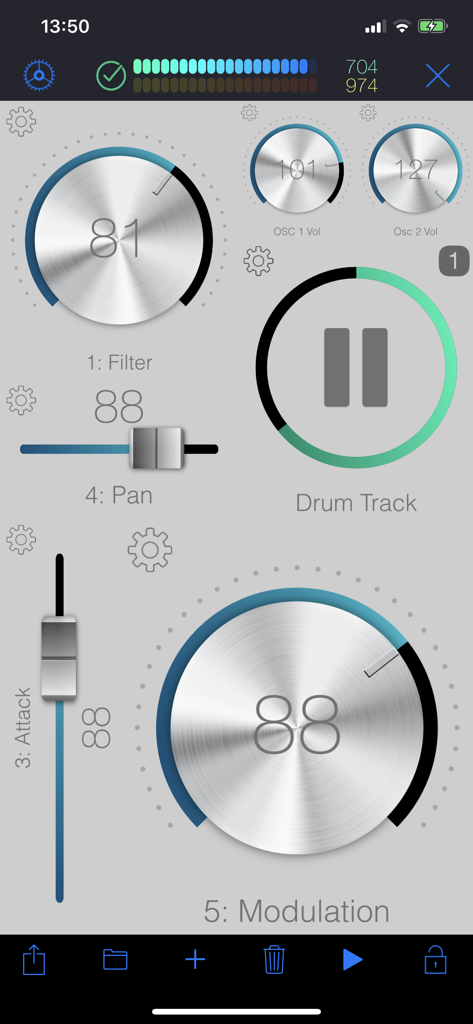
WiDI - MIDI Studio - 음악 제작을 위한 가상 노브와 페이더를 갖춘 WiDI 앱의 맞춤형 MIDI 컨트롤 서페이스.
음악 제작을 위한 가상 노브와 페이더를 갖춘 WiDI 앱의 맞춤형 MIDI 컨트롤 서페이스.

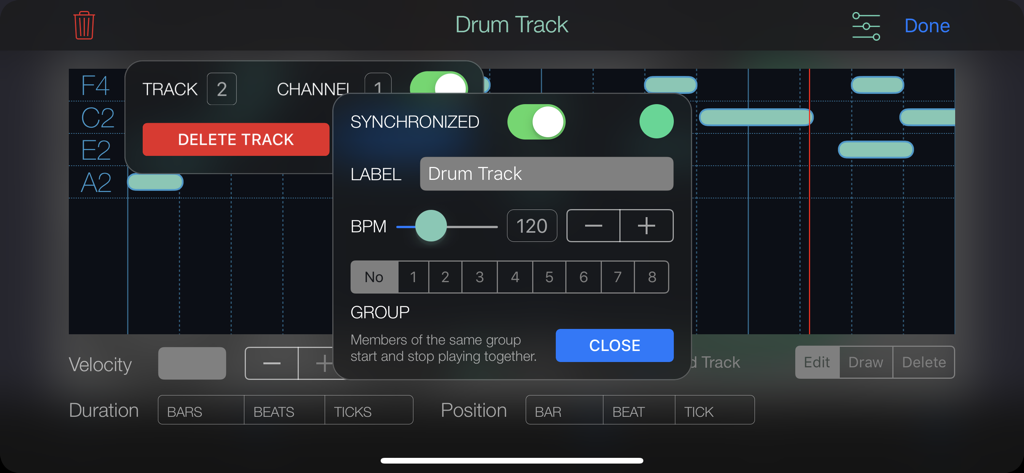
WiDI - MIDI Studio - 드럼 트랙 시퀀서 설정과 BPM 컨트롤을 보여주는 WiDI MIDI Studio 앱 인터페이스
드럼 트랙 시퀀서 설정과 BPM 컨트롤을 보여주는 WiDI MIDI Studio 앱 인터페이스

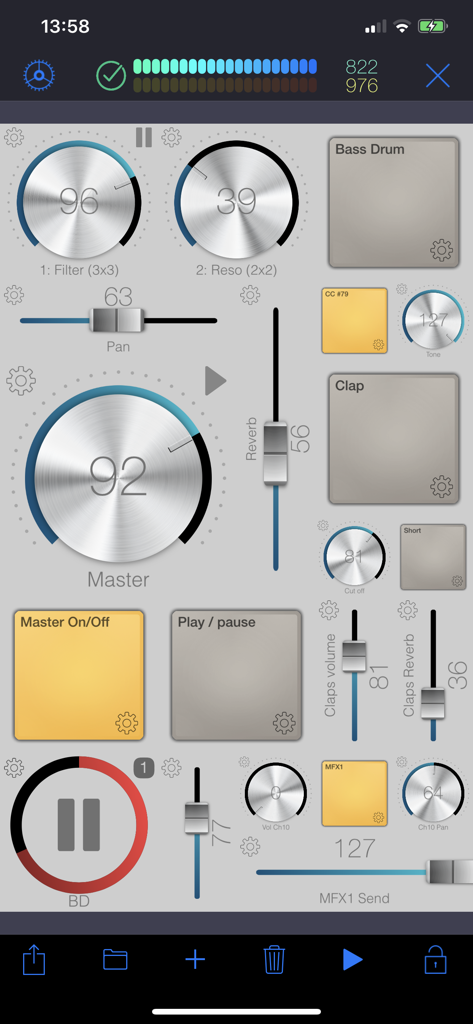
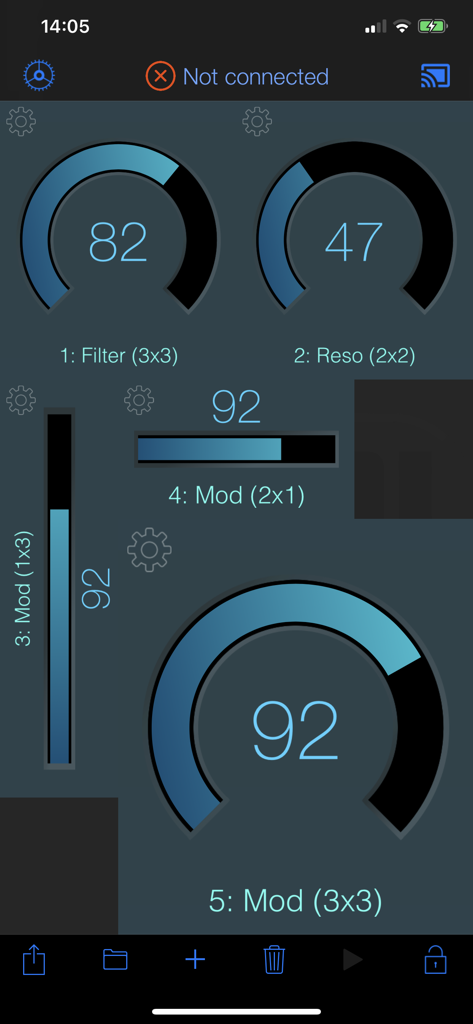
WiDI - MIDI Studio - 음악 컨트롤을 위한 가상 노브, 페이더, 패드의 맞춤형 레이아웃을 특징으로 하는 WiDI MIDI Studio 앱의 인터페이스
음악 컨트롤을 위한 가상 노브, 페이더, 패드의 맞춤형 레이아웃을 특징으로 하는 WiDI MIDI Studio 앱의 인터페이스

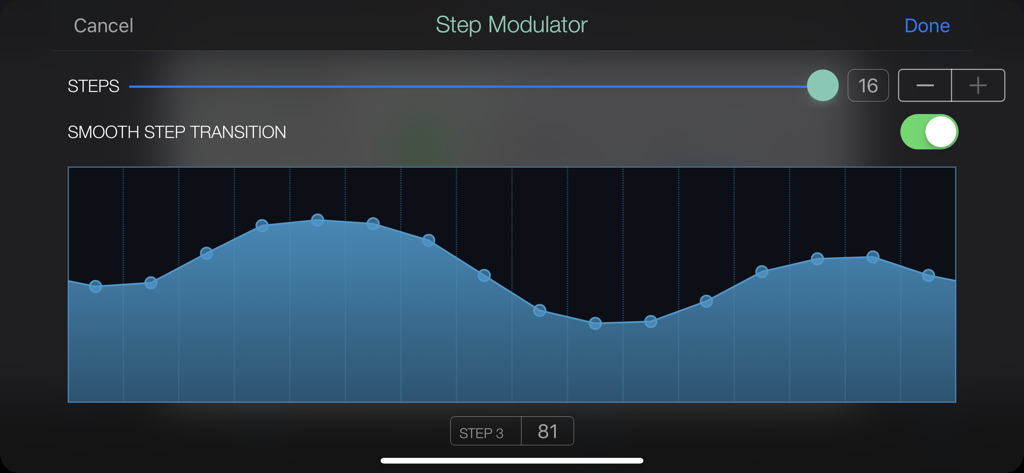
WiDI - MIDI Studio - WiDI MIDI Studio의 스텝 변조기 인터페이스, 16단계 변조 패턴과 부드러운 전환이 활성화된 상태를 보여줍니다.
WiDI MIDI Studio의 스텝 변조기 인터페이스, 16단계 변조 패턴과 부드러운 전환이 활성화된 상태를 보여줍니다.

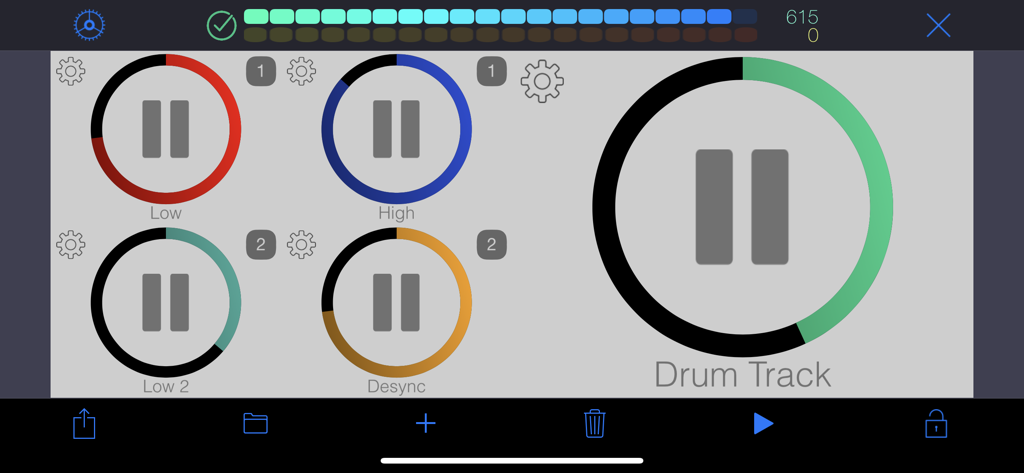
WiDI - MIDI Studio - 음악 제작을 위한 색상 코딩된 재생 버튼이 있는 맞춤형 MIDI 컨트롤 서페이스
음악 제작을 위한 색상 코딩된 재생 버튼이 있는 맞춤형 MIDI 컨트롤 서페이스

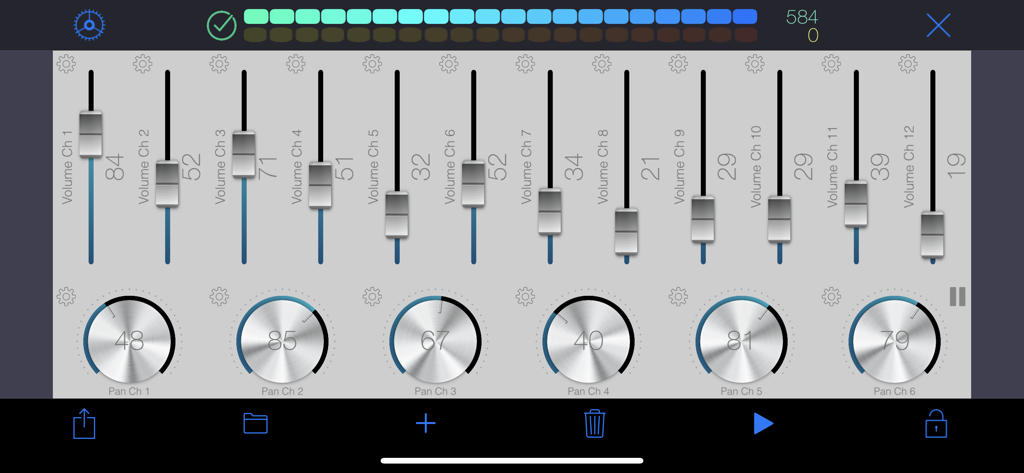
WiDI - MIDI Studio - 음악 컨트롤을 위한 볼륨 페이더와 팬 노브를 특징으로 하는 WiDI MIDI Studio 앱 인터페이스
음악 컨트롤을 위한 볼륨 페이더와 팬 노브를 특징으로 하는 WiDI MIDI Studio 앱 인터페이스

WiDI - MIDI Studio - 음악 제작을 위한 맞춤형 MIDI 노브 및 슬라이더를 보여주는 WiDI 앱 인터페이스
음악 제작을 위한 맞춤형 MIDI 노브 및 슬라이더를 보여주는 WiDI 앱 인터페이스

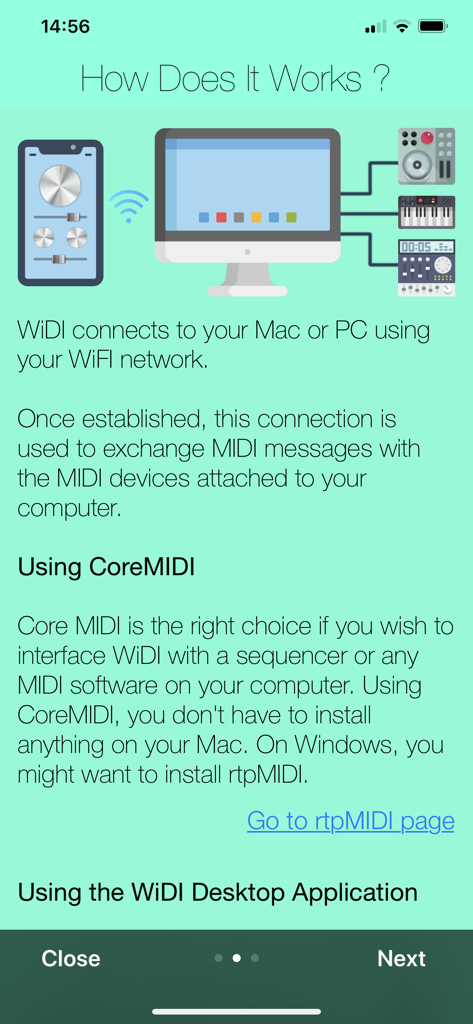
WiDI - MIDI Studio - Wi-Fi를 통해 컴퓨터 및 외부 음악 장비에 무선으로 연결되는 WiDI 앱을 보여주는 그래픽.

Wi-Fi를 통해 컴퓨터 및 외부 음악 장비에 무선으로 연결되는 WiDI 앱을 보여주는 그래픽.

설명

WiDI is a control surface with an integrated step sequencer in which you create controls such as buttons, pads, knobs and faders to send MIDI events and play sequences. • CONTROL SURFACE AND SEQUENCER: A control is bound to a channel and a specific MIDI Control Change. You can either specify the CC number if you know it, or let the app learn it. Once placed on the surface, use this control to interact with your MIDI device. Alternatively, any CC event sent by your device will be shown live by the control(s) bound to this CC. Pads are special controls: they can either produce MIDI CC events, Notes or Program changes. If bound to a CC, the pad can act as an on/off switch (you specify the values for each state.) If bound to a note, each tap produces the specified MIDI note. This is especially useful to operate MIDI instruments without keyboards such as synthesizer modules or drum machines. A sequence can hold as many tracks as you wish, and send notes to different MIDI channels. Sequences can play in sync or running freely. You may also group sequences together to start or pause them at the same time. • MIDI: To interface WiDI with any MIDI instruments/devices connected to your Mac or PC, connect to a MIDI Network Session on your Mac or your PC. On a Mac, this is natively supported by macOS, and you do not need to install third party software (use Audio MIDI Setup.) On a PC running Windows, you might want to install rtpMIDI. As an alternative to MIDI Network Sessions, you may use the WiDI Desktop Application. It acts as a MIDI bridge between the network and your MIDI hardware. You can install the desktop application on as many computers as you want (it's free!). It's a very lightweight package that doesn't need to perform any installation procedure whatsoever. You may download the WiDI Desktop Application for macOS on the Mac App Store, or go to : https://www.hypertide.com/widi/ for both macOS and Windows archives. Additionally, any class-compliant MIDI interface natively supported by iOS can also be used directly by WiDI without the need of a network connection. • FEATURES: ○ Use any CoreMIDI-supported MIDI interface connected to your device ○ MIDI network session: use WiDI as an external control surface for any DAW such as Logic Pro, Ableton Live, Cubase, ... ○ Multiple iPhone and iPad can connect to your computer, allowing different control surfaces simultaneously ○ Integrated step sequencer: create sequences, each one holding as many tracks as needed ○ Sequences can run freely or in sync and start simultaneously if grouped together in fire groups ○ Auto discover MIDI CC : you don't need to know each one to add controls, WiDI learns CC numbers sent by your devices ○ Automate CC : sweep ranges or use the step modulator to design patterns to modulate controls values, supporting various advanced options like step-by-step or smooth variations, bouncing, repeating, changing speed ○ Add as many pads as you want to generate MIDI Notes, Control Changes or Program Changes ○ Flexible control surface : set layout and grid size for both portrait and landscape orientations ○ Re-arranging controls is as simple as drag & drop ○ Fully customizable user interface : themes, colors, display of values and labels, aspect ratios, grid spacing, grid coloring, background, ... ○ Integrated File Manager to load and save your surfaces, which are also accessible in the iOS Files app and your computer's iTunes connection ○ Exchange surfaces between devices with the integrated QR code generator and scanner ○ Or use the share feature, so you may import them on any device. We'd love to hear from you! Should you be in need of support or eager to request a new feature, please contact us at support+widi@hypertide.com

Download

다운로드: App Store

이 페이지는 앱이나 개발자의 공식 페이지가 아니며, 정보 제공 및 논평을 목적으로 작성된 독립 편집 간행물입니다. 명시적으로 달리 언급되지 않는 한, 해당 앱이나 개발자는 MWM, Apple, Google Play, 앱 퍼블리셔 또는 앱 개발자와 제휴, 보증, 후원, 승인 또는 공식적으로 연결되어 있지 않으며, 이 페이지의 어떤 내용도 해당 앱이 MWM의 서비스를 사용하여 개발되었음을 의미하지 않습니다. 모든 상표, 로고, 스크린샷 및 기타 콘텐츠는 해당 소유자의 자산입니다.







