WilCo - Pilot Aviation Weather
다운로드: App Store

이 페이지는 앱이나 개발자의 공식 페이지가 아니며, 정보 제공 및 논평을 목적으로 작성된 독립 편집 간행물입니다. 명시적으로 달리 언급되지 않는 한, 해당 앱이나 개발자는 MWM, Apple, Google Play, 앱 퍼블리셔 또는 앱 개발자와 제휴, 보증, 후원, 승인 또는 공식적으로 연결되어 있지 않으며, 이 페이지의 어떤 내용도 해당 앱이 MWM의 서비스를 사용하여 개발되었음을 의미하지 않습니다. 모든 상표, 로고, 스크린샷 및 기타 콘텐츠는 해당 소유자의 자산입니다.


로고: WilCo - Pilot Aviation Weather
다운로드: App Store

WilCo - Pilot Aviation Weather

디코딩된 METAR, 3D 공항 시각화 및 전문적인 비행 도구를 사용하여 하늘을 마스터하세요. 학생, 민간 조종사 및 비행 시뮬레이션 애호가를 위한 상황 인식 능력을 향상시키기 위해 조종사가 설계했습니다.

주요 수치

다운로드

31K+

사용자 평점

4.6/5

총 평가 수

0

개발사

Muammer SAHINGIRAY

카테고리

Weather

지원 언어

10

최신 버전

2.6.18

크기

48.8 MB

출시일

2021년 2월 3일
기능

전문적인 정밀도로 비행을 마스터하세요

WilCo는 디코딩된 날씨, 3D 상황 인식 및 중요 성능 도구를 하나의 직관적인 디지털 비행 가방으로 통합하여 비행 전 루틴을 간소화합니다.

디코딩된 날씨 및 NOTAM

더 이상 수동으로 디코딩할 필요가 없습니다. 특정 활주로에 대한 통합 바람 벡터 분석과 함께 일반 영어 METAR, TAF 및 NOTAM 보고서에 액세스하세요.

3D 공항 상황 인식

비행 전에 목적지를 탐색하세요. 3D 지도를 사용하여 접근 방식과 주변 시야 지형을 미리 보고 안전과 자신감을 높이세요.

다음 스크린샷과 설명은 앱의 공식 스토어 목록에서 직접 가져온 것이며 앱 개발자의 자산입니다.

앱 스토어

스크린샷
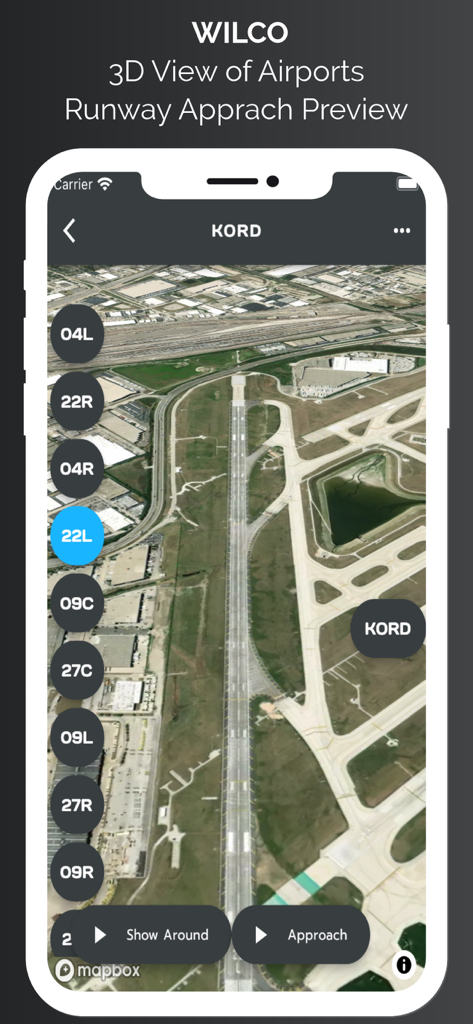
WilCo - Pilot Aviation Weather - WilCo 항공 앱에서 시카고 오헤어 공항 활주로 접근 방식 미리보기의 3D 위성 보기.
WilCo 항공 앱에서 시카고 오헤어 공항 활주로 접근 방식 미리보기의 3D 위성 보기.

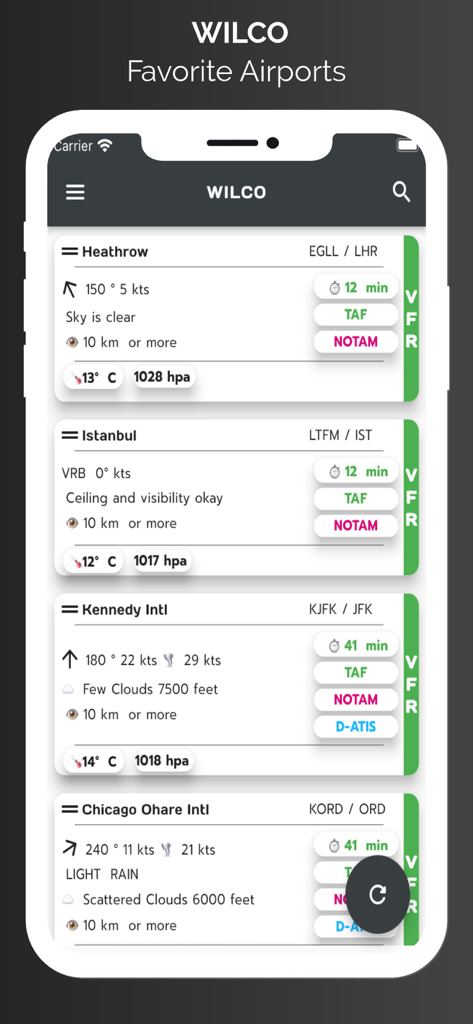
WilCo - Pilot Aviation Weather - WilCo 앱 화면에 바람 속도, 가시성 및 하늘 상태를 포함한 디코딩된 날씨 데이터와 함께 즐겨찾는 공항 목록이 표시됩니다.
WilCo 앱 화면에 바람 속도, 가시성 및 하늘 상태를 포함한 디코딩된 날씨 데이터와 함께 즐겨찾는 공항 목록이 표시됩니다.

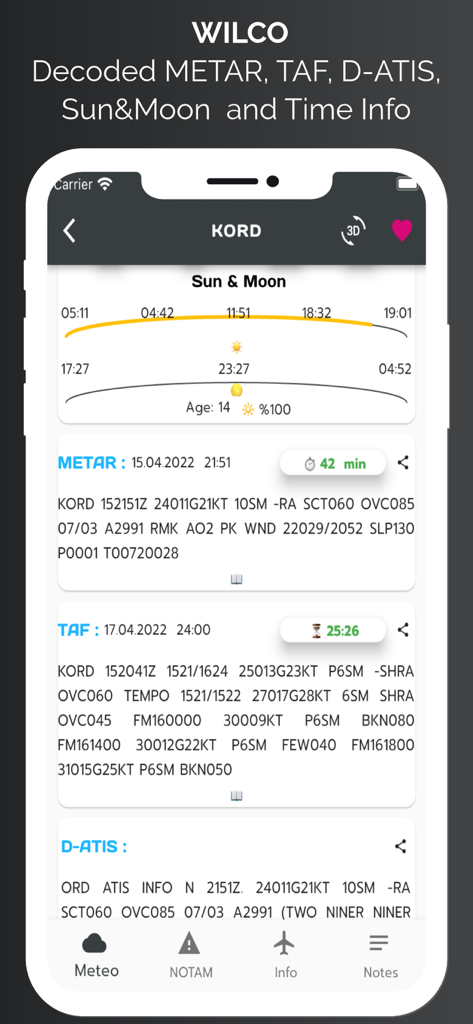
WilCo - Pilot Aviation Weather - WilCo 앱 인터페이스에 METAR, TAF, D-ATIS 및 시카고 오헤어 공항의 일출 및 일몰 시간 등 항공 날씨 데이터가 표시됩니다.
WilCo 앱 인터페이스에 METAR, TAF, D-ATIS 및 시카고 오헤어 공항의 일출 및 일몰 시간 등 항공 날씨 데이터가 표시됩니다.

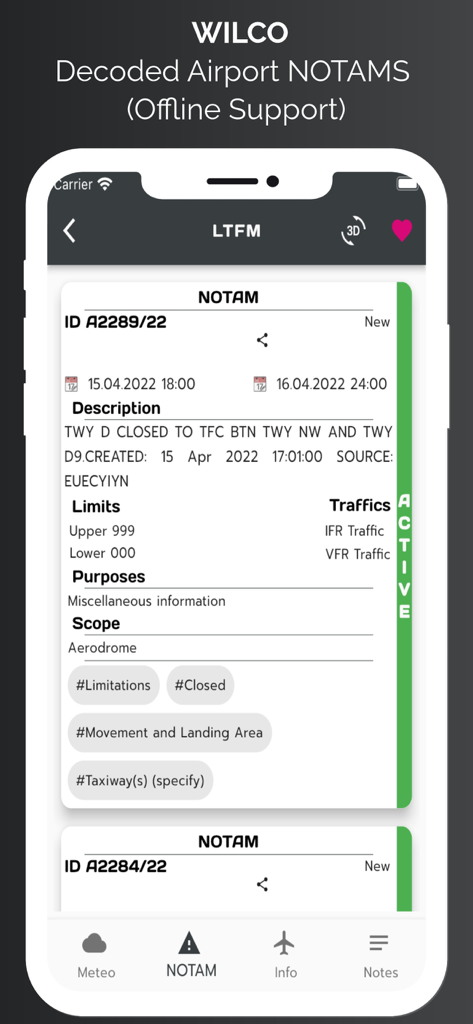
WilCo - Pilot Aviation Weather - WilCo 항공 앱에서 디코딩된 공항 NOTAM 정보가 표시되는 스마트폰 화면
WilCo 항공 앱에서 디코딩된 공항 NOTAM 정보가 표시되는 스마트폰 화면

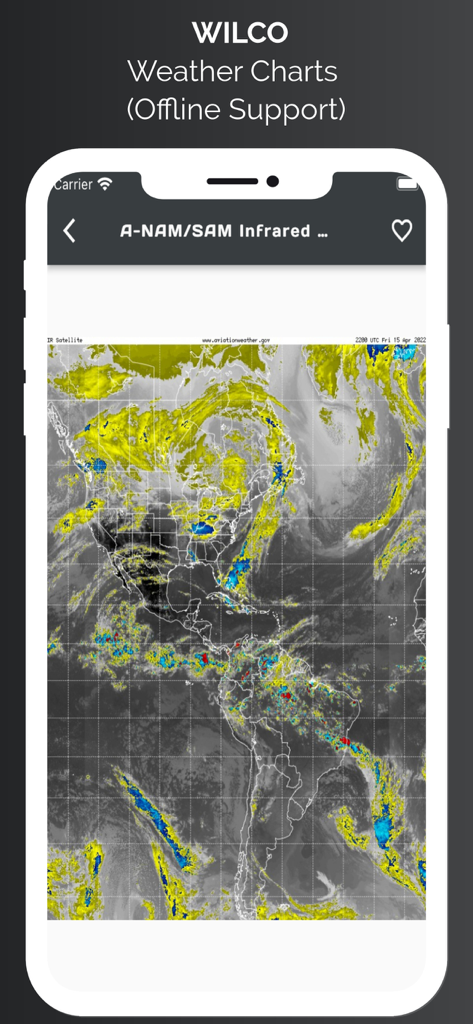
WilCo - Pilot Aviation Weather - WilCo 앱은 북미 및 남미의 적외선 위성 날씨 차트를 오프라인 지원과 함께 표시합니다.
WilCo 앱은 북미 및 남미의 적외선 위성 날씨 차트를 오프라인 지원과 함께 표시합니다.

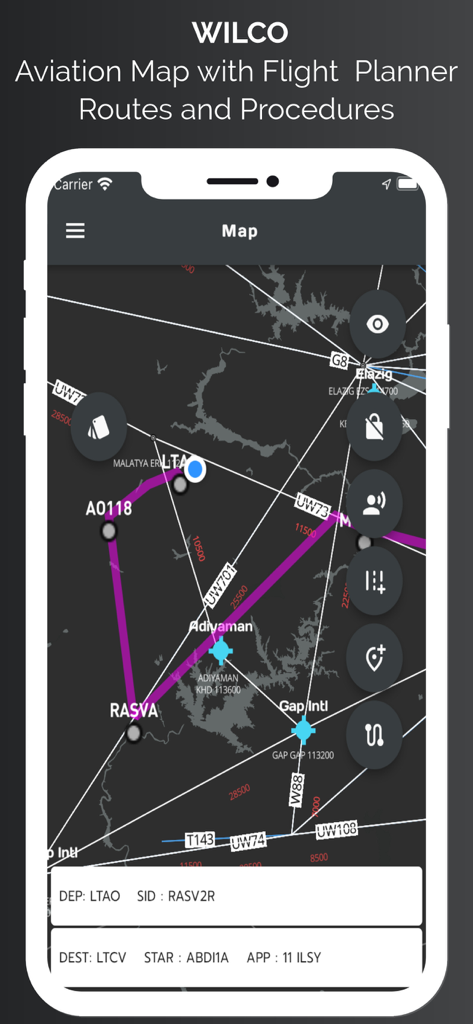
WilCo - Pilot Aviation Weather - WilCo 앱 항공 지도 인터페이스에 항공 경로, 경유지 및 절차가 표시됩니다.
WilCo 앱 항공 지도 인터페이스에 항공 경로, 경유지 및 절차가 표시됩니다.

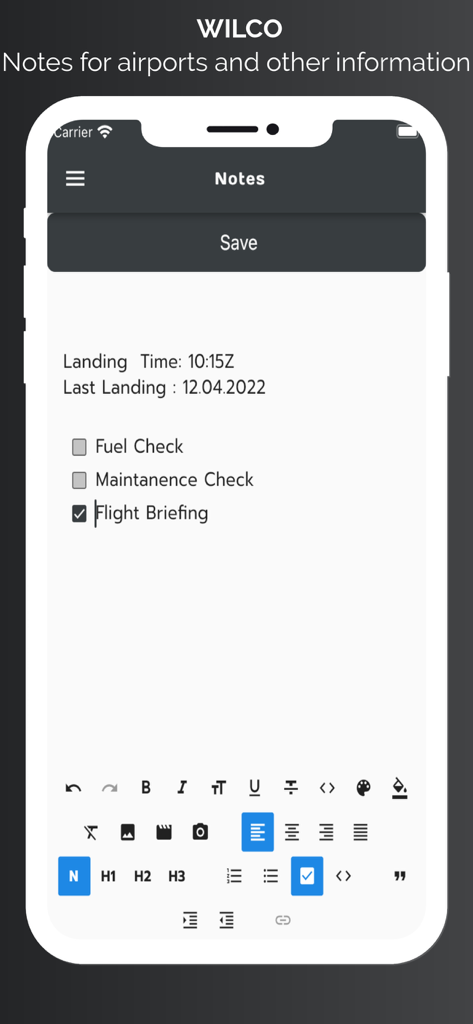
WilCo - Pilot Aviation Weather - WilCo 항공 앱 화면에 공항에 대한 조종사 메모와 비행 브리핑 체크리스트가 표시됩니다.
WilCo 항공 앱 화면에 공항에 대한 조종사 메모와 비행 브리핑 체크리스트가 표시됩니다.

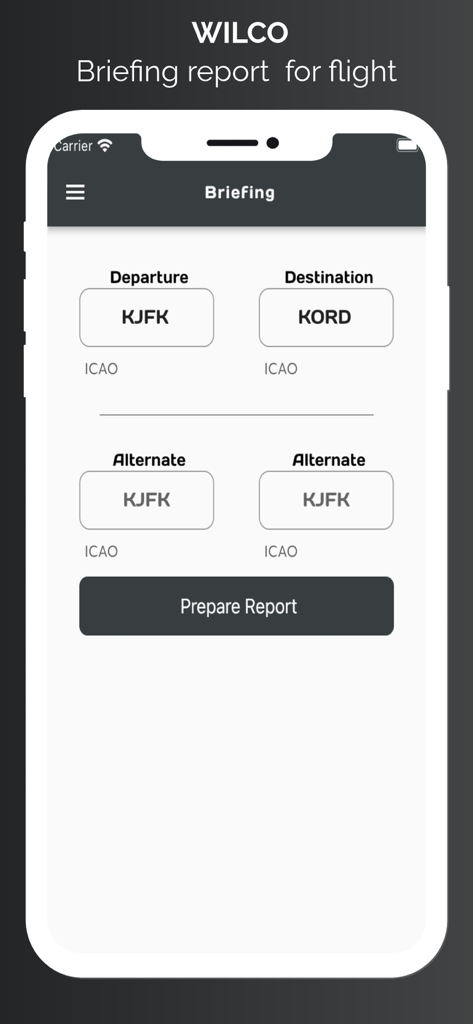
WilCo - Pilot Aviation Weather - 조종사가 출발 및 도착 공항 ICAO 코드를 입력하는 WilCo 앱의 브리핑 보고서 페이지입니다.
조종사가 출발 및 도착 공항 ICAO 코드를 입력하는 WilCo 앱의 브리핑 보고서 페이지입니다.

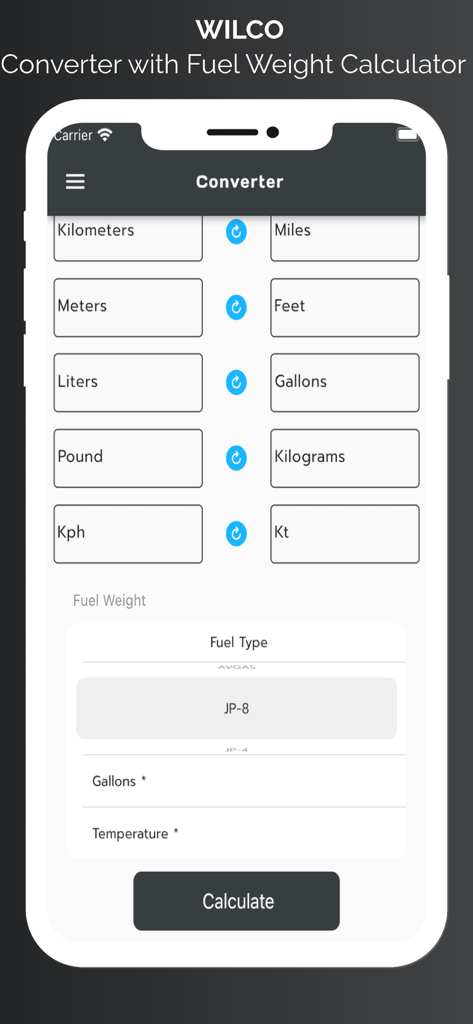
WilCo - Pilot Aviation Weather - 조종사를 위한 WilCo 앱 단위 변환기 및 연료 중량 계산기 인터페이스

조종사를 위한 WilCo 앱 단위 변환기 및 연료 중량 계산기 인터페이스

설명

Wilco is designed and created by pilots. But this information does not supersedes any official data. United States airport charts are available for offline usage. All airports procedures are available in airport data section. Wilco provides lots of aviation specific information. To start with, you may search an airport from database and add it to favorites for offline usage of the data. Wilco provides : METAR, TAF, D-ATIS(for provided US Aiports), NOTAM, Time zone and Sun and Moon rise and set times, procedures for airports. runway information, frequencies of airport, and personal notes section. METAR, TAF and NOTAM data are decoded for easy readiness. You can easily share these reports too. METAR wind data is split into vectors according to runway heading and displayed on weather page. User can take notes for airports. With the latest update we have started to provide a 3D map for airport. With this service you can view preview approach for specific runway. Also you may request "Show Around" to view surrounding area. Map style is also can be changed according to user needs. Aviation map shows airports, waypoints, airways, nav aids. With advanced features of the map page user can see live coordinates of current location, speed and altitude information. User can see real time track, on map and save this track to see it later. User can select departure and arrival airport and user may select appropriate procedures for SID, STAR, or approach. These procedures are NOT FOR REAL NAVIGATION. NEVER EVER USE IN REAL NAVIGATION. This tool provides approximately calculated flight distance and provides situational awareness. User can add airways and waypoints too for your route. App style layer also can be changed for user needs. App provides weather charts for aviation specific usage. These charts include significant weather, winds aloft, satellite view with options. You can add any charts to favorites for future and offline usage. Briefing page provides METAR, TAF data for airports which are 25 nm range of your flight. Also departure and arrival airport runway data, and NOTAM data provided in briefing. You can save this briefing report and print it. Wilco has a converter for aviation calculations and provides holding entry calculations and gives you instructions. Wilco also has a Weight and Balance page for your aircraft. Save Aircraft with Basic Empty Weight and Basic Moment and add custom stations to your aircraft. Provides sustainable Weight and Balance calculation. Wilco has a Flight Computer to calculate Climb, Cruise and Descend time, speed and durations with fuel consumption. Wind vector, Ground speed, True Air Speed, Calibrated Air Speed and lots of other calculations you may need. Also with flight tools section you can calculate VDP, Wind Runway calculator,Feet Per minute Calculator. Have a Safe Flight. ** SUBSCRIPTIONS The following features are enabled with a valid subscription : - Decoded METAR/TAF and NOTAM data -Airport 3D View -Aviation Map - D-ATIS (For US airports only) -Waether Charts -Weight & Balance -ICAO Flight Plan Form -Holding Calulator -Runway Info -Aiports and general notes section -Converter and more -United States Airport Charts Free Trials for 7 days. The subscription varies in time periods (1 month, 12 months). Auto-renewal may be turned off at any time by going to your account settings. A payment will be charged to your iTunes account at the end of the free trial period. Your iTunes account will be charged for renewal within 24 hours prior to the end of the current period. No commitment - you can cancel any time. Pleas read the full “Terms of Use” at: Terms of use: https://pages.flycricket.io/wilco-0/terms.html Privacy policy :https://pages.flycricket.io/wilco-0/privacy.html Important Notice: Never use for critical Flight Planning purposes. It may use only for educational purposes. Always refer your validated resources for flight planning.

Download

다운로드: App Store

이 페이지는 앱이나 개발자의 공식 페이지가 아니며, 정보 제공 및 논평을 목적으로 작성된 독립 편집 간행물입니다. 명시적으로 달리 언급되지 않는 한, 해당 앱이나 개발자는 MWM, Apple, Google Play, 앱 퍼블리셔 또는 앱 개발자와 제휴, 보증, 후원, 승인 또는 공식적으로 연결되어 있지 않으며, 이 페이지의 어떤 내용도 해당 앱이 MWM의 서비스를 사용하여 개발되었음을 의미하지 않습니다. 모든 상표, 로고, 스크린샷 및 기타 콘텐츠는 해당 소유자의 자산입니다.








