WristTopo: Offline Navigation

WristTopo: Offline Navigation

다운로드: App Store
로고: WristTopo: Offline Navigation

WristTopo: Apple Watch를 위한 프로 오프라인 네비게이션

iPhone에서 계획하고, 휴대폰 없이 탐험하세요. 트레일, 라이딩, 러닝을 위해 설계된 고성능 지형도 및 턴바이턴 안내.

개발사

Piotr Janik

카테고리

Navigation

다운로드

15K+

사용자 평점

4.9/5

총 평가 수

0

지원 언어

10

한눈에 보는 모험

이 인터페이스를 사용하는 15K+ 명의 사용자.

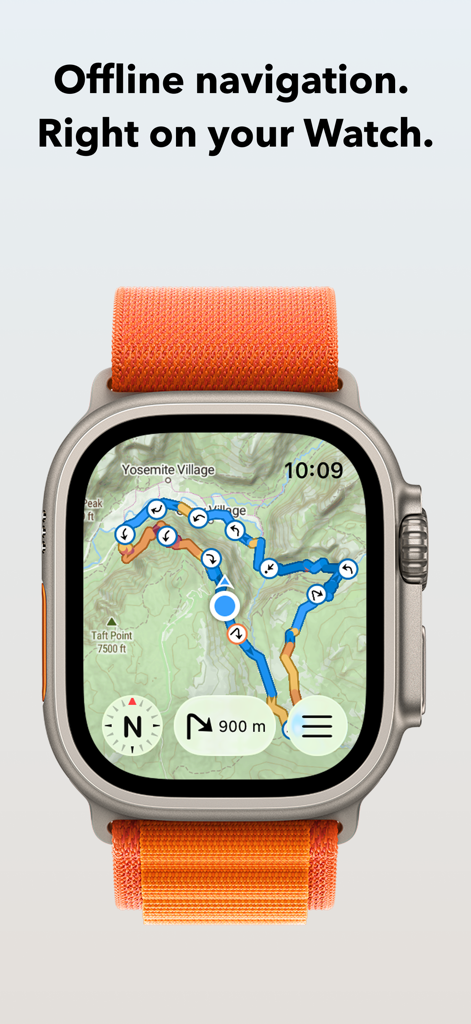
WristTopo 앱이 Apple Watch Ultra에서 네비게이션 경로가 있는 지형도를 표시하고 있습니다
WristTopo 앱이 Apple Watch Ultra에서 네비게이션 경로가 있는 지형도를 표시하고 있습니다

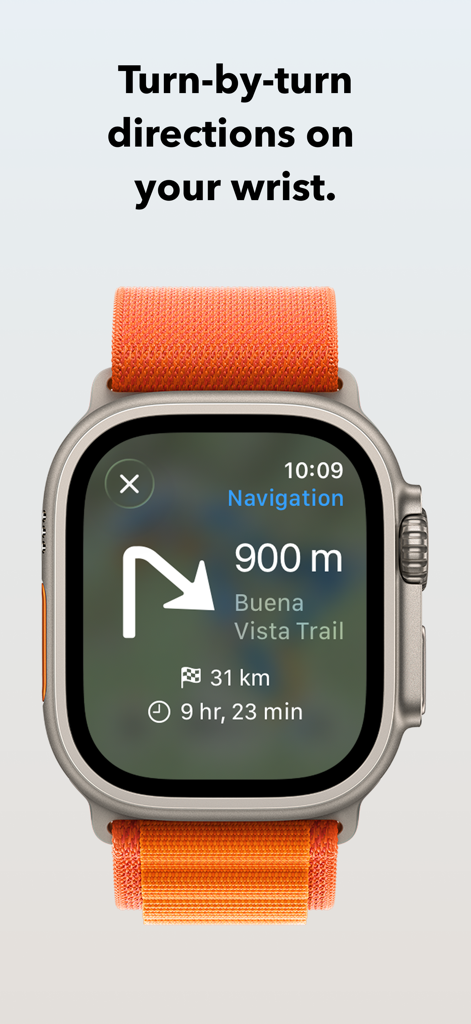
WristTopo 앱이 Apple Watch Ultra에서 턴바이턴 트레일 방향을 표시하고 있습니다
WristTopo 앱이 Apple Watch Ultra에서 턴바이턴 트레일 방향을 표시하고 있습니다

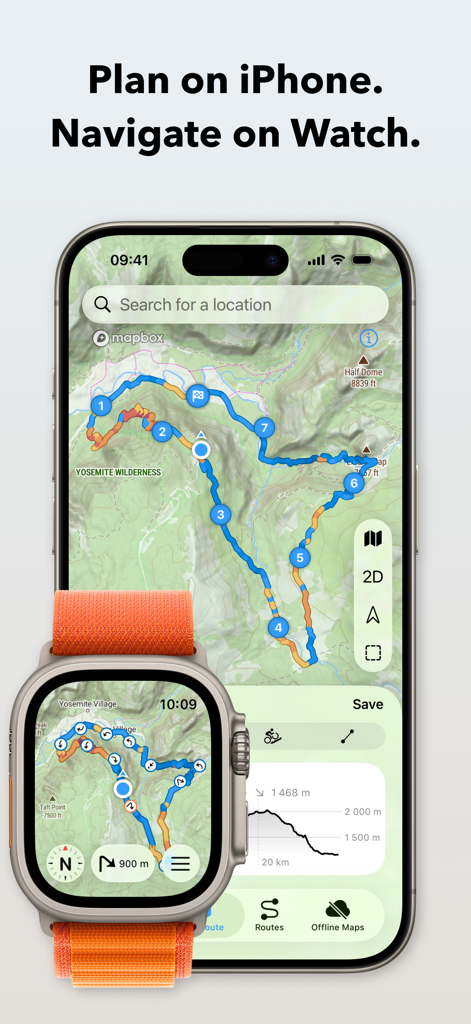
WristTopo 앱이 iPhone에서 지형 경로 계획을, Apple Watch Ultra에서 네비게이션을 보여주고 있습니다
WristTopo 앱이 iPhone에서 지형 경로 계획을, Apple Watch Ultra에서 네비게이션을 보여주고 있습니다

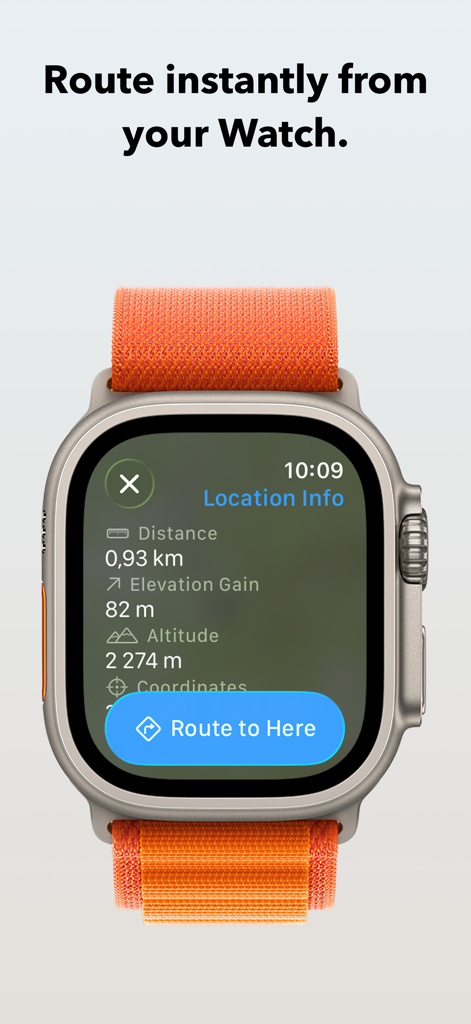
Apple Watch의 WristTopo 앱이 위치 정보 화면과 '여기로 경로 설정' 버튼을 보여줍니다
Apple Watch의 WristTopo 앱이 위치 정보 화면과 '여기로 경로 설정' 버튼을 보여줍니다

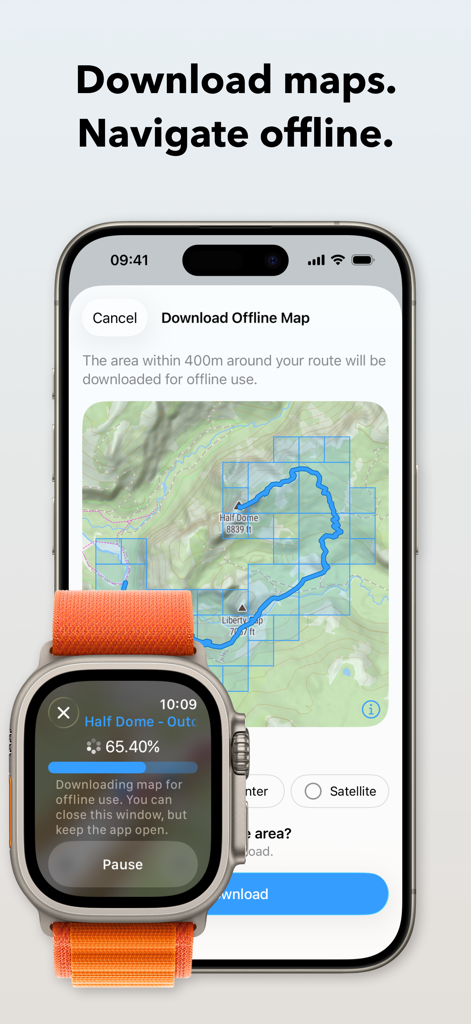
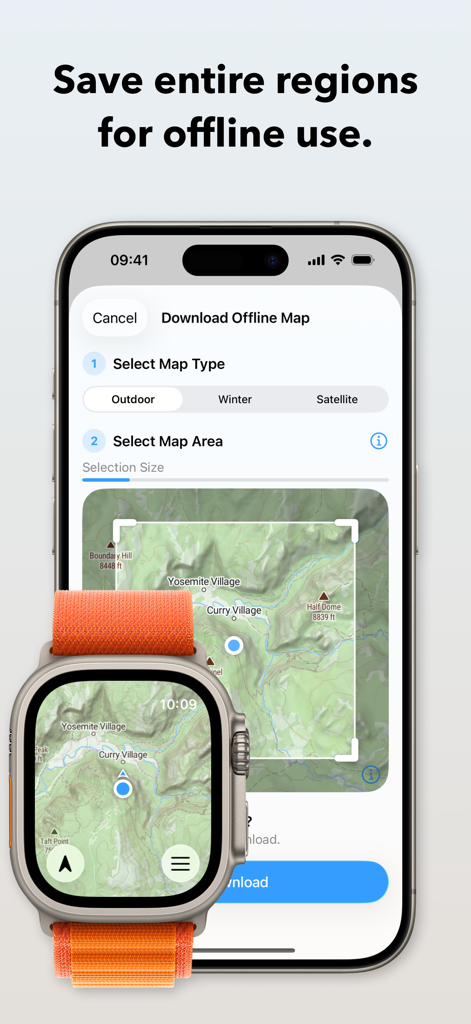
iPhone과 Apple Watch가 하이킹을 위한 오프라인 지형도 다운로드 과정을 표시하고 있습니다
iPhone과 Apple Watch가 하이킹을 위한 오프라인 지형도 다운로드 과정을 표시하고 있습니다

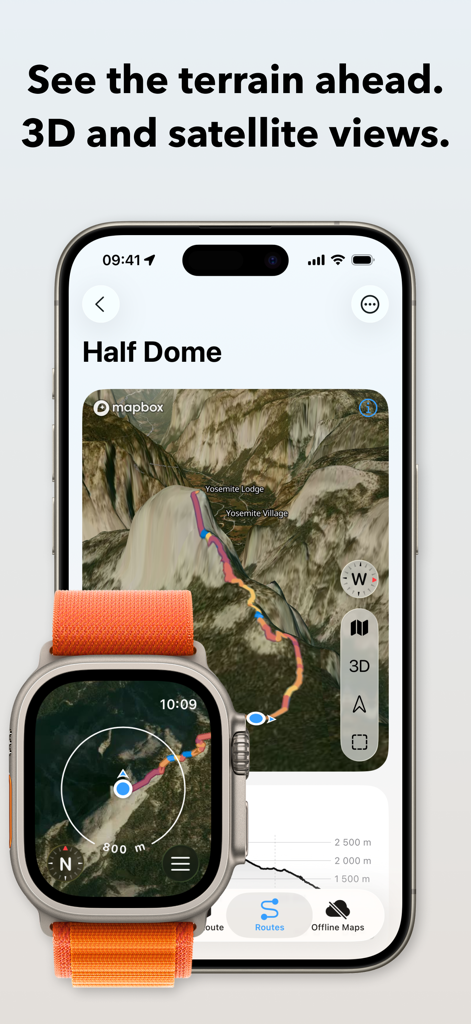
iPhone과 Apple Watch의 WristTopo 앱 인터페이스가 하프 돔(Half Dome)의 3D 위성 지형 및 경로 계획을 보여줍니다
iPhone과 Apple Watch의 WristTopo 앱 인터페이스가 하프 돔(Half Dome)의 3D 위성 지형 및 경로 계획을 보여줍니다

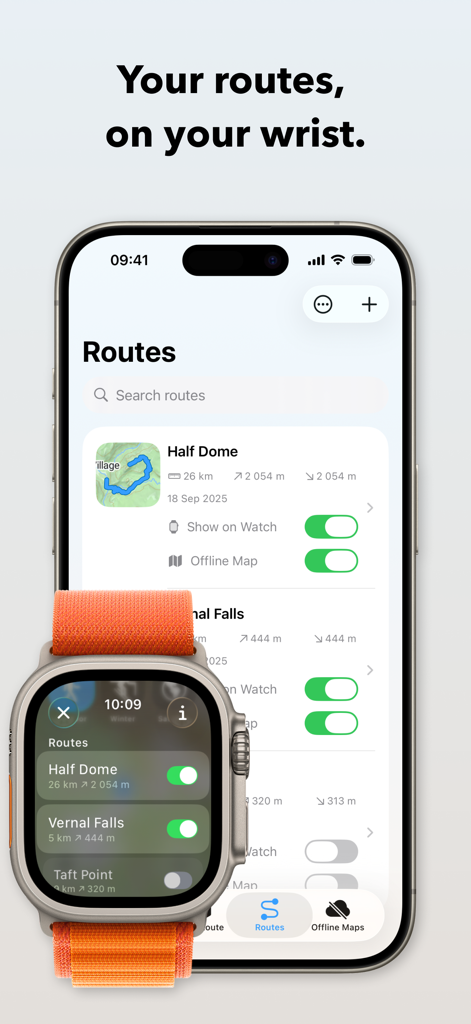
WristTopo 앱 인터페이스가 iPhone과 Apple Watch Ultra 간에 하이킹 경로가 동기화되는 것을 보여줍니다
WristTopo 앱 인터페이스가 iPhone과 Apple Watch Ultra 간에 하이킹 경로가 동기화되는 것을 보여줍니다

WristTopo 앱 인터페이스가 iPhone 및 Apple Watch Ultra에서 오프라인 지형도를 다운로드하는 방법을 보여줍니다.
WristTopo 앱 인터페이스가 iPhone 및 Apple Watch Ultra에서 오프라인 지형도를 다운로드하는 방법을 보여줍니다.

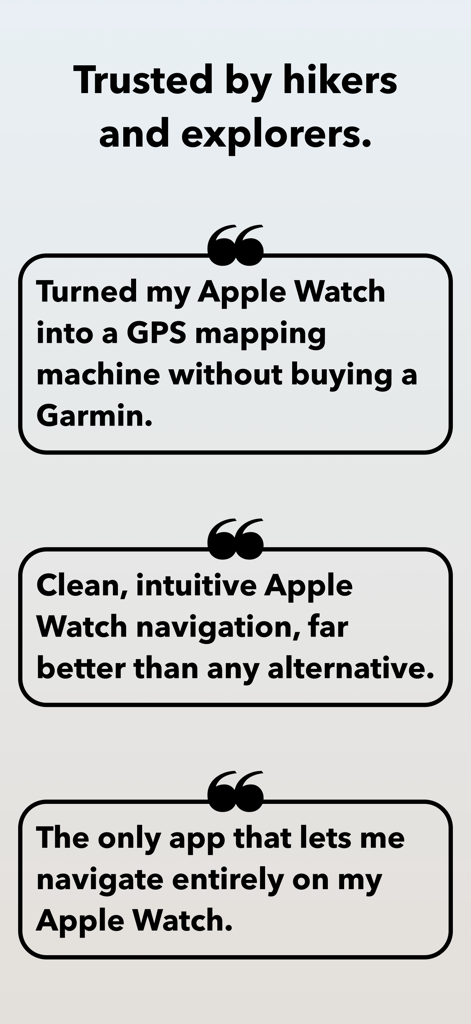
Apple Watch GPS 매핑 및 오프라인 네비게이션 기능을 강조하는 WristTopo 사용자 평가

Apple Watch GPS 매핑 및 오프라인 네비게이션 기능을 강조하는 WristTopo 사용자 평가

손목 위의 전문가급 네비게이션

이 앱을 돋보이게 하는 도구, 15K+ 명의 사용자가 선택.

🏔️

진정한 오프라인 안정성

Apple Watch에 상세한 지형도 및 위성 지도를 직접 다운로드하세요. 셀룰러 신호가 잡히지 않는 지역에서도 자신 있게 가장 외딴 트레일을 탐색할 수 있습니다.

끊김 없는 흐름

손목에서 턴바이턴 음성 안내 및 시각적 알림을 경험하세요. 휴대폰을 가방에서 꺼낼 필요 없이 달리기나 라이딩에 집중하세요.

🔒

개인 정보 보호 및 네이티브 디자인

개인 정보를 존중하는 아름다운 계정 없는 경험을 즐기세요. Apple Workout과 완벽하게 작동하여 통계와 네비게이션을 완벽하게 조화시킵니다.

앱 소개

에 대해 알아야 할 모든 것 WristTopo: Offline Navigation.

설명

Never lose your way. From planning to navigating — all in WristTopo. Plan routes on your iPhone, sync them instantly, and navigate offline on your Apple Watch. No fiddling with your phone on the trail, mid-run, or during a ride — just reliable navigation and maps, always ready when you need them. WristTopo works on your watch without your phone or network. FOR EVERY ADVENTURE Hiking mountain trails. Running in new places. Trail running. Road cycling new routes. Mountain biking technical descents. All better when you can navigate phone-free. WristTopo adapts to how you move — with routing optimized for hiking, running, biking, and mountain biking. TURN-BY-TURN NAVIGATION Stay on track with voice guidance and visual turn notifications right on your wrist. See upcoming turns, distances, and hear spoken directions — no phone needed. Navigation works with routes planned in WristTopo, giving you confidence to explore new trails without constantly checking your phone. ROUTE PLANNER Create your perfect route before you head out — whether you're planning a hike, run, trail run, or bike ride. Simply tap to set waypoints and watch your route come to life with instant distance and elevation feedback. Choose from running, hiking, biking, mountain biking, or straight-line routing modes to match your adventure. It's incredibly intuitive — no complex menus or confusing settings, just tap and plan. QUICK ROUTE ON YOUR WATCH Need a simple route on the go? Plan directly on your watch from wherever you are. Quick Route lets you create instant point-to-point routes right from your wrist — perfect for navigating to a viewpoint, finding your way back, or exploring from your current location. No phone needed. OFFLINE MAPS, FOR REAL Download detailed summer, winter, or satellite maps straight to your watch. Once saved, they're always available — no connection needed. Choose an entire area for general use, or download map sections around a route with a single tap. CUSTOM GPX ROUTES, INSTANT SYNC Import GPX files into the iPhone app and they sync instantly to your watch. Toggle routes with a tap. Display multiple tracks at once. Routes include gradient colors (orange uphill, blue downhill) and direction arrows, so you can see steepness and direction at a glance. The entire flow is designed for speed and clarity. BUILT FOR THE OUTDOORS Navigation on Apple Watch can be this smooth. Ultra-fast performance, sharp topography, shaded relief, satellite imagery, and winter ski trails — all optimized for Apple Watch and real-world conditions. BEAUTIFULLY DESIGNED Outdoor tools don't have to sacrifice beauty for functionality. WristTopo's Liquid Glass design proves that powerful navigation can also be elegantly crafted and intuitively beautiful. Every interaction feels natural and effortless, making complex route planning and map exploration a joy to use. WORKS WITH APPLE WORKOUT Track your hike, run, or ride using Apple's own Workout app — reliable, proven, and privacy-friendly. Swipe between it and WristTopo during your adventure — both stay active and visible when you need them. ICLOUD BACKUP Routes and offline maps sync between your devices. Everything survives reinstalls and device upgrades automatically. PRIVATE BY DESIGN No accounts. No ads. No third-party servers. Your data stays securely on your device and your private iCloud — always. FREE TO START WristTopo is free to try with everything you need for shorter adventures: • Up to 3 saved routes • 3 small offline map regions • Plan with up to 5 route points • Follow routes on your Apple Watch UNLOCK PRO Upgrade for more flexibility: • Unlimited routes and larger offline regions • Voice-guided turn-by-turn navigation • Quick Route planning on your Apple Watch • GPX export to share your own tracks • Support independent app development Terms of Use: https://www.apple.com/legal/internet-services/itunes/dev/stdeula/ Privacy Policy: https://wristtopo.app/privacy

최신 버전

5.0

크기

114.6 MB

출시일

2025년 1월 1일

휴대폰 없이 더 멀리 탐험하세요.

전문가 수준의 오프라인 네비게이션의 자유를 경험하세요. 지금 바로 WristTopo를 다운로드하고 상세한 지형도와 턴바이턴 안내를 Apple Watch에서 바로 만나보세요.

다운로드: App Store

App information, icons, screenshots, and descriptions displayed on this page are sourced from the Apple App Store and are the property of their respective developers. Download estimates and rankings are based on MWM's proprietary models and may not reflect actual figures. This page is provided for informational and analytical purposes only.

Believe this page infringes your intellectual property? File a dispute