Xbox Game Pass
Xbox Game Pass
다운로드: App Store

이 페이지는 앱이나 개발자의 공식 페이지가 아니며, 정보 제공 및 논평을 목적으로 작성된 독립 편집 간행물입니다. 명시적으로 달리 언급되지 않는 한, 해당 앱이나 개발자는 MWM, Apple, Google Play, 앱 퍼블리셔 또는 앱 개발자와 제휴, 보증, 후원, 승인 또는 공식적으로 연결되어 있지 않으며, 이 페이지의 어떤 내용도 해당 앱이 MWM의 서비스를 사용하여 개발되었음을 의미하지 않습니다. 모든 상표, 로고, 스크린샷 및 기타 콘텐츠는 해당 소유자의 자산입니다.

로고: Xbox Game Pass
다운로드: App Store

Xbox Game Pass

출시 당일에 바로 이용하고 언제 어디서든 새로운 타이틀을 콘솔로 원격 설치하여 항상 플레이할 준비를 갖추세요.

주요 수치

다운로드

13M+

사용자 평점

4.8/5

총 평가 수

172K+

개발사

Microsoft Corporation

카테고리

Entertainment

지원 언어

30

최신 버전

2410.35.926

크기

84.8 MB

출시일

2018년 11월 9일
기능

게이밍 라이프스타일을 한 단계 업그레이드하세요

수백 개의 고품질 타이틀에 액세스하고 언제 어디서든 모든 기기에서 콘솔 대기열을 관리하세요.

원격 콘솔 관리

이동 중에도 다음번 열정을 발견하고 Xbox로 다운로드를 트리거하여 집에 도착하는 즉시 플레이할 수 있도록 하세요.

출시 당일 이용

$70의 가격을 건너뛰세요. 출시 당일에 가장 큰 Xbox 독점작을 플레이하세요. 회원권에 포함됩니다.

다음 스크린샷과 설명은 앱의 공식 스토어 목록에서 직접 가져온 것이며 앱 개발자의 자산입니다.

앱 스토어

스크린샷
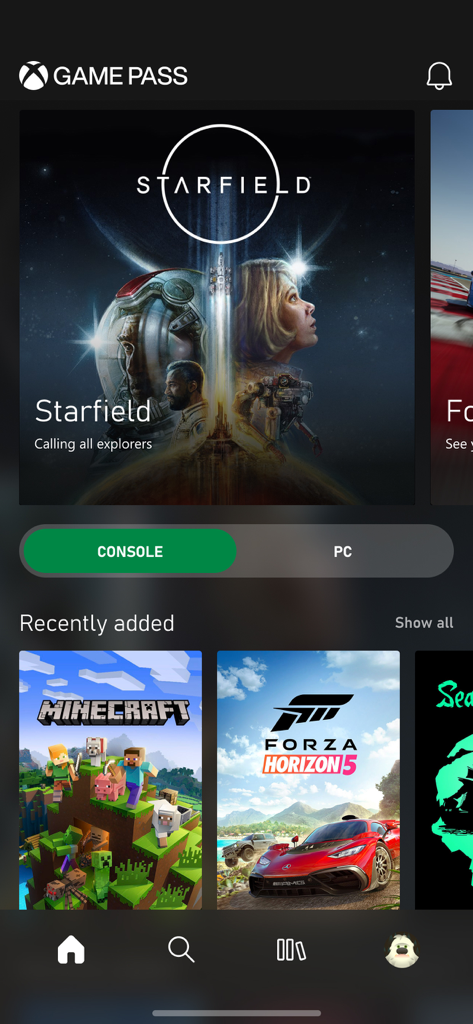
Xbox Game Pass - Xbox Game Pass 앱 대시보드에 Starfield 배너와 Minecraft, Forza Horizon 5와 같은 최근 추가 게임이 표시됩니다.
Xbox Game Pass 앱 대시보드에 Starfield 배너와 Minecraft, Forza Horizon 5와 같은 최근 추가 게임이 표시됩니다.

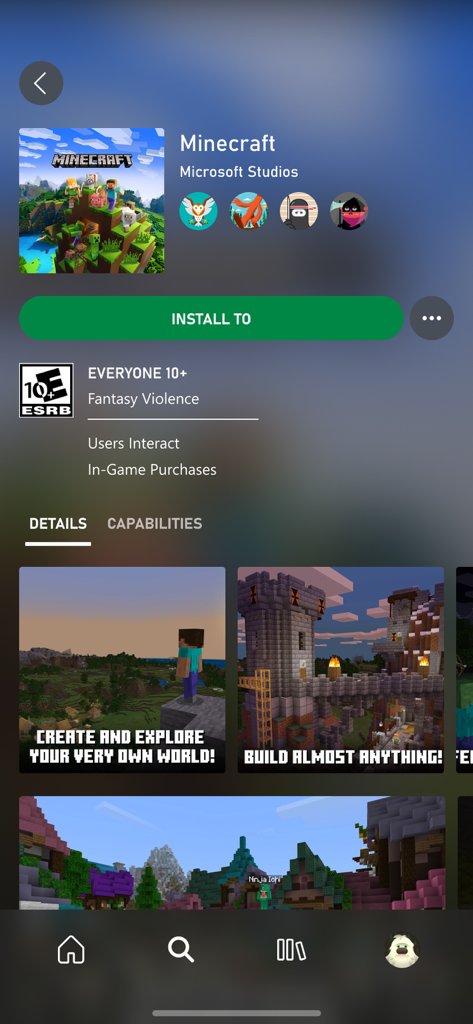
Xbox Game Pass - Xbox Game Pass 모바일 앱에 Minecraft 게임 페이지가 표시되며, 녹색 원격 설치 버튼과 게임 플레이 스크린샷이 표시됩니다.
Xbox Game Pass 모바일 앱에 Minecraft 게임 페이지가 표시되며, 녹색 원격 설치 버튼과 게임 플레이 스크린샷이 표시됩니다.

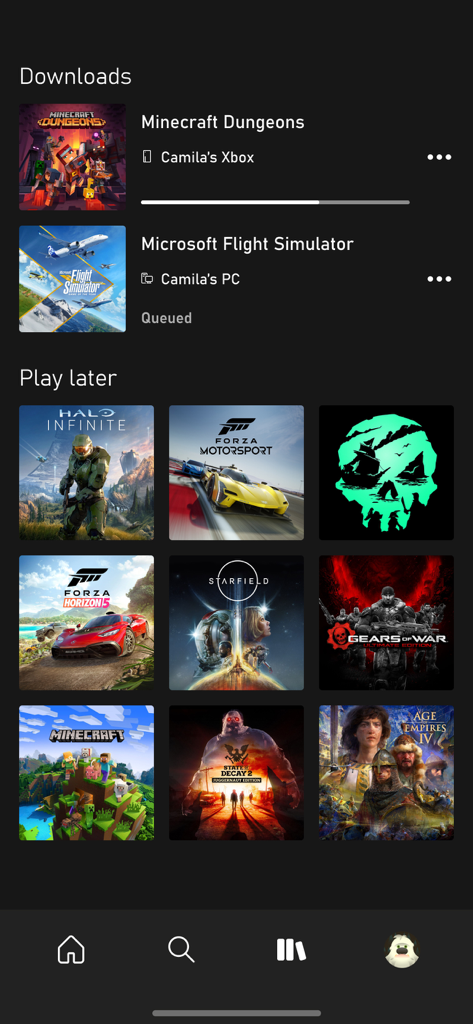
Xbox Game Pass - Xbox Game Pass 앱 화면에 활성 게임 다운로드 및 나중에 플레이할 라이브러리가 표시됩니다.
Xbox Game Pass 앱 화면에 활성 게임 다운로드 및 나중에 플레이할 라이브러리가 표시됩니다.

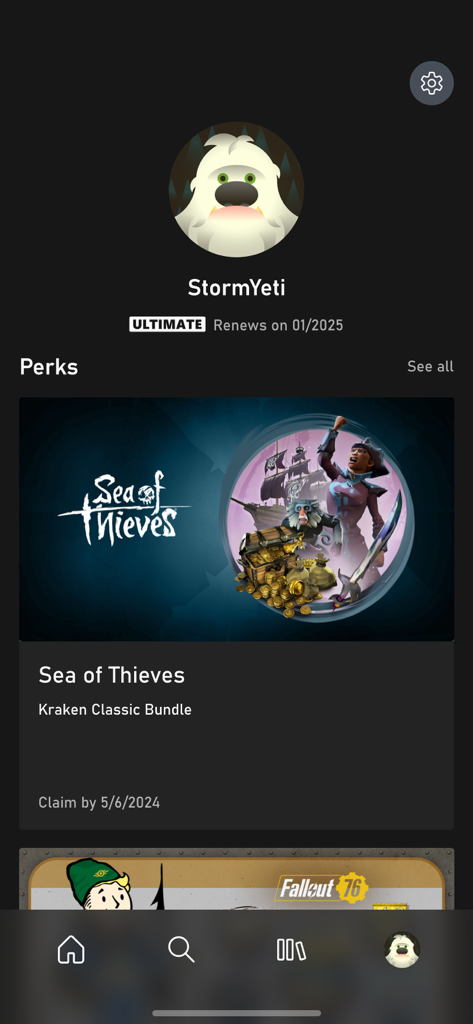
Xbox Game Pass - Xbox Game Pass 앱 프로필 페이지에 사용자 계정 세부 정보와 Sea of Thieves 번들과 같은 사용 가능한 회원 혜택이 표시됩니다.

Xbox Game Pass 앱 프로필 페이지에 사용자 계정 세부 정보와 Sea of Thieves 번들과 같은 사용 가능한 회원 혜택이 표시됩니다.

설명

Get unlimited access to play over 100 great games, including highly-anticipated Xbox exclusives, for one low monthly price.* Play a wide variety of games from every genre from blockbusters to critically-acclaimed indie titles. You’ll always have something new to play, and you have the freedom to discover and play games you’ve always wanted to play, or revisit favorites that you’ve been missing. Download the Xbox Game Pass app to search, browse, and download new games to your console when you’re on your mobile device. How does Xbox Game Pass work? - Join and play over 100 great games including new award-winning Xbox exclusives the same day they’re released - Use the Xbox Game Pass app to browse and download games to your Xbox One so they are ready to play when you are. Set your console to “Instant-On” to allow game downloads when you’re away. Find this in the Power & Startup menu in Settings - Receive notifications about new games coming to Xbox Game Pass, and start playing the moment your game is available when you pre-download it to your Xbox One. - Save up to 20% on Xbox One game purchases from the existing Xbox Game Pass catalog, plus 10% off any Xbox One game add-ons For help, please visit support.xbox.com Please refer to Microsoft’s EULA for Terms of Service for Microsoft’s gaming applications on iOS. By installing the app, you agree to these terms and conditions: https://support.xbox.com/help/subscriptions-billing/manage-subscriptions/microsoft-software-license-terms-mobile-gaming *Game catalog varies over time. Discount offers exclude titles within 30 days of launch; discounts based on Microsoft Store price. Some discounts not available with select titles.

Download

다운로드: App Store

이 페이지는 앱이나 개발자의 공식 페이지가 아니며, 정보 제공 및 논평을 목적으로 작성된 독립 편집 간행물입니다. 명시적으로 달리 언급되지 않는 한, 해당 앱이나 개발자는 MWM, Apple, Google Play, 앱 퍼블리셔 또는 앱 개발자와 제휴, 보증, 후원, 승인 또는 공식적으로 연결되어 있지 않으며, 이 페이지의 어떤 내용도 해당 앱이 MWM의 서비스를 사용하여 개발되었음을 의미하지 않습니다. 모든 상표, 로고, 스크린샷 및 기타 콘텐츠는 해당 소유자의 자산입니다.