
이 페이지는 앱이나 개발자의 공식 페이지가 아니며, 정보 제공 및 논평을 목적으로 작성된 독립 편집 간행물입니다. 명시적으로 달리 언급되지 않는 한, 해당 앱이나 개발자는 MWM, Apple, Google Play, 앱 퍼블리셔 또는 앱 개발자와 제휴, 보증, 후원, 승인 또는 공식적으로 연결되어 있지 않으며, 이 페이지의 어떤 내용도 해당 앱이 MWM의 서비스를 사용하여 개발되었음을 의미하지 않습니다. 모든 상표, 로고, 스크린샷 및 기타 콘텐츠는 해당 소유자의 자산입니다.

Xerox® Workplace
모바일 장치에서 모든 프린터에 즉시 연결하고, 문서를 안전하게 해제하고, 좋아하는 클라우드 앱을 하나의 원활한 전문 워크플로우로 통합하세요.
다운로드
307K+사용자 평점
총 평가 수
0개발사
카테고리
Productivity지원 언어
12최신 버전
6.1.3크기
35.2 MB출시일
2012년 5월 10일사무실을 위한 현대적인 제어 센터
하이브리드 전문가를 위해 설계된 엔터프라이즈급 보안 및 손쉬운 연결로 모바일 워크플로우와 물리적 문서 간의 격차를 해소하세요.
원탭 즉시 연결
복잡한 네트워크 설정을 건너뛰세요. QR 코드를 스캔하거나 NFC를 사용하여 모든 Xerox MFP에 즉시 연결하여 원활하고 드라이버 없는 인쇄를 경험하세요.
보안 풀 프린트
프린터 앞에 서 있을 때만 문서를 해제하여 민감한 데이터를 보호하세요. 휴대폰이 완전한 기밀성을 위한 보안 키 역할을 합니다.
자주 묻는 질문
에 대해 알아야 할 모든 것 Xerox® Workplace
Xerox® Workplace 모바일 앱의 주요 기능은 무엇인가요?
Xerox® Workplace 앱을 사용하면 Xerox MFP로 로컬 인쇄 및 스캔을 할 수 있습니다. Xerox® Workplace Cloud/Suite에 연결하면 어디서든 인쇄 및 스캔을 안전하고 제어된 방식으로 액세스할 수 있습니다.
사용자는 Xerox® Workplace 앱을 사용하여 프린터에 어떻게 연결할 수 있나요?
사용자는 프린터의 특정 QR 코드를 스캔하거나 NFC를 사용하여 NFC 지원 MFP를 탭하여 프린터에 연결할 수 있습니다. 이를 통해 빠르고 간단하게 프린터를 설정할 수 있습니다.
Xerox® Workplace 앱 내에서 사용할 수 있는 인쇄 옵션은 무엇인가요?
Xerox® Workplace 앱을 사용하면 단면/양면, 컬러/흑백, 스테이플, 용지 크기, 페이지 범위, 보안 인쇄 핀과 같은 인쇄 옵션을 선택할 수 있습니다.
Xerox® Workplace 앱은 다른 애플리케이션의 문서를 인쇄할 수 있나요?
예, Xerox® Workplace 앱은 Dropbox, Google Drive 및 기타 다양한 통합 소스와 같은 다른 애플리케이션에서 직접 인쇄를 지원합니다.
Xerox® Workplace 앱은 문서 스캔을 지원하나요?
예, Xerox® Workplace 앱을 사용하면 애플리케이션 내에서 복합기(MFP)에서 무선으로 문서를 직접 스캔할 수 있습니다.
Xerox® Workplace는 비(非) Xerox 브랜드 프린터로의 인쇄를 지원하나요?
예, Xerox Workplace Suite 또는 Cloud와 함께 사용할 때 이 앱은 HP, Ricoh, Epson, Canon을 포함한 Xerox, Fuji Xerox 및 비(非) Xerox 네트워크 인쇄 장치로의 인쇄를 지원합니다.
Xerox® Workplace 앱을 시작하려면 어떻게 해야 하나요?
시작하려면 회사 코드를 받고, 앱을 다운로드하고, 등록 및 로그인한 다음, 기기에서 문서를 열고, "다른 앱으로 열기..."를 Workplace로 선택하고, 프린터를 선택하고, 문서를 릴리스하세요.
Xerox® Workplace는 보안 인쇄 릴리스 기능을 제공하나요?
예, 이 앱을 사용하면 문서를 안전하게 업로드하여 라이선스가 부여된 모든 프린터에서 나중에 릴리스할 수 있습니다(풀 프린트라고 함). 이를 통해 작업의 개인 정보 보호 및 보안을 보장합니다.
Xerox® Workplace 앱은 근처 프린터를 찾는 데 도움이 되나요?
예, Xerox Workplace Suite 또는 Cloud와 함께 사용할 때 이 앱은 GPS를 사용하여 위치를 찾고 사용자에게 사용 가능한 프린터를 표시할 수 있습니다.
Xerox® Workplace 앱은 어떤 문서 형식을 인쇄할 수 있나요?
Xerox® Workplace 앱은 Xerox Workplace Suite 또는 Cloud와 통합될 때 MS Office, Adobe Acrobat, 이메일, 텍스트, Open Office 및 다양한 이미지 형식을 인쇄할 수 있습니다.
Xerox® Workplace 앱은 프린터를 잠금 해제할 수 있나요?
예, 모바일 앱은 잠금 해제 코드 또는 NFC를 사용하여 지원되는 Xerox 프린터의 잠금을 해제할 수 있으며, 이는 기존 카드에 대한 대안 역할을 합니다.
Xerox® Workplace 앱에 복사 기능이 포함되어 있나요?
예, 이 앱에는 "복사" 기능이 있어 사용자가 선택한 장치에 대한 원본 유형, 방향, 크기, 복사본 수, 출력 유형 및 출력 용지 크기와 같은 설정을 관리할 수 있습니다.
다음 스크린샷과 설명은 앱의 공식 스토어 목록에서 직접 가져온 것이며 앱 개발자의 자산입니다.
앱 스토어
스크린샷
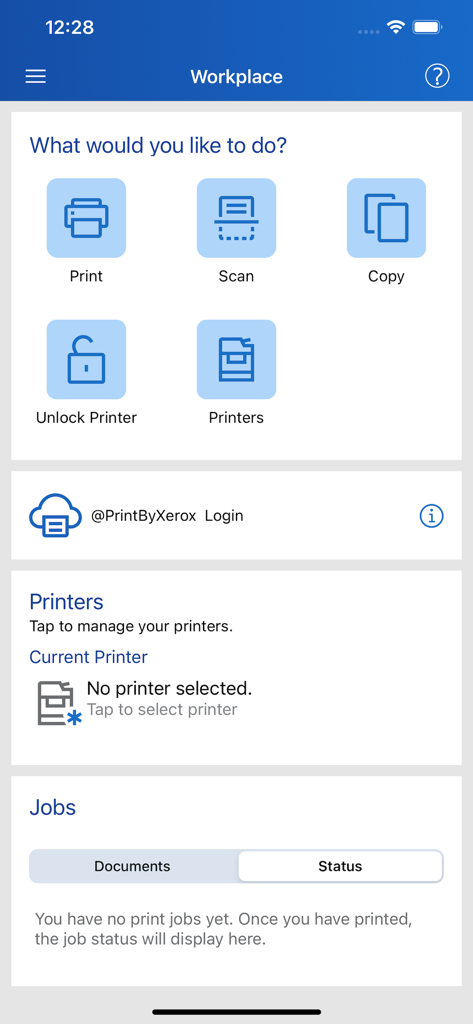
인쇄, 스캔, 복사 및 프린터 관리 옵션을 보여주는 Xerox Workplace 앱 대시보드
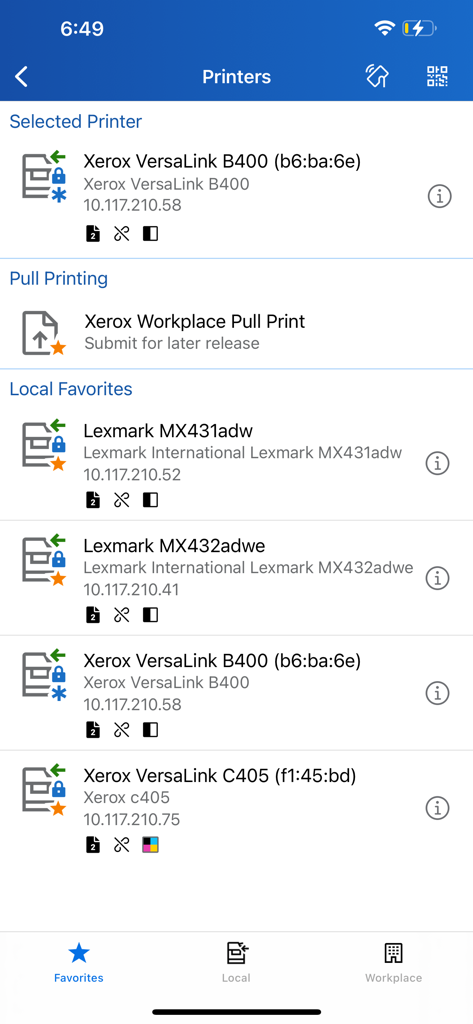
선택한 프린터, 풀 프린트 옵션 및 로컬 즐겨찾기 목록을 표시하는 Xerox Workplace 앱 인터페이스.
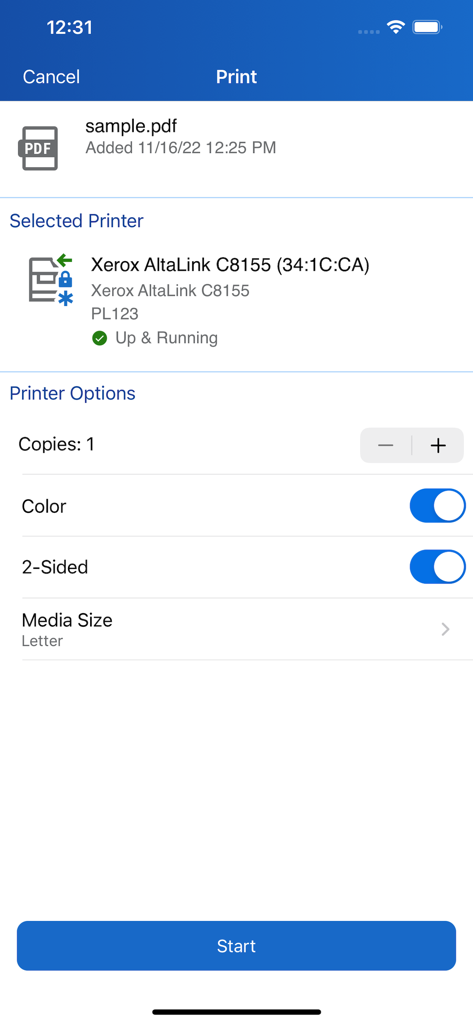
PDF 문서에 대한 인쇄 설정 및 프린터 상태를 보여주는 Xerox Workplace 앱 인터페이스.
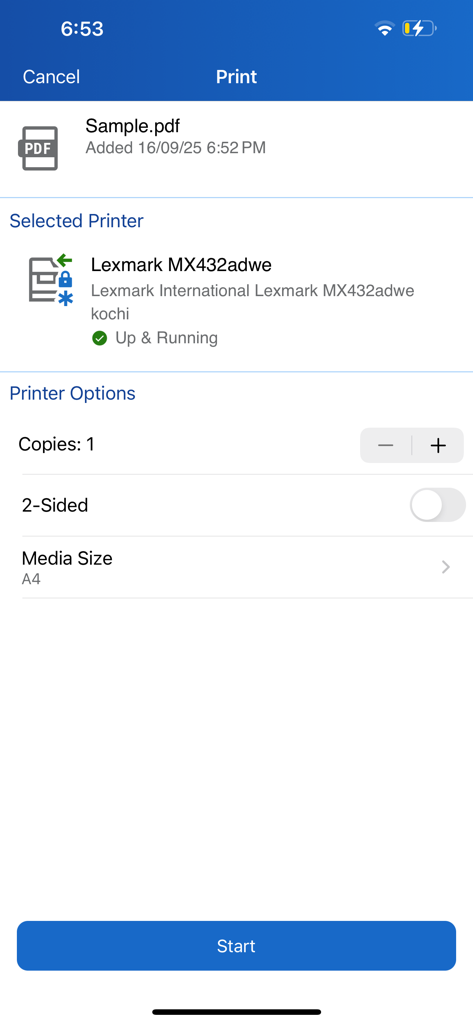
선택한 프린터에 대한 문서 인쇄 설정을 표시하는 Xerox Workplace 앱 인터페이스
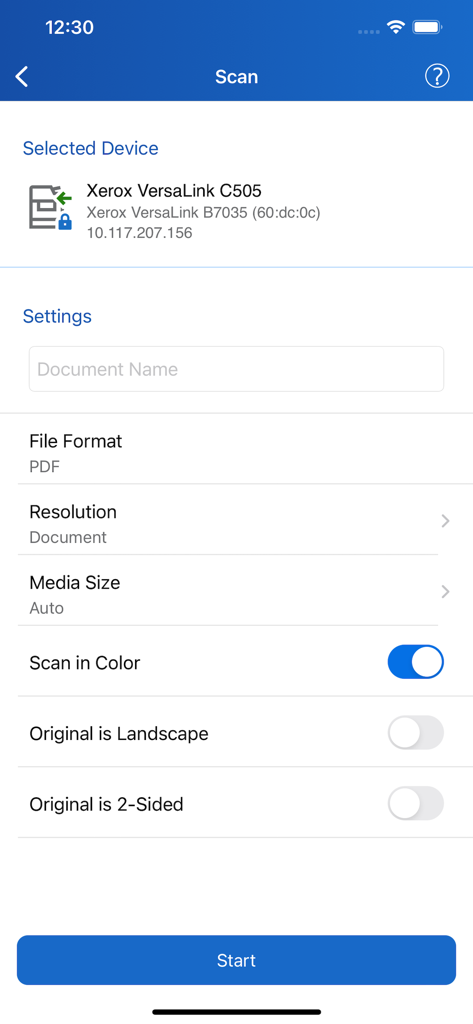
프린터에 대한 문서 설정을 보여주는 Xerox Workplace 앱 스캔 인터페이스
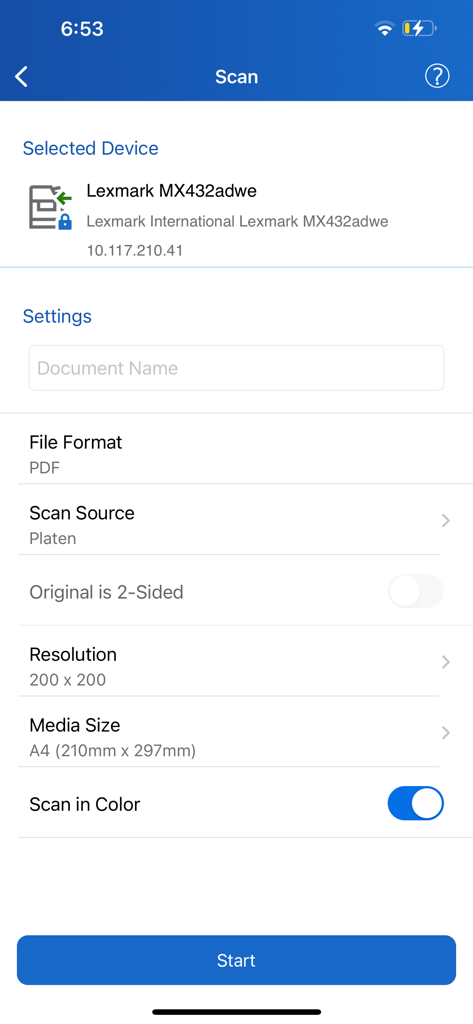
장치 및 문서 옵션을 보여주는 Xerox Workplace 앱의 스캔 설정 인터페이스
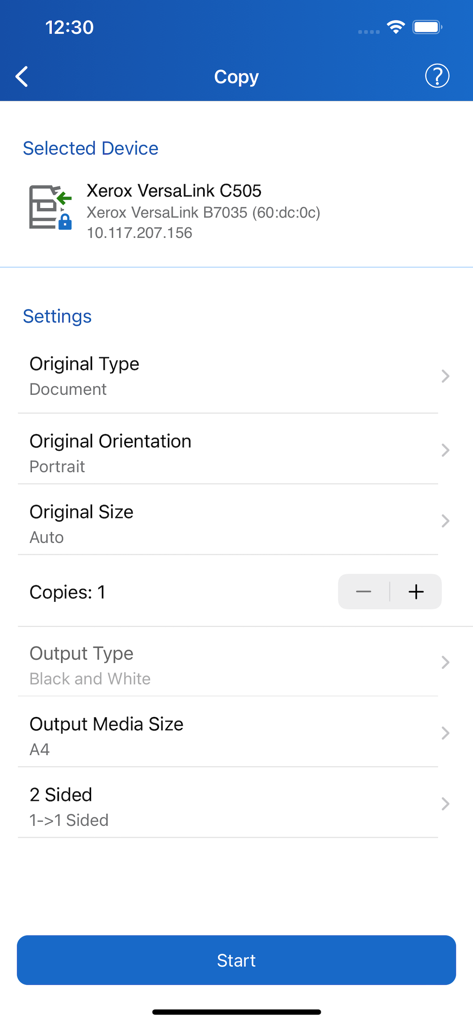
문서 방향 및 출력 옵션을 보여주는 Xerox Workplace 앱의 복사 설정 화면
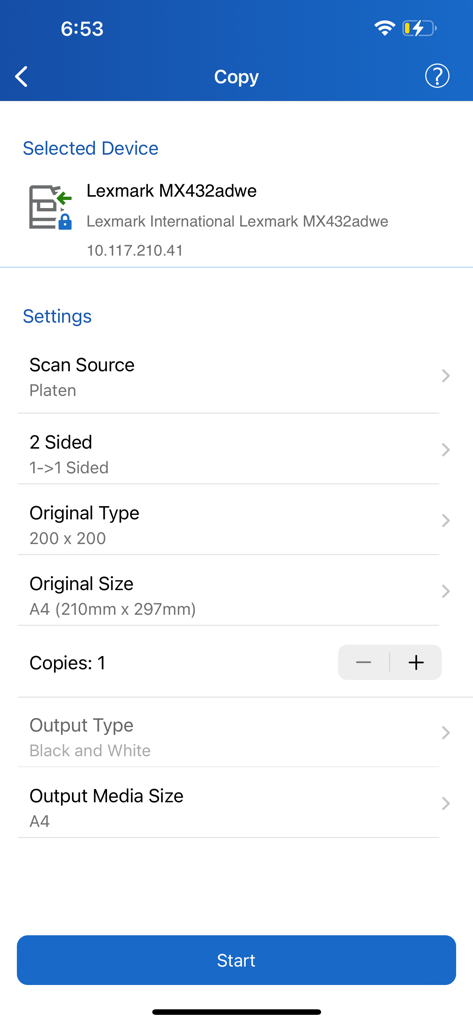
용지 크기 및 출력 유형을 포함한 문서 복사 구성 옵션을 보여주는 Xerox Workplace 모바일 앱 화면
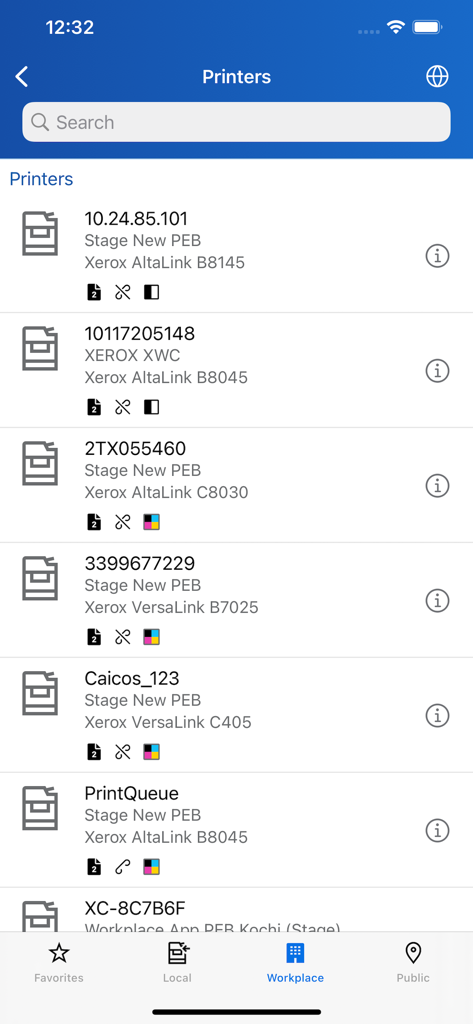
모델 세부 정보 및 상태 아이콘이 있는 검색 가능한 Xerox 프린터 목록을 표시하는 모바일 앱 화면.
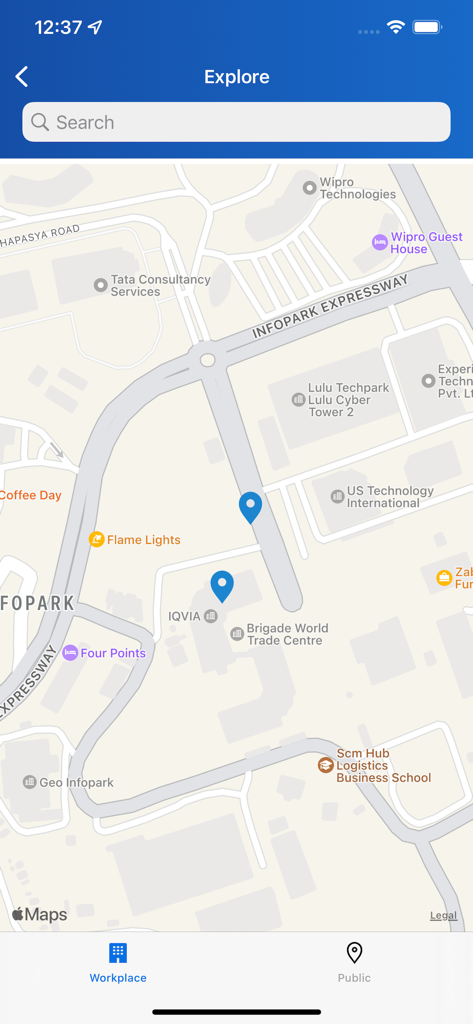
파란색 핀이 있는 주변 프린터 위치를 보여주는 Xerox Workplace 앱 지도 보기
설명
Download
비슷한 앱
유사한 기능과 사용자 경험을 가진 앱

Photo Print: CVS Quick Prints
PlusMinusOne, Inc.

Princh
Princh ApS
7-Eleven Multicopy
FUJIFILM Business Innovation Corp.

COPIX
KOPIKS, OOO
Network Print
Sharp Corporation

ファミマネットワークプリント
FamilyMart Co.,Ltd.
FUJIFILM WPS Photo Transfer
FUJIFILM Corporation

printingbox
VISIONOTS Co.,Ltd

Wepa Print
WEPA Inc.
이 페이지는 앱이나 개발자의 공식 페이지가 아니며, 정보 제공 및 논평을 목적으로 작성된 독립 편집 간행물입니다. 명시적으로 달리 언급되지 않는 한, 해당 앱이나 개발자는 MWM, Apple, Google Play, 앱 퍼블리셔 또는 앱 개발자와 제휴, 보증, 후원, 승인 또는 공식적으로 연결되어 있지 않으며, 이 페이지의 어떤 내용도 해당 앱이 MWM의 서비스를 사용하여 개발되었음을 의미하지 않습니다. 모든 상표, 로고, 스크린샷 및 기타 콘텐츠는 해당 소유자의 자산입니다.