XM Zhootracker
XM Zhootracker
다운로드: App Store

이 페이지는 앱이나 개발자의 공식 페이지가 아니며, 정보 제공 및 논평을 목적으로 작성된 독립 편집 간행물입니다. 명시적으로 달리 언급되지 않는 한, 해당 앱이나 개발자는 MWM, Apple, Google Play, 앱 퍼블리셔 또는 앱 개발자와 제휴, 보증, 후원, 승인 또는 공식적으로 연결되어 있지 않으며, 이 페이지의 어떤 내용도 해당 앱이 MWM의 서비스를 사용하여 개발되었음을 의미하지 않습니다. 모든 상표, 로고, 스크린샷 및 기타 콘텐츠는 해당 소유자의 자산입니다.

로고: XM Zhootracker
다운로드: App Store

XM Zhootracker

속도와 휴대성을 위해 설계된 LSDJ에서 영감을 받은 인터페이스로 그리드를 마스터하세요. 완벽한 FastTracker II(.XM) 호환성, 촉각적인 게임패드 지원 및 내장 샘플링으로 정통 칩튠을 작곡하세요.

주요 수치

다운로드

100

사용자 평점

1.0/5

총 평가 수

0

개발사

Audren Thibault

카테고리

Music

지원 언어

1

최신 버전

1.2.5

크기

7.2 MB

출시일

2026년 1월 16일
기능

레트로 파워, 현대적인 정밀함

90년대 트래커 헤리티지와 모바일 혁신의 궁극적인 융합을 경험하세요. 워크플로우 속도와 창의적인 제약을 중요하게 생각하는 칩튠 아티스트와 실험적인 작곡가를 위해 제작되었습니다.

LSDJ에서 영감을 받은 탐색

가상 D-패드와 A 버튼 레이아웃으로 패턴을 마스터하세요. 클래식 휴대용 기기의 근육 기억을 iPad로 직접 이식하여 번개처럼 빠른 편집을 제공합니다.

전문가 수준의 XM 호환성

표준 .XM 모듈 및 WAV 가져오기에 대한 완벽한 지원. 이동 중에 트랙을 시작하고 MilkyTracker 또는 FastTracker II를 사용하여 데스크톱에서 마무리하세요.

다음 스크린샷과 설명은 앱의 공식 스토어 목록에서 직접 가져온 것이며 앱 개발자의 자산입니다.

앱 스토어

스크린샷
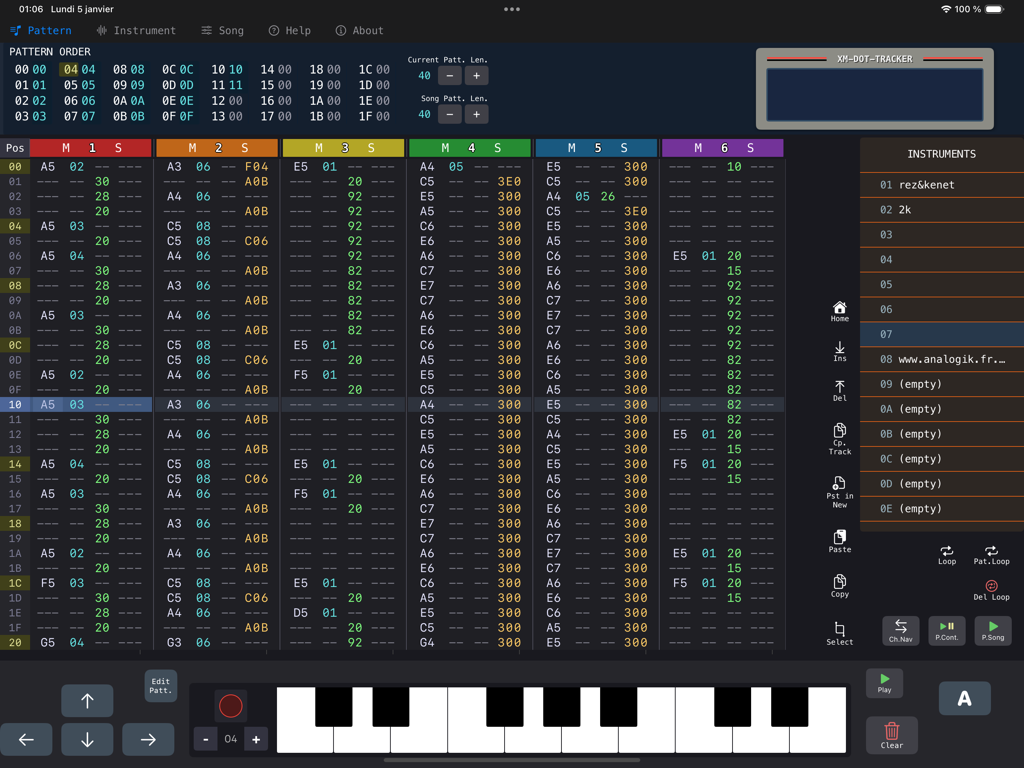
XM Zhootracker - XM Zhootracker 음악 제작 인터페이스, iPad에서 칩튠 작곡을 위한 수직 트래커 그리드와 가상 피아노 키보드 표시
XM Zhootracker 음악 제작 인터페이스, iPad에서 칩튠 작곡을 위한 수직 트래커 그리드와 가상 피아노 키보드 표시

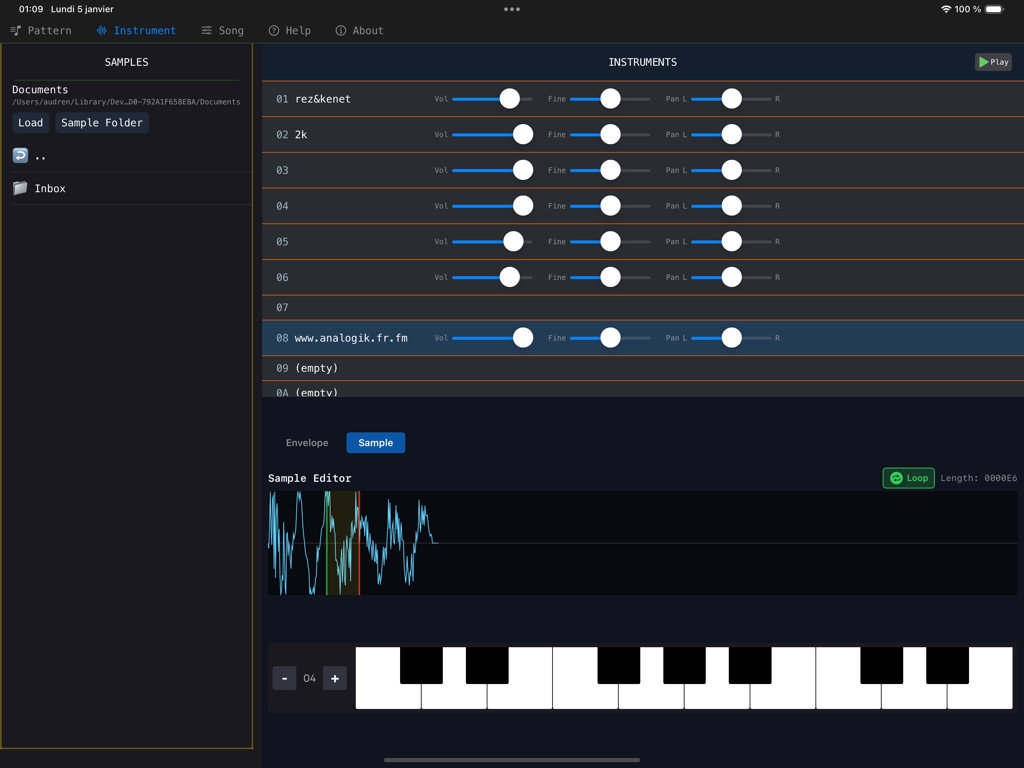
XM Zhootracker - XM Zhootracker 음악 앱의 악기 설정 및 샘플 편집기 인터페이스
XM Zhootracker 음악 앱의 악기 설정 및 샘플 편집기 인터페이스

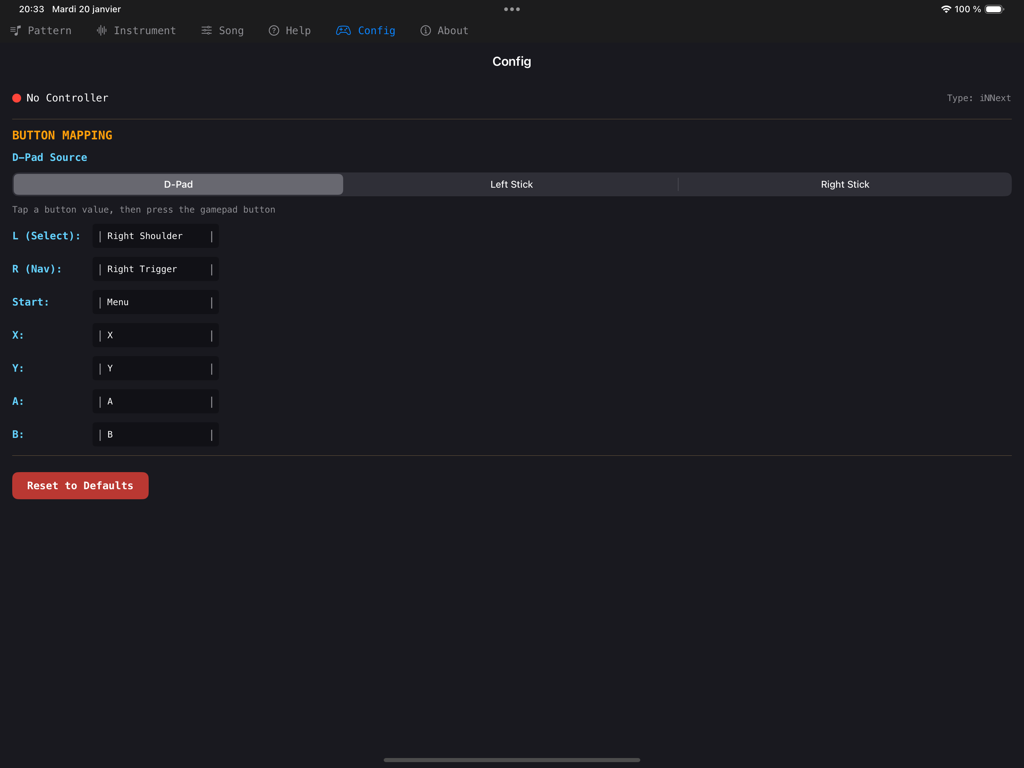
XM Zhootracker - XM Zhootracker 앱의 게임패드 버튼 매핑 구성 화면

XM Zhootracker 앱의 게임패드 버튼 매핑 구성 화면

설명

Zhootracker is a retro-modern music tracker with built-in virtual controls (also gamepad and keyboard support), inspired by the legendary workflow of LSDJ (Gameboy) (also in M8 tracker, LittlePiggyTracker, ChipNomad etc...), but fully compatible with the classic FastTracker II (XM) format. So it is compatible with every FT2 clones like Milkytracker, Nitro/Nitroustracker etc... Also works on Mac (Apple Silicon) Presentation video : https://www.youtube.com/watch?v=wqaW5rX9xU8XM A tutorial will come quickly and a demonstration of new Rec from microphone functionality so take a look in my youtube channel ! CONTROLS: - Virtual D-pad + A button for fast pattern editing - LSDJ-inspired navigation simplified for touchscreen - Navigate with arrows OR tap directly - The tracker experience you know, redesigned for iPad, inspired by both computer and handheld worlds - Gamepad and keyboard support (using LSDJ shortcuts) (I can't test most supported gamepads yet, please report it if there is any problems). DESIGNED FOR EVERYONE: XM Zhootracker is built to be intuitive. You don't need to master FastTracker II. LSDJ/M8 knowledge will make you faster but I found it more easy to use than computer trackers. Load your sample in instrument page, add your note with A or Keyboard - start making music. FULL XM SUPPORT: - Load and save standard XM module files - Import WAV samples or record your own - Up to 256 patterns with 32 channels - Real-time playback with accurate XM engine - Volume envelopes - Sample loop on instruments - Mute/Solo tracks - Support all fastTracker2/milkytracker commands (LCD style screen for help) EXTRA FEATURES : - Record from microphone directly on the grid (instant fun) - Pattern Loop - Copy track - Intuitive touch controls - Paste in new pattern INTERFACE : - Built-in help section FEEDBACK & SUPPORT: This is a new release! I am actively working on improving the app. If you encounter any bugs or have feature suggestions, please report them here : https://discord.gg/P6FxxVfv — fixes and updates will be released frequently. Perfect for chiptune artists, experimental, enthusiasts, retro game composers, or anyone curious about tracker music.

Download

다운로드: App Store

이 페이지는 앱이나 개발자의 공식 페이지가 아니며, 정보 제공 및 논평을 목적으로 작성된 독립 편집 간행물입니다. 명시적으로 달리 언급되지 않는 한, 해당 앱이나 개발자는 MWM, Apple, Google Play, 앱 퍼블리셔 또는 앱 개발자와 제휴, 보증, 후원, 승인 또는 공식적으로 연결되어 있지 않으며, 이 페이지의 어떤 내용도 해당 앱이 MWM의 서비스를 사용하여 개발되었음을 의미하지 않습니다. 모든 상표, 로고, 스크린샷 및 기타 콘텐츠는 해당 소유자의 자산입니다.







