Yasin & Tahlil
Yasin & Tahlil
다운로드: App Store

이 페이지는 앱이나 개발자의 공식 페이지가 아니며, 정보 제공 및 논평을 목적으로 작성된 독립 편집 간행물입니다. 명시적으로 달리 언급되지 않는 한, 해당 앱이나 개발자는 MWM, Apple, Google Play, 앱 퍼블리셔 또는 앱 개발자와 제휴, 보증, 후원, 승인 또는 공식적으로 연결되어 있지 않으며, 이 페이지의 어떤 내용도 해당 앱이 MWM의 서비스를 사용하여 개발되었음을 의미하지 않습니다. 모든 상표, 로고, 스크린샷 및 기타 콘텐츠는 해당 소유자의 자산입니다.


로고: Yasin & Tahlil
다운로드: App Store

Yasin & Tahlil

완전한 음역과 오프라인 지원으로 수라 야신, 탈릴, 필수 디크르에 접근하세요. 현대 무슬림 미국인을 위해 디자인된 이 앱은 묘지 방문, 커뮤니티 모임, 일일 헌신을 위한 원활한 영적 경험을 제공합니다.

주요 수치

다운로드

14K+

사용자 평점

4.9/5

총 평가 수

0

개발사

Majlis Ansori

카테고리

Books

지원 언어

1

최신 버전

1.0.6

크기

28.9 MB

출시일

2024년 4월 23일
기능

손끝에서 경험하는 영적 필수품

당신의 전통을 함께 가져가세요. 수라 야신부터 일일 디크르까지, 인터넷 연결 없이도 기도와 묵상을 위해 필요한 모든 것을 이용할 수 있습니다.

자신 있게 읽으세요

아랍어 스크립트, 라틴어 음역, 번역을 전환하여 암송과 이해를 완벽하게 하세요.

진정한 오프라인 자유

당신의 영적 도구 상자는 항상 준비되어 있습니다. 묘지에 있거나 여행 중일 때도 언제든지 모든 기도와 다운로드한 MP3 오디오에 액세스할 수 있습니다.

다음 스크린샷과 설명은 앱의 공식 스토어 목록에서 직접 가져온 것이며 앱 개발자의 자산입니다.

앱 스토어

스크린샷
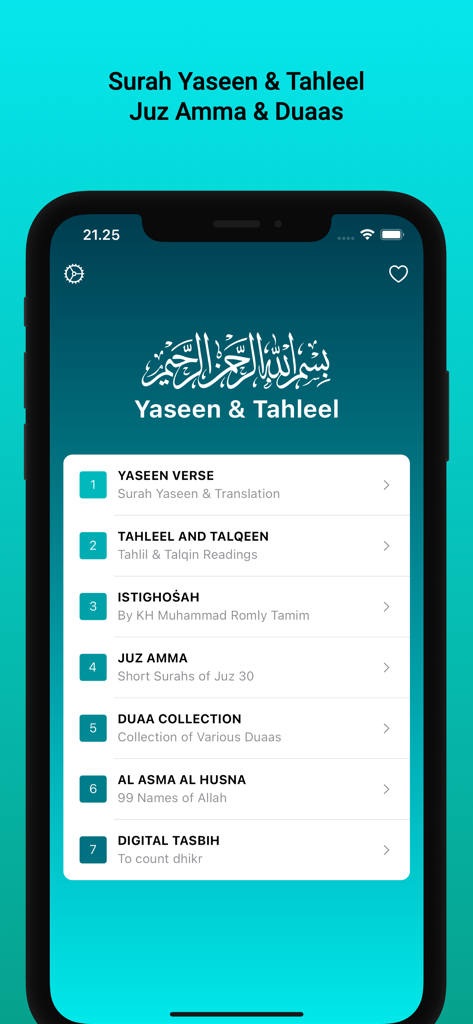
Yasin & Tahlil - 야신과 탈릴 이슬람 기도 앱의 메인 메뉴 화면, 주즈 암마와 두아 컬렉션 표시
야신과 탈릴 이슬람 기도 앱의 메인 메뉴 화면, 주즈 암마와 두아 컬렉션 표시

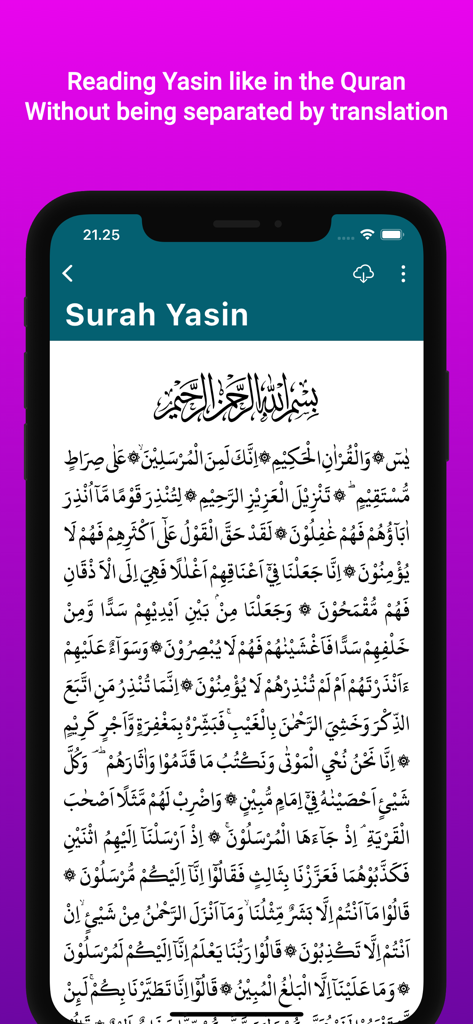
Yasin & Tahlil - 야신과 탈릴 앱에 표시되는 수라 야신 아랍어 텍스트

야신과 탈릴 앱에 표시되는 수라 야신 아랍어 텍스트

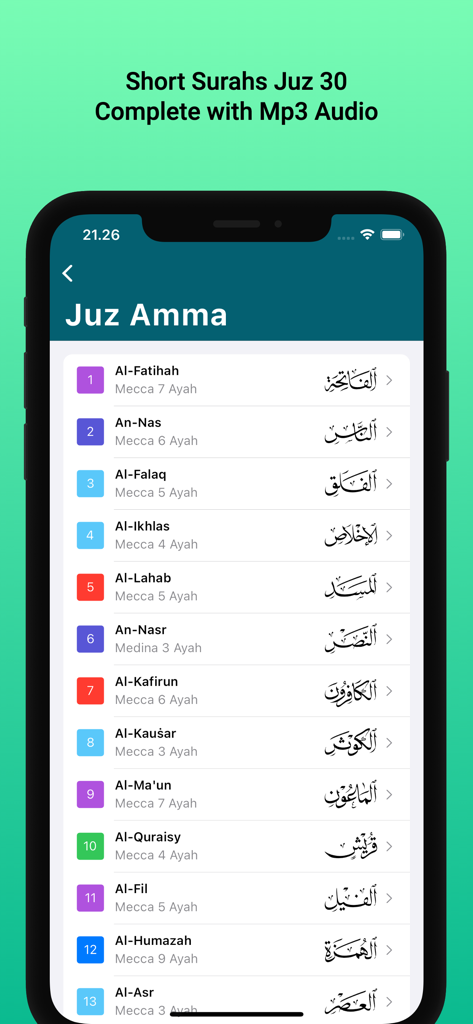
Yasin & Tahlil - 야신과 탈릴 앱에서 주즈 30의 짧은 꾸란 수라 목록을 보여주는 스마트폰 화면
야신과 탈릴 앱에서 주즈 30의 짧은 꾸란 수라 목록을 보여주는 스마트폰 화면

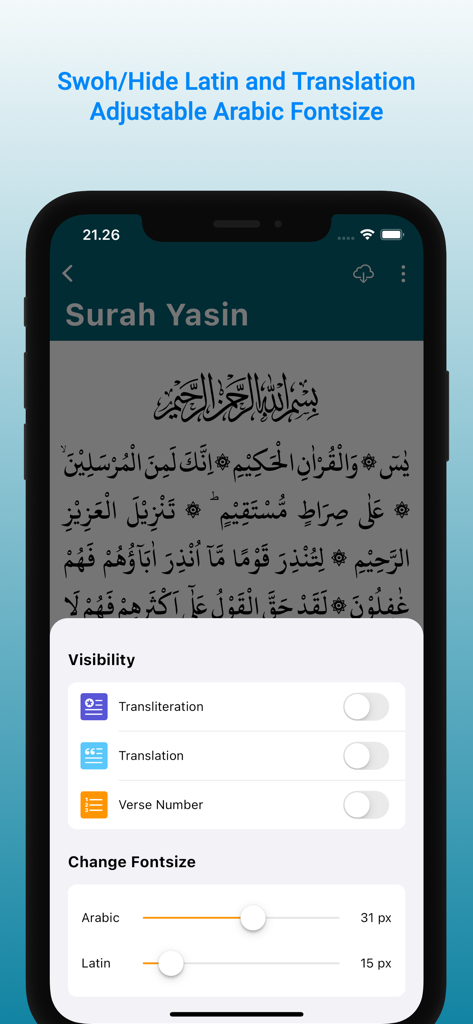
Yasin & Tahlil - 아랍어 및 라틴어 음역에 대한 글꼴 크기 및 텍스트 가시성 사용자 지정 옵션을 보여주는 야신 및 탈릴 앱 인터페이스

아랍어 및 라틴어 음역에 대한 글꼴 크기 및 텍스트 가시성 사용자 지정 옵션을 보여주는 야신 및 탈릴 앱 인터페이스

설명

This app contains reading of Surah Yasin, Tahlil, Istighosah, Dhikr and Islamic Prayer with transliteration and translation. You can use this app offline so you can use it anytime and anywhere. It also makes it easier for you when visiting the grave or Talqin Mayit without having to carry the book. Apart from that, we get many benefits from it. The Arabic writing in the Surat Yasin and Tahlil application is original text, aka not images or PDFs. Apart from that, there are also Digital Tasbih, Istighosah, dhikr and a collection of Islamic prayers. For ease of use. Contents: • Yasin Surah and Mp3 Audio • Complete Tahlil Offline • Talqin • Istighosah KH. Muhammad Romly Tamim • Juz Amma Short Letter from the Koran • Collection of Islamic Dhikr and Prayers • Asmaul Husna • Digital Prayer Beads We have included several superior features in it. are as follows: 1. Changing Text Size You can adjust the size of the Arabic letters by touching the T icon at the top right of the screen. Then a slider will appear at the bottom of the screen. Slide the slider to adjust the size of the letters 2. Features Latin Reading & Translation Allows you to display or hide Latin readings and translations, so that when reading Arabic writing it is as if you were reading the Koran without being separated by meaning. The way to show or hide Latin translations and readings is by tapping the eye icon at the top right of each page. Or via the drawer which is just below night mode 3. Save to Favorites You can add the page you are reading to your Favorites page by tapping the Heart icon at the top of the screen. If the Heart icon is red, it indicates that the page has been entered into the Favorites page. To access Favorite Prayers, you can tap the Heart icon on the Home page (main page) at the top of the screen. The Favorites feature makes it easy for you to quickly open pages that you save without having to go all the way into the page directory. 4. Audio Mp3 To be able to play sound an internet connection is required. After it is downloaded on the device, it no longer requires an internet connection, aka offline. Downloading sounds can be done by tapping the download icon at the top of the page. Make sure not to close the page during the download process, because this will result in the downloaded audio not being able to be played completely. If that happens, you have to delete the application data and re-download the mp3 audio. 5. Night Mode Night Mode is a feature to change the screen display from light to dark. So it protects your eyes from too bright light when reading text at night and the Arabic text and translation looks cool to the eyes. The way to activate/deactivate Dark Mode is to tap the Moon icon at the top right of the screen.

Download

다운로드: App Store

이 페이지는 앱이나 개발자의 공식 페이지가 아니며, 정보 제공 및 논평을 목적으로 작성된 독립 편집 간행물입니다. 명시적으로 달리 언급되지 않는 한, 해당 앱이나 개발자는 MWM, Apple, Google Play, 앱 퍼블리셔 또는 앱 개발자와 제휴, 보증, 후원, 승인 또는 공식적으로 연결되어 있지 않으며, 이 페이지의 어떤 내용도 해당 앱이 MWM의 서비스를 사용하여 개발되었음을 의미하지 않습니다. 모든 상표, 로고, 스크린샷 및 기타 콘텐츠는 해당 소유자의 자산입니다.