이 페이지는 앱이나 개발자의 공식 페이지가 아니며, 정보 제공 및 논평을 목적으로 작성된 독립 편집 간행물입니다. 명시적으로 달리 언급되지 않는 한, 해당 앱이나 개발자는 MWM, Apple, Google Play, 앱 퍼블리셔 또는 앱 개발자와 제휴, 보증, 후원, 승인 또는 공식적으로 연결되어 있지 않으며, 이 페이지의 어떤 내용도 해당 앱이 MWM의 서비스를 사용하여 개발되었음을 의미하지 않습니다. 모든 상표, 로고, 스크린샷 및 기타 콘텐츠는 해당 소유자의 자산입니다.
zFuse - Video Player
파일 변환은 그만하고 바로 스트리밍하세요. 원활한 NAS 통합부터 스튜디오 수준의 자막 렌더링, 암호화된 프라이버시 보호까지 iOS 미디어 라이브러리를 완벽하게 제어할 수 있습니다.
주요 수치
다운로드
147K+
사용자 평점
4.7/5
총 평가 수
9K+
개발사
s-joys Technology Co., Ltd.
카테고리
Entertainment
지원 언어
7
최신 버전
1.12.118
크기
140.1 MB
출시일
2015년 11월 23일
기능
프로 수준의 미디어 관리 및 재생
파일 변환 없이 바로 감상하세요. zFuse는 파워 유저를 위해 설계된 데스크톱급 엔진으로 미디어를 스트리밍, 동기화 및 보호할 수 있는 자유를 제공합니다.
제한 없는 네트워크 스트리밍
SMB, FTP 또는 DLNA를 통해 PC나 NAS에 직접 액세스하세요. 기기 저장 공간을 낭비하지 않고 전체 4K 라이브러리를 스트리밍할 수 있습니다.
고급 포맷 및 자막 엔진
고성능 ASS/SSA 효과 자막을 지원하여 모든 비디오 포맷을 재생합니다. 픽셀 단위로 완벽한 HDR 렌더링과 사용자 지정 글꼴 스타일을 경험하세요.
다음 스크린샷과 설명은 앱의 공식 스토어 목록에서 직접 가져온 것이며 앱 개발자의 자산입니다.
앱 스토어
스크린샷
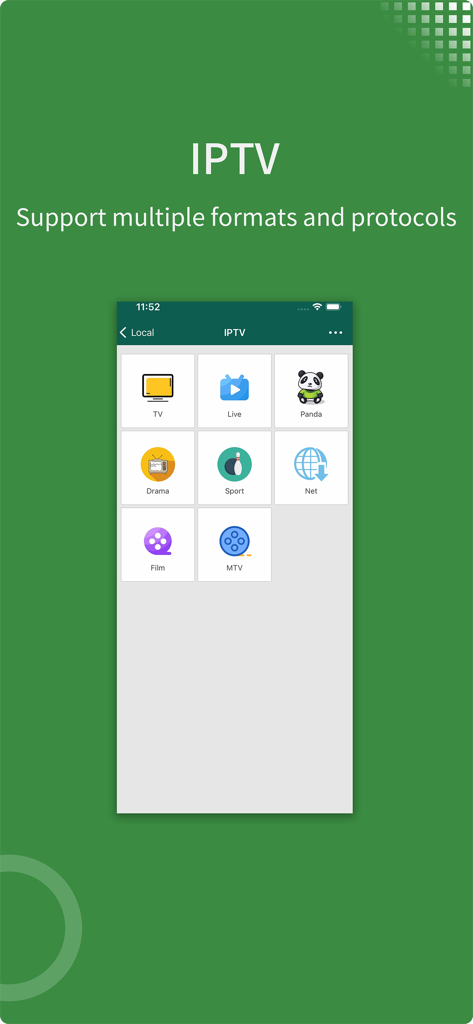
실시간 TV, 스포츠, 영화 카테고리가 포함된 IPTV 지원을 보여주는 zFuse 비디오 플레이어 앱 스크린샷
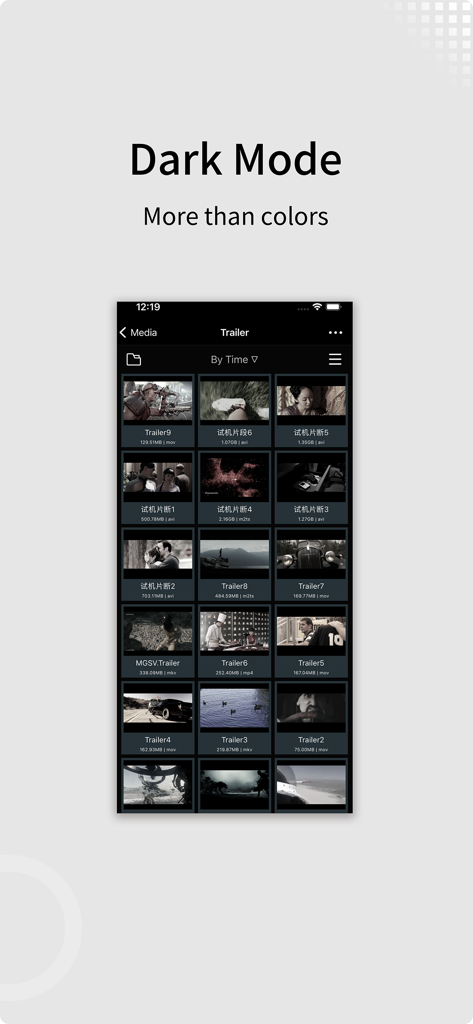
다크 모드 인터페이스와 비디오 라이브러리 그리드를 보여주는 zFuse 비디오 플레이어 앱 스크린샷
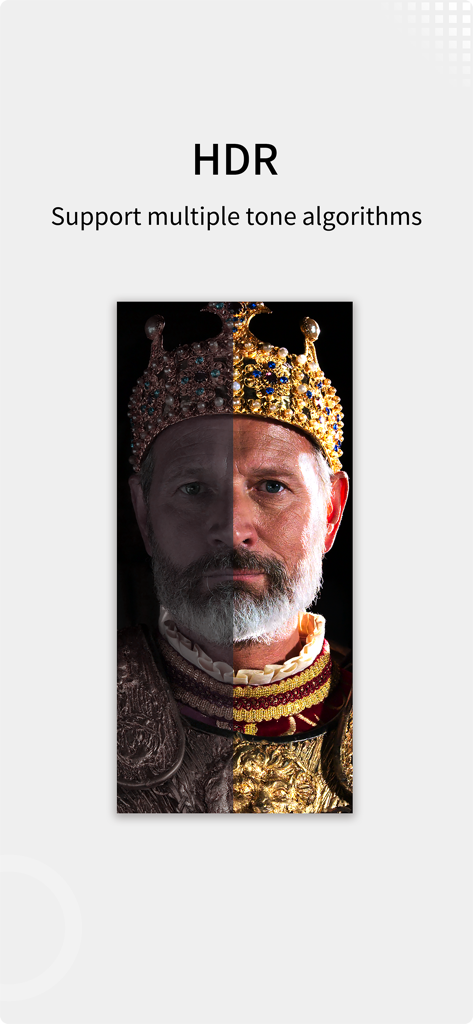
왕의 초상화에서 HDR 톤 매핑을 비교하는 분할 화면을 보여주는 zFuse 비디오 플레이어
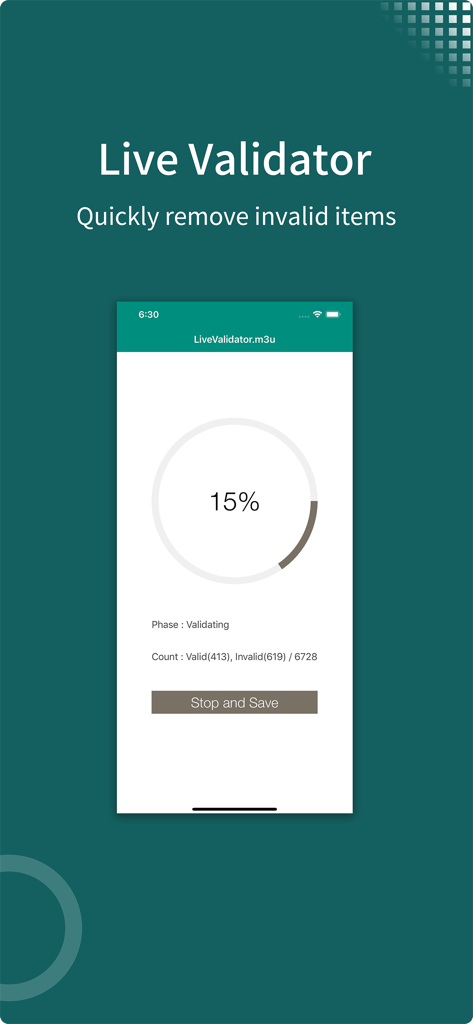
유효하지 않은 항목을 제거하기 위해 m3u 재생 목록의 유효성 검사 진행 상황을 보여주는 zFuse Live Validator 인터페이스
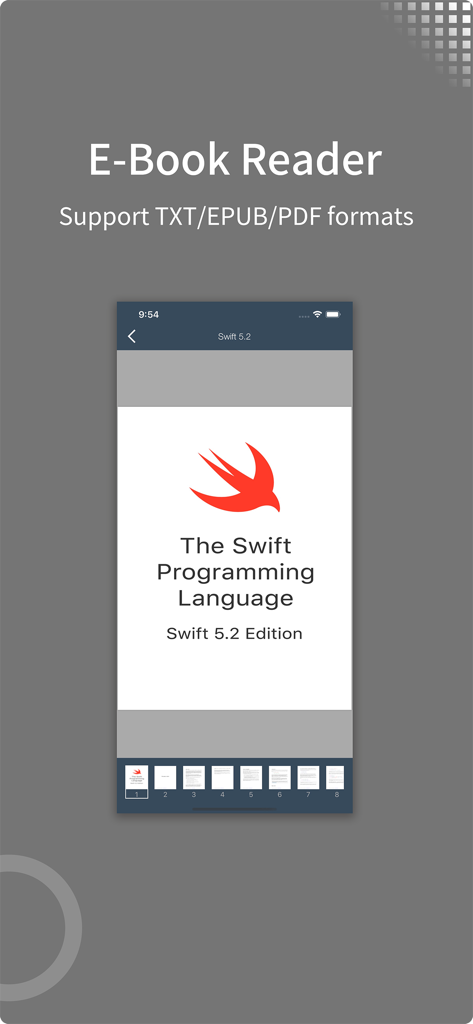
Swift 프로그래밍 언어 PDF 문서를 표시하는 zFuse 앱 전자책 리더 인터페이스
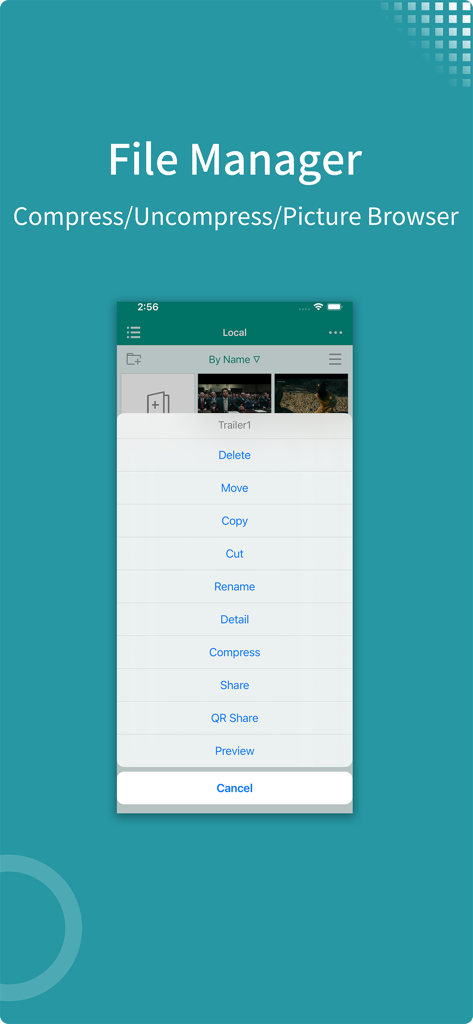
파일 압축 및 관리 옵션을 보여주는 zFuse 앱 파일 관리자 인터페이스
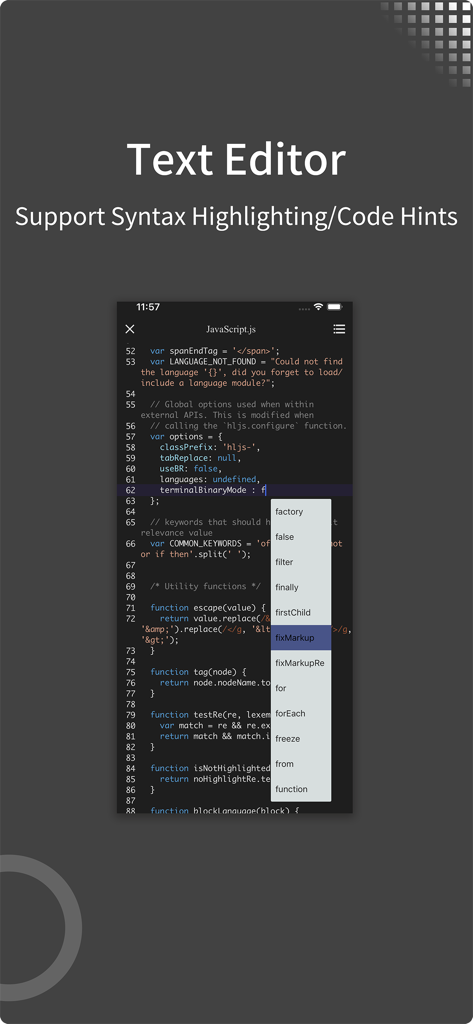
JavaScript 구문 강조 및 코드 힌트를 보여주는 zFuse 앱 텍스트 편집기
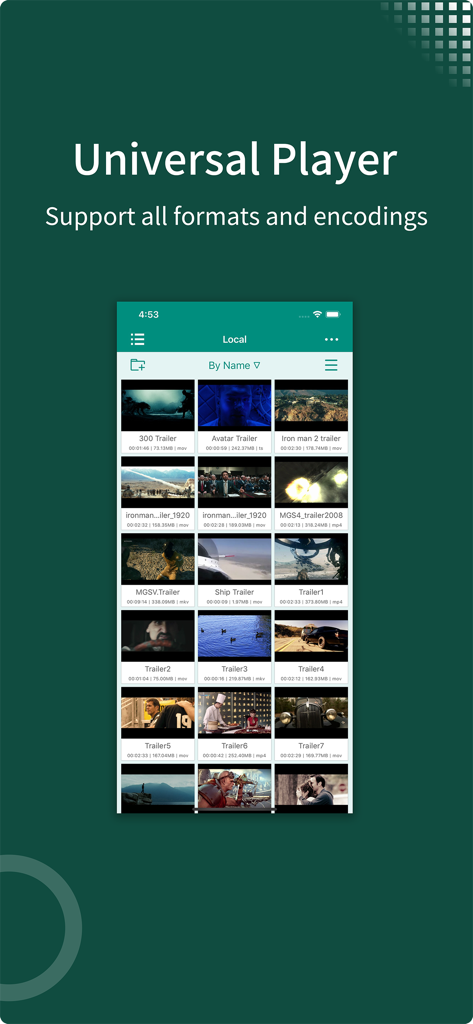
로컬 비디오 파일과 영화 예고편 그리드를 표시하는 zFuse 앱 라이브러리 스크린샷
설명
- zFuse can play all video formats and encodings, allowing you to play video files on your mobile device without the need to convert to MP4.
- zFuse supports ASS/SSA/SUP effect subtitles, enabling you to experience full subtitle effects just like on your PC/Mac.
- zFuse features powerful networking technologies that allow you to play media from your PC or NAS directly, without occupying any space on your limited device storage and without needing to download anything.
- zFuse also allows you to easily download files or directories directly from your PC or NAS, making it the perfect companion for your trips.
- zFuse supports a variety of gestures - simply move your fingers to adjust playback position, font size, volume, and brightness.
- zFuse carefully protects your privacy with folder encryption, so you no longer need to worry about privacy issues.
- zFuse's detailed features include:
* SMB/CIFS playback and discovery (easily play media files from your PC).
* Download media files or directories from SAMBA/DLNA/WebDAV/FTP directly.
* UPnP/DLNA playback and discovery.
* Emby and Jellyfin media server support.
* AirPlay playback.
* Picture-in-Picture mode support.
* iPad split-screen multitasking support.
* Hardware acceleration.
* HDR Tone Mapping support on non-HDR displays.
* Subtitle effects support.
* 0.5x-3.0x playback speed control.
* 0.5x-5.0x screen zoom.
* Media preview while seeking.
* Built-in audio enhancement.
* Multi-soundtrack selection.
* Embedded/external subtitle track selection.
* Subtitle synchronization.
* Audio synchronization.
* External subtitle font selection support.
* Playlist file preview before playback.
* Blu-ray directory playback.
* Real-time playlist management and editing.
* Screen mirroring.
* File Management:
- Delete, move, rename, create folders.
- Wi-Fi file transfer support without USB cable connection.
- Streaming media playlist creation support.
- File decompression support: 7z, zip, rar, tar, bz, bz2, etc.
* Gesture Controls:
- Horizontal drag: adjust playback position.
- Vertical drag on left side: adjust volume.
- Vertical drag on right side: adjust brightness.
- Pinch to zoom: adjust screen size.
- Double-tap: play/pause.
- Two-finger double-tap: change video aspect ratio.
* External Keyboard Support:
- Space: pause/play.
- Left Arrow: backward seek.
- Right Arrow: forward seek.
- Esc: exit playback.
- S: change playback speed.
- B: play previous.
- N: play next.
- Z: change screen scale.
* Supported Video Formats: MP4, MOV, MKV, AVI, WMV, FLV, RMVB, ASF, OGV, Blu-ray ISO and more.
* Supported Audio Formats: MP3, WAV, WMA, FLAC, APE and more.
* Supported Subtitle Formats: SRT, SSA, ASS, SUP, VTT.
* Supported Image Formats: JPG, PNG, BMP, TIFF, GIF, HEIC and more.
* Supported eBook Formats: EPUB, TXT, PDF.
* Code Editor Supported Languages: JSON, HTML, XML, C/C++, Lua, Java, Objective-C, Swift, Python, JavaScript.
* Supported Document Formats: Word, Excel, PowerPoint, Numbers, Keynote, Pages, RTF, CSV.
이 페이지는 앱이나 개발자의 공식 페이지가 아니며, 정보 제공 및 논평을 목적으로 작성된 독립 편집 간행물입니다. 명시적으로 달리 언급되지 않는 한, 해당 앱이나 개발자는 MWM, Apple, Google Play, 앱 퍼블리셔 또는 앱 개발자와 제휴, 보증, 후원, 승인 또는 공식적으로 연결되어 있지 않으며, 이 페이지의 어떤 내용도 해당 앱이 MWM의 서비스를 사용하여 개발되었음을 의미하지 않습니다. 모든 상표, 로고, 스크린샷 및 기타 콘텐츠는 해당 소유자의 자산입니다.