Zoho Assist - Remote Desktop

Zoho Assist - Remote Desktop

다운로드: App Store다운로드: Google Play
로고: Zoho Assist - Remote Desktop

Zoho Assist - 원격 데스크톱: 어디서든 안전한 IT 지원 제공

무인 액세스, 5GB 파일 전송, 원활한 원격 재부팅 기능으로 모바일 워크플로우를 강화하세요. 이 모든 기능은 엔터프라이즈급 생체 인식 보안으로 보호됩니다.

개발사

Zoho Corporation

카테고리

Business

다운로드

22K+

사용자 평점

4.7/5

총 평가 수

1K+

지원 언어

14

워크플로우 제어

이 인터페이스를 사용하는 22K+ 명의 사용자.

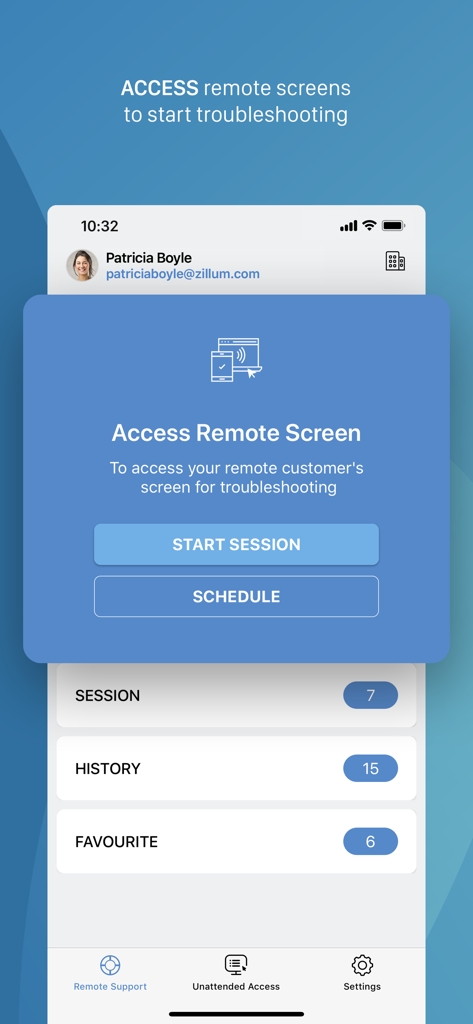
Zoho Assist 앱 인터페이스에 원격 문제 해결을 위한 세션 시작 및 예약 옵션 표시
Zoho Assist 앱 인터페이스에 원격 문제 해결을 위한 세션 시작 및 예약 옵션 표시

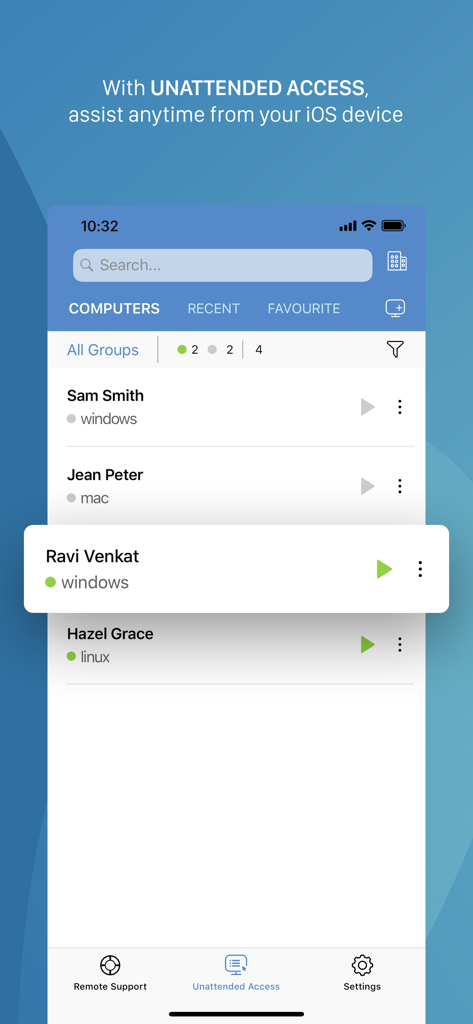
Zoho Assist 모바일 인터페이스에 무인 액세스를 위한 원격 컴퓨터 목록 표시
Zoho Assist 모바일 인터페이스에 무인 액세스를 위한 원격 컴퓨터 목록 표시

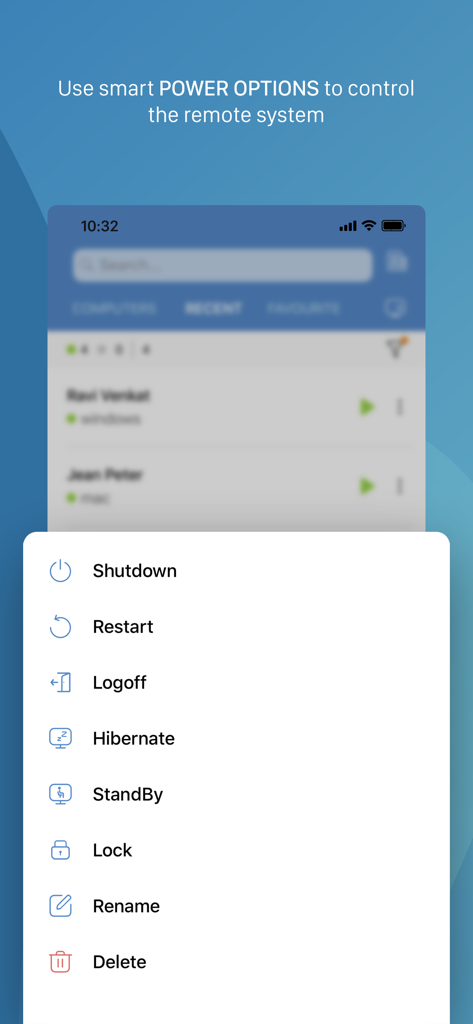
Zoho Assist 모바일 앱에 종료 및 다시 시작과 같은 원격 시스템 전원 옵션 표시
Zoho Assist 모바일 앱에 종료 및 다시 시작과 같은 원격 시스템 전원 옵션 표시

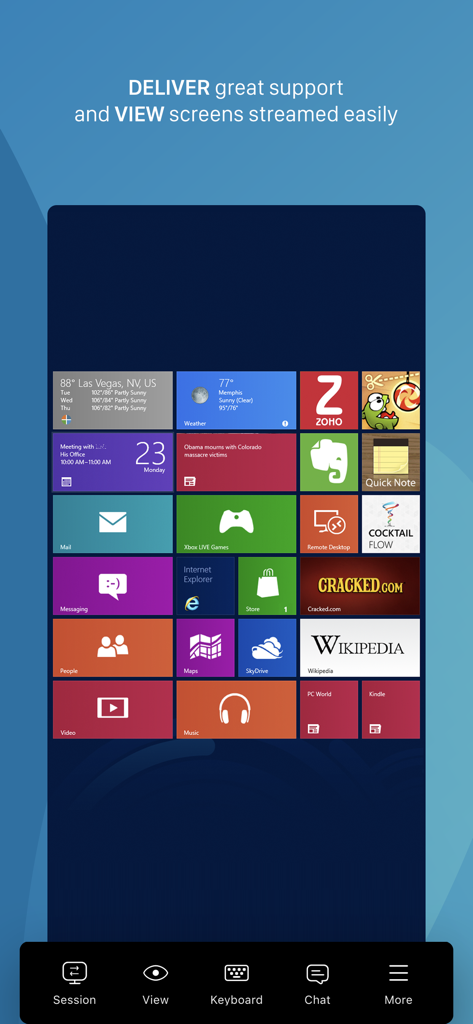
Zoho Assist 앱을 통해 원격 Windows 데스크톱 인터페이스를 보여주는 휴대폰 화면
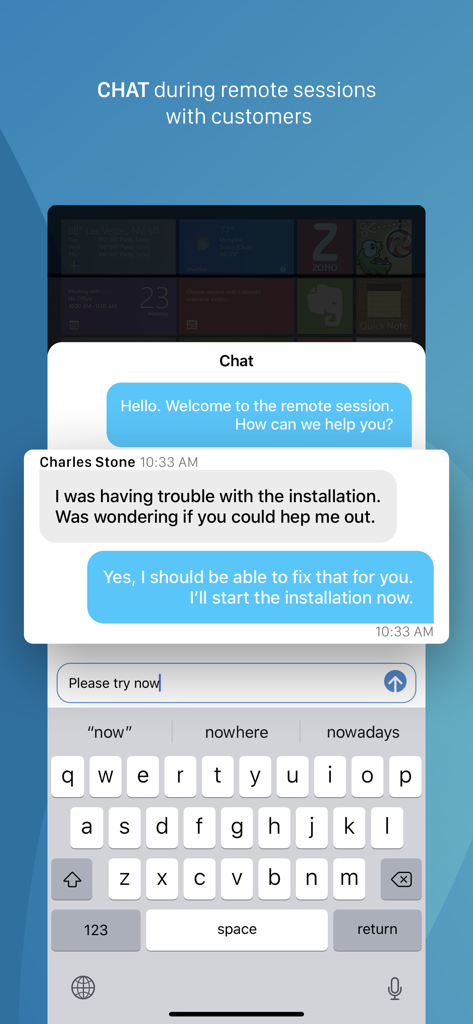
Zoho Assist 앱을 통해 원격 Windows 데스크톱 인터페이스를 보여주는 휴대폰 화면

원격 IT 지원 세션 중 실시간 통신을 위한 모바일 채팅 인터페이스
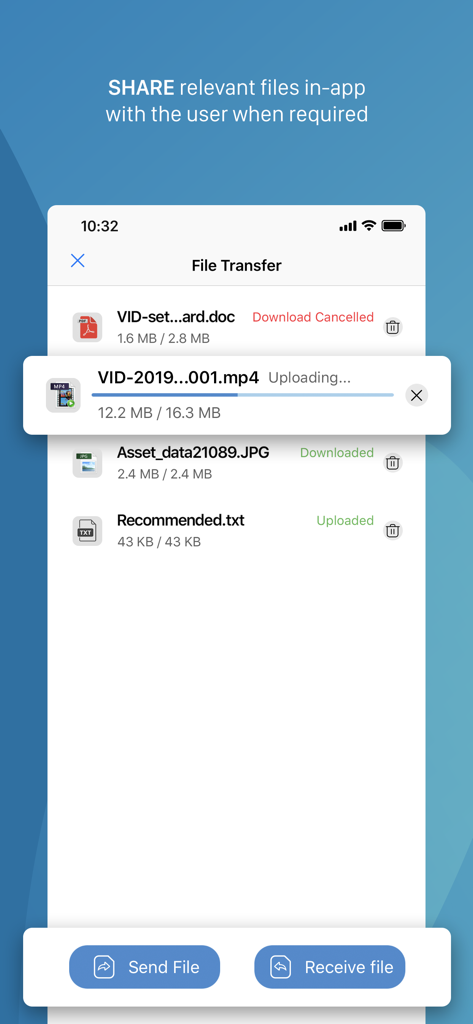
원격 IT 지원 세션 중 실시간 통신을 위한 모바일 채팅 인터페이스

다양한 문서 및 미디어가 업로드 및 다운로드되는 파일 전송 기능을 보여주는 Zoho Assist 앱 인터페이스
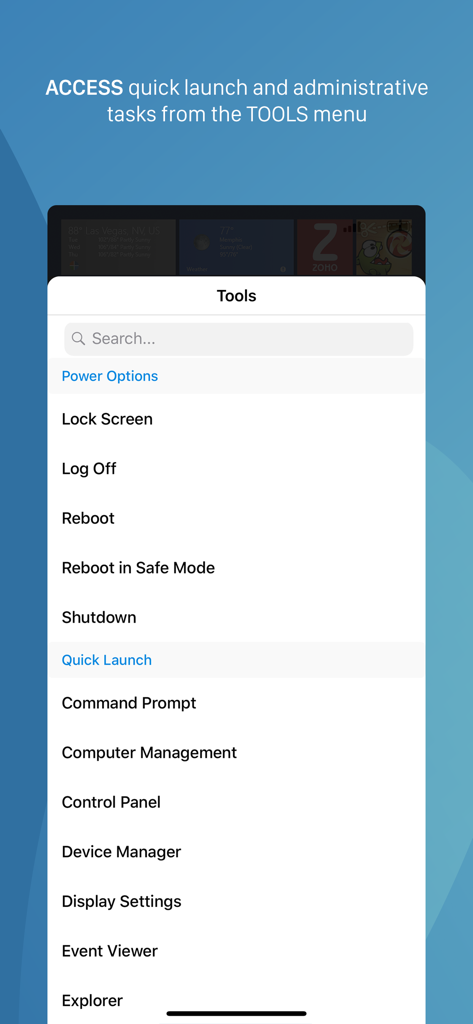
다양한 문서 및 미디어가 업로드 및 다운로드되는 파일 전송 기능을 보여주는 Zoho Assist 앱 인터페이스

원격 전원 옵션 및 빠른 실행 관리 작업을 표시하는 Zoho Assist 모바일 앱 도구 메뉴
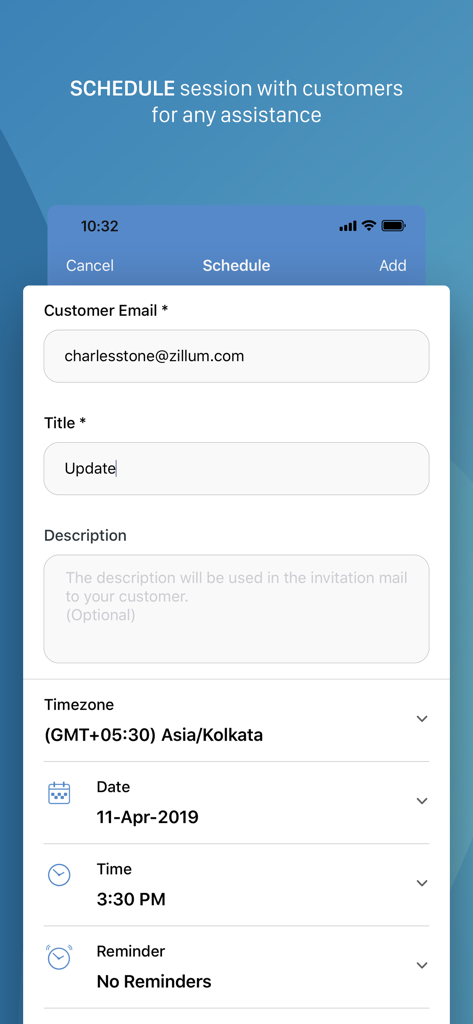
원격 전원 옵션 및 빠른 실행 관리 작업을 표시하는 Zoho Assist 모바일 앱 도구 메뉴

Zoho Assist 앱에서 고객과의 원격 데스크톱 지원 세션 예약을 위한 인터페이스

Zoho Assist 앱에서 고객과의 원격 데스크톱 지원 세션 예약을 위한 인터페이스

데스크톱급 성능, 주머니 속 편리함

이 앱을 돋보이게 하는 도구, 22K+ 명의 사용자가 선택.

즉각적인 원격 문제 해결

iPhone에서 즉시 안전한 지원 세션을 시작하세요. 이동 중에도 실시간으로 긴급 티켓을 해결하여 고객에게 다운타임이 없도록 보장합니다.

🔄

무인 재부팅 및 재연결

최종 사용자 개입 없이 중요한 유지보수를 수행하세요. 원격 서버를 재부팅하고 자동으로 다시 연결하여 어디서든 작업을 완료하세요.

🛡️

전문가급 보안 및 파일 동기화

생체 인식 앱 잠금 보호 기능으로 최대 5GB의 진단 도구를 전송하여 이동 중에도 엔터프라이즈급 데이터 무결성과 HIPAA 규정 준수를 보장합니다.

앱 소개

에 대해 알아야 할 모든 것 Zoho Assist - Remote Desktop.

설명

Zoho Assist is a reliable remote desktop app that allows you to easily and securely connect to remote PCs from any location at anytime. One of the best aspects of Assist is that it works seamlessly across all major platforms. Technicians can use Zoho Assist to launch a remote support, screen sharing, or unattended access session to support customers and fix issues in real time. Key Features Siri shortcuts: Start sessions, search for and connect to distant machines, and more using voice commands. iOS widgets: With the iOS widgets feature, you may save your favorite URS device and access it directly from the home screen. App lock: App lock provides a biometric lock to secure unattended remote support device. Dark Mode: Choose between dark and bright modes based on your preferences. Power options at the remote end: - Log off - Reboot - Shut down Schedule a remote session with a specific time, date, and other details. Use Assist's text chat option to communicate effectively with your customer during an active remote support session. Multi-monitor navigation: Technicians can access and control multiple monitors during a support session. File transfer: Send and receive files (up to 5 GB) from technician device to customer device during a remote session. Session Notes: Take contextual session notes during a session without needing to switch between apps. Screenshots sync: Screenshots captured during a session may now be synced up to the cloud. In-App purchases allow users to subscribe to Zoho Assist which enables these features for them: -File Transfer -Send Ctrl+Alt+Del -Reboot and Reconnect -Schedule Sessions -Session Notes Quick guide: Install Zoho Assist Technician app. Install the Zoho Assist customer app on the device you need to connect to. Initiate a remote support session on your device and then prompt the customer to join the session using the customer app. Privacy Policy and Terms & Conditions: -https://www.zoho.com/privacy.html -https://www.zoho.com/terms.html

최신 버전

3.7.3

크기

42.5 MB

출시일

2012년 12월 16일

IT 지원 강화 - 책상 없이도 가능합니다.

이미 22,000명 이상의 IT 전문가가 즉각적이고 안전한 원격 지원을 제공하고 있습니다. Zoho Assist를 다운로드하고 손안에서 지원 워크플로우를 완전히 제어하세요.

다운로드: App Store다운로드: Google Play

App information, icons, screenshots, and descriptions displayed on this page are sourced from the Apple App Store and are the property of their respective developers. Download estimates and rankings are based on MWM's proprietary models and may not reflect actual figures. This page is provided for informational and analytical purposes only.

Believe this page infringes your intellectual property? File a dispute