이 페이지는 앱이나 개발자의 공식 페이지가 아니며, 정보 제공 및 논평을 목적으로 작성된 독립 편집 간행물입니다. 명시적으로 달리 언급되지 않는 한, 해당 앱이나 개발자는 MWM, Apple, Google Play, 앱 퍼블리셔 또는 앱 개발자와 제휴, 보증, 후원, 승인 또는 공식적으로 연결되어 있지 않으며, 이 페이지의 어떤 내용도 해당 앱이 MWM의 서비스를 사용하여 개발되었음을 의미하지 않습니다. 모든 상표, 로고, 스크린샷 및 기타 콘텐츠는 해당 소유자의 자산입니다.
Zoho Vault - Password Manager
전문가 및 팀을 위해 설계된 엔터프라이즈급 비밀번호 관리자. iPhone, iPad 및 Mac에서 민감한 자격 증명을 쉽게 저장, 공유 및 자동 완성하세요. 최저 $1부터 시작합니다.
주요 수치
다운로드
19K+
사용자 평점
4.7/5
총 평가 수
2K+
개발사
Zoho Corporation
카테고리
Business
지원 언어
10
최신 버전
6.6.2
크기
46.3 MB
출시일
2013년 5월 31일
기능
성장하는 비즈니스를 위한 전문가급 보안
현대적인 직장을 위해 설계된 강력한 제로 트러스트 비밀번호 관리자로 디지털 자산을 보호하고 팀의 워크플로우를 간소화하세요.
더 빠르게, 더 효율적으로 일하세요
모든 Apple 기기 및 즐겨 사용하는 브라우저에서 원활한 자동 완성 및 원터치 로그인을 통해 비밀번호 피로를 줄이세요.
무결점 제로 트러스트 보안
AES-256으로 데이터가 로컬에서 암호화됩니다. Zoho나 다른 누구도 귀하의 데이터를 볼 수 없으며, 귀하만이 귀하의 볼트에 대한 키를 보유합니다.
다음 스크린샷과 설명은 앱의 공식 스토어 목록에서 직접 가져온 것이며 앱 개발자의 자산입니다.
앱 스토어
스크린샷
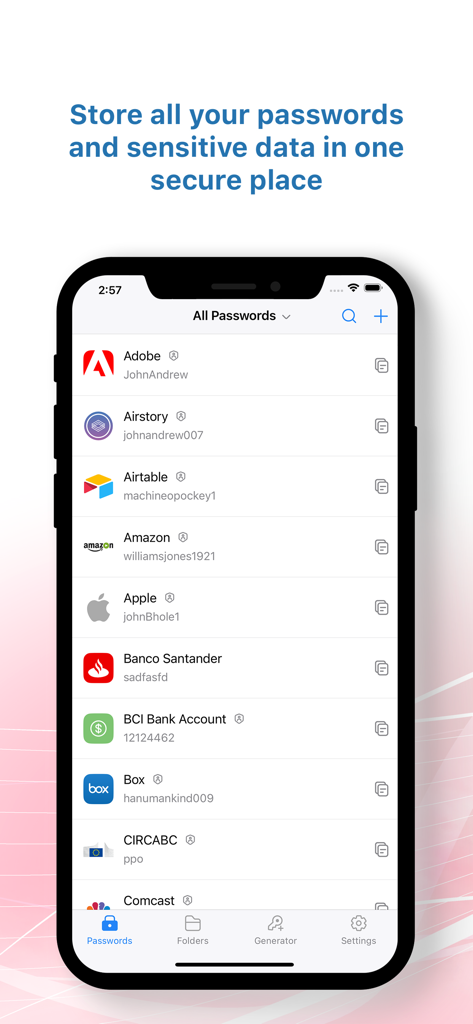
Zoho Vault 모바일 앱 인터페이스가 안전한 디지털 볼트에 저장된 계정 비밀번호 및 로그인 자격 증명 목록을 표시합니다.
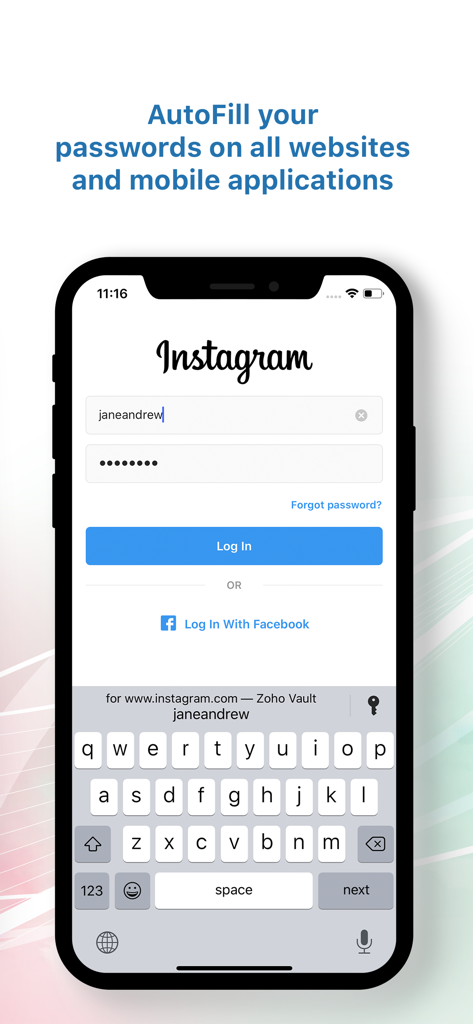
Zoho Vault 비밀번호 관리자가 모바일 애플리케이션에서 로그인 자격 증명을 자동 완성합니다.
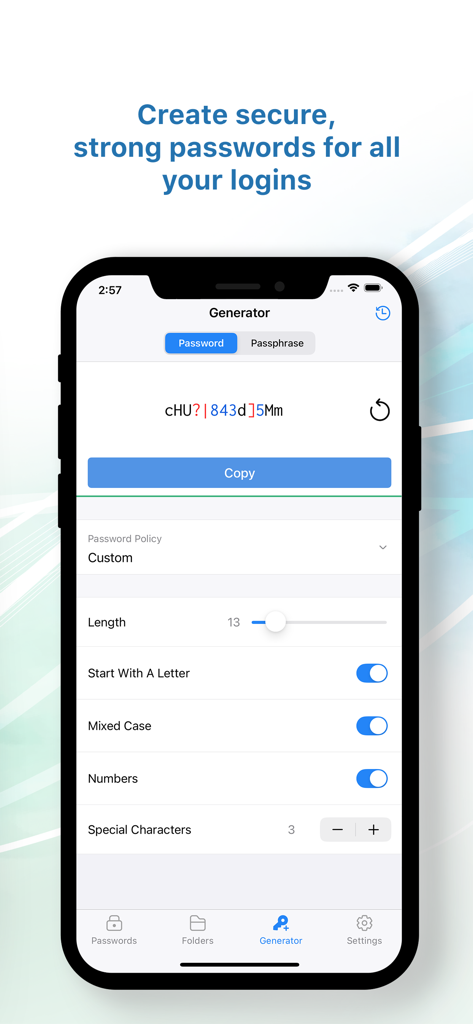
Zoho Vault 앱 스크린샷이 사용자 지정 문자 설정을 갖춘 안전한 비밀번호 생성기 인터페이스를 보여줍니다.
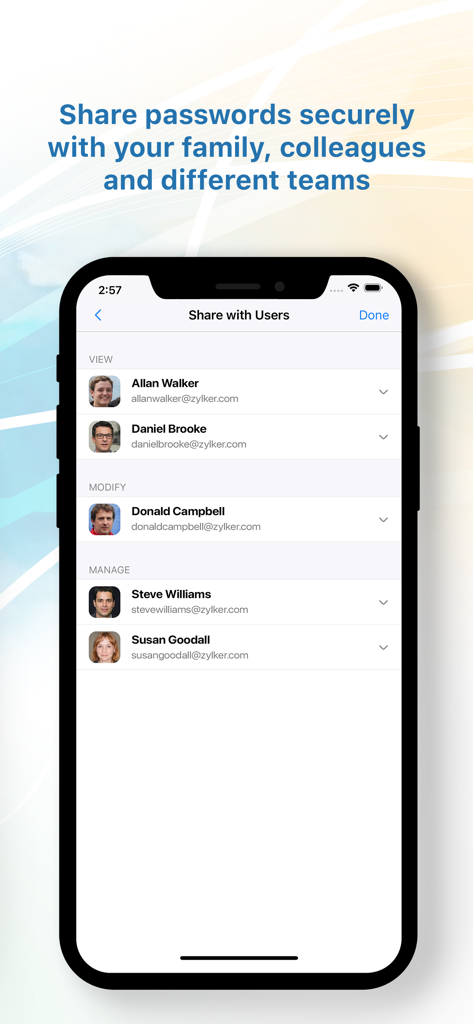
Zoho Vault 모바일 앱 화면이 권한 설정을 포함하여 동료 및 팀과 비밀번호를 안전하게 공유하는 방법을 보여줍니다.
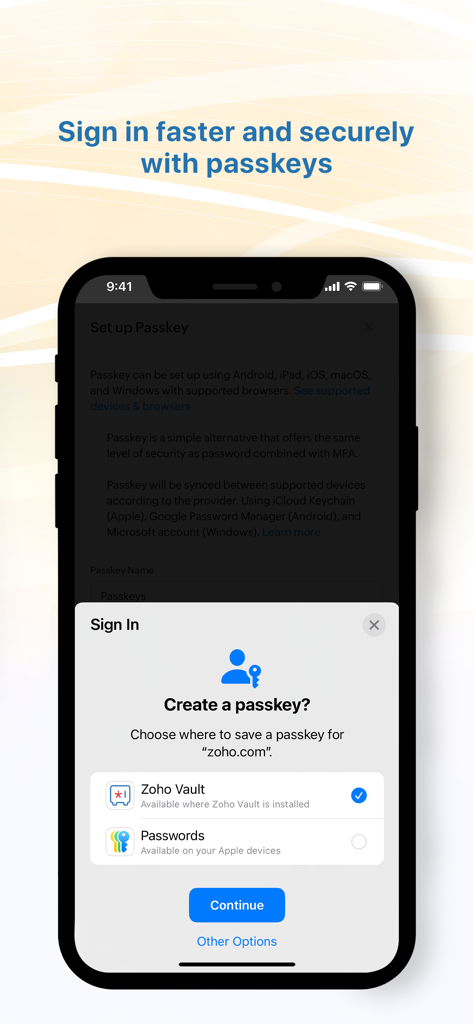
더 빠른 로그인을 위해 Zoho Vault에서 안전한 암호 키를 생성하기 위한 모바일 인터페이스.
설명
Zoho Vault is a robust password manager designed to help you securely store, autofill, generate, share, and manage sensitive information—all from a single, encrypted vault. Access your confidential data anytime, anywhere, whether you're using an iPhone, iPad, Apple Watch, or MacBook.
Built entirely on the cloud, Zoho Vault seamlessly integrates with your existing apps for a smooth, secure experience. IT teams gain centralized visibility and control to prevent data breaches, ensure compliance, and implement zero-trust security.
For over a decade, tens of thousands of businesses have trusted Zoho Vault as their password management solution for its simplicity, strong encryption, and affordability, making it a truly dependable choice for modern workplaces.
Zoho Vault for personal and business use cases
- Securely store and manage passwords and other sensitive information like bank details, documents, and more in an encrypted vault.
- Embrace passwordless authentication with advanced passkey compatibility.
- Generate strong, unique passwords instantly across all of your devices with the password and passphrase generator.
- Autofill usernames, passwords, addresses, payment details, and TOTP codes for quick logins.
- Autofill and auto login to websites on popular browsers, including Ulaa, Safari, Chrome, Edge, Firefox, Vivaldi, Brave, and Opera.
- Strengthen security by enforcing multi-factor authentication (MFA).
- Skip the master password and access your vault using biometrics, Zoho OneAuth, Windows Hello, TouchID, Passkey, and YubiKey.
- Ensure regulatory compliance with tamper-proof audit trails and detailed security reports.
- Keep your data safe with encrypted backups to email and cloud services like Google Drive, Dropbox, and OneDrive.
- Benefit from enhanced integrations with Zoho and third-party applications.
Advanced security features
- Implement the principle of least privilege with granular role-based access controls for secure sharing.
- Enforce strong password complexity and expiration rules through built-in password policies, ensuring continuous regulatory compliance.
- Gain real-time insights into your security posture with a security dashboard and proactive dark web monitoring to detect compromised credentials.
- Enhance security by restricting access based on IP address and geographical location.
- Empower developers with robust API and Command Line Interface (CLI) tools for custom integrations.
Best password manager for iOS
- Switch between personal and business accounts with multi-account support.
- Autofill details quickly and securely with Zoho Vault.
- Instantly search passwords and data via Apple Spotlight.
- Use Siri voice commands to manage passwords hands-free.
Security and compliance
- Data is encrypted with AES-256 on your device before transmission—your master password is never stored, even by Zoho.
- Secured through regular third-party audits, white-hat testing, and internal security assessments.
- Built on our own tech stack and data centers to ensure your data remains private and exclusively yours.
- Fully aligned with GDPR, HIPAA, CCPA, and other global data protection standards.
Plans and pricing
Free: Sign up for our powerful free password manager app for iOS and enjoy unlimited storage and device access at no cost.
Standard: $1 USD/user/month and $10.80 USD/user/year
Professional: $5 USD/user/month and $54 USD/user/year
Enterprise: $8 USD/user/month and $86 USD/user/year
Flex: Customized, volume-based pricing
Subscription details
Pricing varies by region. Subscriptions are charged to iTunes and auto-renew unless canceled 24 hours prior. Manage auto-renewal in Account Settings. Secure your business with Zoho Vault password management solution, trusted by thousands. Download now!
For questions or feedback, email us at support@zohovault.com or support@eu.zohovault.com (for EU users).
이 페이지는 앱이나 개발자의 공식 페이지가 아니며, 정보 제공 및 논평을 목적으로 작성된 독립 편집 간행물입니다. 명시적으로 달리 언급되지 않는 한, 해당 앱이나 개발자는 MWM, Apple, Google Play, 앱 퍼블리셔 또는 앱 개발자와 제휴, 보증, 후원, 승인 또는 공식적으로 연결되어 있지 않으며, 이 페이지의 어떤 내용도 해당 앱이 MWM의 서비스를 사용하여 개발되었음을 의미하지 않습니다. 모든 상표, 로고, 스크린샷 및 기타 콘텐츠는 해당 소유자의 자산입니다.