이 페이지는 앱이나 개발자의 공식 페이지가 아니며, 정보 제공 및 논평을 목적으로 작성된 독립 편집 간행물입니다. 명시적으로 달리 언급되지 않는 한, 해당 앱이나 개발자는 MWM, Apple, Google Play, 앱 퍼블리셔 또는 앱 개발자와 제휴, 보증, 후원, 승인 또는 공식적으로 연결되어 있지 않으며, 이 페이지의 어떤 내용도 해당 앱이 MWM의 서비스를 사용하여 개발되었음을 의미하지 않습니다. 모든 상표, 로고, 스크린샷 및 기타 콘텐츠는 해당 소유자의 자산입니다.
ZoomNotes Lite
무한 줌을 제공하는 유일한 노트 필기 앱으로 종이의 한계를 벗어나세요. PDF에 주석을 달고, 복잡한 디지털 플래너를 디자인하고, 두 번째 뇌를 위해 구축된 진정한 무한 디지털 워크스페이스에서 프로젝트를 정리하세요.
주요 수치
다운로드
304K+
사용자 평점
4.2/5
총 평가 수
1K+
개발사
Deliverance Software Ltd
카테고리
Productivity
지원 언어
5
최신 버전
9.1.18
크기
149.8 MB
출시일
2013년 5월 14일
기능
시각적 아이디어를 무제한으로 마스터하세요
ZoomNotes Lite는 디지털 플래너, PDF 주석 및 시각적 브레인스토밍을 위한 전문 도구와 결합된 무한 캔버스의 자유를 제공합니다.
무제한 무한 줌
아이디어와 함께 성장하는 워크스페이스를 경험하세요. 정확한 스케치를 위해 확대하거나 임의의 제한 없이 대규모 마인드 맵을 위해 축소하세요.
전문 문서 마크업
PDF, Word 및 Excel 파일을 쉽게 주석 처리하세요. 청사진, 강의 노트 또는 기술 도식을 표시해야 하는 파워 유저에게 적합합니다.
다음 스크린샷과 설명은 앱의 공식 스토어 목록에서 직접 가져온 것이며 앱 개발자의 자산입니다.
앱 스토어
스크린샷
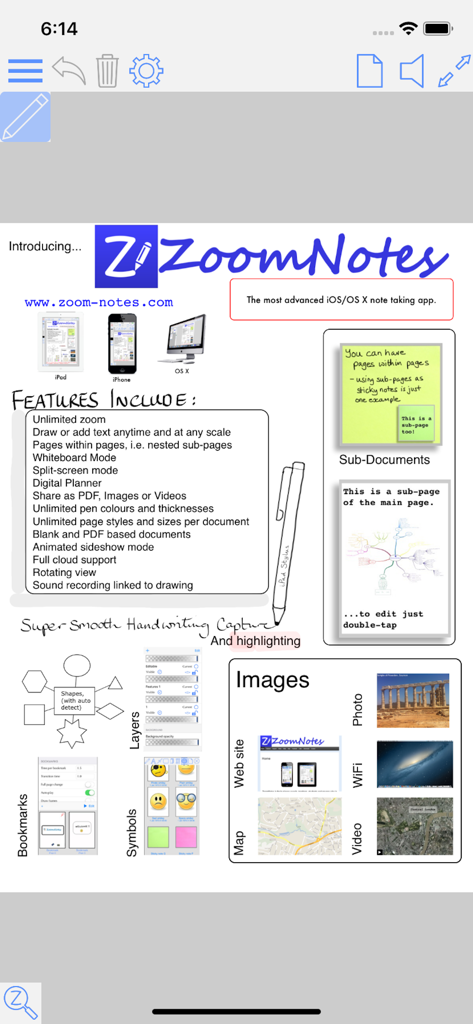
ZoomNotes Lite 앱의 기능 목록으로 무한 줌 및 디지털 플래너 기능을 강조합니다.
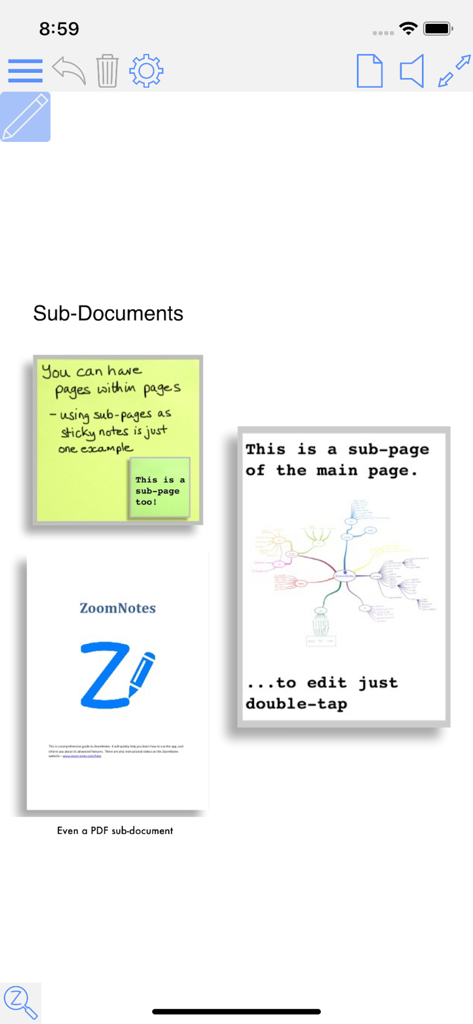
ZoomNotes Lite 인터페이스는 디지털 플래너를 위한 하위 문서 및 중첩 페이지를 시연합니다.
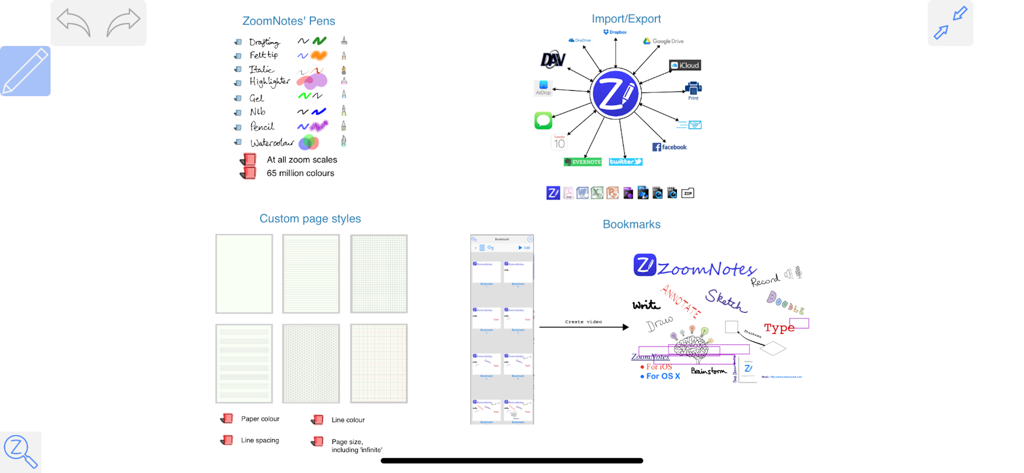
펜 스타일, 클라우드 통합, 페이지 템플릿 및 시각적 북마크를 포함한 ZoomNotes Lite 기능 개요.
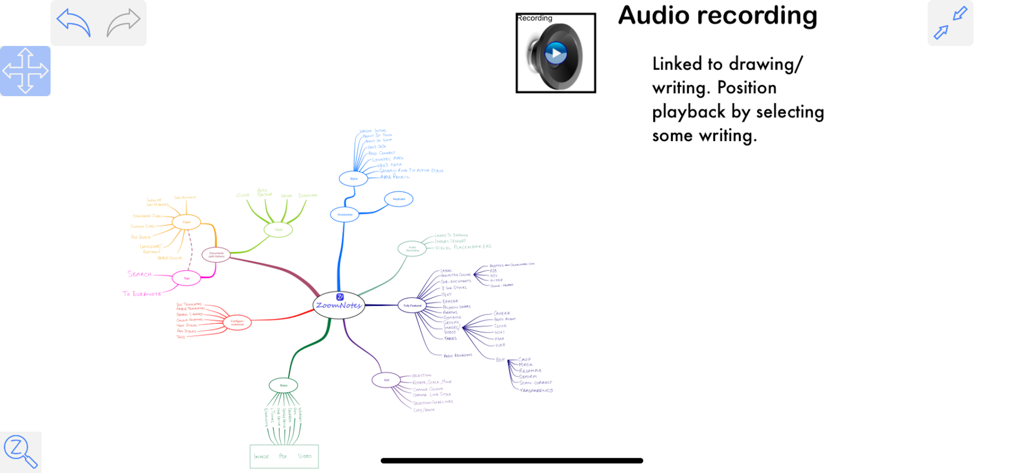
필기 노트에 연결된 오디오 녹음 기능이 있는 ZoomNotes Lite의 상세한 시각적 마인드 맵입니다.
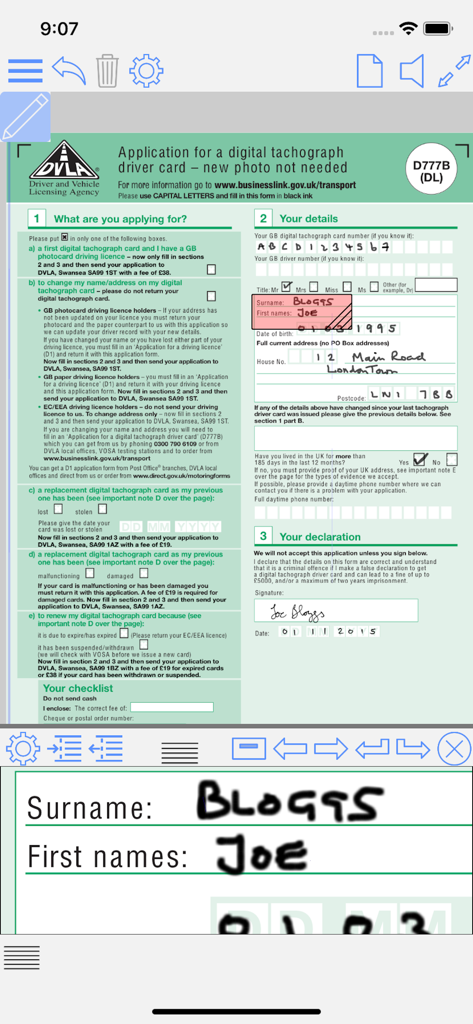
ZoomNotes Lite 앱 인터페이스는 확대된 줌 창으로 필기를 사용하여 PDF 양식을 채우는 것을 보여줍니다.
설명
ZoomNotes Lite is an iPad/iPhone visual note-taking app. It lets you quickly make handwritten notes and sketches on virtual paper, on PDF files, on MS Word, Excel and Powerpoint docs (via GoogleDrive), and over images. Uniquely, it also lets you zoom in and out without arbitrary limits, an invaluable feature for this type of app. It has a free fully functioning pen (although you will be able to try the pens too), and more available as in-app purchases. It has unlimited paper sizes/styles, unlimited colours and line thicknesses, and a large range of ways to share its documents making ZoomNotes the most versatile handwriting/drawing app.
ZoomNotes Desktop for Mac now also available.
ZoomNotes is much more than a replacement for your trusted paper notebook!
Compatible with any capacitive stylus pen (although fingers work well too).
Here some reviews of the app store of the full version-
The best note taking app available! *****
by MarkNance – Version 7.1.4 – Jul 6, 2016
Don’t be put off by all its features! *****
by Stevearcher – Version 7.1.3 – May 24, 2016
Most complete Note app I’ve tried *****
by ItsDartstx – Version 7.1.3 – Apr 20, 2016
Most effective note taking app *****
by John25642 – Version 7.1.3 – Jul 7, 2016
Full featured and innovative *****
by music-major – Version 7.1.3 – May 15, 2016
Hands(writing)-down, best notepad replacement out there. *****
by Jed123zz – Version 7.1.3 – Mar 23, 2016
Free features include:
-1 Pen type - Felt tip.
-Huge Zoom Range and Whiteboard page style
-Rotatable views
-Split screen mode (edit 2 documents at once)
-Digital planning with links, which can also show events and reminders from the Calendar and Reminder apps
-Write over PDF file
-Write over MS Word, Powerpoint and Excel files (via GoogleDrive)
-Calendar events/reminders :add events linked to your documents, possibly with alarms. The URL in the event links back to the document in ZoomNotes.
-Typed text- limited to a single font, fills and borders
-Regular shapes and arrows
-Symbol library
-Select, scale, rotate and shift
-Cut, copy, paste (including between documents, pages and other apps)
-Write over pdf files (markup)
-Configurable paper types
-Intuitive folder interface for documents
-Sharing as PDF files, images, videos or ZoomNotes documents (via email, iTunes, clipboard, Dropbox, Twitter and Evernote)
-In app printing
-VGA compatible for use with projectors, monitors and AirPlay
-Universal app - iPhone and iPad
-iCloud support
-Geo-located documents; documents can be optionally geo-located and viewed as pins on a map.
-Layers let you control what is visible on a page, also options for 'master layers' which show on all pages.
In app purchases features include:
-7 extra Pen types, including Italic, Gel, Nib, Pencil and Watercolour.
-Sub-pages (pages within pages within...)
-Typed text- fully configurable fonts, colours, fills and borders
-Unlimited colours and line styles
-Bookmarks with animated playback
-Insert images from camera or photo library
-Insert web pages
-Insert videos from camera or photo library
-Edit inserted images, including masking and cropping
-Record and playback sounds, including import and export of caf files
- Handwriting recognition (14 different languages).
Please note that the full version of ZoomNotes is equivalent to the Lite version with all the in-app purchases.
There are lots more details including some videos of the app in action at www.zoom-notes.com
Please remember to leave us a review. If you wish, you can send us feedback directly, we reply to every email sent to support@zoom-notes.com.
If you experience any problems or bugs in the app, please email us your device information, which iOS version you are running to support@zoom-notes.com and we will fix it asap.
Twitter - @zoomnotes
이 페이지는 앱이나 개발자의 공식 페이지가 아니며, 정보 제공 및 논평을 목적으로 작성된 독립 편집 간행물입니다. 명시적으로 달리 언급되지 않는 한, 해당 앱이나 개발자는 MWM, Apple, Google Play, 앱 퍼블리셔 또는 앱 개발자와 제휴, 보증, 후원, 승인 또는 공식적으로 연결되어 있지 않으며, 이 페이지의 어떤 내용도 해당 앱이 MWM의 서비스를 사용하여 개발되었음을 의미하지 않습니다. 모든 상표, 로고, 스크린샷 및 기타 콘텐츠는 해당 소유자의 자산입니다.