
이 페이지는 앱이나 개발자의 공식 페이지가 아니며, 정보 제공 및 논평을 목적으로 작성된 독립 편집 간행물입니다. 명시적으로 달리 언급되지 않는 한, 해당 앱이나 개발자는 MWM, Apple, Google Play, 앱 퍼블리셔 또는 앱 개발자와 제휴, 보증, 후원, 승인 또는 공식적으로 연결되어 있지 않으며, 이 페이지의 어떤 내용도 해당 앱이 MWM의 서비스를 사용하여 개발되었음을 의미하지 않습니다. 모든 상표, 로고, 스크린샷 및 기타 콘텐츠는 해당 소유자의 자산입니다.


作业帮智能
一键管理全科学习笔等智能设备,实时同步学情报告与错题分析,让您随时随地掌握孩子进度,用数据助力高效学习。
다운로드
1M+사용자 평점
총 평가 수
28K+개발사
카테고리
Utilities지원 언어
1최신 버전
7.1.0크기
129.5 MB출시일
2021년 8월 11일Maximize Learning Potential with Smart Supervision
Transform the way you support your child's education with the central hub for all Zuoyebang smart hardware and data-driven academic insights.
Data-Driven Progress Reports
Receive instant weekly summaries of learning habits and achievements, helping you understand your child's academic journey even when you are at work.
Intelligent Error Bank
Automatically sync and analyze challenging questions from the Smart Pen to create focused revision plans based on a library of 300 million data points.
자주 묻는 질문
에 대해 알아야 할 모든 것 作业帮智能
작업방 스마트 앱의 용도는 무엇인가요?
작업방 스마트 앱은 작업방 스마트 하드웨어 장치를 위한 관리 플랫폼입니다. 학부모가 작업방 전과 학습 펜과 같은 장치를 관리하고 자녀를 위한 스마트 장치 기능을 원격으로 제어할 수 있습니다.
작업방 스마트 앱으로 학부모가 관리할 수 있는 스마트 하드웨어 장치는 무엇인가요?
네, 학부모는 작업방 스마트 앱을 사용하여 작업방 전과 학습 펜과 같은 스마트 하드웨어 장치를 바인딩하고 관리할 수 있습니다. 학습 램프와 헤드폰을 포함한 여러 장치를 하나의 앱에 연결할 수 있습니다.
작업방 스마트 앱은 학부모 통제 기능을 제공하나요?
네, 작업방 스마트 앱은 원격 학부모 통제를 제공합니다. 학부모는 자녀가 사용하는 특정 스마트 장치 기능을 관리하여 보다 합리적이고 균형 잡힌 사용을 보장하는 데 도움이 될 수 있습니다.
작업방 스마트 앱은 학부모가 자녀의 학습을 모니터링하는 데 어떻게 도움이 되나요?
작업방 스마트 앱은 Q&A 세션 및 숙제 제출을 포함한 학습 기록을 동기화합니다. 주간 학습 보고서를 생성하여 학부모에게 자녀의 학습 진행 상황과 직면한 문제를 명확하게 보여줍니다.
작업방 스마트 앱이 자녀가 틀린 문제와 새로운 단어를 돕나요?
네, 작업방 스마트 앱은 자녀가 틀린 문제와 새로운 단어를 돕습니다. 어려운 문제를 수집하고 3억 개의 빅데이터 질문 은행으로 분석하며, 맞춤형 복습을 위해 새로운 단어를 어휘 책에 저장합니다.
작업방 스마트 앱이 틀린 문제에 대한 분석을 제공하나요?
네, 작업방 스마트 앱은 수집된 틀린 문제에 대한 지능적인 분석을 제공합니다. 3억 개의 빅데이터 질문 은행을 활용하여 자세한 분석을 제공하고 지식 포인트를 식별하여 복습 계획을 돕습니다.
작업방 스마트 앱에 여러 스마트 장치를 연결할 수 있나요?
네, 작업방 스마트 앱은 여러 스마트 하드웨어 장치를 동시에 바인딩하고 관리하는 것을 지원합니다. 편리한 학부모 감독을 위해 동일한 앱 계정에 여러 장치를 연결할 수 있습니다.
다음 스크린샷과 설명은 앱의 공식 스토어 목록에서 직접 가져온 것이며 앱 개발자의 자산입니다.
앱 스토어
스크린샷
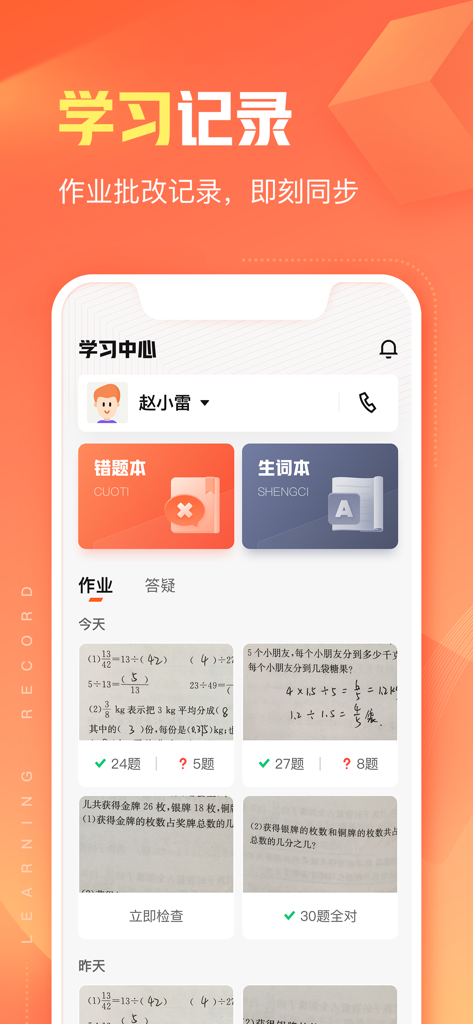
Mobile app interface for Zuoyebang Smart showing learning records and homework tracking for parents.
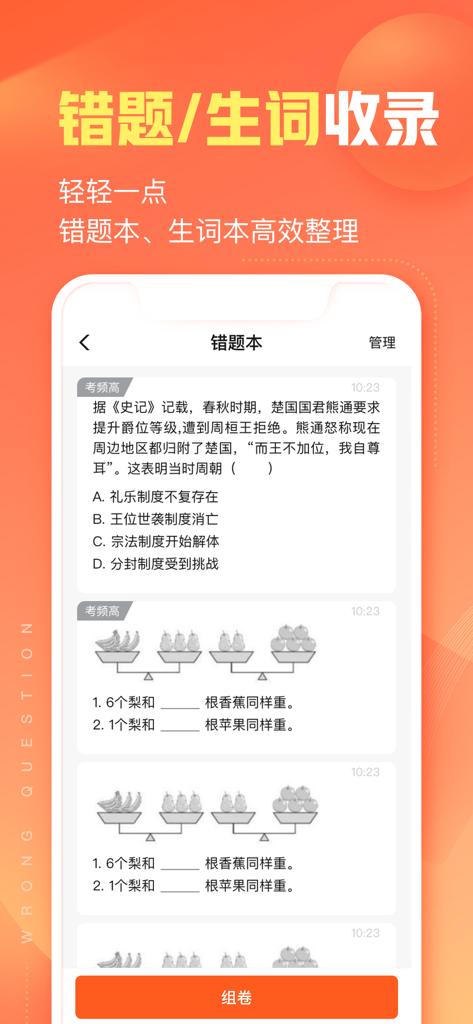
The wrong question book interface in the Zuoyebang Smart app showing saved academic problems for review.
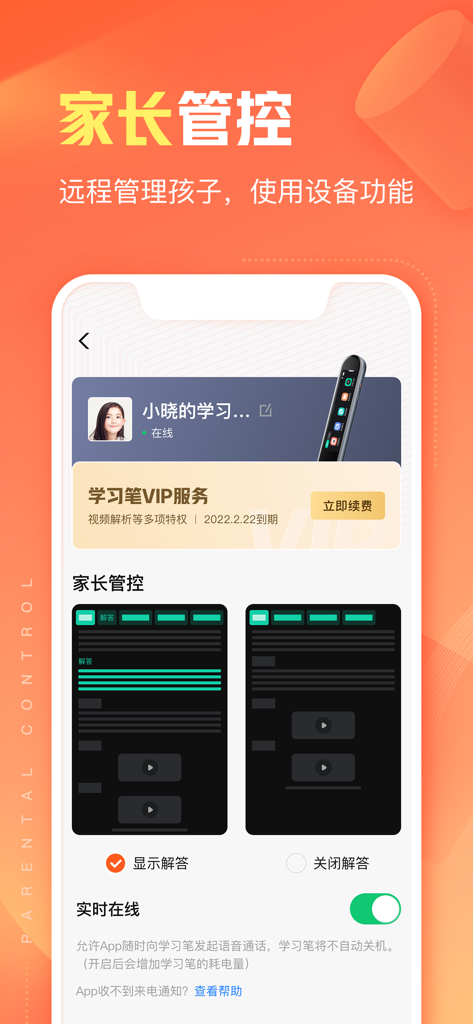
Zuoyebang Smart app screenshot showing the parental control interface for managing a child's learning pen settings
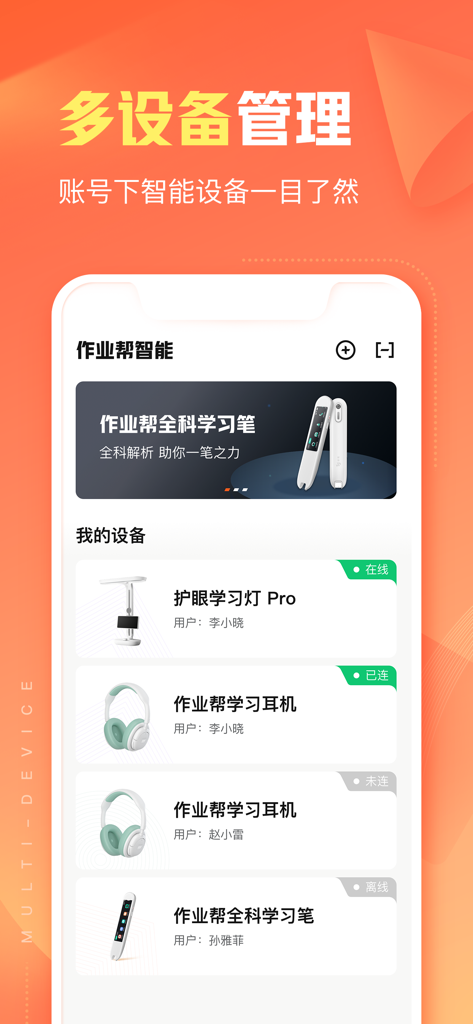
A screenshot of the Zuoyebang Smart app showing a multi-device management screen with a list of educational hardware like a study lamp headphones and smart pen
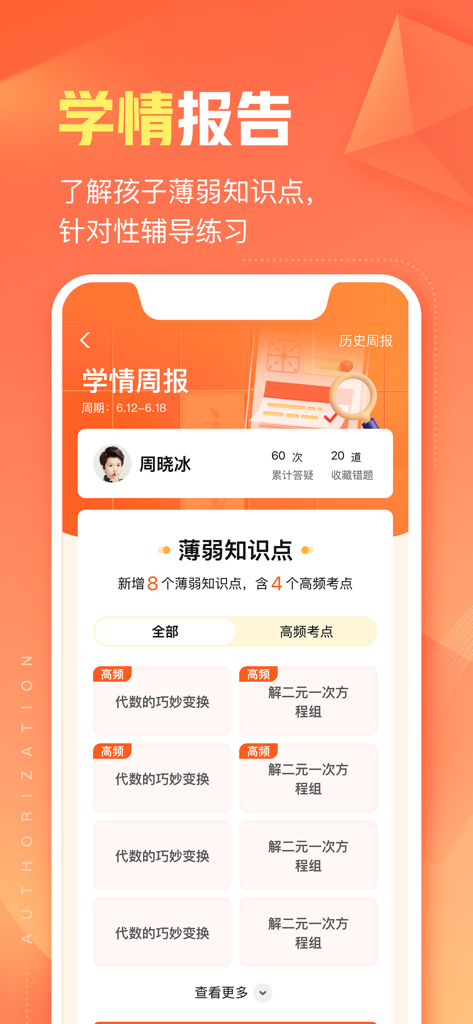
A smartphone interface of the Zuoyebang Smart app showing a weekly academic report with student progress and math weakness analysis.
설명
Download
비슷한 앱
유사한 기능과 사용자 경험을 가진 앱









이 페이지는 앱이나 개발자의 공식 페이지가 아니며, 정보 제공 및 논평을 목적으로 작성된 독립 편집 간행물입니다. 명시적으로 달리 언급되지 않는 한, 해당 앱이나 개발자는 MWM, Apple, Google Play, 앱 퍼블리셔 또는 앱 개발자와 제휴, 보증, 후원, 승인 또는 공식적으로 연결되어 있지 않으며, 이 페이지의 어떤 내용도 해당 앱이 MWM의 서비스를 사용하여 개발되었음을 의미하지 않습니다. 모든 상표, 로고, 스크린샷 및 기타 콘텐츠는 해당 소유자의 자산입니다.