365-day savings plan-Easy Goal
Download on App Store

This page is not an official page of the app or its developer, but an independent editorial publication created for informational and commentary purposes. Unless expressly stated otherwise, neither the app nor its developer is affiliated with, endorsed by, sponsored by, authorized by, or otherwise officially connected with MWM, Apple, Google Play, the app publisher, or the app's developer, and nothing on this page implies that the app was developed using MWM's services. Any trademarks, logos, screenshots, and other content remain the property of their respective owners.

Logo of 365-day savings plan-Easy Goal
Download on App Store

365-day savings plan-Easy Goal

Gamify your finances with visual progress tracking, custom goals, and a simple 365-day challenge designed to help you save more without the stress.

Key Figures

Downloads

21K+

User Rating

1.0/5

Total Ratings

0

Publisher

永文 胡

Category

Finance

Locales

7

Latest Version

3.3

Size

1.1 MB

First Released

Oct 26, 2016
Features

Master Your Money with Fun Savings Challenges

Say goodbye to financial stress. Use visual tracking and flexible goals to save for the things you actually care about.

Crush Your Savings Goals

Set custom targets for a new car, a house, or travel. Break big dreams into small, manageable daily or weekly wins.

Visual Progress Tracking

Fill your 365-day grid and watch your progress bar hit 100%. Get that dopamine hit every time you save a dollar.

The following screenshots and description are sourced directly from the app's official store listing and are the property of the app developer.

App Store

Screenshots
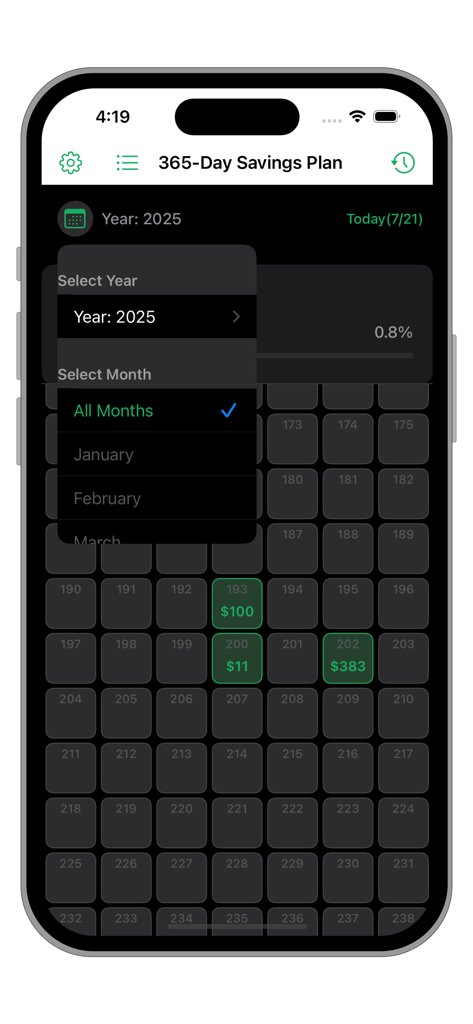
365-day savings plan-Easy Goal - Interface of the 365-day savings plan app showing a grid of daily progress with specific savings amounts highlighted in green
Interface of the 365-day savings plan app showing a grid of daily progress with specific savings amounts highlighted in green

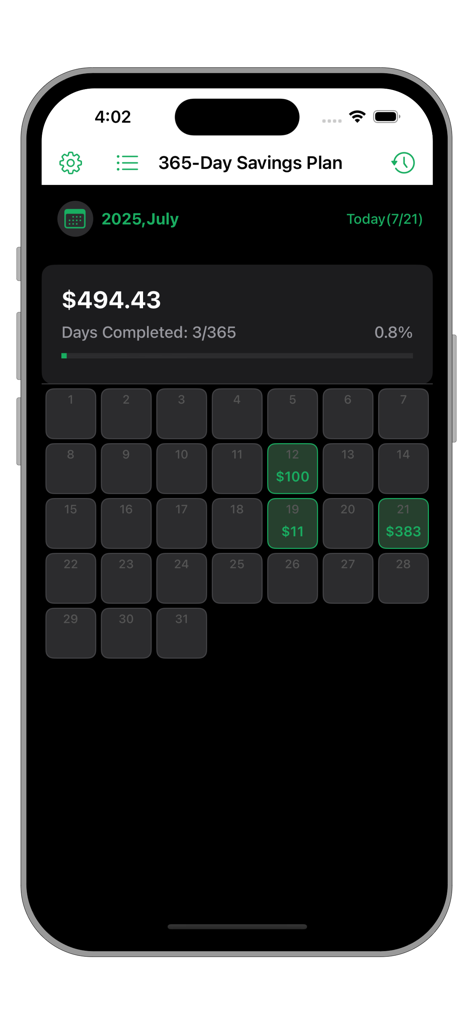
365-day savings plan-Easy Goal - Savings tracker app screen with a 365 day progress bar and monthly calendar grid
Savings tracker app screen with a 365 day progress bar and monthly calendar grid

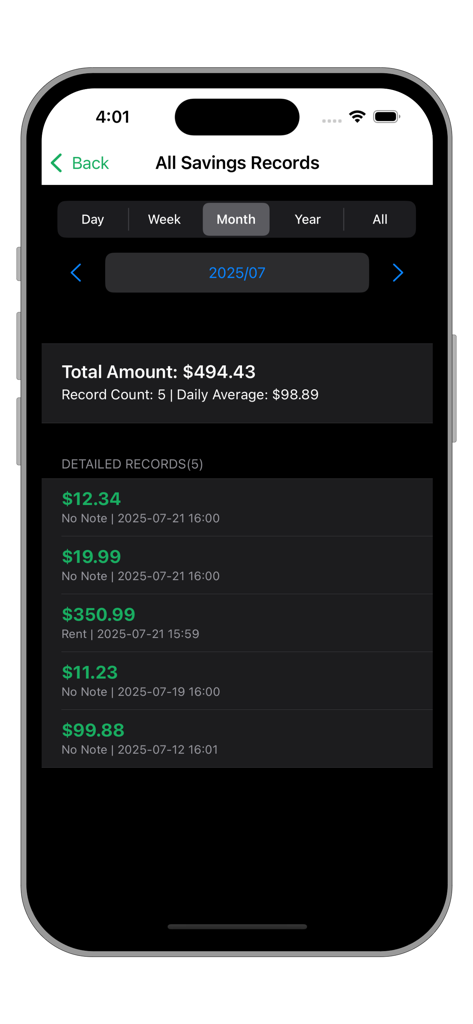
365-day savings plan-Easy Goal - Mobile app screen displaying a summary of monthly savings records including total amount and a detailed transaction list.
Mobile app screen displaying a summary of monthly savings records including total amount and a detailed transaction list.

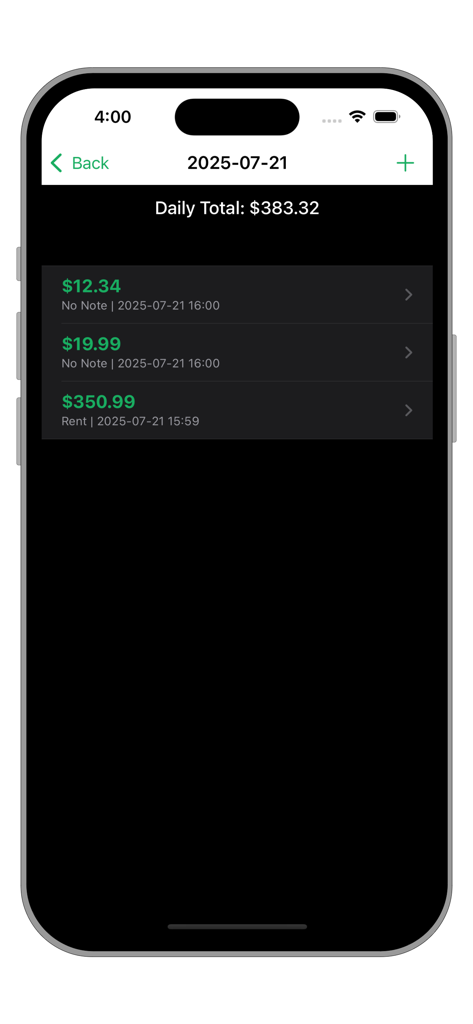
365-day savings plan-Easy Goal - A mobile app screen showing a daily savings list with a total of 383.32 dollars and individual entries.
A mobile app screen showing a daily savings list with a total of 383.32 dollars and individual entries.

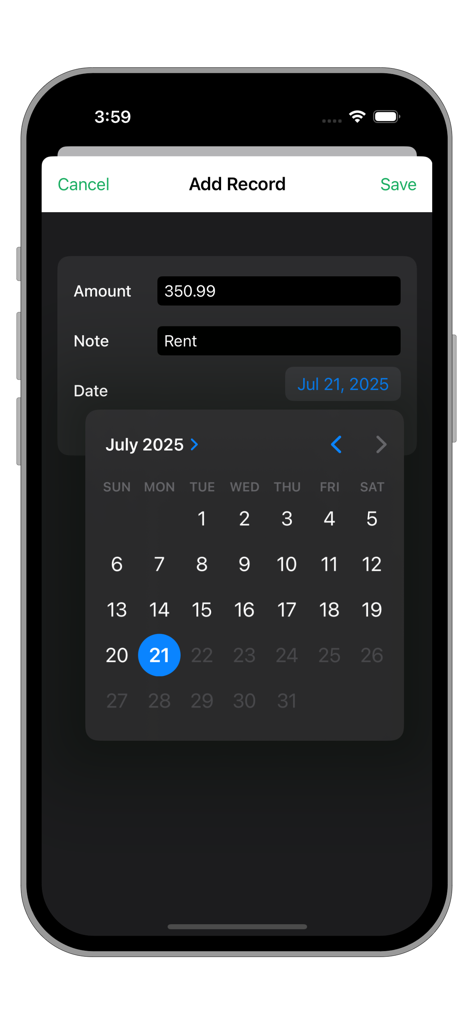
365-day savings plan-Easy Goal - A mobile app screen for adding a savings record with fields for amount and notes plus a calendar date picker.
A mobile app screen for adding a savings record with fields for amount and notes plus a calendar date picker.

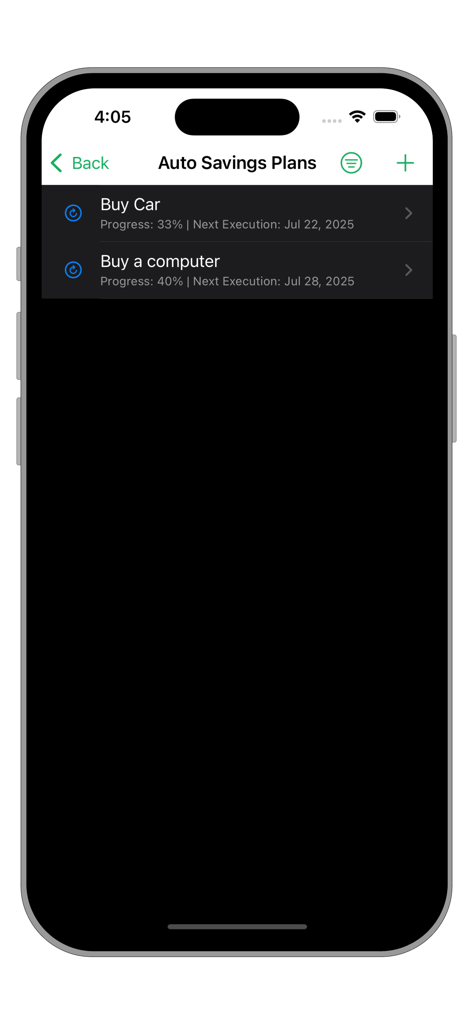
365-day savings plan-Easy Goal - App interface displaying automated savings plans for a car and computer.
App interface displaying automated savings plans for a car and computer.

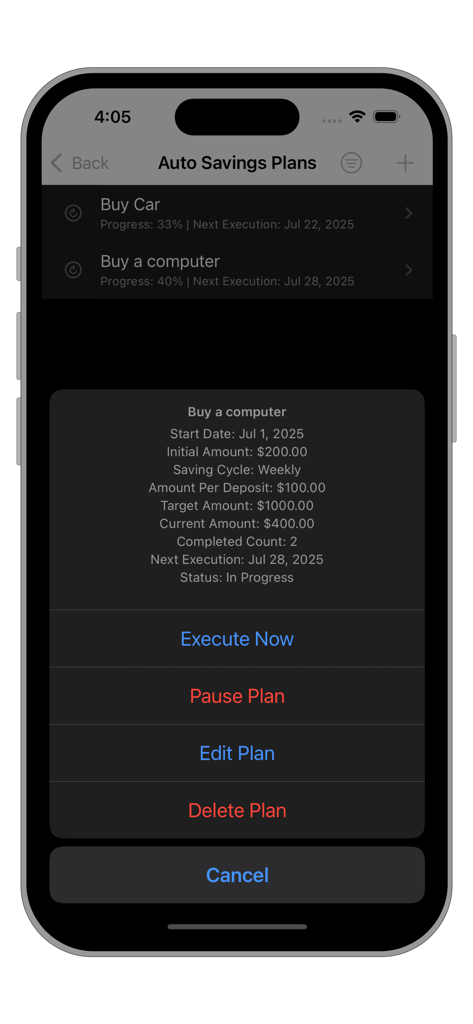
365-day savings plan-Easy Goal - A mobile interface for the 365-day savings plan app showing the details of an automatic savings goal for a computer including target amount and progress.
A mobile interface for the 365-day savings plan app showing the details of an automatic savings goal for a computer including target amount and progress.

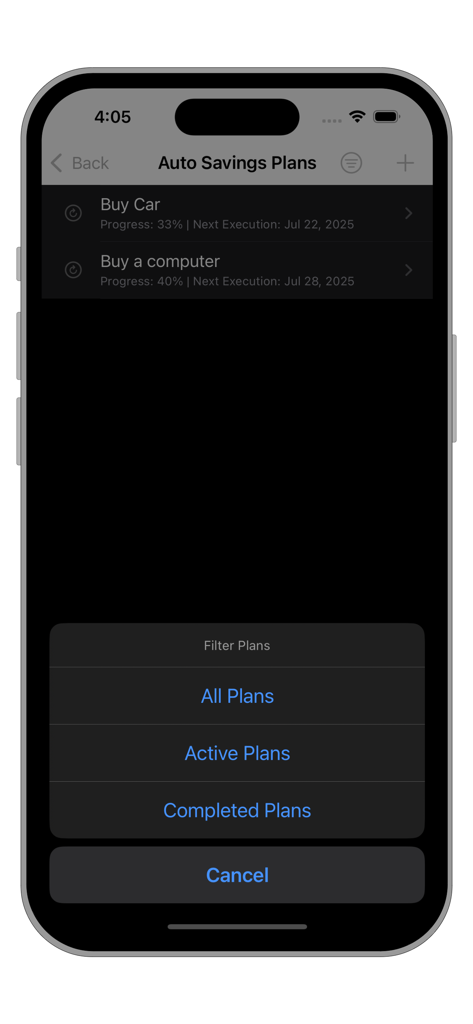
365-day savings plan-Easy Goal - A mobile app screen displaying savings goals with a filter menu for active and completed plans.

A mobile app screen displaying savings goals with a filter menu for active and completed plans.
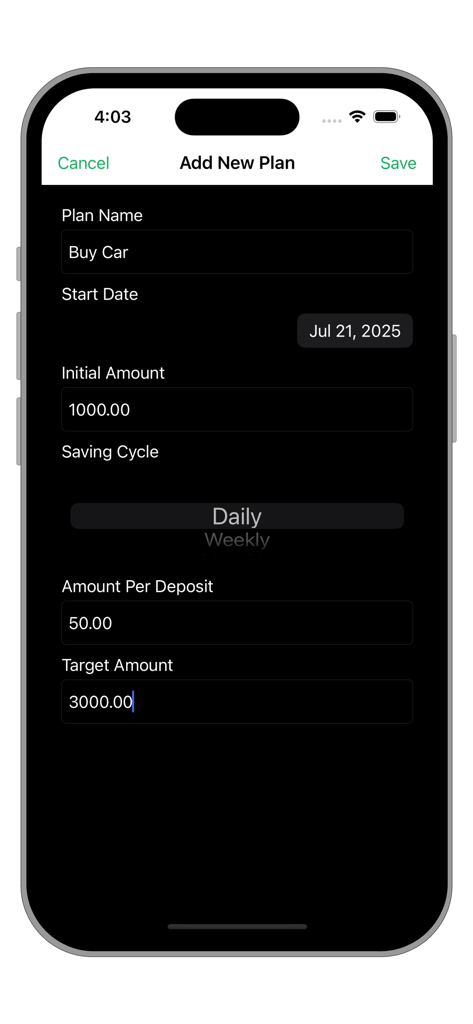
365-day savings plan-Easy Goal - Mobile app interface for creating a new savings goal with fields for plan name start date target amount and deposit frequency
Mobile app interface for creating a new savings goal with fields for plan name start date target amount and deposit frequency

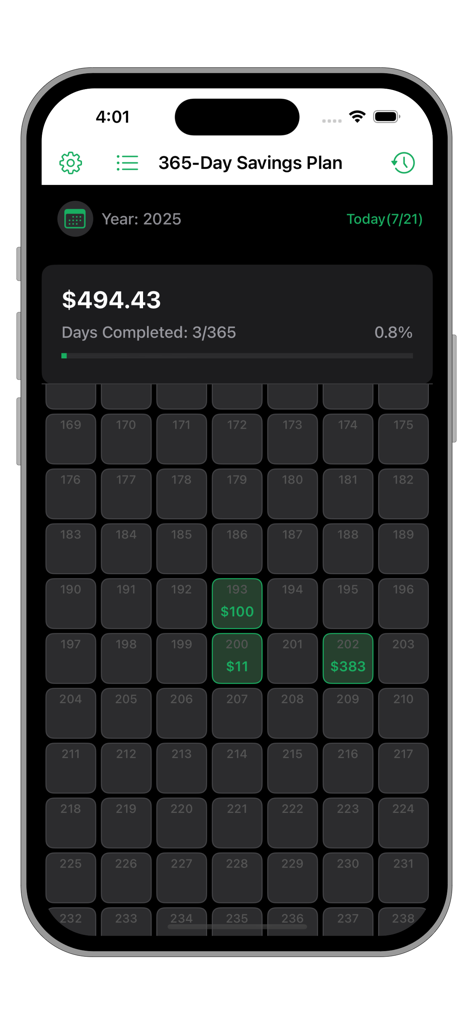
365-day savings plan-Easy Goal - Dashboard of the 365-Day Savings Plan app showing a visual grid of savings progress and total amount saved.

Dashboard of the 365-Day Savings Plan app showing a visual grid of savings progress and total amount saved.

Description

The 365-Day Savings Plan APP is a simple and easy-to-use savings management app that combines daily savings records and periodic savings plans.  It features intuitive progress visualization, flexible time filtering, multi-currency support, and iCloud sync functionality, while prioritizing user experience and operational security. Easy to Use: Example: I want to buy an SUV, priced around 50,000. 1. First, use the 365-Day Savings Plan to create a periodic (monthly) savings plan for buying a car (Plan A), setting the target amount and the amount to deposit each time. 2. When you have disposable assets each month, select Plan A and execute it immediately to add a new deposit. 3. The progress will gradually approach 100%, and you can track the current progress, next execution date, number of executions, remaining amount, etc. 4. Once completed, it will automatically be categorized under "Completed." Simple and convenient! You only need to focus on the progress of your savings goal and the remaining amount. You can have as many different savings goals as you need—unlimited new goals to strive for! Main Features: Intuitive Progress Display The top of the main interface shows the total savings amount, completed days (e.g., "100/365 days"), and progress percentage. Click the "Today" button to quickly scroll to today's date. The progress bar updates dynamically, with colors indicating completion status. Custom currency symbols. Daily Record Management: Supports adding, deleting, editing, and viewing records. Displays the total amount, number of records, and average daily savings. Click on a specific day to view detailed records, with support for adding, editing, or deleting individual entries. Records are sorted in descending chronological order, showing the amount, notes, and creation time. Daily Savings Records: Record savings amounts by day, with support for adding notes and dates. Grid view provides an intuitive display of 365-day savings progress, with saved dates highlighted. Filter records by year or month, and quickly jump to the current day or a specified month. Automatic Savings Plans: Create periodic savings plans (daily/weekly/monthly), setting the target amount and the amount to deposit each time. Plans support activation, pausing, immediate execution, editing, and deletion. Plan progress is displayed via percentage and the next execution date. List of automatic savings plans, with filtering options (All/Active/Completed). Data & Export: iCloud data backup and synchronization, with automatic mode available. Provides a summary view of all records, with filtering options by day, week, month, year, or all records. Supports selecting a date range to export data in CSV format. Customizable currency symbols, with all amounts displayed accordingly. Compatible with both dark mode and light mode.

Download

Download on App Store

This page is not an official page of the app or its developer, but an independent editorial publication created for informational and commentary purposes. Unless expressly stated otherwise, neither the app nor its developer is affiliated with, endorsed by, sponsored by, authorized by, or otherwise officially connected with MWM, Apple, Google Play, the app publisher, or the app's developer, and nothing on this page implies that the app was developed using MWM's services. Any trademarks, logos, screenshots, and other content remain the property of their respective owners.








