
This page is not an official page of the app or its developer, but an independent editorial publication created for informational and commentary purposes. Unless expressly stated otherwise, neither the app nor its developer is affiliated with, endorsed by, sponsored by, authorized by, or otherwise officially connected with MWM, Apple, Google Play, the app publisher, or the app's developer, and nothing on this page implies that the app was developed using MWM's services. Any trademarks, logos, screenshots, and other content remain the property of their respective owners.

90 FPS + 120 FPS
Stop guessing your settings. Track your sensitivity, log hardware benchmarks, and optimize your ProMotion display to maintain a competitive edge in every match.
Downloads
47K+User Rating
Total Ratings
800Publisher
Category
EntertainmentLocales
1Latest Version
1.0.5Size
30.5 MBFirst Released
Sep 24, 2025Master Your Performance
The ultimate companion for competitive mobile gamers to track, optimize, and maintain 90 and 120 FPS gameplay across all high-performance titles.
Config Mastery
Save your custom sensitivity and graphics settings for PUBG, CoD, and more to ensure you never lose your edge after an update.
Thermal & FPS Logs
Document how your device handles long sessions. Identify the exact moment thermal throttling kicks in to adjust your playstyle.
Frequently Asked Questions
Everything you need to know about 90 FPS + 120 FPS
What is the 90 FPS + 120 FPS app?
The 90 FPS + 120 FPS app is a gaming notes application. It allows users to take notes while gaming and functions as an FPS unlocker for 90 FPS and 120 FPS modes.
Can I take notes using the 90 FPS + 120 FPS app?
Yes, the 90 FPS + 120 FPS app is a gaming notes application designed to help users take notes during their gaming sessions.
Does 90 FPS + 120 FPS unlock higher frame rates?
Yes, the 90 FPS + 120 FPS app functions as an FPS unlocker. It supports both 90 FPS and 120 FPS modes for enhanced gaming experiences.
What specific FPS modes does the 90 FPS + 120 FPS app support?
The 90 FPS + 120 FPS app specifically supports 90 FPS and 120 FPS modes. Users can access these modes for optimized gaming.
Does the 90 FPS + 120 FPS app provide gaming tips?
Yes, the 90 FPS + 120 FPS app includes a feature for "GAMING TIPS & NOTES". This section provides users with advice and information related to gaming.
Does 90 FPS + 120 FPS support specific game regions like BGMI?
Yes, the 90 FPS + 120 FPS app supports specific game regions. These include KOREAN, GLOBAL, BGMI, TAIWAN, and VIETNAM, which users can select within the app.
The following screenshots and description are sourced directly from the app's official store listing and are the property of the app developer.
App Store
Screenshots
Splash screen for the 90 FPS gaming notes app featuring a pink and purple gradient and progress indicator
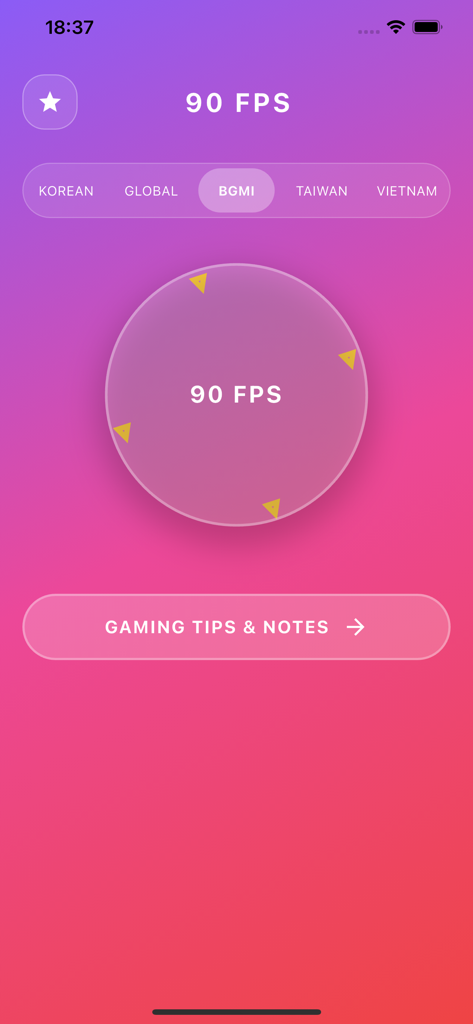
Interface of the 90 FPS gaming notes app showing regional settings and gaming tips button
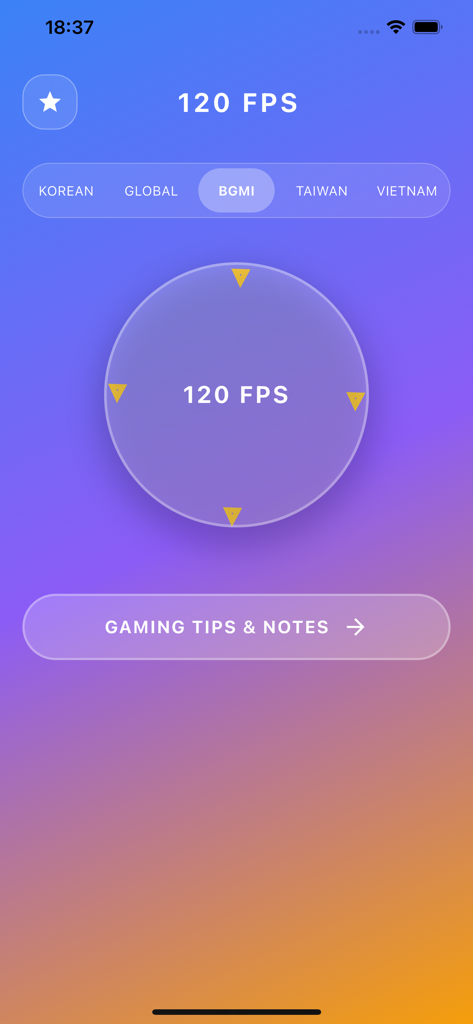
App interface showing 120 FPS settings for BGMI and a gaming tips and notes button
Description
Download
More Like This
Apps with similar features and user experience

Padel Fit Score Tracker
IVAN LEVIN

Carv Digital Ski Coach
Motion Metrics Limited

Spalding TF DNA
SstatzZ Oy

Basketball Stats PRO
Ladislav Klinc

Tenpin Toolkit: Bowling Tools
Internet Stuff Ltd

HealthFit
Stephane Lizeray

Easy Stats for Basketball
zach prager

Padelio: Track Padel Activity
Marcos Sabaris

MYLAPS Speedhive
MYLAPS B.V
This page is not an official page of the app or its developer, but an independent editorial publication created for informational and commentary purposes. Unless expressly stated otherwise, neither the app nor its developer is affiliated with, endorsed by, sponsored by, authorized by, or otherwise officially connected with MWM, Apple, Google Play, the app publisher, or the app's developer, and nothing on this page implies that the app was developed using MWM's services. Any trademarks, logos, screenshots, and other content remain the property of their respective owners.