
This page is not an official page of the app or its developer, but an independent editorial publication created for informational and commentary purposes. Unless expressly stated otherwise, neither the app nor its developer is affiliated with, endorsed by, sponsored by, authorized by, or otherwise officially connected with MWM, Apple, Google Play, the app publisher, or the app's developer, and nothing on this page implies that the app was developed using MWM's services. Any trademarks, logos, screenshots, and other content remain the property of their respective owners.


a-Shell
Transform your iPad into a high-performance workstation. Run Python, compile C++, and process TeX locally with a professional-grade terminal designed for developers and power users.
Downloads
290K+User Rating
Total Ratings
300Publisher
Category
Developer ToolsLocales
7Latest Version
1.17.4Size
1.9 GBFirst Released
Oct 25, 2019Desktop Power in Your Pocket
Transform your iPad or iPhone into a high-performance local development environment with a full Unix-style terminal designed for power users.
Native Unix Performance
Run Unix commands natively on Arm64 at maximum speed. Use tools like grep, awk, and sed without needing a remote server or cloud connection.
The Ultimate Dev Toolkit
Write and run Python, C, and C++ scripts locally. Includes a complete TeX engine and WebAssembly SDK for serious coding and research on the go.
Frequently Asked Questions
Everything you need to know about a-Shell
What is a-Shell?
a-Shell is a complete local terminal emulator for iOS devices, allowing users to run most Unix commands and various programming languages directly on their device.
Can a-Shell run Unix commands on iOS?
Yes, a-Shell can run most standard Unix commands directly on your iOS device. It functions as a local terminal emulator and is compiled for native Arm64 for optimal performance.
What programming languages does a-Shell support?
a-Shell includes Python, Lua, Perl, JavaScript, C, and C++ for programming. It also offers TeX for text processing and a complete WebAssembly SDK.
Does a-Shell allow file transfer on iOS?
Yes, a-Shell allows file transfer using scp and curl commands. Users can also edit files with vim and ed, and process them using utilities like grep, awk, and sed.
Can I use Git with a-Shell?
Yes, a-Shell enables users to work with Git repositories. It incorporates the lg2 utility to facilitate Git operations within its terminal environment.
What network utilities are included in a-Shell?
a-Shell provides multiple network utilities, including nslookup, ping, whois, and ifconfig. These tools are available for network diagnostics and information retrieval.
How does a-Shell integrate with iOS Shortcuts?
a-Shell integrates with iOS Shortcuts, enabling users to automate tasks. You can run commands, process files, get results as text or files, and transfer data to other apps.
Can a-Shell run multiple terminal windows?
Yes, a-Shell supports the iOS 13+ “multiple windows” feature. This allows users to run several shells simultaneously, each with different commands or working in distinct directories.
Does a-Shell support WebAssembly compilation?
Yes, a-Shell supports compiling C or C++ programs to WebAssembly using clang or clang++. It includes a complete WebAssembly SDK (WASI-libc) for this functionality.
What is the difference between a-Shell and a-Shell mini?
a-Shell is the full version, while a-Shell mini is a smaller alternative. a-Shell mini excludes the C compiler, TeX engine, and libraries like numpy and matplotlib.
The following screenshots and description are sourced directly from the app's official store listing and are the property of the app developer.
App Store
Screenshots
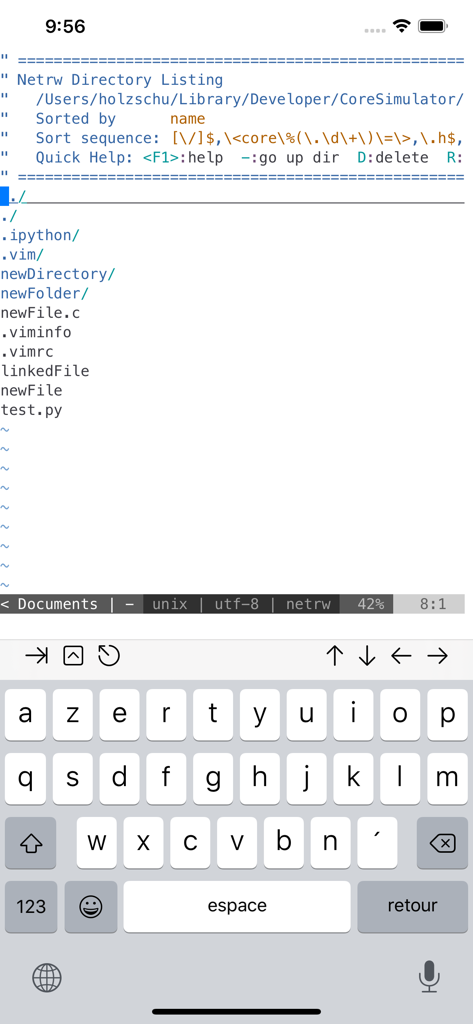
a-Shell app interface showing a Unix directory listing and virtual keyboard
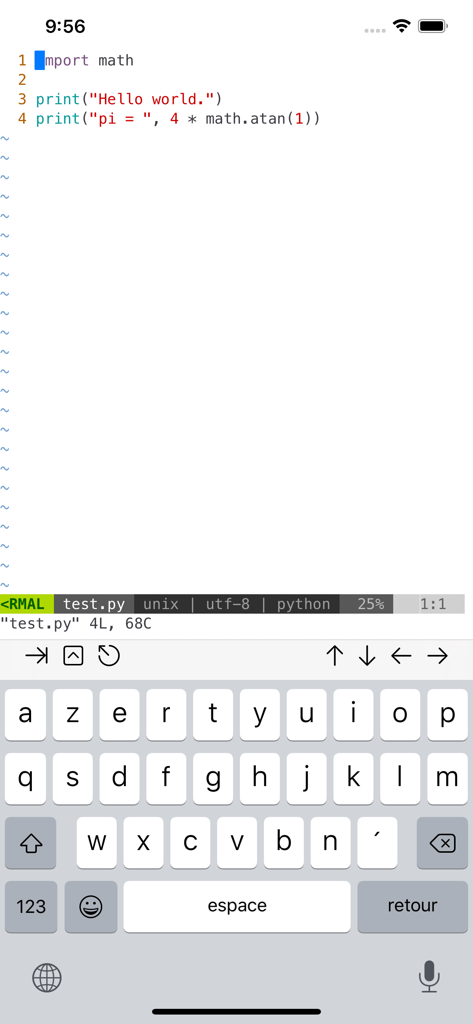
Editing a Python script using the Vim editor in the a-Shell terminal emulator on an iPhone
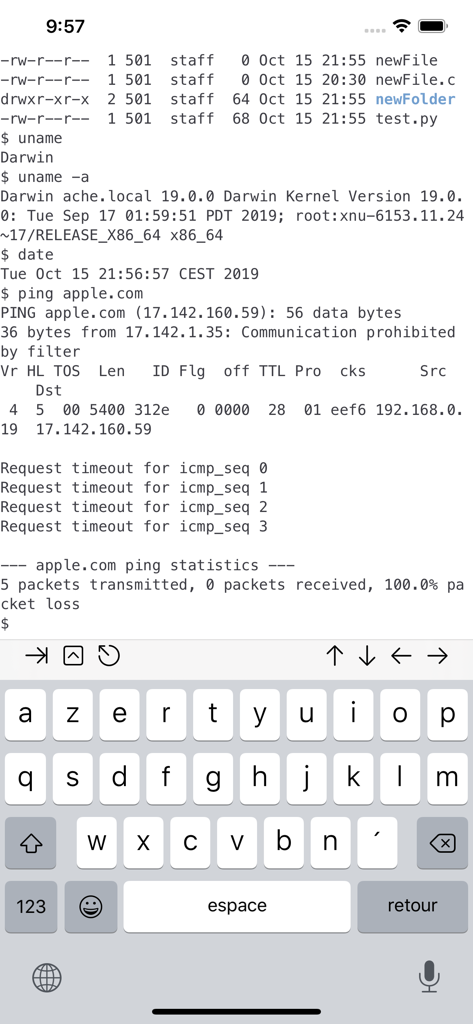
a-Shell app interface showing Unix terminal commands on an iOS device
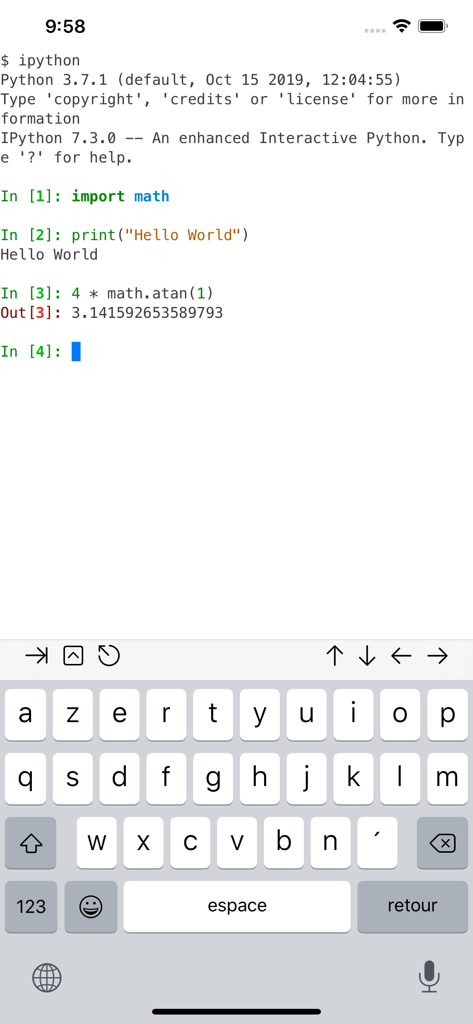
a-Shell mobile app showing an interactive IPython terminal session running Python code on iOS
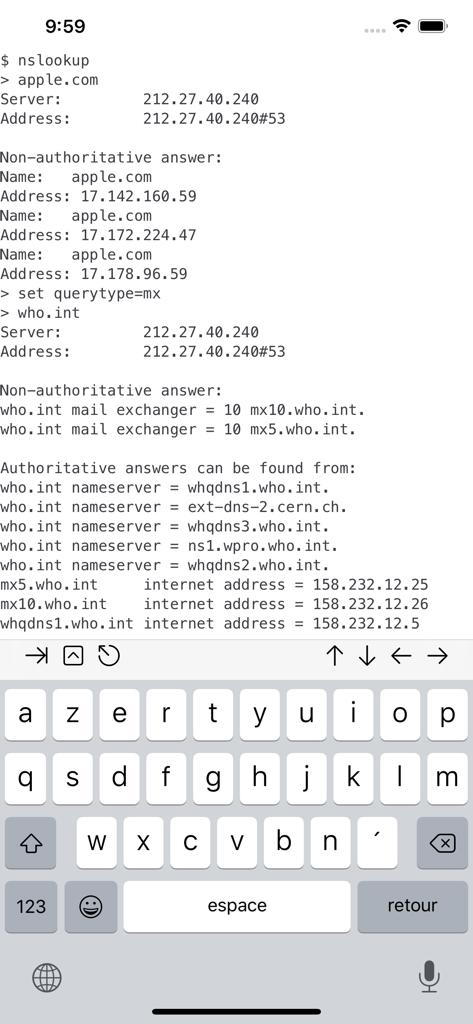
a-Shell terminal interface showing nslookup command output on iOS
Description
Download
More Like This
Apps with similar features and user experience


This page is not an official page of the app or its developer, but an independent editorial publication created for informational and commentary purposes. Unless expressly stated otherwise, neither the app nor its developer is affiliated with, endorsed by, sponsored by, authorized by, or otherwise officially connected with MWM, Apple, Google Play, the app publisher, or the app's developer, and nothing on this page implies that the app was developed using MWM's services. Any trademarks, logos, screenshots, and other content remain the property of their respective owners.