
This page is not an official page of the app or its developer, but an independent editorial publication created for informational and commentary purposes. Unless expressly stated otherwise, neither the app nor its developer is affiliated with, endorsed by, sponsored by, authorized by, or otherwise officially connected with MWM, Apple, Google Play, the app publisher, or the app's developer, and nothing on this page implies that the app was developed using MWM's services. Any trademarks, logos, screenshots, and other content remain the property of their respective owners.


Accelerate for Safari
The ultimate extension for time-optimizers. Customize shortcuts and master your viewing experience on YouTube, Netflix, and more—seamlessly across Mac, iPhone, and iPad.
Downloads
15K+User Rating
Total Ratings
100Publisher
Category
EntertainmentLocales
1Latest Version
1.1.3Size
2.6 MBFirst Released
Apr 18, 2019Unlock Your Peak Productivity
The ultimate Safari extension for time-optimizers. Control, customize, and accelerate your video content across all your favorite streaming platforms on Mac, iPhone, and iPad.
Breeze Through Content
Save hours every week by watching tutorials, lectures, and series at your own pace with granular speed controls designed for efficiency.
Custom Power Shortcuts
Take total command of your media. Map personalized keyboard triggers to skip, mute, or toggle Picture-in-Picture without ever touching your mouse.
Frequently Asked Questions
Everything you need to know about Accelerate for Safari
What is Accelerate for Safari?
Accelerate for Safari is a Safari extension providing powerful, customizable features for controlling HTML5 video playback and speed. It enhances media control within your browser.
What video platforms are compatible with Accelerate for Safari?
Accelerate for Safari is compatible with popular platforms such as YouTube, Netflix, Hulu, Apple TV+, Prime Video, and Twitch. It supports HTML5 video playback across these services.
Can Accelerate for Safari change video playback speed?
Yes, Accelerate for Safari allows users to control video playback speed. Options include speeding up or slowing down by 0.25x increments, toggling default speed, and jumping to 2x speed.
What is the speed range for video playback in Accelerate for Safari?
Accelerate for Safari allows video playback speeds ranging from a minimum of 0.25x to a maximum of 16x. The default speed setting for videos is 1x.
Does Accelerate for Safari offer Picture-in-Picture mode?
Yes, Accelerate for Safari includes Picture-in-Picture support. Users can activate or deactivate this mode directly from the extension's popup menu or by using a personalized keyboard shortcut.
Can I set custom keyboard shortcuts in Accelerate for Safari?
Yes, Accelerate for Safari enables users to personalize keyboard shortcuts. These shortcuts can be assigned to various media controls like play/pause, skipping, and Picture-in-Picture, enhancing usability.
How do I skip video segments in Accelerate for Safari?
Accelerate for Safari provides controls to skip forward or backward by 10-second intervals. These actions are accessible via the extension's popup menu and can also be assigned to keyboard shortcuts.
Where can I find Accelerate for Safari's privacy policy?
The official privacy policy for Accelerate for Safari is published at https://ritam.me/projects/accelerate/privacy. This link is available in the app's store description for easy access.
The following screenshots and description are sourced directly from the app's official store listing and are the property of the app developer.
App Store
Screenshots
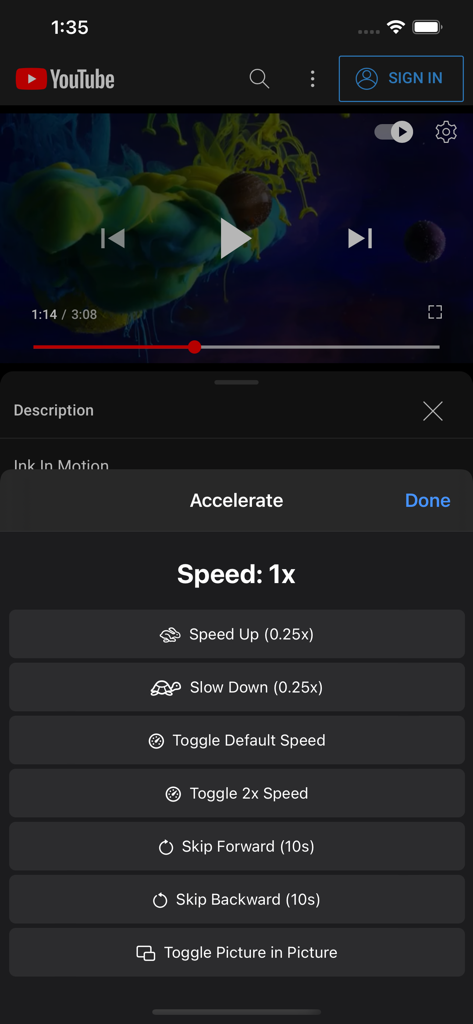
A mobile screenshot of the Accelerate for Safari extension showing video speed and playback options on a YouTube video.
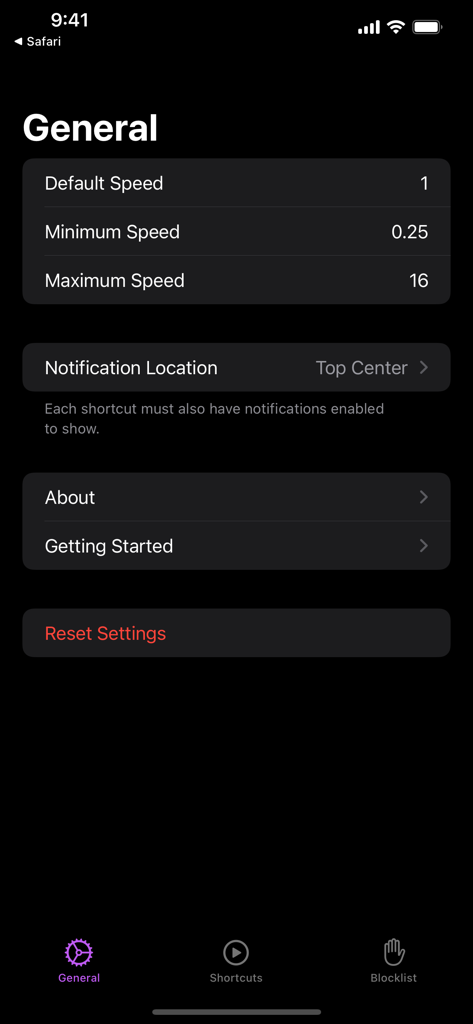
General settings screen of the Accelerate for Safari app showing video playback speed limits and notification options.
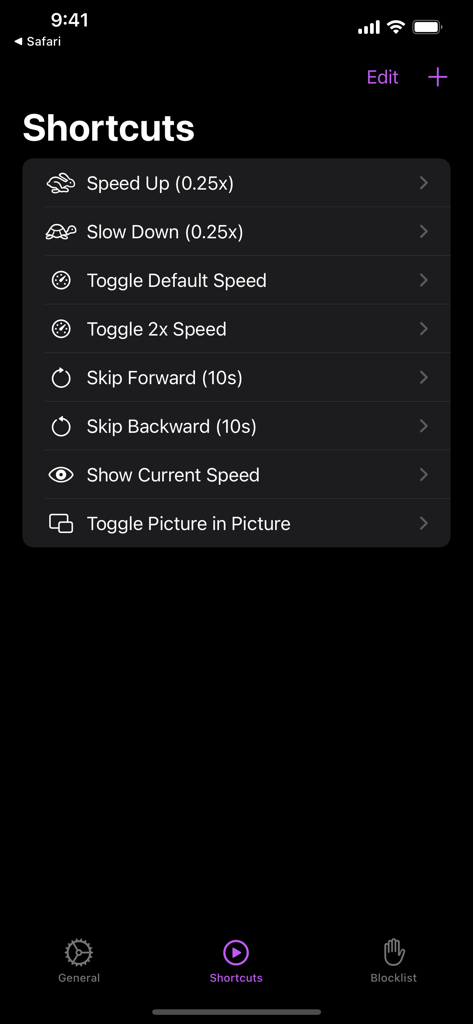
Accelerate for Safari shortcuts settings menu for video playback speed and media controls on iPhone
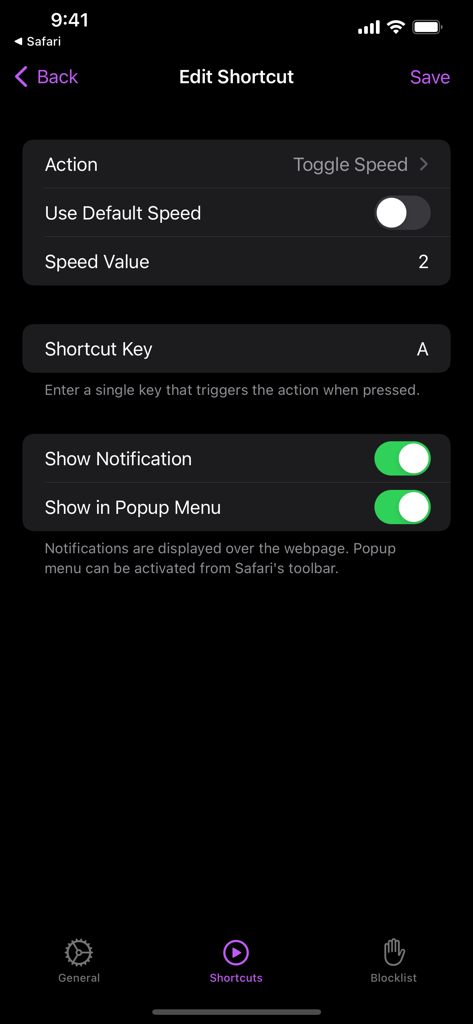
Interface for customizing video playback shortcuts and speed settings in the Accelerate for Safari app.
Description
Download
More Like This
Top-ranked apps in the same category

TikTok - Videos, Shop & LIVE
TIKTOK PTE. LTD.

Netflix
Netflix, Inc.

Freecash - Get Paid Real Money
256 REWARDS LTD

DramaBox - Stream Drama Shorts
STORYMATRIX PTE. LTD

HBO Max: Stream Movies & TV
WarnerMedia Global Digital Services, LLC

Amazon Prime Video
AMZN Mobile LLC

NetShort - Popular Dramas & TV
NETSTORY PTE. LTD.

ReelShort - Stream Drama & TV
New Leaf Publishing, Inc.

Disney+
Disney Electronic Content, Inc.
This page is not an official page of the app or its developer, but an independent editorial publication created for informational and commentary purposes. Unless expressly stated otherwise, neither the app nor its developer is affiliated with, endorsed by, sponsored by, authorized by, or otherwise officially connected with MWM, Apple, Google Play, the app publisher, or the app's developer, and nothing on this page implies that the app was developed using MWM's services. Any trademarks, logos, screenshots, and other content remain the property of their respective owners.