Acron CRJ-700 Cockpit Fam.

Acron CRJ-700 Cockpit Fam.

Download on App Store
Logo of Acron CRJ-700 Cockpit Fam.

Acron CRJ-700 Cockpit Fam.: Master the Flight Deck Before Your Next Simulator Session

The ultimate interactive training tool for professional pilots and aviation students. Build muscle memory and explore high-resolution systems to ace your type rating with precision-grade accuracy.

Download on App Store

Publisher

Aerosim Technologies, Inc.

Category

Education

Downloads

200

User Rating

3.9/5

Total Ratings

0

Locales

1

Master the Panel

Discover the interface used by 200 users.
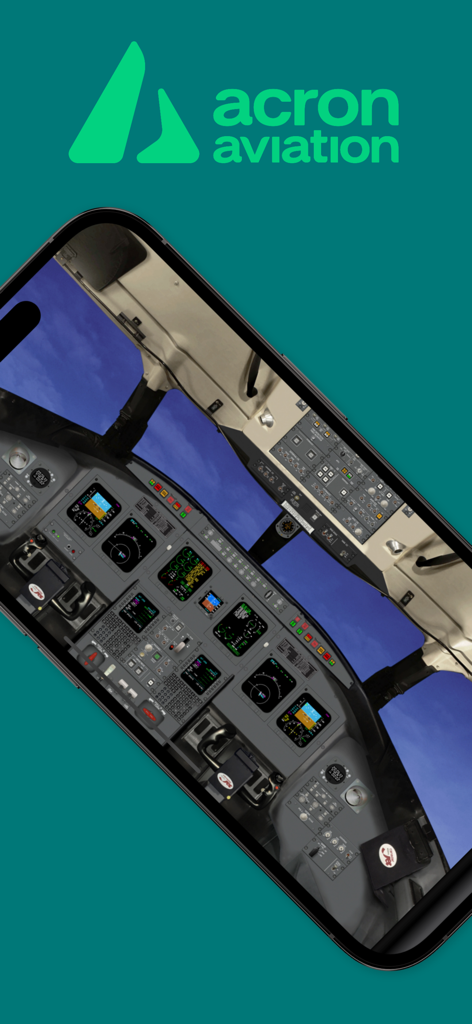
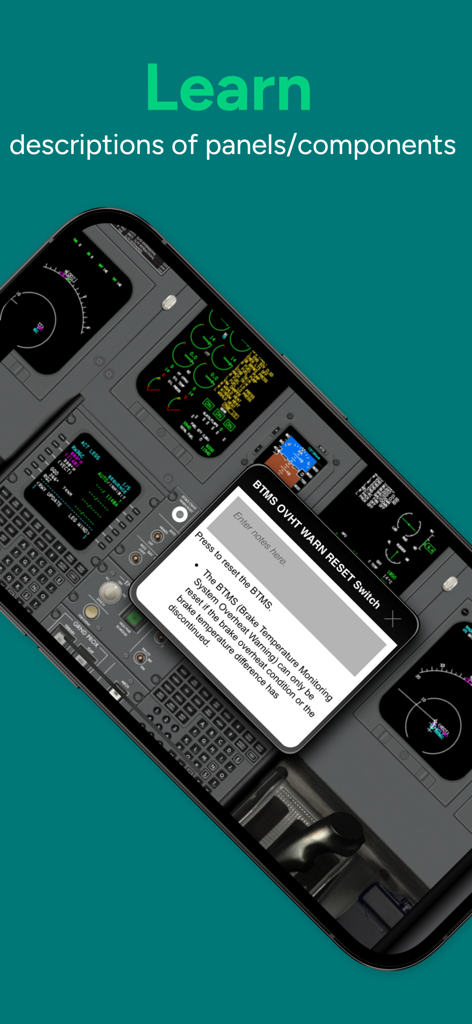
Smartphone displaying the detailed CRJ-700 cockpit layout from the Acron Aviation app

Smartphone displaying the detailed CRJ-700 cockpit layout from the Acron Aviation app

CRJ-700 cockpit app interface showing detailed switch descriptions and note taking feature

CRJ-700 cockpit app interface showing detailed switch descriptions and note taking feature

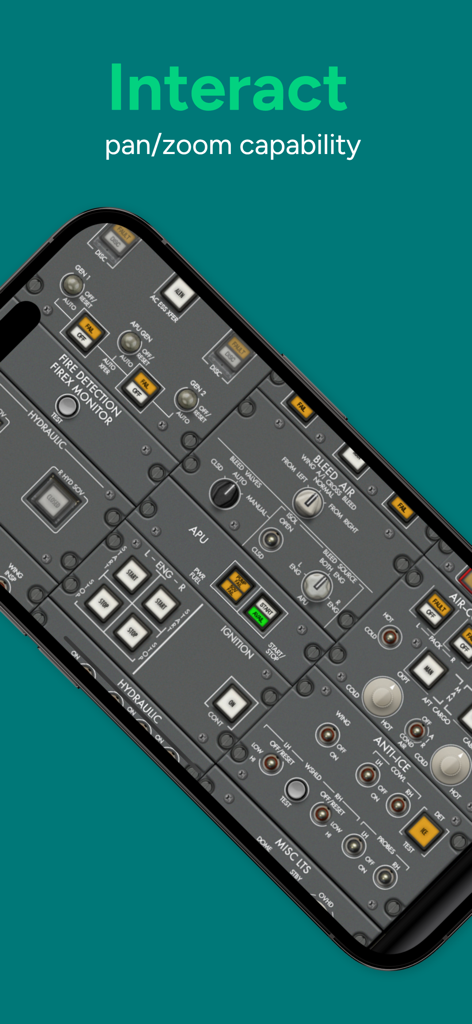
Interactive CRJ-700 cockpit panel showing various aircraft switches and controls with zoom capability

Interactive CRJ-700 cockpit panel showing various aircraft switches and controls with zoom capability

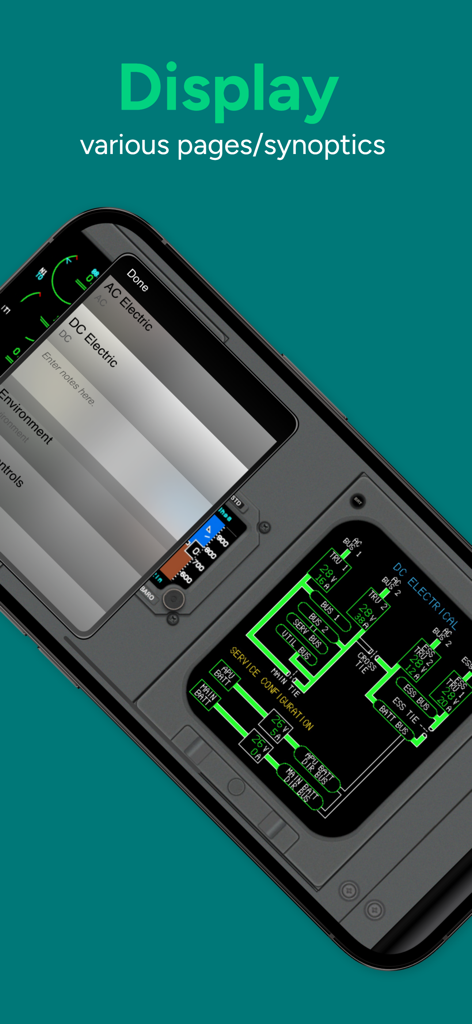
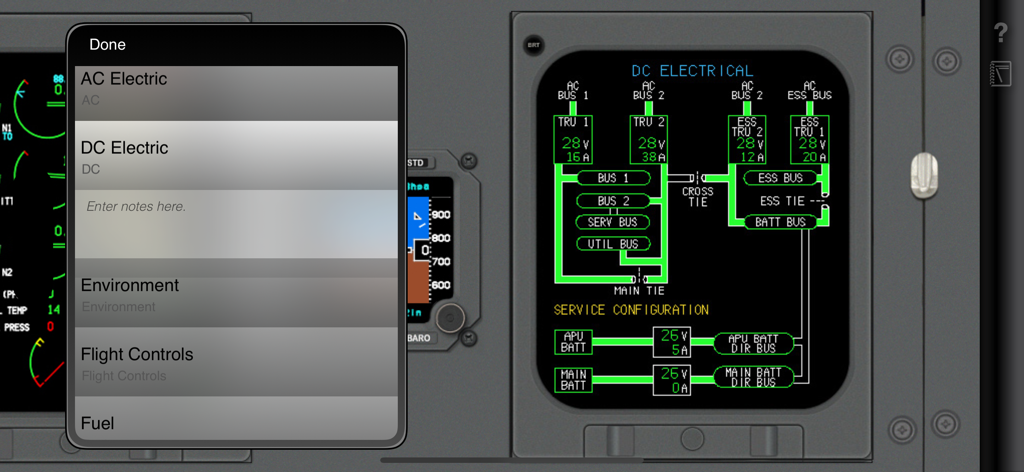
DC electrical system synoptic page in the Acron CRJ-700 Cockpit Familiarization app

DC electrical system synoptic page in the Acron CRJ-700 Cockpit Familiarization app

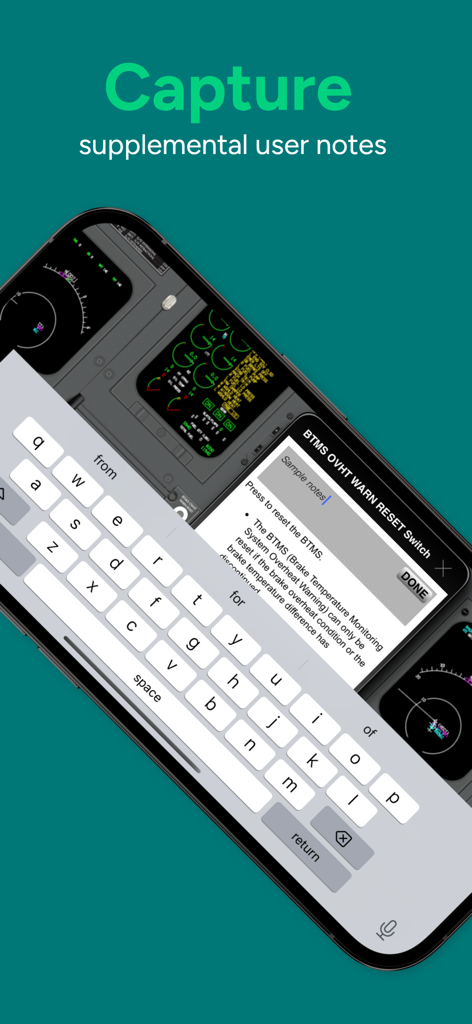
Interface showing a pilot adding custom study notes to a specific switch in the CRJ-700 cockpit familiarization app.

Interface showing a pilot adding custom study notes to a specific switch in the CRJ-700 cockpit familiarization app.

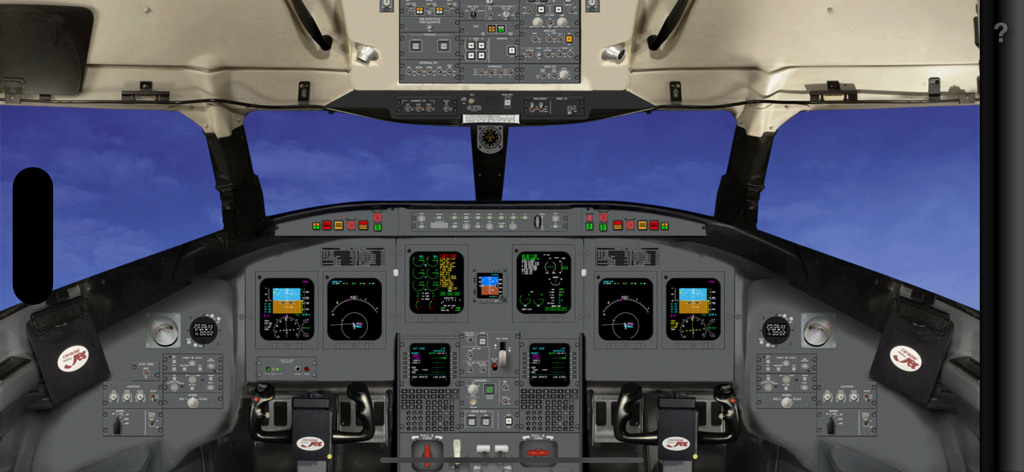
Wide view of the CRJ-700 cockpit showing flight displays and instrument panels

Wide view of the CRJ-700 cockpit showing flight displays and instrument panels

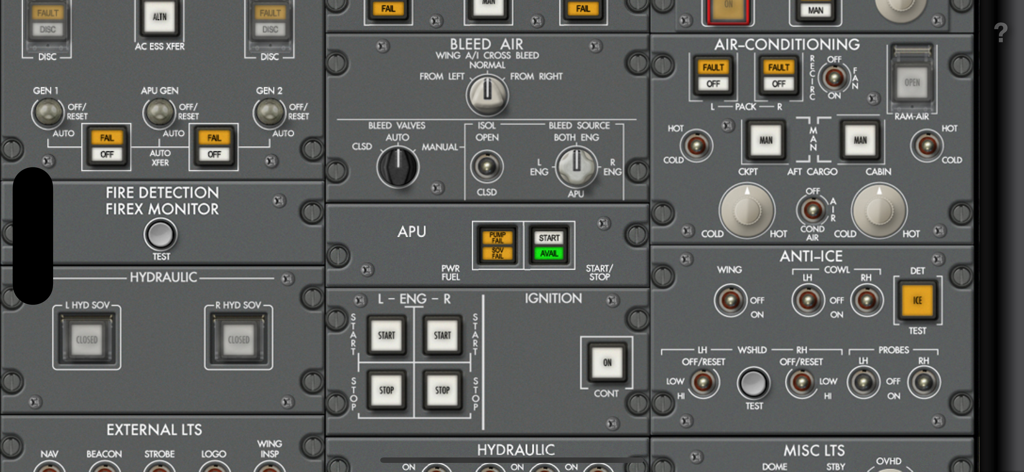
Close up view of the CRJ-700 aircraft overhead panel controls and switches.

Close up view of the CRJ-700 aircraft overhead panel controls and switches.

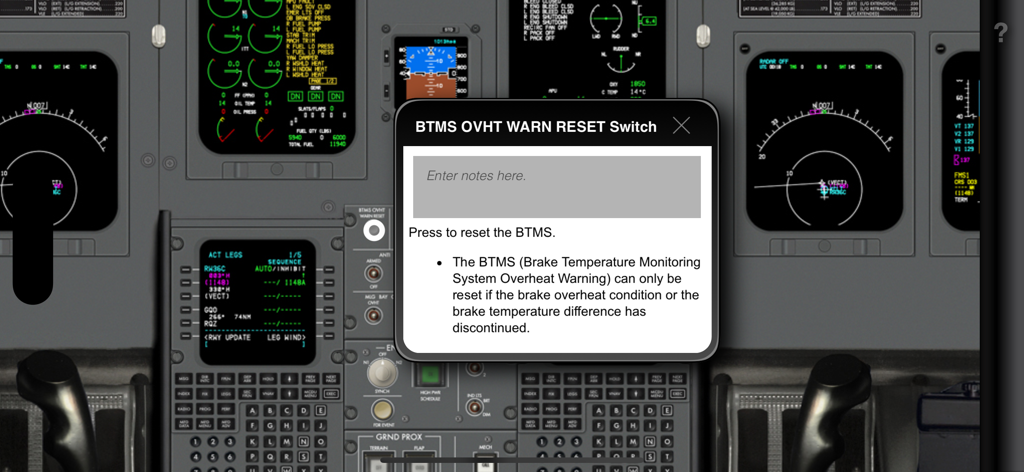
CRJ-700 cockpit interface showing a pop-up description for the BTMS reset switch with a custom notes field

CRJ-700 cockpit interface showing a pop-up description for the BTMS reset switch with a custom notes field

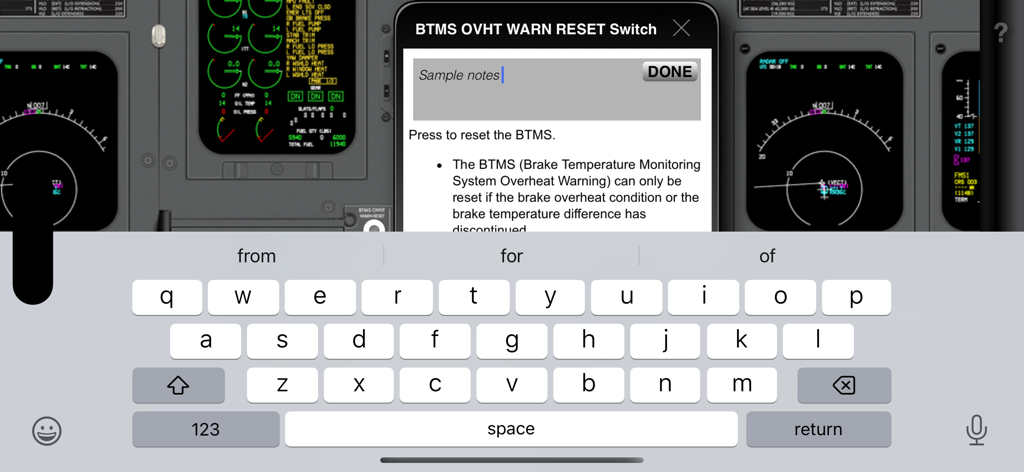
A screenshot of the CRJ-700 Cockpit Familiarization app showing the custom note-taking feature for specific cockpit switches and systems

A screenshot of the CRJ-700 Cockpit Familiarization app showing the custom note-taking feature for specific cockpit switches and systems

CRJ-700 cockpit DC electrical system diagram with an interactive note taking menu

CRJ-700 cockpit DC electrical system diagram with an interactive note taking menu

Master the Cockpit Before Your First Simulator Session

The tools that make this app stand out, trusted by 200 users.

🕹️

Interactive Switch Familiarization

Build muscle memory by tapping any button or panel to reveal its system role, helping you overcome 'simulator shock' during intensive training.

✈️

High-Fidelity Visual Accuracy

Study with officially licensed, high-resolution cockpit graphics that replicate the Bombardier (MHIRJ) CRJ-700 environment with professional precision.

📝

Custom SOP Integration

Attach personalized notes to specific controls to align your study sessions with your airline's unique Standard Operating Procedures and checklists.

About the app

Everything you need to know about Acron CRJ-700 Cockpit Fam..

Description

Master the CRJ-700 Cockpit — Explore Every Panel and Switch Step into the cockpit of the Bombardier (MHIRJ) CRJ-700, a versatile regional jet, and learn the key panels and controls that power this high-performance aircraft. Acron Aviation CRJ-700 Cockpit Familiarization is your interactive tool for understanding every switch, instrument, and panel — all from the convenience of your mobile device. Perfect for pilots preparing for a CRJ-700 type rating, aviation students, or anyone interested in regional jet systems, this app offers an easy and intuitive way to explore the aircraft's system controls and layout before stepping into the real cockpit. Key Features: • Interactive Cockpit Layout: Tap on any button, switch, or panel to reveal detailed explanations and learn about its role in the aircraft’s systems. • Realistic, High-Quality Cockpit Graphics: Navigate through detailed, high-resolution graphics that replicate the CRJ-700’s actual cockpit. • Pilot-Centered Learning: Designed for pilots, aviation students, and enthusiasts, this app helps reinforce cockpit knowledge in a simple, interactive format. • Capture Notes: Add custom notes to any component for personalized, quick reference. • Offline Accessibility: Review and study the cockpit anywhere — no internet connection needed once downloaded. Why Choose Acron Aviation CRJ-700? • Designed by pilot training technology expert Acron Aviation, with access to officially licensed aircraft cockpit data. • Quickly become familiar with the CRJ-700’s cockpit layout and panels before heading to your type rating. • Save time in training and feel more confident during flight school or simulator sessions. • Ideal for pilots transitioning to the CRJ series or aviation students wanting to deepen their regional jet knowledge. • Reinforce your understanding of key panels like the autopilot, thrust control, and instrument displays. Start your CRJ-700 training with confidence — learn every system control and switch before stepping into the real cockpit. Download Acron Aviation CRJ-700 Cockpit Familiarization and get cockpit-ready for your next flight training session! Note: The aircraft manufacturer offers differing cockpit configurations, layouts, and/or options to their customers. The graphics and related descriptions used in this application represent a specific configuration and may not exactly correspond to your respective aircraft. For customization for your organization, please reach out to an Acron Aviation Sales member for more information.

Latest Version

15.18.1

Size

38.5 MB

First Released

Oct 9, 2014

Master the CRJ-700 Cockpit Today

Arrive at your next training session with total confidence. Download the interactive cockpit familiarization tool and start mastering every switch, panel, and system offline.

Download on App Store
FAQ

Frequently Asked Questions

Everything you need to know about Acron CRJ-700 Cockpit Fam.

What is Acron CRJ-700 Cockpit Fam?

Acron CRJ-700 Cockpit Fam. is an interactive mobile application designed to familiarize users with the Bombardier CRJ-700 regional jet's cockpit panels, switches, and controls. It provides detailed explanations for each component.

Who is the Acron CRJ-700 Cockpit Fam app for?

The Acron CRJ-700 Cockpit Fam. app is for pilots preparing for a CRJ-700 type rating, aviation students, and enthusiasts interested in regional jet systems. It helps reinforce cockpit knowledge.

Does Acron CRJ-700 Cockpit Fam require an internet connection?

No, Acron CRJ-700 Cockpit Fam. features offline accessibility. Users can review and study the CRJ-700 cockpit anywhere, as no internet connection is needed once downloaded.

Can users add personal notes within the Acron CRJ-700 Cockpit Fam app?

Yes, the Acron CRJ-700 Cockpit Fam. app allows users to capture notes. You can add custom notes to any component for personalized, quick reference directly within the interactive cockpit.

What kind of graphics does Acron CRJ-700 Cockpit Fam feature?

Acron CRJ-700 Cockpit Fam. features realistic, high-quality cockpit graphics. These detailed, high-resolution graphics replicate the actual CRJ-700 cockpit, providing an immersive learning experience.

How does the Acron CRJ-700 Cockpit Fam app provide detailed explanations?

The Acron CRJ-700 Cockpit Fam. app offers an interactive cockpit layout. Users can tap on any button, switch, or panel to reveal detailed explanations about its role in the aircraft’s systems.

Is the Acron CRJ-700 Cockpit Fam app developed by aviation experts?

Yes, Acron CRJ-700 Cockpit Fam. is designed by Acron Aviation, a pilot training technology expert. It utilizes officially licensed aircraft cockpit data, ensuring accuracy and authority.

Does Acron CRJ-700 Cockpit Fam include different cockpit views or synoptics?

Yes, Acron CRJ-700 Cockpit Fam. allows users to display various pages and synoptics. This includes different system views like AC Electric, DC Electric, Environment, and Fuel.

App information, icons, screenshots, and descriptions displayed on this page are sourced from the Apple App Store and are the property of their respective developers. Download estimates and rankings are based on MWM's proprietary models and may not reflect actual figures. This page is provided for informational and analytical purposes only.

Believe this page infringes your intellectual property? File a dispute