
This page is not an official page of the app or its developer, but an independent editorial publication created for informational and commentary purposes. Unless expressly stated otherwise, neither the app nor its developer is affiliated with, endorsed by, sponsored by, authorized by, or otherwise officially connected with MWM, Apple, Google Play, the app publisher, or the app's developer, and nothing on this page implies that the app was developed using MWM's services. Any trademarks, logos, screenshots, and other content remain the property of their respective owners.

Google Classroom
Managing coursework often stalls progress. This app empowers educators with the direct digital control to distribute, track, and grade assignments without paper or wasted time.
Downloads
100M+User Rating
Total Ratings
3.3MPublisher
Category
EducationLocales
69Latest Version
3.54.300046950Size
171.0 MBFirst Released
Jan 13, 2015Google Classroom: Key Features Analysis
An evaluation of core functionalities impacting K-12 and higher education learning environments.
Data Security and Privacy
The platform ensures a secure, ad-free learning environment, guaranteeing that user content and student data are never used for advertising purposes.
Streamlined Assignment Workflow
The app provides a comprehensive, paperless system for teachers to create, distribute, collect, and grade assignments efficiently, saving significant time.
Robust Communication Hub
It enables teachers to send announcements, facilitate class discussions, and provide direct feedback, while students can communicate, share resources, and receive updates through real-time notifications.
Integrated Organizational Tools
This tool automatically creates dedicated Google Drive folders for assignments and students, ensuring all class materials and submitted work are well-organized and easily accessible.
Mobile Accessibility
The app offers dedicated mobile applications for iOS and Android, allowing both students and teachers to access classes, work on assignments, communicate, and grade from anywhere.
Direct Grading and Feedback
It allows teachers to quickly review student submissions, provide personalized, real-time feedback, and assign grades directly within the platform.
Frequently Asked Questions
Everything you need to know about Google Classroom
What is Google Classroom?
Google Classroom is a free service connecting learners and instructors for education. It streamlines class creation, assignment distribution, communication, and organization, saving time and paper for schools, non-profits, and personal Google account users.
Is Google Classroom available at no cost?
Yes, Google Classroom is a free service. It is provided without charge for schools, non-profits, and any user with a personal Google account, making its features accessible to a wide audience.
How does Google Classroom assist teachers with assignment management?
Google Classroom helps teachers create, distribute, and grade assignments paperlessly. It automates tasks like making Google Document copies for each student and organizing materials into Drive folders, streamlining the workflow.
How can students track their assignments in Google Classroom?
Students can track all their assignments through a dedicated Assignments page in Google Classroom. This page shows what's due, allowing students to start working on their tasks with a single click and stay organized.
Does Google Classroom ensure user privacy and security?
Yes, Google Classroom ensures privacy and security. As part of Google Workspace for Education, it contains no advertisements and never uses content or student data for advertising purposes, protecting user information.
What communication features are available in Google Classroom?
Google Classroom enhances communication by enabling teachers to send instant announcements and initiate class discussions. Students can also share resources and provide answers to questions directly on the class stream.
Can I use Google Classroom on my iPhone or iPad?
Yes, Google Classroom has a mobile app for iOS. Students and teachers can view classes, communicate, open assignments, work from their iPhone or iPad, and receive notifications to stay updated.
How do teachers invite students to join a class in Google Classroom?
Teachers can invite students to Google Classroom by adding them directly or by sharing a unique class code. The setup process is designed to be quick, allowing classes to be operational in minutes.
Does Google Classroom automatically organize digital class materials?
Yes, Google Classroom improves organization by automatically filing all digital class materials, including documents, photos, and videos, into structured folders within Google Drive. This ensures everything is neatly categorized.
Can teachers provide real-time feedback and grades within Google Classroom?
Yes, teachers can provide direct, real-time feedback and assign grades directly within Google Classroom. They can also quickly see which students have turned in their work for any given assignment.
The following screenshots and description are sourced directly from the app's official store listing and are the property of the app developer.
App Store
Screenshots
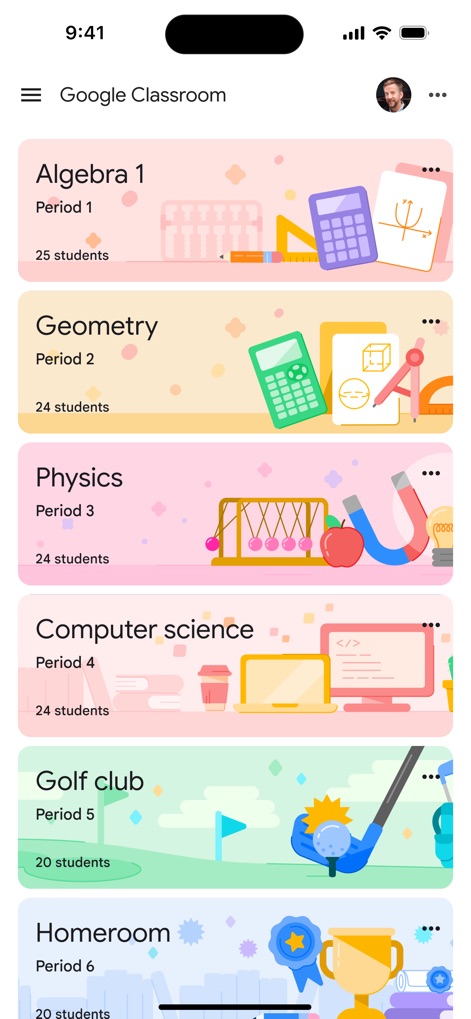
Class List Overview
The app's main dashboard provides a clear overview of enrolled classes, with each course card displaying the class name and the number of students.
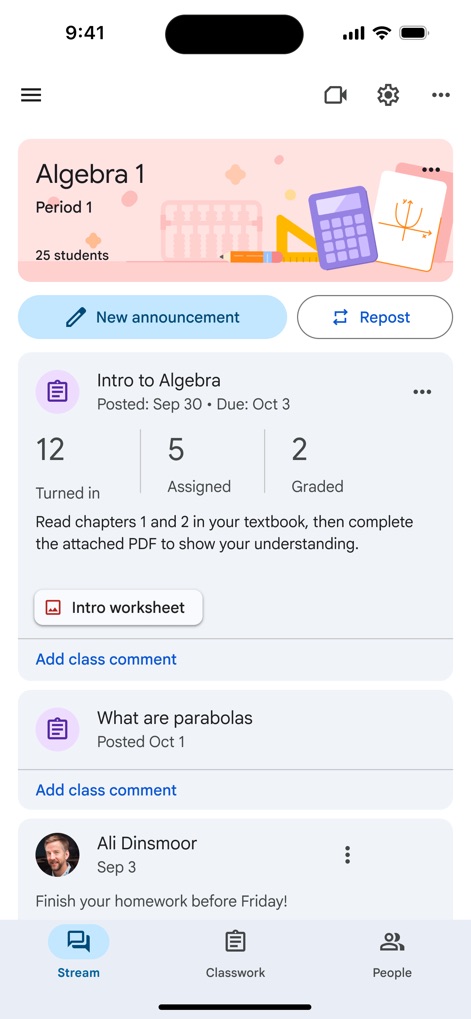
Streamlined Class Feed
Teachers can easily manage class communication and assignments through the 'New announcement' and 'Repost' buttons, alongside a summary of 'Turned in', 'Assigned', and 'Graded' tasks.
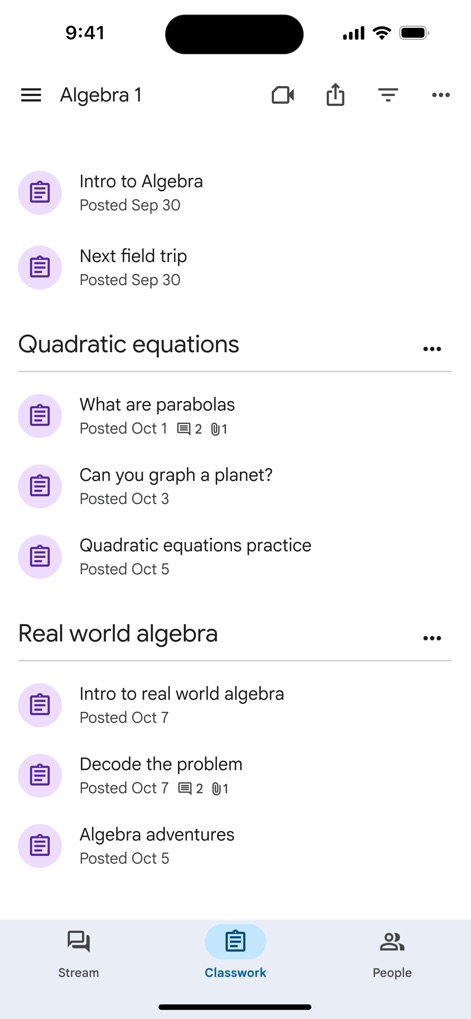
Organized Classwork
The 'Classwork' section organizes assignments by topic, allowing users to navigate through categories like 'Quadratic equations' and 'Real world algebra' for focused learning.
Student Progress Tracking
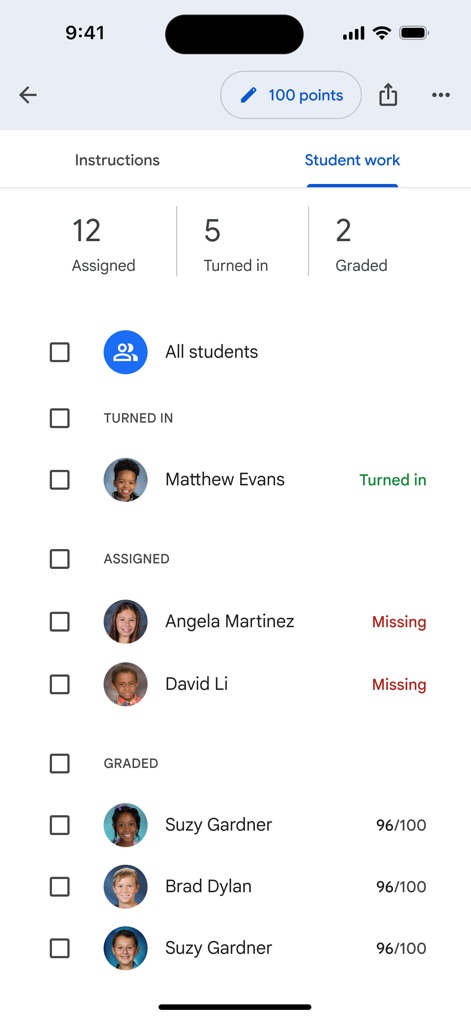
Instructors gain insight into assignment progress with clear counters for 'Assigned', 'Turned in', and 'Graded' statuses, coupled with individual student submission details and scores.
Student Homepage
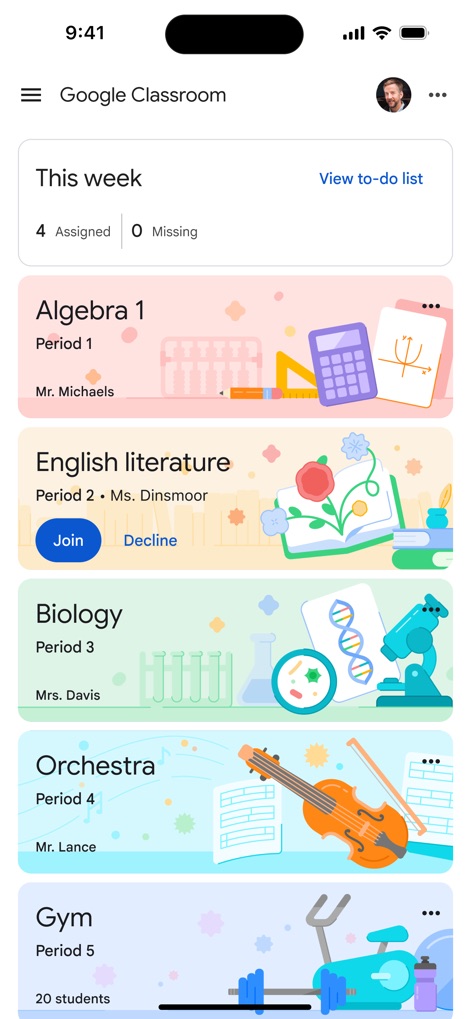
Students can view 'This week's' assigned and missing tasks at a glance, while also having the option to 'Join' or 'Decline' new class invitations.
Interactive Assignments
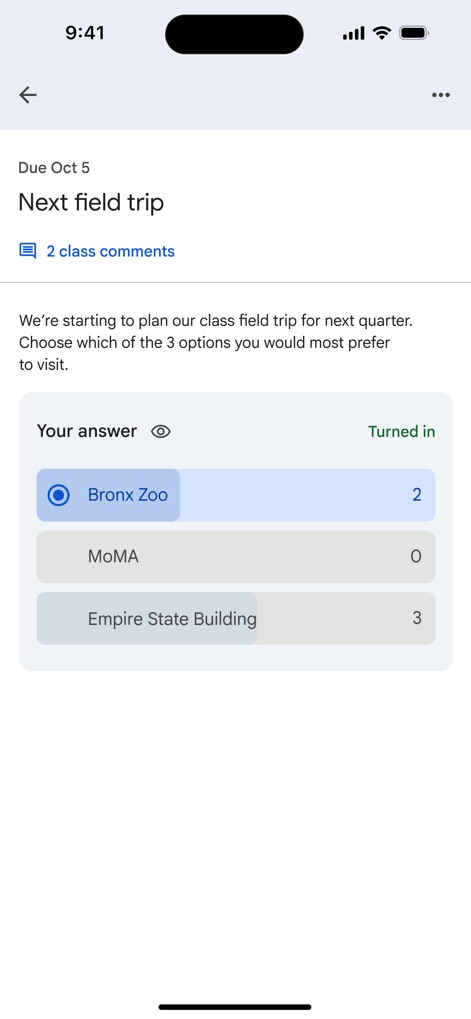
Interactive assignments allow students to submit answers via multiple-choice polls, such as selecting a destination like 'Bronx Zoo', and engage in discussions through the 'class comments' section.
Assignment Details
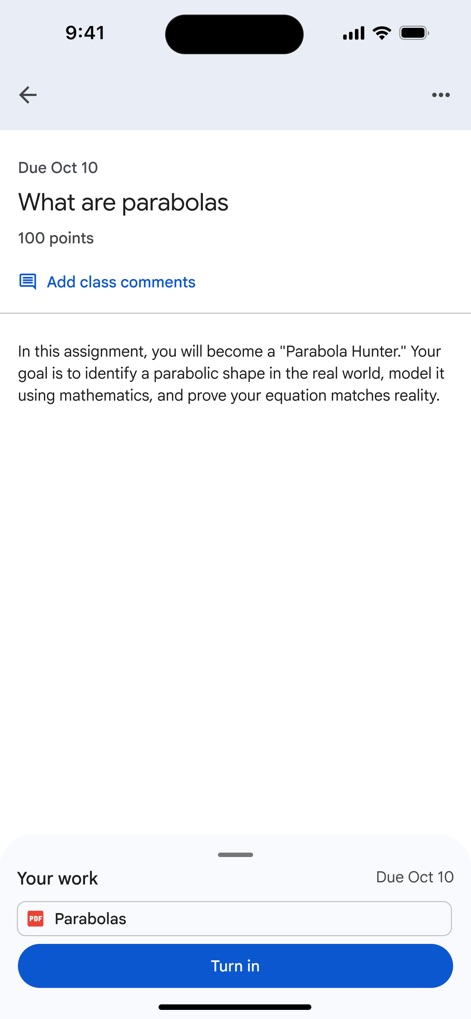
Users can review detailed 'instructions' for each assignment, including important information like the 'Due Oct 10' deadline, to ensure complete understanding.
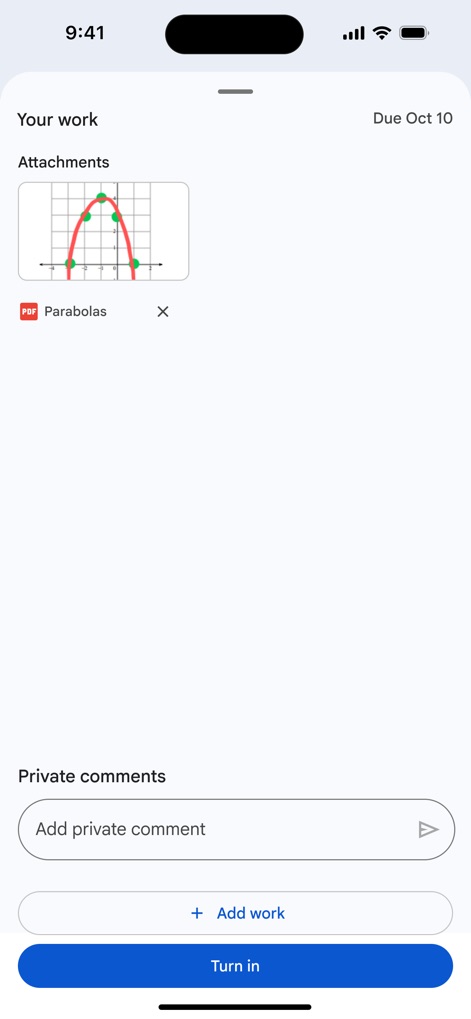
Submitting Work
The submission interface enables students to easily attach their 'work', such as a PDF of 'Parabolos', and include 'Private comments' for personalized feedback.
Description
Download
More Like This
Apps with similar features and user experience

ClassDojo
ClassDojo, Inc.

Госуслуги Моя школа
MINKOMSVYAZ ROSSII, FKU

Remind: School Communication
PARENTSQUARE LLC

Agenda Edu SuperApp
Agenda Kids Ltda ME

FAMILIES | TalkingPoints
TalkingPoints Corp

Canvas by Instructure
Instructure, Inc.

ParentSquare
PARENTSQUARE LLC

Brightspace Pulse
D2L Corporation

PowerSchool Mobile
PowerSchool Group LLC
This page is not an official page of the app or its developer, but an independent editorial publication created for informational and commentary purposes. Unless expressly stated otherwise, neither the app nor its developer is affiliated with, endorsed by, sponsored by, authorized by, or otherwise officially connected with MWM, Apple, Google Play, the app publisher, or the app's developer, and nothing on this page implies that the app was developed using MWM's services. Any trademarks, logos, screenshots, and other content remain the property of their respective owners.