
This page is not an official page of the app or its developer, but an independent editorial publication created for informational and commentary purposes. Unless expressly stated otherwise, neither the app nor its developer is affiliated with, endorsed by, sponsored by, authorized by, or otherwise officially connected with MWM, Apple, Google Play, the app publisher, or the app's developer, and nothing on this page implies that the app was developed using MWM's services. Any trademarks, logos, screenshots, and other content remain the property of their respective owners.


Brightspace Pulse
The essential mobile companion for D2L students. Visualize your weekly workload, receive instant grade notifications, and stay on top of your coursework from anywhere—even offline.
Downloads
7M+User Rating
Total Ratings
402K+Publisher
Category
EducationLocales
16Latest Version
2.2512.989Size
44.7 MBFirst Released
Aug 21, 2015Master Your Semester
Stay organized, reduce academic stress, and keep your coursework in your pocket with features designed for the modern student.
Visualize Your Workload
See all your deadlines and course activities in one clear, interactive graph to manage your time without the stress.
Instant Grade & Course Alerts
Get push notifications the moment a grade is posted or an announcement is made, so you're always in the loop.
Frequently Asked Questions
Everything you need to know about Brightspace Pulse
What is the purpose of the Brightspace Pulse app?
The Brightspace Pulse app helps instructors and learners stay connected, visualize upcoming activities, manage time, and stay on top of coursework.
Can I see my course deadlines in Brightspace Pulse?
Yes, Brightspace Pulse allows users to see all important dates and deadlines for each course and add their own.
Does Brightspace Pulse send notifications for course updates?
Yes, Brightspace Pulse provides push notifications for course-related updates such as Announcements, Activity Feed, Grades, Quizzes, and Assignments.
Can I access course content offline with Brightspace Pulse?
Yes, Brightspace Pulse allows users to review course content off-line without a data connection, including video and audio content.
Is it possible to participate in discussions using Brightspace Pulse?
Yes, Brightspace Pulse enables users to participate in Activity Feed discussions directly within the app.
How do I view grades in the Brightspace Pulse app?
Users view grades and feedback for the entire course within Brightspace Pulse, but final grades require logging into D2L Brightspace via a browser.
Does Brightspace Pulse support dark mode?
Yes, Brightspace Pulse is also available in dark mode, providing an alternative visual theme for users.
Can Brightspace Pulse integrate with Apple devices?
Yes, Brightspace Pulse supports Apple Continuity for seamless login from iPhone to iPad or Mac devices.
The following screenshots and description are sourced directly from the app's official store listing and are the property of the app developer.
App Store
Screenshots
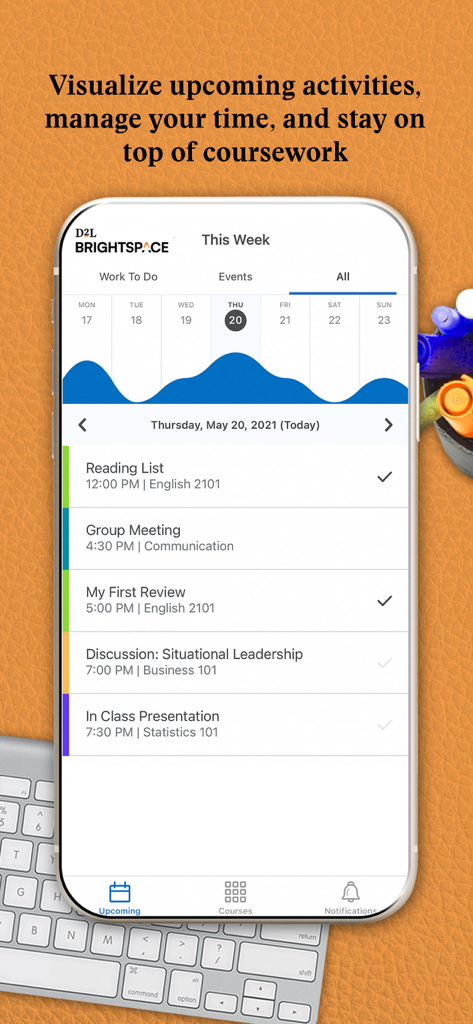
A student weekly schedule and workload graph shown on the Brightspace Pulse mobile app interface.
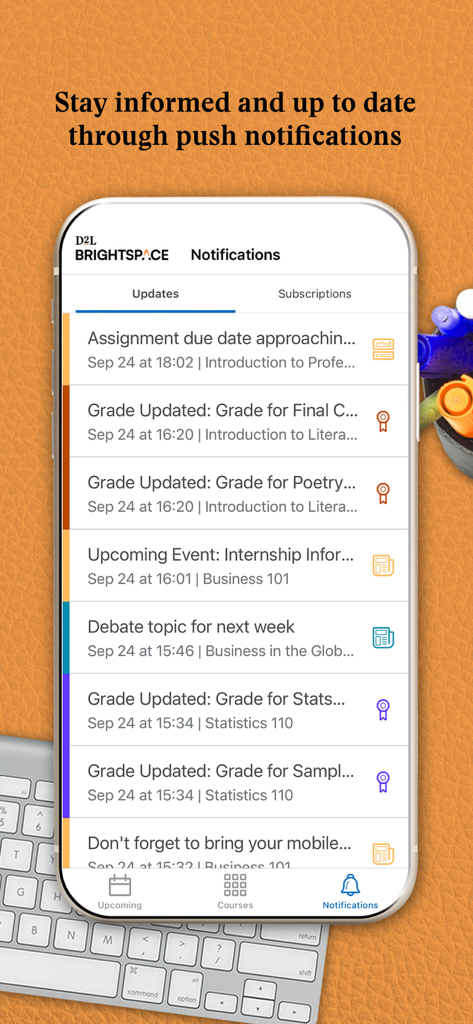
Brightspace Pulse app screen displaying a list of course notifications including assignment deadlines and grade updates
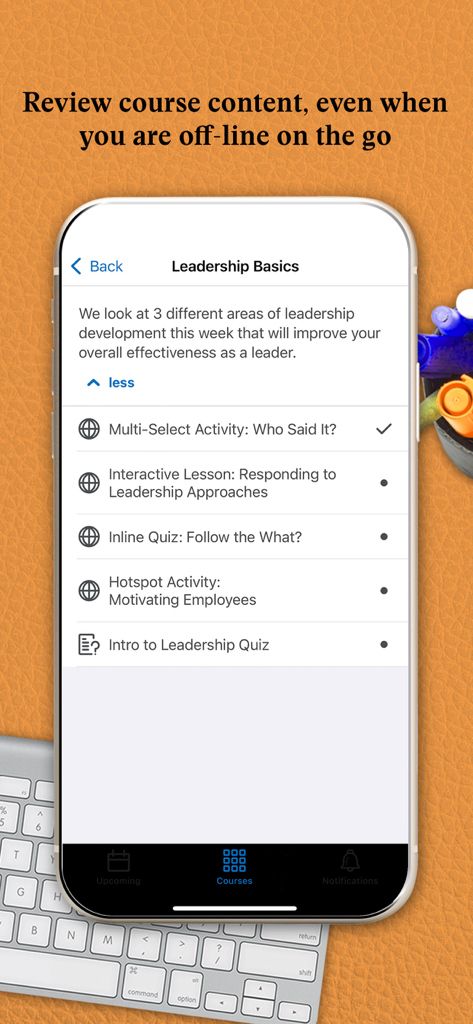
Brightspace Pulse app screen showing course modules and activities for offline viewing
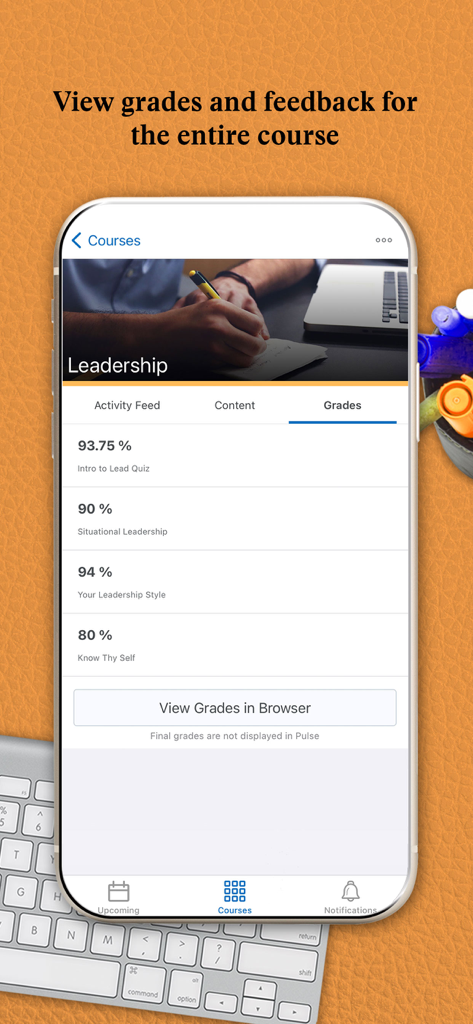
Brightspace Pulse app screen showing course grades and assignment feedback
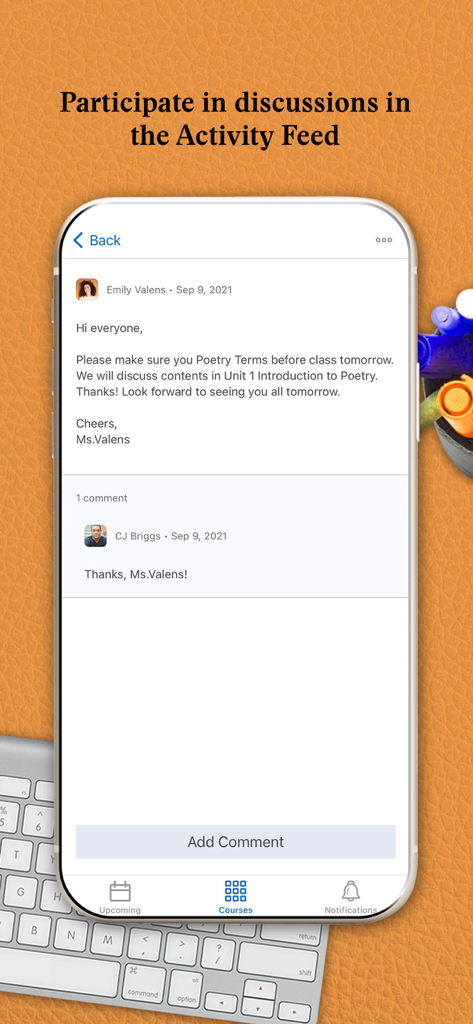
Brightspace Pulse app screen showing an activity feed discussion with comments from instructors and students.
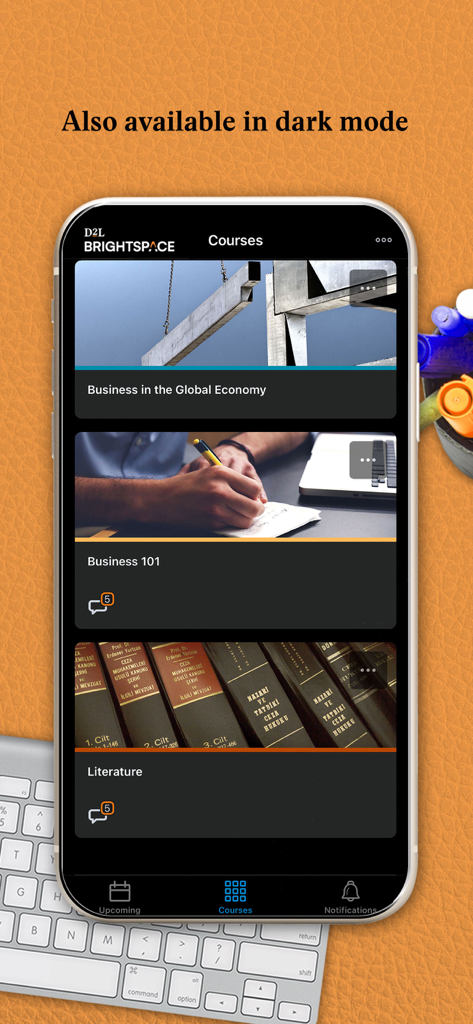
Brightspace Pulse mobile app showing the courses list in dark mode
Description
Download
More Like This
Apps with similar features and user experience

ClassDojo
ClassDojo, Inc.

Госуслуги Моя школа
MINKOMSVYAZ ROSSII, FKU

Remind: School Communication
PARENTSQUARE LLC

Agenda Edu SuperApp
Agenda Kids Ltda ME

FAMILIES | TalkingPoints
TalkingPoints Corp

Canvas by Instructure
Instructure, Inc.

ParentSquare
PARENTSQUARE LLC

PowerSchool Mobile
PowerSchool Group LLC

Compass School Manager
Compass Operations Pty Ltd
This page is not an official page of the app or its developer, but an independent editorial publication created for informational and commentary purposes. Unless expressly stated otherwise, neither the app nor its developer is affiliated with, endorsed by, sponsored by, authorized by, or otherwise officially connected with MWM, Apple, Google Play, the app publisher, or the app's developer, and nothing on this page implies that the app was developed using MWM's services. Any trademarks, logos, screenshots, and other content remain the property of their respective owners.