
This page is not an official page of the app or its developer, but an independent editorial publication created for informational and commentary purposes. Unless expressly stated otherwise, neither the app nor its developer is affiliated with, endorsed by, sponsored by, authorized by, or otherwise officially connected with MWM, Apple, Google Play, the app publisher, or the app's developer, and nothing on this page implies that the app was developed using MWM's services. Any trademarks, logos, screenshots, and other content remain the property of their respective owners.

Canvas by Instructure
Track grades, submit assignments, and stay connected to your courses in real-time. Join 40 million students worldwide who use Canvas to organize their academic life and build career-ready skills from anywhere.
Downloads
42M+User Rating
Total Ratings
3M+Publisher
Category
EducationLocales
29Latest Version
8.5.0Size
128.1 MBFirst Released
Dec 8, 2011Your Entire Campus in Your Pocket
Canvas streamlines your academic life by putting assignments, feedback, and course materials at your fingertips, designed specifically for the mobile-first student.
Real-Time Grade Tracking
Reduce academic anxiety with instant push notifications for grades and instructor feedback the moment they are posted.
Seamless Mobile Submissions
Submit PDFs, media files, and homework directly from your phone or tablet to meet deadlines while on the move.
Frequently Asked Questions
Everything you need to know about Canvas by Instructure
What is the Canvas by Instructure app used for?
The Canvas by Instructure app connects learners to their courses, allowing them to organize tasks, engage with classmates, and access learning materials from anywhere. It supports studying even without an internet connection.
Can I view my grades using the Canvas by Instructure app?
Yes, learners can view their grades through the Canvas by Instructure app. It also offers a customizable widget for quick access to grade information, showing recently graded assignments and overall course grades.
Does Canvas by Instructure support offline learning?
Yes, the Canvas by Instructure app supports offline learning. Users can download full courses and continue studying their content even when they do not have an active internet connection.
Can students submit assignments through the Canvas by Instructure app?
Yes, the Canvas by Instructure app allows students to submit assignments, including PDFs, documents, and various media files. Teachers can then annotate these submissions using SpeedGrader.
What communication features are available in the Canvas by Instructure app?
The Canvas by Instructure app enables users to send messages, join class discussions, and collaborate with classmates in real-time. This facilitates communication across all courses and groups.
Does Canvas by Instructure offer accessibility features?
Yes, the Canvas by Instructure app includes built-in accessibility features for everyone, being VPAT 2.2 compliant. It also offers a dark mode option for enhanced user comfort and preference.
Can instructors use the Canvas by Instructure app for teaching?
No, the Canvas by Instructure app is specifically designed for learners. Instructors must use the separate Canvas Teacher app to access teaching and grading functionalities.
How can I organize my schoolwork with the Canvas by Instructure app?
The Canvas by Instructure app helps organize schoolwork by allowing users to track assignments, homework, and view upcoming 'to do' items. It also provides reminders and push notifications.
The following screenshots and description are sourced directly from the app's official store listing and are the property of the app developer.
App Store
Screenshots
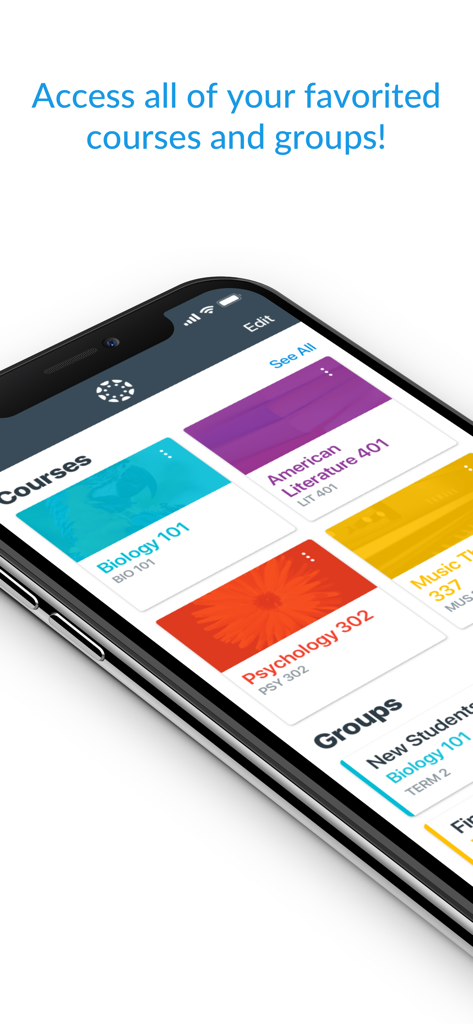
Canvas mobile app dashboard displaying favorited school courses and groups on a smartphone
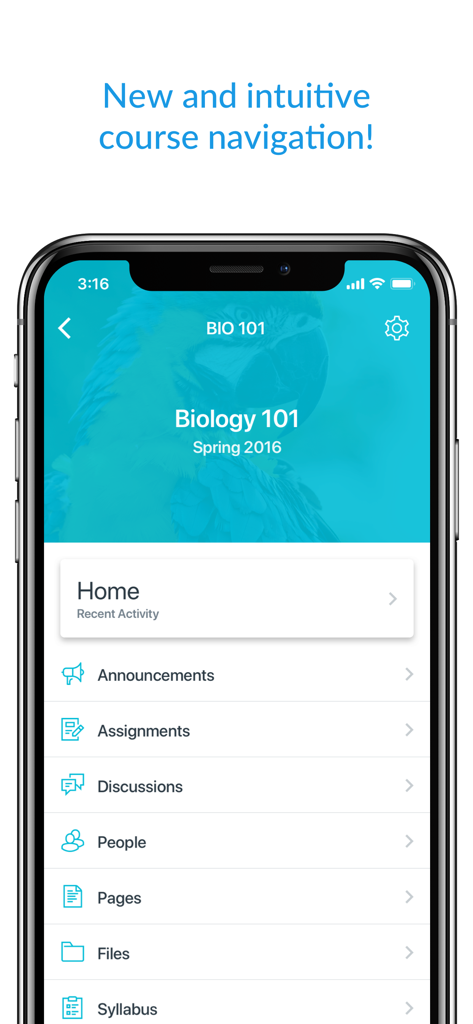
Canvas student app interface displaying the course navigation menu for a Biology class
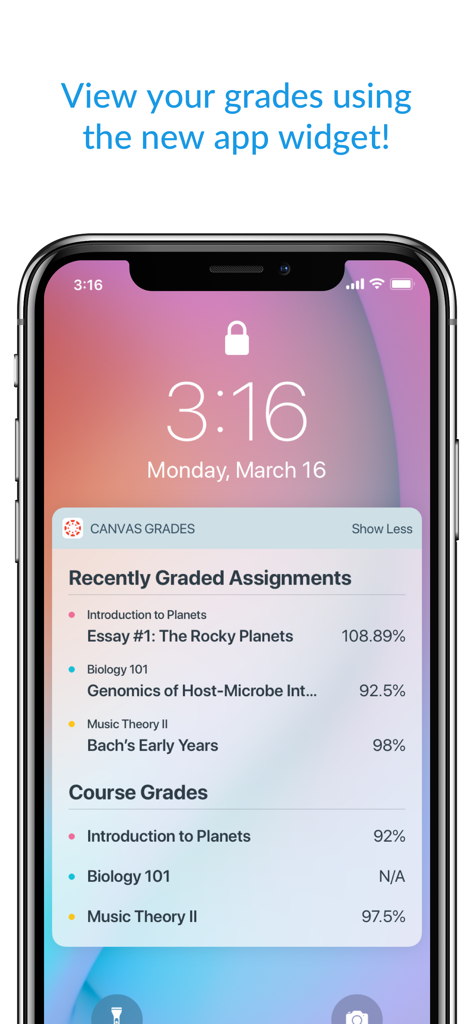
Canvas app widget on an iPhone lock screen showing academic grades and assignments
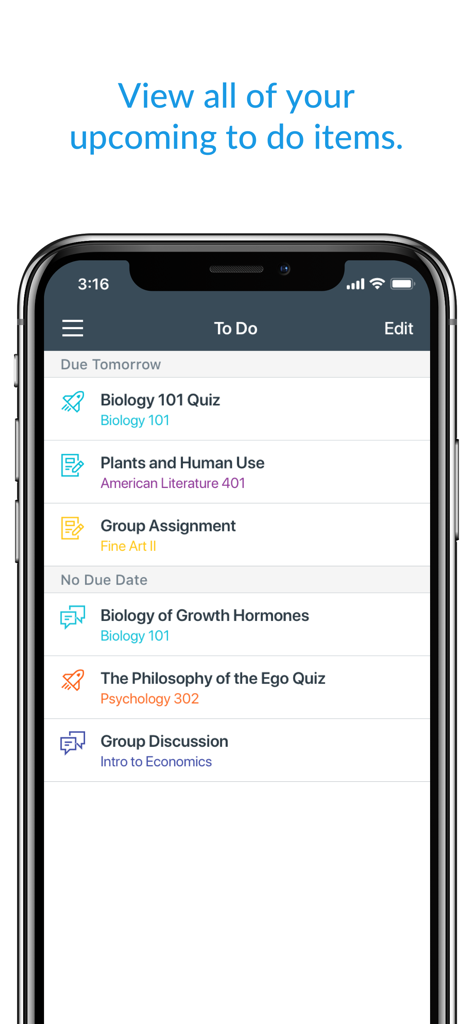
Canvas mobile app screen showing a student to-do list with upcoming assignments and quizzes
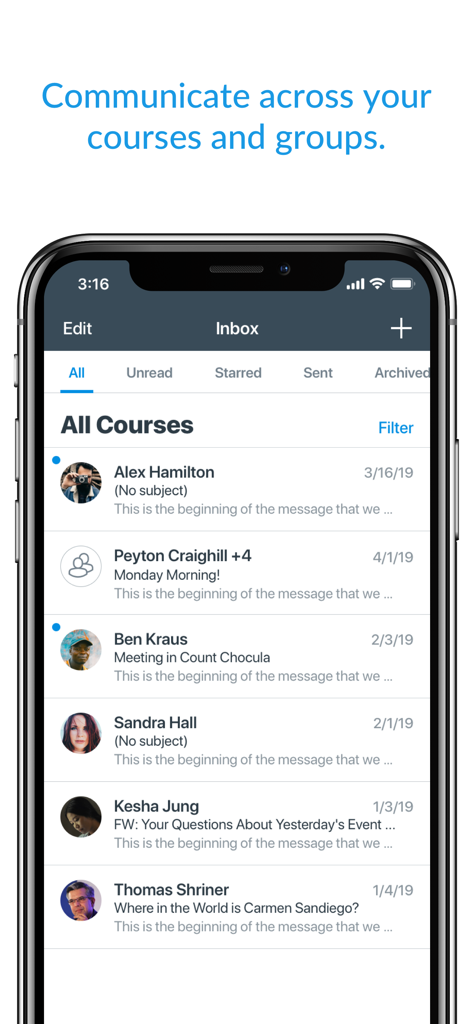
Mobile view of the Canvas by Instructure app inbox showing course messages and student communications
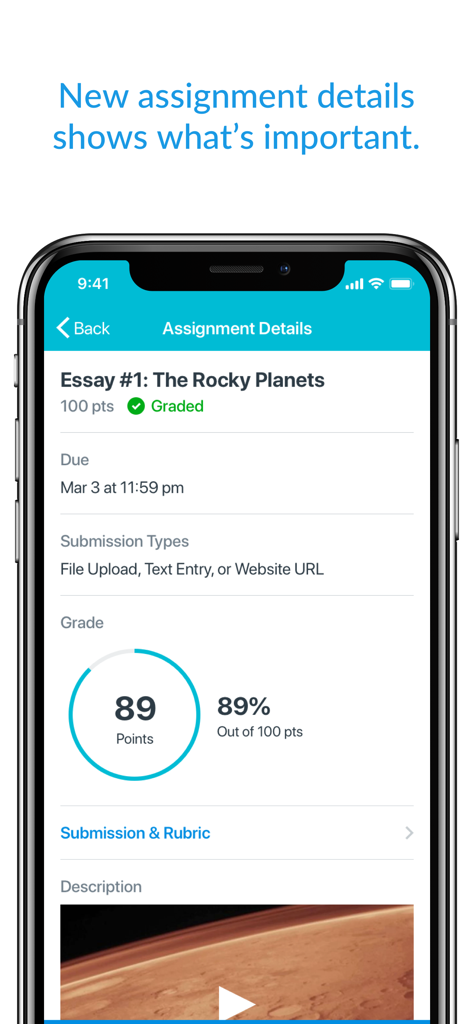
iPhone screen showing Canvas app assignment details for an essay with an eighty-nine percent grade score
Description
Download
More Like This
Apps with similar features and user experience

ClassDojo
ClassDojo, Inc.

Госуслуги Моя школа
MINKOMSVYAZ ROSSII, FKU

Remind: School Communication
PARENTSQUARE LLC

Agenda Edu SuperApp
Agenda Kids Ltda ME

FAMILIES | TalkingPoints
TalkingPoints Corp

ParentSquare
PARENTSQUARE LLC

Brightspace Pulse
D2L Corporation

PowerSchool Mobile
PowerSchool Group LLC

Compass School Manager
Compass Operations Pty Ltd
This page is not an official page of the app or its developer, but an independent editorial publication created for informational and commentary purposes. Unless expressly stated otherwise, neither the app nor its developer is affiliated with, endorsed by, sponsored by, authorized by, or otherwise officially connected with MWM, Apple, Google Play, the app publisher, or the app's developer, and nothing on this page implies that the app was developed using MWM's services. Any trademarks, logos, screenshots, and other content remain the property of their respective owners.