
This page is not an official page of the app or its developer, but an independent editorial publication created for informational and commentary purposes. Unless expressly stated otherwise, neither the app nor its developer is affiliated with, endorsed by, sponsored by, authorized by, or otherwise officially connected with MWM, Apple, Google Play, the app publisher, or the app's developer, and nothing on this page implies that the app was developed using MWM's services. Any trademarks, logos, screenshots, and other content remain the property of their respective owners.


PowerSchool Mobile
Stay ahead with instant access to grades, attendance, and GPA tracking. Empowering parents and students to monitor progress and master school life from the palm of their hand.
Downloads
19M+User Rating
Total Ratings
943K+Publisher
Category
EducationLocales
3Latest Version
25.12.0Size
129.3 MBFirst Released
Jun 30, 2015Stay Connected to Academic Success
Real-time insights and personalized tools designed to help parents and students stay ahead of every grade, assignment, and attendance record.
Real-Time Progress Tracking
Monitor grades, GPA, and attendance as they happen, eliminating report card surprises and allowing for immediate academic support.
Instant Smart Notifications
Receive immediate push alerts for new grades, missing assignments, and school bulletins so you never miss a critical update.
Frequently Asked Questions
Everything you need to know about PowerSchool Mobile
What is the PowerSchool Mobile app?
The PowerSchool Mobile app provides parents, guardians, and students convenient access to real-time student information including grades, assignments, and attendance. It features an updated user interface and dashboard.
What student information can I access through the PowerSchool Mobile app?
The PowerSchool Mobile app provides access to real-time student data such as GPA, class overview, assignments due, assignments graded, attendance, school bulletins, meal balance, and fees.
Can users customize the dashboard in the PowerSchool Mobile app?
Yes, users can customize the dashboard in the PowerSchool Mobile app. They can reorder or hide various widgets to prioritize the information most important to them.
Does the PowerSchool Mobile app show detailed class assignments?
Yes, the PowerSchool Mobile app displays detailed class assignments. Users can drill down from class information to view specific assignment details and grades.
What are the system requirements for the PowerSchool Mobile app?
The PowerSchool Mobile app requires iOS version 13.0 or higher. A wireless connection or mobile data plan is also necessary for its operation.
Is a PowerSchool Student Information System required to use the app?
Yes, the PowerSchool Mobile app requires that your school district uses the PowerSchool Student Information System (SIS). The app does not function without it.
Can I view my academic calendar with assignments in PowerSchool Mobile?
Yes, the PowerSchool Mobile app includes a new calendar view. This allows users to see class assignments for the week or month and drill down to assignment details.
How can I manage notifications in the PowerSchool Mobile app?
The PowerSchool Mobile app allows users to manage both push and email notifications. This feature provides control over how students and parents receive updates.
Does PowerSchool Mobile provide attendance records?
Yes, the PowerSchool Mobile app provides access to attendance information. Users can view this data as part of the class overview and detailed views.
Are meal balance totals available in the PowerSchool Mobile app?
Yes, meal balance totals are available in the PowerSchool Mobile app, but only if your school uses the PowerLunch meal management feature within the PowerSchool SIS.
The following screenshots and description are sourced directly from the app's official store listing and are the property of the app developer.
App Store
Screenshots
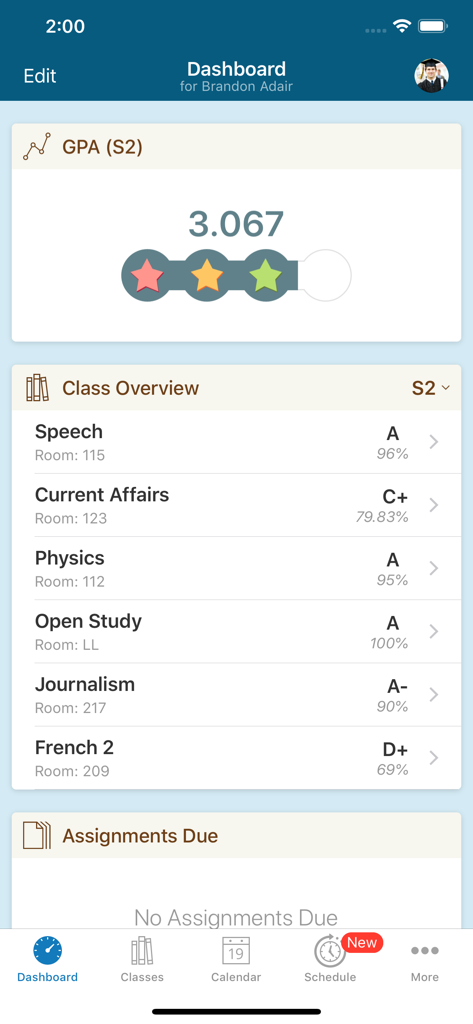
Screenshot of the PowerSchool Mobile app dashboard showing student GPA and class grades
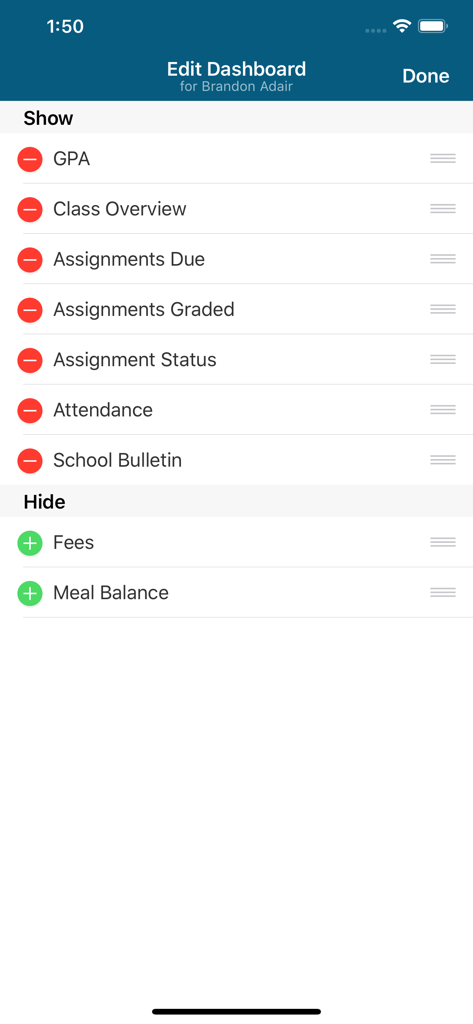
Screen for customizing dashboard widgets in the PowerSchool Mobile app including GPA assignments and attendance
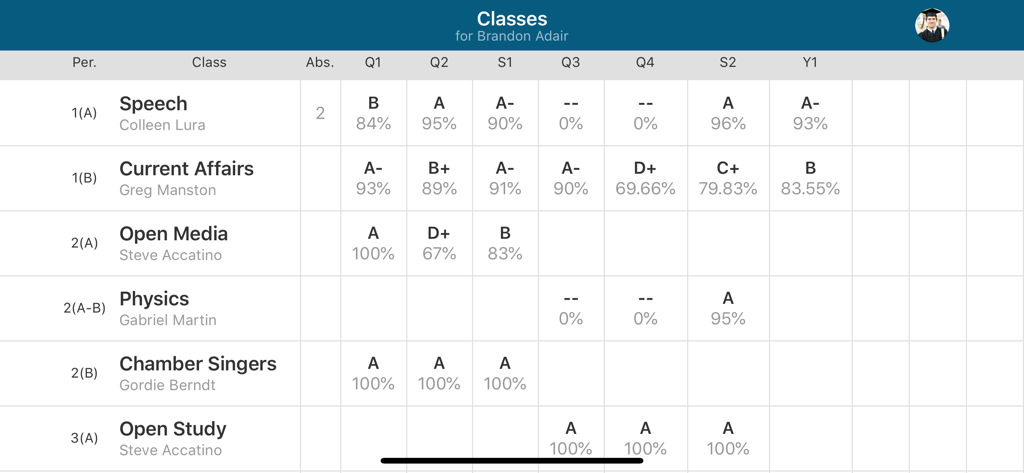
Table view of student grades and attendance records in the PowerSchool Mobile app.
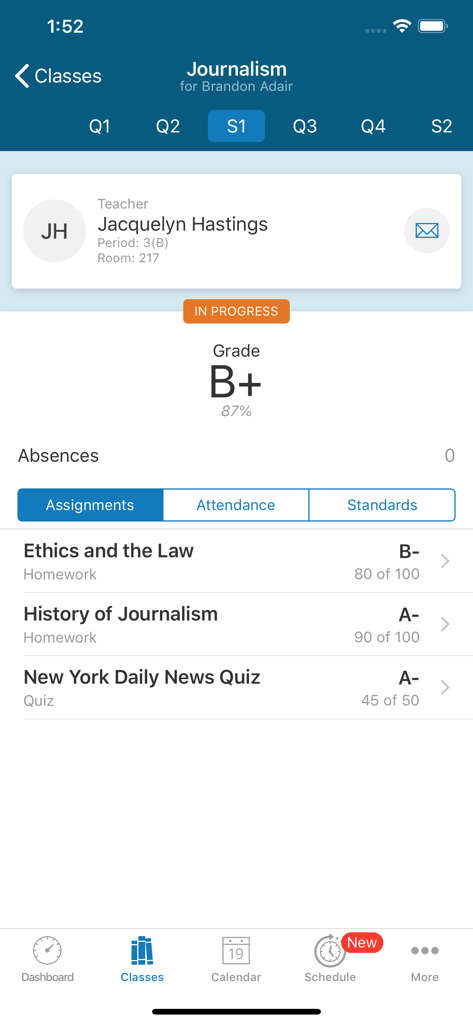
PowerSchool Mobile app screenshot showing a student's journalism class grades assignments and teacher information
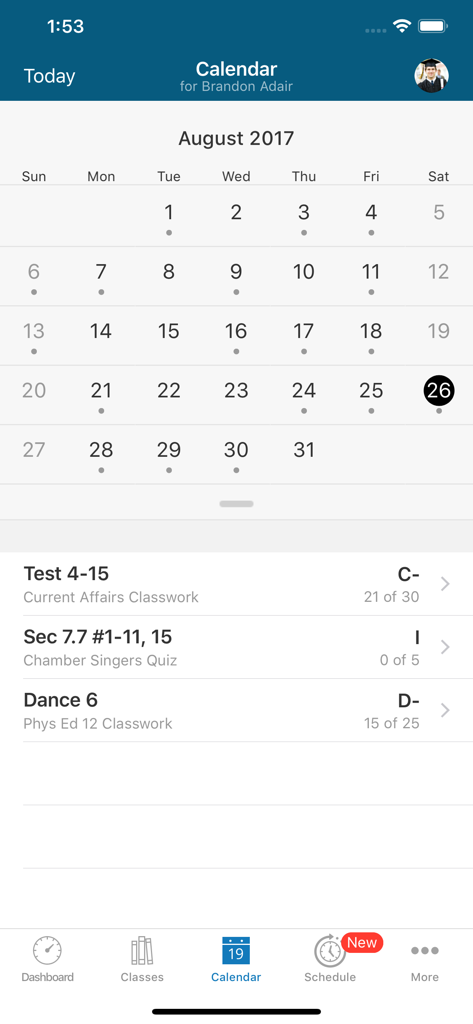
PowerSchool Mobile app calendar interface showing a student's assignments and grades for August
Description
Download
More Like This
Apps with similar features and user experience

ClassDojo
ClassDojo, Inc.

Госуслуги Моя школа
MINKOMSVYAZ ROSSII, FKU

Remind: School Communication
PARENTSQUARE LLC

Agenda Edu SuperApp
Agenda Kids Ltda ME

FAMILIES | TalkingPoints
TalkingPoints Corp

Canvas by Instructure
Instructure, Inc.

ParentSquare
PARENTSQUARE LLC

Brightspace Pulse
D2L Corporation

Compass School Manager
Compass Operations Pty Ltd
This page is not an official page of the app or its developer, but an independent editorial publication created for informational and commentary purposes. Unless expressly stated otherwise, neither the app nor its developer is affiliated with, endorsed by, sponsored by, authorized by, or otherwise officially connected with MWM, Apple, Google Play, the app publisher, or the app's developer, and nothing on this page implies that the app was developed using MWM's services. Any trademarks, logos, screenshots, and other content remain the property of their respective owners.