
This page is not an official page of the app or its developer, but an independent editorial publication created for informational and commentary purposes. Unless expressly stated otherwise, neither the app nor its developer is affiliated with, endorsed by, sponsored by, authorized by, or otherwise officially connected with MWM, Apple, Google Play, the app publisher, or the app's developer, and nothing on this page implies that the app was developed using MWM's services. Any trademarks, logos, screenshots, and other content remain the property of their respective owners.


AD Boy: All-in-One-Emulator
The ultimate all-in-one emulator for NDS, GBA, SNES, and Sega. Relive your favorite childhood classics with modern features like quick-saves, fast-forward, and customizable skins in one sleek, portable library.
Downloads
604K+User Rating
Total Ratings
600Publisher
Category
GamesLocales
1Latest Version
2.3.1Size
40.1 MBFirst Released
Mar 9, 2024Your Entire Childhood in One Pocket
Bring back the magic of the 80s, 90s, and 2000s. AD Boy turns your iPhone into the ultimate all-in-one retro console with support for 8 legendary systems.
8 Consoles, Zero Bulk
Access everything from NES to Nintendo DS and Sega Genesis. Enjoy a massive library of classics without carrying a single piece of extra hardware.
Gaming for Busy Lives
Master the games you never finished. Use Quick Save to stop anywhere and Fast Forward to breeze through slow dialogue during your commute.
Frequently Asked Questions
Everything you need to know about AD Boy: All-in-One-Emulator
What is AD Boy?
AD Boy is an all-in-one emulator for reliving classic gaming. It supports systems like NDS, GBA, GBC, GB, NES, SNES, SMS, SG, and SGG, enabling retro titles directly on your device.
Which gaming systems does AD Boy support?
AD Boy supports Nintendo DS, Game Boy, Game Boy Color, Game Boy Advance, Nintendo Entertainment System, Super Nintendo Entertainment System, Sega Master System, Sega Genesis/Mega Drive, and Sega Game Gear.
Can I organize my games within the AD Boy emulator?
Yes, AD Boy features PlayStack. This organizes your game collection in a sleek library, allowing you to easily launch titles with the integrated Game Launcher.
Does AD Boy include a fast forward feature?
Yes, AD Boy offers a Fast Forward feature. This allows you to play your game at an accelerated speed, helping you reach your in-game goals more quickly.
How does AD Boy handle game saves?
AD Boy provides Quick Save and Quick Load functionalities. You can save your game progress instantly at any point and load it back whenever you wish to continue playing.
Can AD Boy export and import game save states?
Yes, AD Boy supports Save State Export/Import. This feature lets you export your game progress to play on another device or emulator, and then import it back into AD Boy.
Are there customization options for the AD Boy app interface?
Yes, AD Boy provides Skins to customize its appearance. Users can choose from a variety of skins to personalize the emulator's look to their preference.
Does AD Boy support the use of cheat codes?
Yes, AD Boy incorporates a Cheats Codes feature. This allows users to enhance their gaming experience by applying various cheat codes within the emulator.
Is AD Boy officially endorsed by console manufacturers?
No, AD Boy is an independent application. It explicitly states that it has no affiliation with any console manufacturers.
Does AD Boy condone game piracy?
No, AD Boy does not endorse or support piracy. The app requires users to only use legally acquired game files for its operation.
The following screenshots and description are sourced directly from the app's official store listing and are the property of the app developer.
App Store
Screenshots
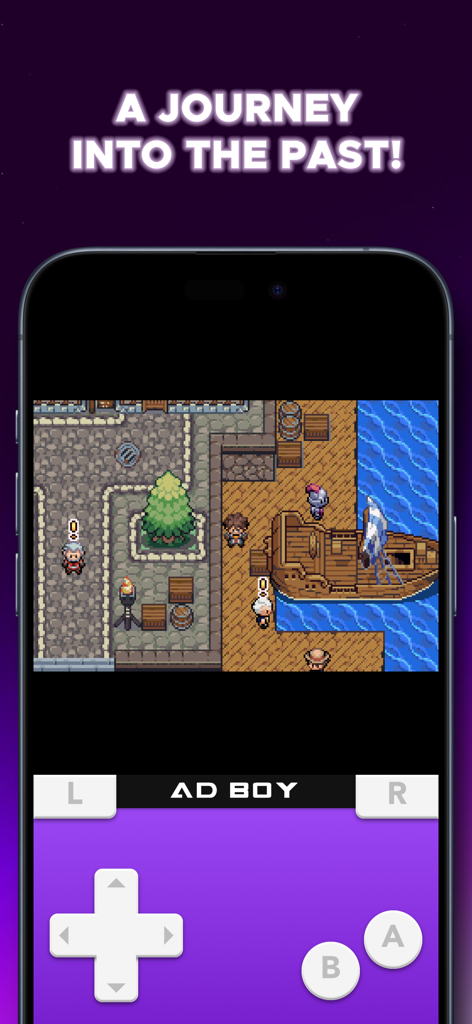
AD Boy emulator playing a retro RPG game on an iPhone with a purple handheld console skin
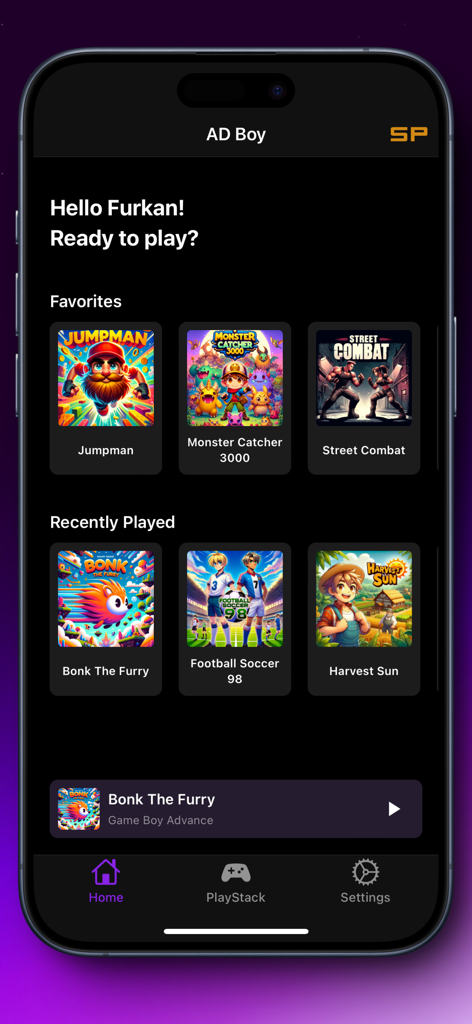
AD Boy app home screen showing favorites and recently played retro games
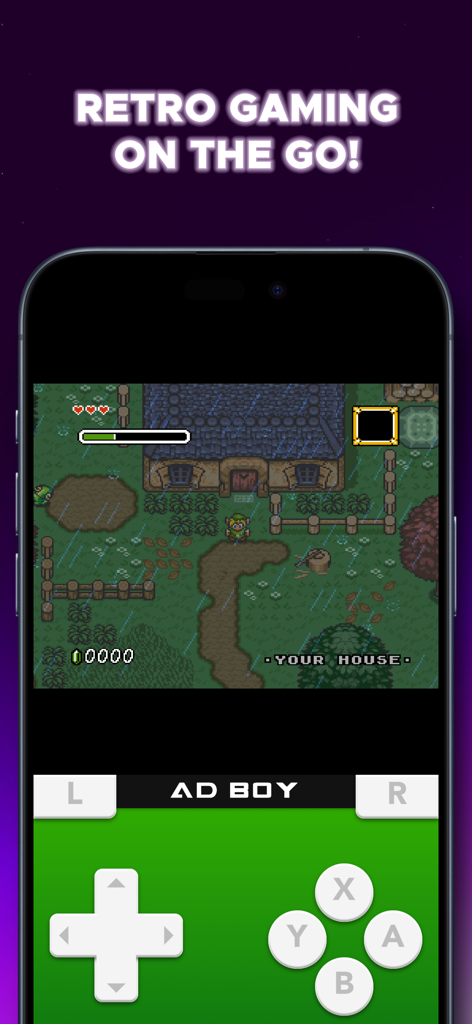
AD Boy all in one emulator playing a classic adventure game on an iPhone with a virtual controller skin
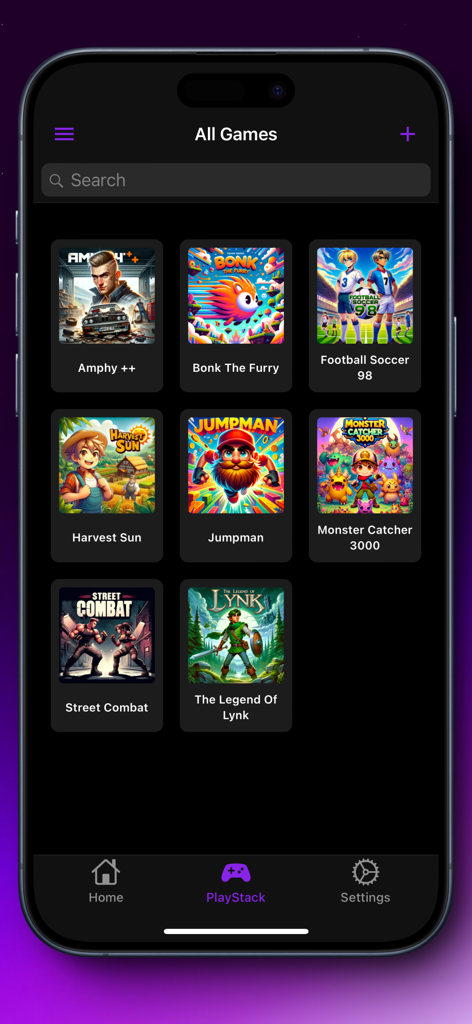
AD Boy app interface showing a sleek grid-view library of classic games in the PlayStack launcher
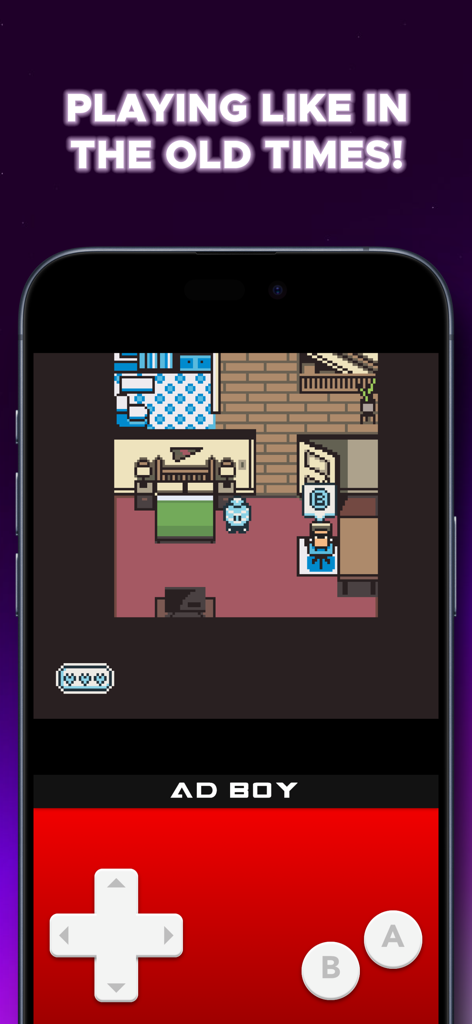
AD Boy emulator showing a retro pixel art game with a red controller skin on an iPhone
Description
Download
More Like This
Top-ranked apps in the same category

Block Blast!
ARETIS LIMITED

Heartopia
XD Entertainment Co., Ltd.

Solitaire Associations Journey
Hitapps Games LTD

Roblox
Roblox Corporation

Gossip Harbor®: Merge & Story
Microfun Limited

Arrows – Puzzle Escape
Lessmore UG haftungsbeschraenkt

Township
PLR Worldwide Sales Limited

Last War:Survival
FUNFLY PTE. LTD.

Vita Mahjong
VITA STUDIO PTE. LTD.
This page is not an official page of the app or its developer, but an independent editorial publication created for informational and commentary purposes. Unless expressly stated otherwise, neither the app nor its developer is affiliated with, endorsed by, sponsored by, authorized by, or otherwise officially connected with MWM, Apple, Google Play, the app publisher, or the app's developer, and nothing on this page implies that the app was developed using MWM's services. Any trademarks, logos, screenshots, and other content remain the property of their respective owners.