
This page is not an official page of the app or its developer, but an independent editorial publication created for informational and commentary purposes. Unless expressly stated otherwise, neither the app nor its developer is affiliated with, endorsed by, sponsored by, authorized by, or otherwise officially connected with MWM, Apple, Google Play, the app publisher, or the app's developer, and nothing on this page implies that the app was developed using MWM's services. Any trademarks, logos, screenshots, and other content remain the property of their respective owners.


AI Home Design: DecoLab
Transform any photo into a professional design rendering in under a minute. From interior refreshes to landscape overhauls, see your vision come to life before you start your renovation.
Downloads
64K+User Rating
Total Ratings
700Publisher
Category
Graphics & DesignLocales
1Latest Version
2.9Size
51.9 MBFirst Released
Apr 27, 2023Redesign Your Space with AI Precision
Turn any photo into a professional-grade rendering in seconds. From interior mood boards to complete backyard overhauls, visualize your dream home without the designer price tag.
Instant Virtual Staging
Transform empty rooms into stunning, fully-furnished spaces. Perfect for realtors and homeowners looking to visualize a property's true potential.
One-Tap Style Refresh
Experiment with different aesthetics, from Minimalist to Rustic. Swap floors, wall colors, and furniture to find your perfect look before you buy.
Frequently Asked Questions
Everything you need to know about AI Home Design: DecoLab
What is AI Home Design: DecoLab?
DecoLab is an AI Home Design companion that generates realistic design renderings in various styles by simply uploading a photo. It transforms any room or whole house into a fresh design idea in under a minute.
Can DecoLab visualize interior design changes room-by-room?
Yes, DecoLab helps visualize every corner of a home individually. It allows users to swap floor finishes, tweak bathroom layouts, and choose personalized decor touches for specific rooms.
Does AI Home Design: DecoLab offer virtual home staging?
Yes, DecoLab offers virtual home staging. It furnishes empty or unfinished spaces with realistic furniture and decor, transforming them into stunning staged images suitable for real estate listings or interior design.
Can DecoLab help with landscape redesigns?
Yes, DecoLab visualizes complete landscape redesigns for patios, lawns, and gardens. It shows plant placement, hardscape accents, and outdoor living zones in lifelike detail, including patio styling and planting schemes.
What types of exterior renovations can DecoLab visualize?
DecoLab visualizes exterior renovations including remodeling facades, roofing, and more. It allows users to choose from a variety of architectural styles while preserving the original structure of a house or commercial property.
Can I change wall and floor finishes with DecoLab?
Yes, DecoLab allows users to try a variety of colors, textures, tones, and materials for walls and floors. It supports switching between bold transformations and simple tweaks to achieve the desired look.
What design styles are available in the DecoLab app?
DecoLab offers a plethora of curated design styles, including modern, rustic, minimalist, charm, retro, Scandinavian, and classic. These styles provide thoughtfully placed furniture, realistic materials, and cohesive color palettes.
How much does a DecoLab subscription cost?
DecoLab subscriptions are available weekly for $7.99, or yearly for $19.99 or $39.99. Payment is charged to the iTunes Account upon purchase confirmation.
How do I manage or cancel my DecoLab subscription?
Users manage and cancel DecoLab subscriptions through their Apple ID Account Settings. Subscriptions automatically renew unless auto-renew is turned off at least 24 hours before the current period ends.
What iOS version does DecoLab require?
DecoLab requires iOS 17 or later to function. Users must ensure their device meets this operating system requirement for app compatibility.
Where can I find the privacy policy for DecoLab?
The privacy policy for DecoLab is available at https://irontech.mobi/decolab/ios/privacy. It outlines how the app handles user data and information.
Can I remove or replace objects in my designs using DecoLab?
DecoLab allows users to remove and replace objects like couches, plants, lamps, tables, and wall art. This feature enables users to swap items to fit their personalized aesthetics, down to any detail.
The following screenshots and description are sourced directly from the app's official store listing and are the property of the app developer.
App Store
Screenshots
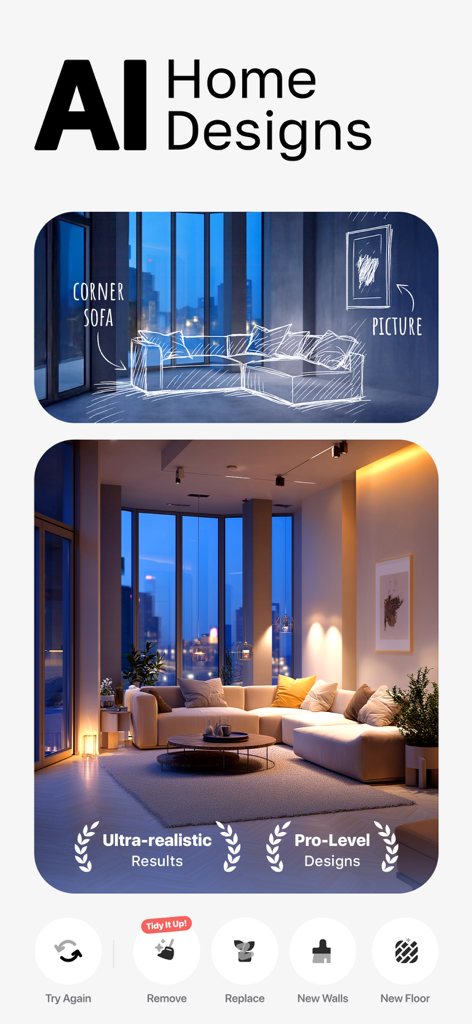
Transformation of a living room sketch into a realistic AI-designed interior with professional furniture and lighting
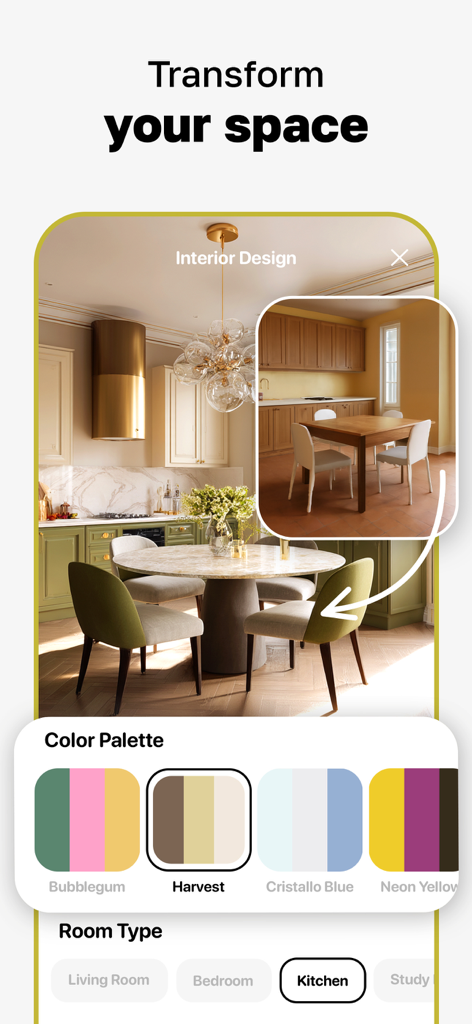
A mobile app interface showcasing a kitchen redesign from a simple dining area to a modern kitchen using AI with a color palette selector.
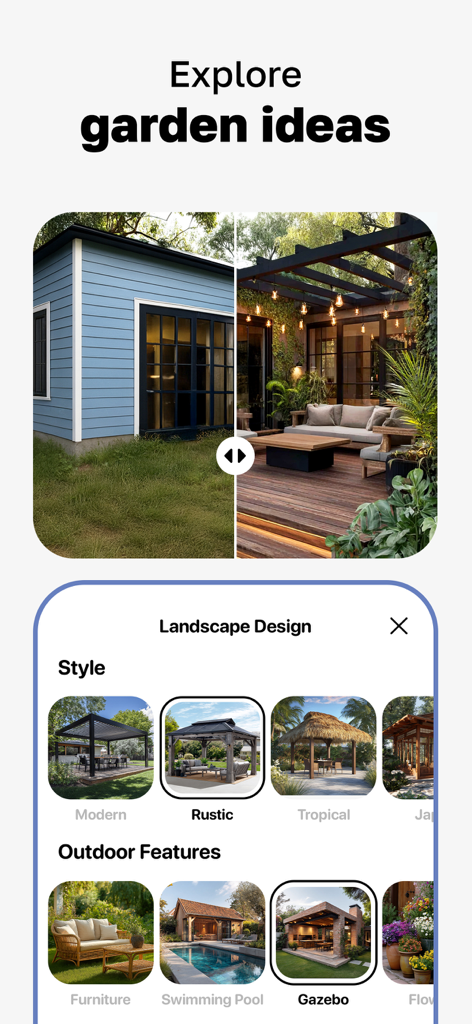
AI Home Design app interface showing a before and after garden transformation and outdoor landscape design options
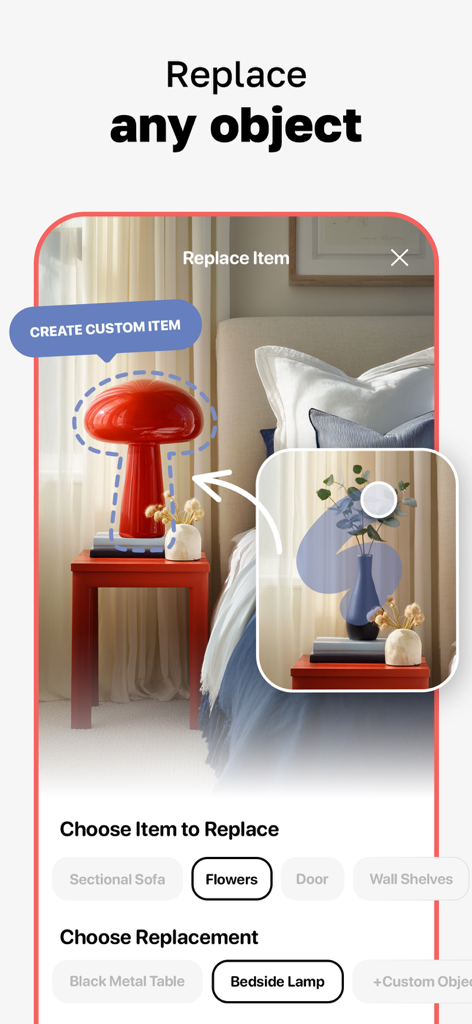
AI app interface showing how to replace a bedroom lamp with a custom design using AI Home Design DecoLab
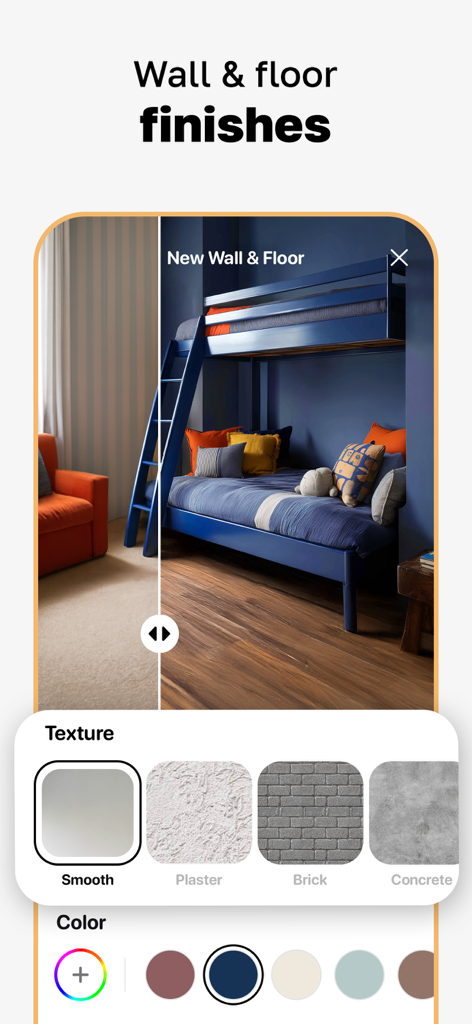
AI app interface for customizing wall and floor finishes in a kids bedroom

A gallery of personalized AI generated interior and exterior home design concepts in the DecoLab app
Description
Download
More Like This
Apps with similar features and user experience

AI Decor - AI Home Design
Yspira Digital Limited

Remodel AI - Home Design
REIMAGE AI INC.

Interior Design:AI Spacely
翠霞 郭

AI Home Design - Homely AI
OCEAN FLOAT MOBILE LIMITED

Smartist: Art Preview on Wall
Smartist, Inc.

AI Interior Design Home Decor
Ngoan Doan Thi

AI Interior Design Decor Home.
Le Khanh
Deco: AI Remodel & Home Design
ANCIENDA TEKNOLOJI YAZILIM VE PAZARLAMA ANONIM SIRKETI

HOQI - Home Staging AI
Intella
This page is not an official page of the app or its developer, but an independent editorial publication created for informational and commentary purposes. Unless expressly stated otherwise, neither the app nor its developer is affiliated with, endorsed by, sponsored by, authorized by, or otherwise officially connected with MWM, Apple, Google Play, the app publisher, or the app's developer, and nothing on this page implies that the app was developed using MWM's services. Any trademarks, logos, screenshots, and other content remain the property of their respective owners.