
This page is not an official page of the app or its developer, but an independent editorial publication created for informational and commentary purposes. Unless expressly stated otherwise, neither the app nor its developer is affiliated with, endorsed by, sponsored by, authorized by, or otherwise officially connected with MWM, Apple, Google Play, the app publisher, or the app's developer, and nothing on this page implies that the app was developed using MWM's services. Any trademarks, logos, screenshots, and other content remain the property of their respective owners.


Ai Photo Retouch -Video Editor
Most editing apps bury creativity in menus. This one hands users the power to dominate feeds.
Downloads
1M+User Rating
Total Ratings
84.7KPublisher
Category
Photo & VideoLocales
1Latest Version
9.1Size
534.4 MBFirst Released
May 21, 2019Essential tools for quick and creative video transformations.
Core Video Editing Capabilities
Video Trimming & Cutting
The app provides precise tools to effortlessly trim and cut video segments, allowing users to remove unwanted parts or shorten clips to fit various social media platforms.
Video Merging
This tool features the ability to seamlessly merge multiple video clips into one continuous file, ideal for creating compilations or longer narratives for social sharing.
GIF Converter
It allows users to convert favorite video segments into animated GIF files, making it simple to create engaging, shareable content for social networks and messaging apps.
Mute Video Audio
The app offers a function to easily remove the audio stream from any video, enabling users to add new music or voiceovers, or simply create silent clips.
The following screenshots and description are sourced directly from the app's official store listing and are the property of the app developer.
App Store
Screenshots

See how the app automatically restores old black and white photos, revealing vibrant colors on both the child's image and the rabbit's fur with a simple swipe.
Colorize Memories

This tool effortlessly clarifies blurry images, enhancing fine facial features and the sharpness of the red beret for stunning clarity.
Sharpen Details
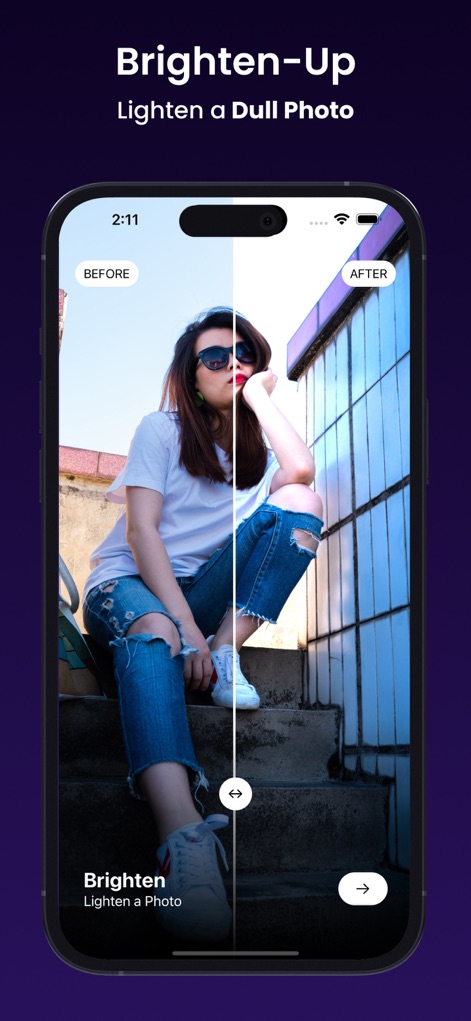
Users can easily brighten underexposed photos, transforming a dull street scene into a vibrant image with improved lighting and color saturation.
Enhance Exposure

Explore dynamic neon effects with options like a glowing geometric shape and stylish spiral overlays to add an artistic touch to any portrait.
Creative Neon Glow
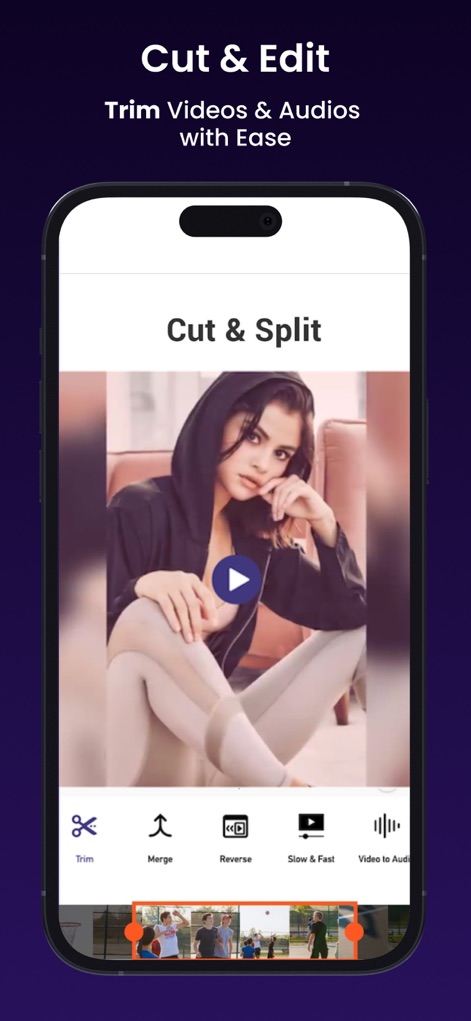
This powerful editor allows users to precisely trim video segments using the intuitive timeline, along with options to merge and reverse clips for creative control.
Precision Video Trimming

Instantly cartoonize photos with a single tap, converting realistic portraits into stylish illustrated versions while preserving key facial characteristics.
Transform to Toon
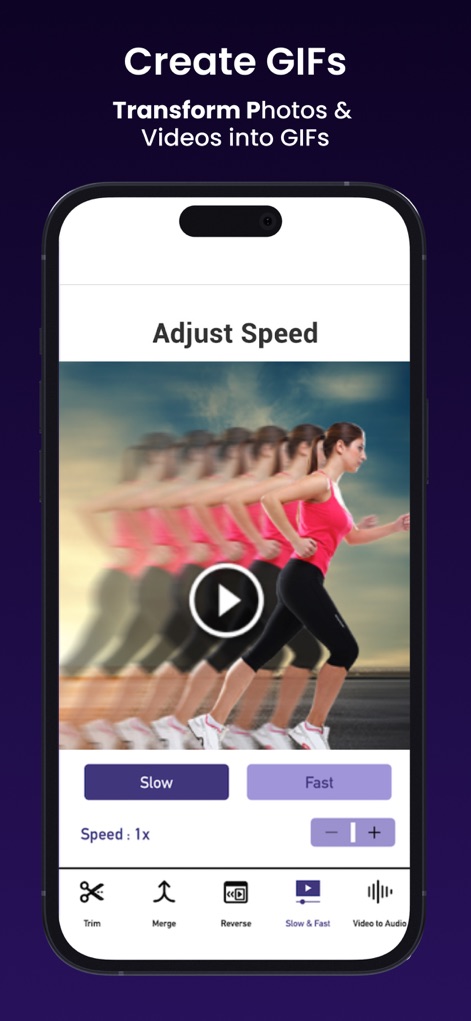
Users can effortlessly adjust video playback speed between slow and fast motion, creating captivating GIFs and dynamic visual effects from their clips.
Dynamic Speed Control
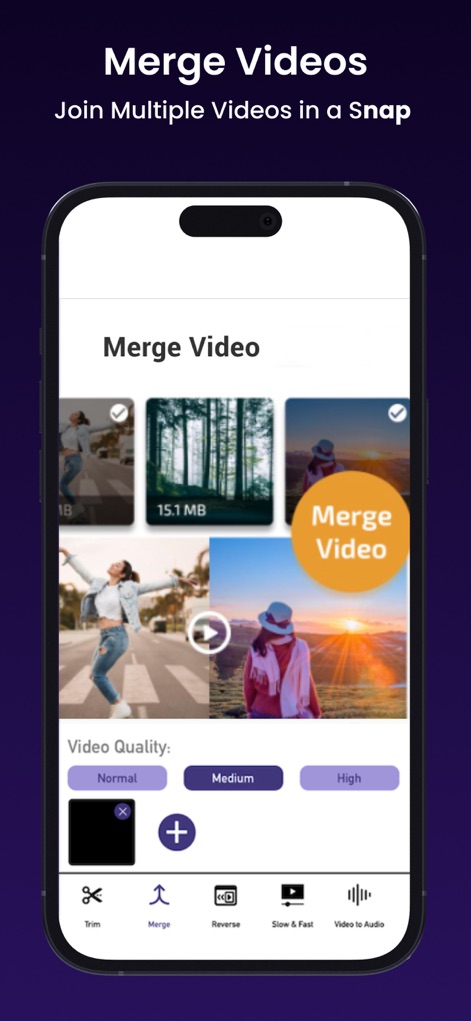
Consolidate multiple video clips into one continuous stream, with flexible quality settings (Normal, Medium, High) to suit various sharing needs.
Seamless Video Merging
Description
Download
More Like This
Apps with similar features and user experience

No Crop Photo Video Resize
Honk Honk Punch Pty Ltd

Blackhole Lite - Black Hole
Parth Talpara

CutStory: AI Reels Editor
LLC Sport Star Management

No Crop - Square quick sized
HOANG PHAM

TikEdit-国际版国外热门短视频编辑器
琼 周

Quick Edit: Video,Photo Editor
Monjur Morshed

Edit Up: AI Photo Video Editor
Debotosh Dey

BlackSave Video Spliter
Milinda Dsouza

Video Plus - Music Editor Crop
pixel force private limited
This page is not an official page of the app or its developer, but an independent editorial publication created for informational and commentary purposes. Unless expressly stated otherwise, neither the app nor its developer is affiliated with, endorsed by, sponsored by, authorized by, or otherwise officially connected with MWM, Apple, Google Play, the app publisher, or the app's developer, and nothing on this page implies that the app was developed using MWM's services. Any trademarks, logos, screenshots, and other content remain the property of their respective owners.