
This page is not an official page of the app or its developer, but an independent editorial publication created for informational and commentary purposes. Unless expressly stated otherwise, neither the app nor its developer is affiliated with, endorsed by, sponsored by, authorized by, or otherwise officially connected with MWM, Apple, Google Play, the app publisher, or the app's developer, and nothing on this page implies that the app was developed using MWM's services. Any trademarks, logos, screenshots, and other content remain the property of their respective owners.

AI Reverse Audio
Flip your voice instantly and create mind-bending clips for TikTok and Reels. Join the viral trend, challenge your friends, and hear yourself like never before with high-quality, private on-device processing.
Downloads
128K+User Rating
Total Ratings
100Publisher
Category
EntertainmentLocales
1Latest Version
1.1.4Size
171.9 MBFirst Released
Nov 18, 2025The Ultimate Viral Audio Lab
Join the trend with one-tap reverse tools designed for creators, gamers, and trend-setters.
Master the Backwards Challenge
Record, flip, and practice your reverse voice to create hilarious viral content for TikTok and Reels in seconds.
Instant A/B Comparison
Use high-quality side-by-side playback to fine-tune your reverse singing and track your progress instantly.
Frequently Asked Questions
Everything you need to know about AI Reverse Audio
How does the AI Reverse Audio app work?
AI Reverse Audio records a phrase, reverses it for playback, allows users to imitate the reversed version, and then compares their new recording to the original.
What are the main features of AI Reverse Audio?
Key features of AI Reverse Audio include one-tap reverse and playback, high-quality on-device audio processing, saving recordings, a simple interface, and A/B-style comparison.
Does AI Reverse Audio save user recordings?
Yes, AI Reverse Audio saves your recordings. Users can revisit their recordings over time and manage them from within the app's history.
Does AI Reverse Audio require microphone access?
Yes, AI Reverse Audio requires microphone access. This permission is necessary to record audio directly through your device.
Are recordings processed on a server by AI Reverse Audio?
No, AI Reverse Audio processes recordings locally on your device. The app does not upload your recordings to a server.
Can users delete their recordings in AI Reverse Audio?
Yes, users can delete their recordings at any time from within the AI Reverse Audio app. The app provides full control over stored audio.
What personal data does AI Reverse Audio access?
AI Reverse Audio does not request access to photos, contacts, or other personal data. It exclusively requires microphone access for its core functionality.
Can I loop audio playback in AI Reverse Audio?
Yes, AI Reverse Audio offers a playback loop function. Users can enable this feature to continuously repeat audio playback.
Can I adjust the playback speed in AI Reverse Audio?
Yes, AI Reverse Audio includes a playback speed adjustment. Users can control the speed of the audio playback using a dedicated slider.
How do I record audio using AI Reverse Audio?
To record audio in AI Reverse Audio, tap the "Tap to record" button. This button changes to "Tap to stop" to end the recording session.
What are the common uses for the AI Reverse Audio app?
AI Reverse Audio is useful for practicing reverse singing, creating unique social media content, and playing audio-based games and challenges with friends.
The following screenshots and description are sourced directly from the app's official store listing and are the property of the app developer.
App Store
Screenshots
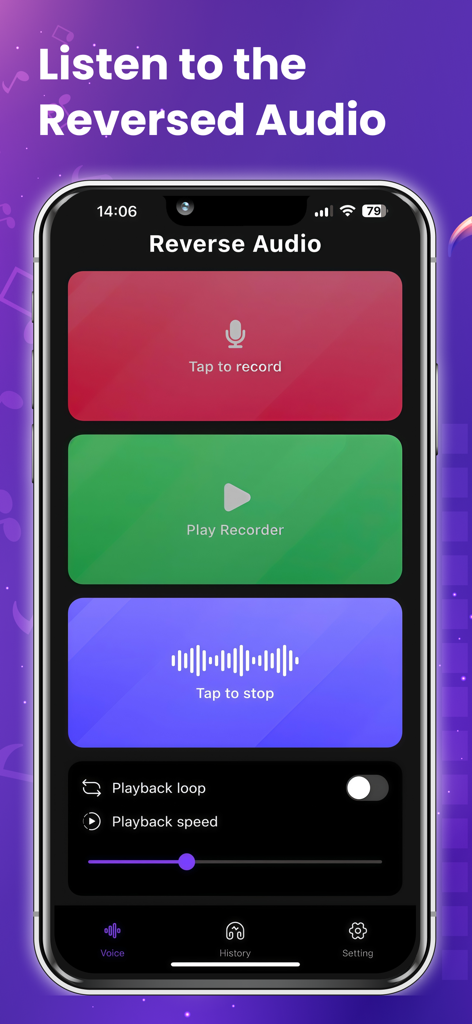
A smartphone screen displaying the AI Reverse Audio app with colorful buttons to record and play back audio
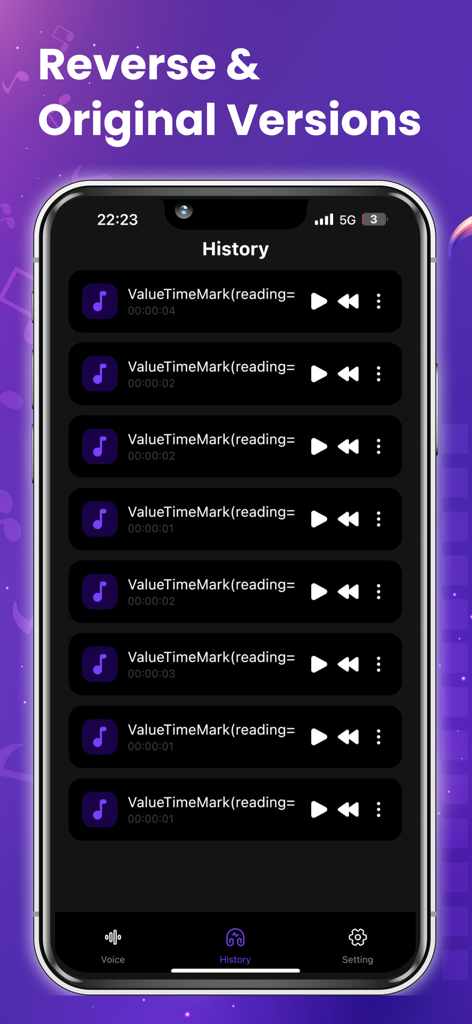
A list of saved voice recordings in the History screen of the AI Reverse Audio app.
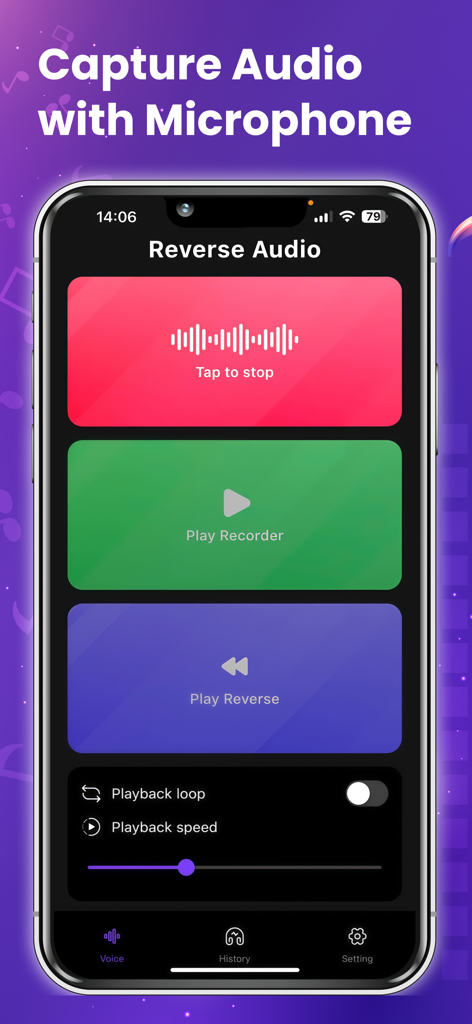
Interface of the AI Reverse Audio app showing recording and playback controls.
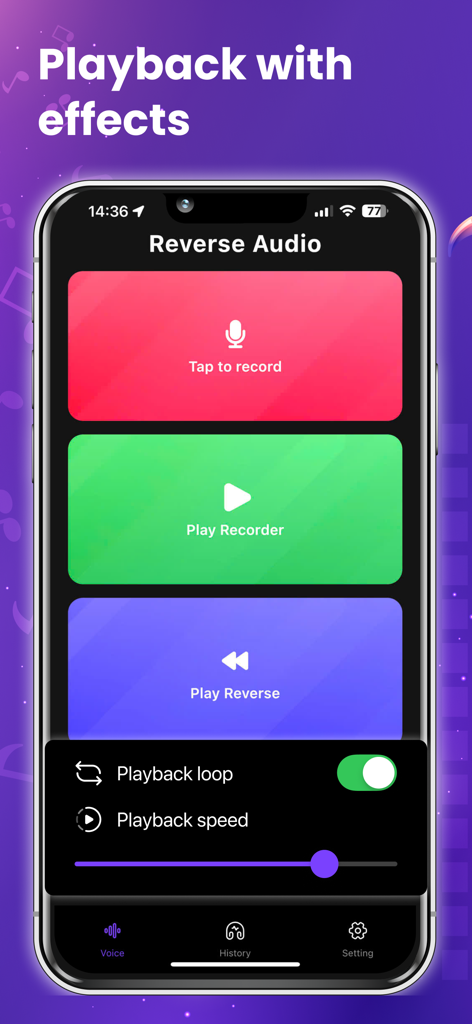
AI Reverse Audio app interface showing recording buttons and playback speed settings.
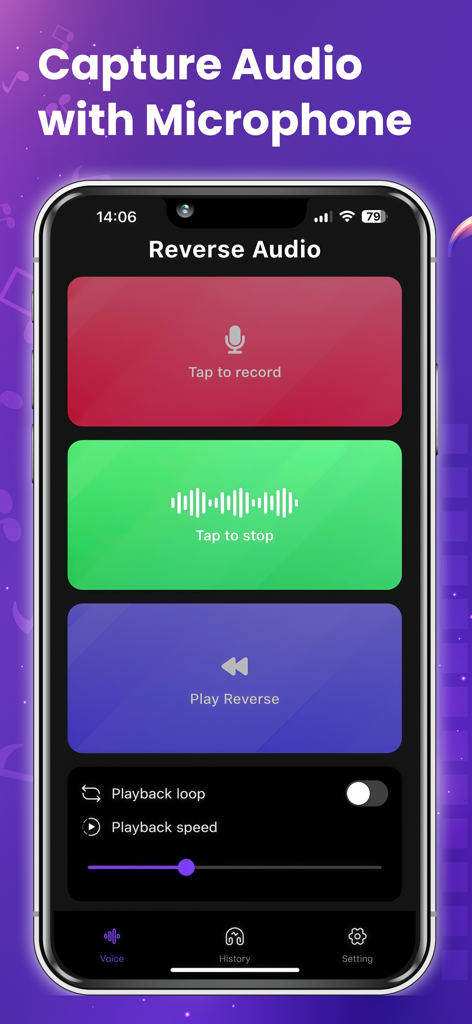
AI Reverse Audio app interface on a mobile phone showing the capture screen with record and play reverse buttons.
Description
Download
More Like This
Top-ranked apps in the same category

TikTok - Videos, Shop & LIVE
TIKTOK PTE. LTD.

Netflix
Netflix, Inc.

Freecash - Get Paid Real Money
256 REWARDS LTD

DramaBox - Stream Drama Shorts
STORYMATRIX PTE. LTD

HBO Max: Stream Movies & TV
WarnerMedia Global Digital Services, LLC

Amazon Prime Video
AMZN Mobile LLC

NetShort - Popular Dramas & TV
NETSTORY PTE. LTD.

ReelShort - Stream Drama & TV
New Leaf Publishing, Inc.

Disney+
Disney Electronic Content, Inc.
This page is not an official page of the app or its developer, but an independent editorial publication created for informational and commentary purposes. Unless expressly stated otherwise, neither the app nor its developer is affiliated with, endorsed by, sponsored by, authorized by, or otherwise officially connected with MWM, Apple, Google Play, the app publisher, or the app's developer, and nothing on this page implies that the app was developed using MWM's services. Any trademarks, logos, screenshots, and other content remain the property of their respective owners.