
This page is not an official page of the app or its developer, but an independent editorial publication created for informational and commentary purposes. Unless expressly stated otherwise, neither the app nor its developer is affiliated with, endorsed by, sponsored by, authorized by, or otherwise officially connected with MWM, Apple, Google Play, the app publisher, or the app's developer, and nothing on this page implies that the app was developed using MWM's services. Any trademarks, logos, screenshots, and other content remain the property of their respective owners.


闪剪AI数字人 - 无限定制·智能剪辑·直播切片
The ultimate AI-powered video studio for US entrepreneurs. Turn text into viral content, clone your voice in 10+ languages, and automate your social commerce growth without ever picking up a camera.
Downloads
1M+User Rating
Total Ratings
4K+Publisher
Category
Photo & VideoLocales
2Latest Version
4.6.4Size
312.1 MBFirst Released
Oct 8, 2021Your AI-Powered Video Production Team
Create professional talking-head videos, clone your voice, and turn live streams into viral clips in seconds—no camera or studio required.
Instant AI Digital Humans
Clone your likeness with just 30 seconds of footage. Create endless "talking head" videos without ever stepping in front of a camera again.
Viral Live Stream Clipping
Turn hours of live broadcasts into high-engagement highlights. Automatically add captions, effects, and transitions to drive sales on autopilot.
Frequently Asked Questions
Everything you need to know about 闪剪AI数字人 - 无限定制·智能剪辑·直播切片
What is 闪剪AI digital human?
闪剪AI is an AI digital human video generator. It creates talking head videos by replicating your image and voice from a 30-second video or picture, using text input to generate content.
Can I customize my digital human in 闪剪AI?
Yes, 闪剪AI allows 1:1 replication of your image and voice for creating a digital human from a 30-second video or picture. It supports unlimited customization of these digital humans.
Does 闪剪AI offer AI photo editing features?
Yes, 闪剪AI provides AI photo editing. Users can modify images with text input, apply beauty effects, remove elements, and composite photos with celebrities. Screenshot #4 visually confirms this.
How does 闪剪AI's live stream editing work?
闪剪AI's live stream cutting tool imports a live stream link for real-time recording. It automatically extracts highlight clips and generates short videos with captions, effects, sound, and transitions for publishing.
What languages does 闪剪AI support for voice cloning?
闪剪AI supports voice cloning for over 10 foreign languages and various domestic dialects. Users record their own voice to create localized short videos with cloned audio.
Can 闪剪AI generate videos from text?
Yes, 闪剪AI features smart video generation where users input text. The app creates talking videos, eliminating the need for traditional shooting, editing, or recording processes, as shown in Screenshot #3.
How do I manage my 闪剪AI subscription?
To manage your 闪剪AI subscription, go to your iTunes/Apple ID settings. You must manually turn off the auto-renewal feature at least 24 hours before the current subscription period ends.
Does 闪剪AI offer AI content generation beyond video?
Yes, 闪剪AI's AI Team Smart Agent generates various content types from text input. These include short videos, graphics with text, articles, podcasts, and content for Moments, as depicted in Screenshot #2.
Can 闪剪AI help create New Year themed content?
Yes, 闪剪AI offers "New Year Special Effects" with various festive templates. These include photo styles like "Happy New Year," "Hello 2026," and "God of Wealth Transformation," as seen in Screenshot #1.
Can 闪剪AI generate music?
Yes, 闪剪AI provides an AI Music feature where users can input text to generate music. This tool allows anyone to create songs, as illustrated in Screenshot #5.
The following screenshots and description are sourced directly from the app's official store listing and are the property of the app developer.
App Store
Screenshots
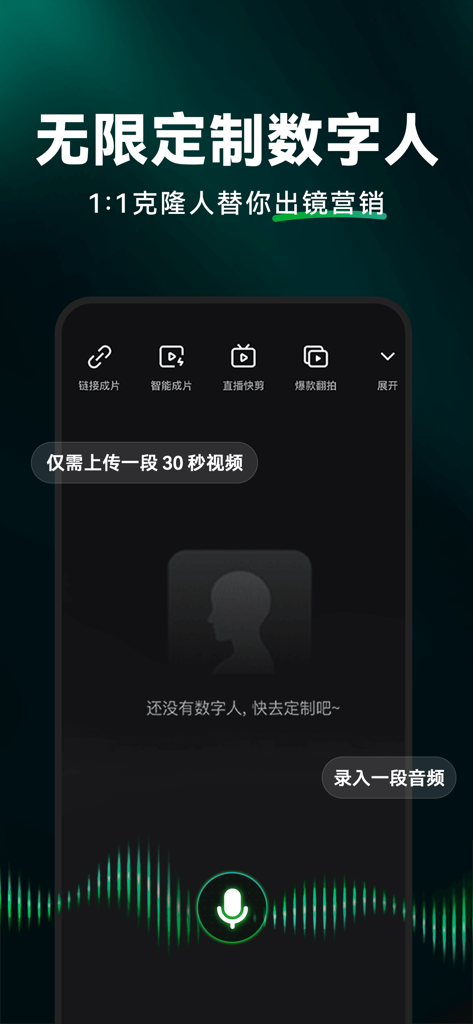
Interface of the Shanjian AI app featuring unlimited customized digital human avatars for video marketing.
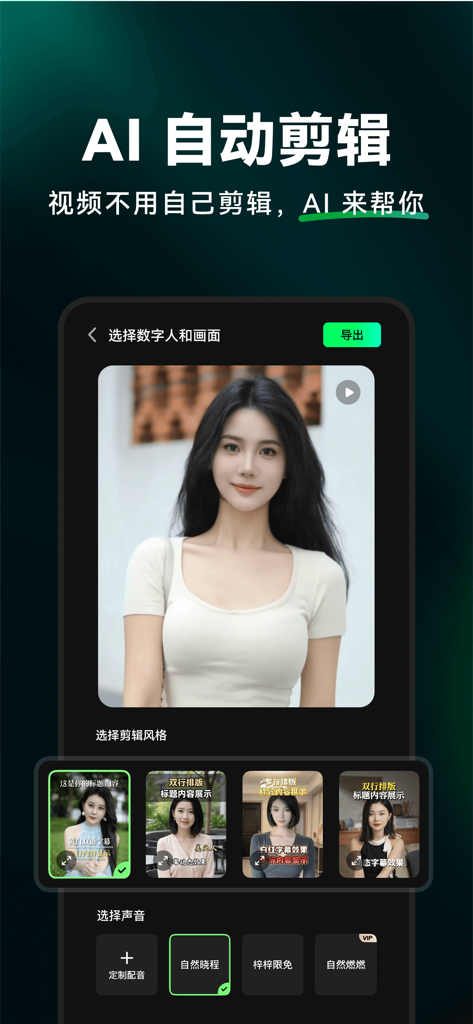
Interface of the Shanjian AI app featuring an AI digital human avatar and automated video editing options
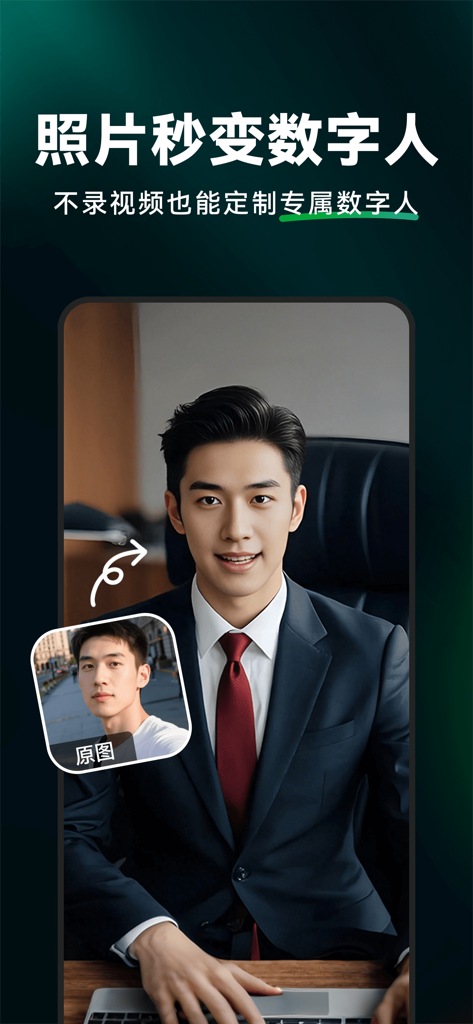
Shanjian AI app showing the conversion of a person's photo into a professional digital human avatar
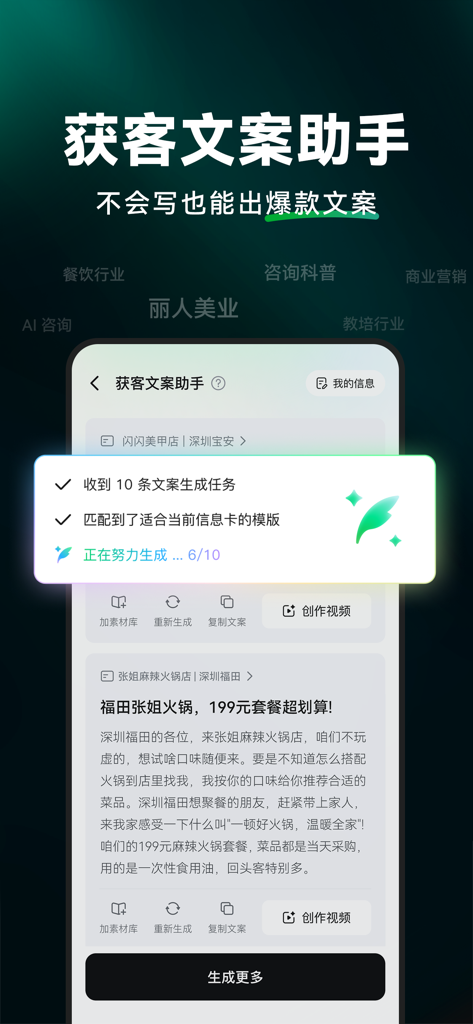
Shanjian AI mobile app interface for generating marketing copywriting and viral content
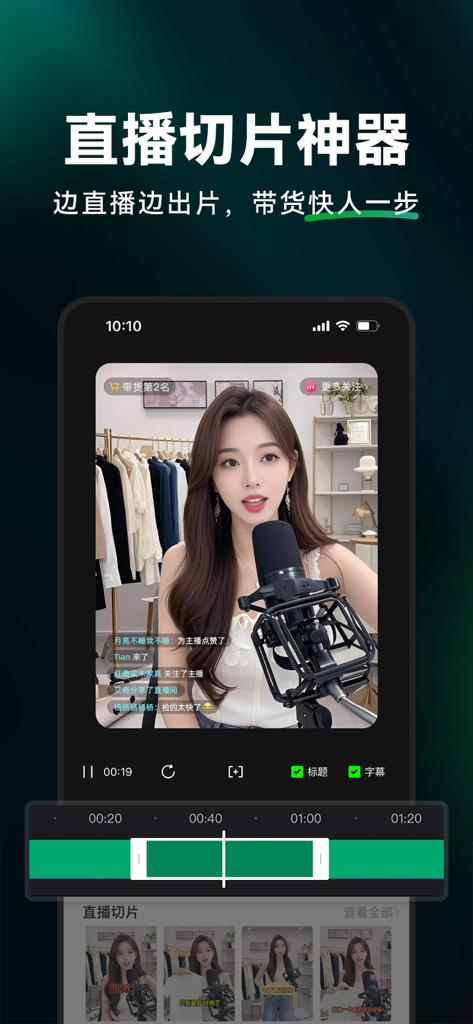
Shanjian AI mobile app interface showing the live stream clipping tool for social commerce creators.
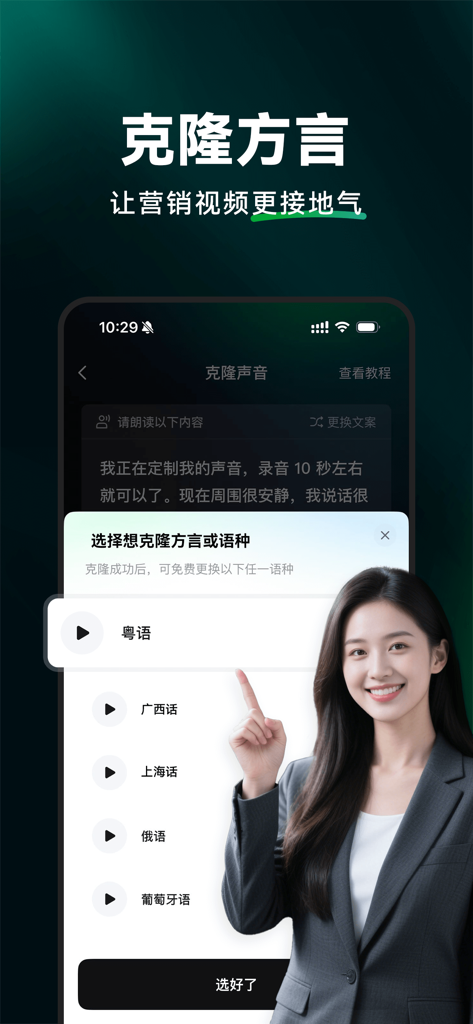
AI voice cloning and dialect selection interface in Shanjian AI app
Description
Download
More Like This
Apps with similar features and user experience

ElevenLabs: AI Voice Generator
Eleven Labs Inc.

Viggle AI: Meme Maker
WarpEngine Canada Inc.

可灵AI - AI图片&视频创作工具
Beijing Kwai Technology Co., Ltd.

Leonardo.Ai - Image Generator
Leonardo Interactive Pty Ltd

Reface: Face Swap AI Photo App
NEOCORTEXT, INC.

Shedevrum
DIRECT CURSUS COMPUTER SYSTEMS TRADING LLC

Remove Objects
TAPUNIVERSE LLC

Zaps Collages
Turnip Media Private Limited

Carat - Create Anything
Paradot Corp.
This page is not an official page of the app or its developer, but an independent editorial publication created for informational and commentary purposes. Unless expressly stated otherwise, neither the app nor its developer is affiliated with, endorsed by, sponsored by, authorized by, or otherwise officially connected with MWM, Apple, Google Play, the app publisher, or the app's developer, and nothing on this page implies that the app was developed using MWM's services. Any trademarks, logos, screenshots, and other content remain the property of their respective owners.