Alarm Clock: Smart Waking Up
Download on App Store

This page is not an official page of the app or its developer, but an independent editorial publication created for informational and commentary purposes. Unless expressly stated otherwise, neither the app nor its developer is affiliated with, endorsed by, sponsored by, authorized by, or otherwise officially connected with MWM, Apple, Google Play, the app publisher, or the app's developer, and nothing on this page implies that the app was developed using MWM's services. Any trademarks, logos, screenshots, and other content remain the property of their respective owners.

Logo of Alarm Clock: Smart Waking Up
Download on App Store

Alarm Clock: Smart Waking Up

Stop waking up groggy and start your day with purpose. From task-based wake-ups to bedtime meditations and detailed sleep analytics, get the all-in-one toolkit designed to help you optimize your rest and reclaim your time.

Key Figures

Downloads

134K+

User Rating

4.3/5

Total Ratings

7K+

Publisher

Blue Bike LLC

Category

Health & Fitness

Locales

2

Latest Version

14.1

Size

85.4 MB

First Released

Sep 13, 2019
Features

Master Your Mornings and Reclaim Your Rest

The all-in-one sleep sanctuary for high-performers and chronic snoozers who want to wake up energized and stay on track.

Interactive Wake-Up Tasks

Beat the snooze button with brain-engaging activities that force you to wake up fully before you can dismiss your alarm.

Data-Driven Sleep Insights

Visualize your progress with daily and weekly statistics to optimize your sleep cycles and peak performance.

The following screenshots and description are sourced directly from the app's official store listing and are the property of the app developer.

App Store

Screenshots
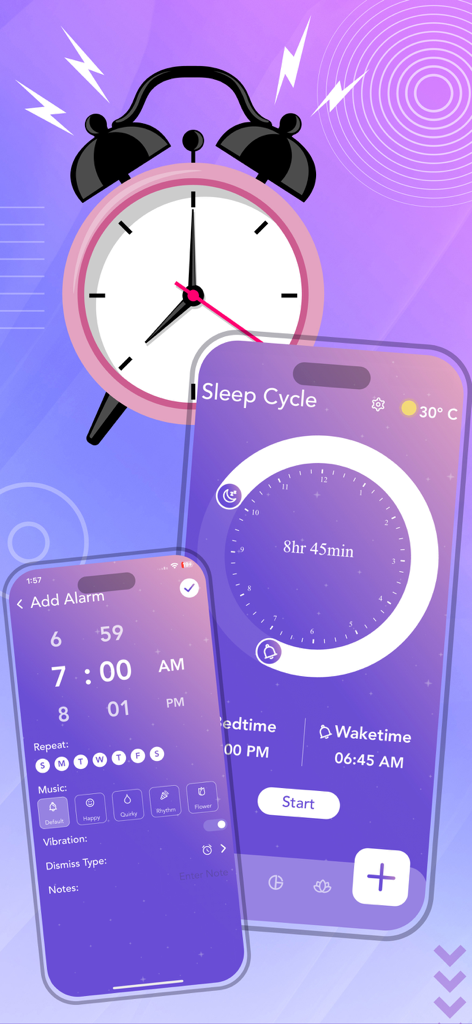
Alarm Clock: Smart Waking Up - Interface of the Alarm Clock Smart Waking Up app showing sleep cycle settings and alarm customization
Interface of the Alarm Clock Smart Waking Up app showing sleep cycle settings and alarm customization

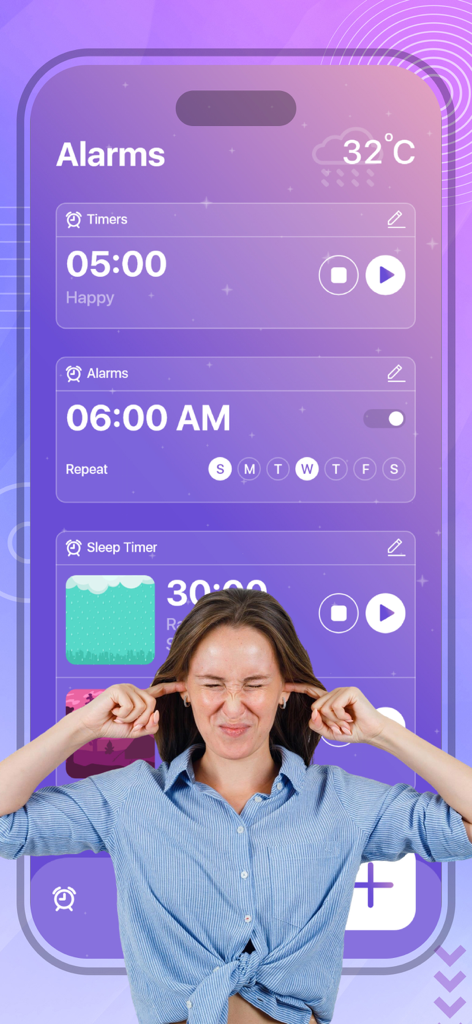
Alarm Clock: Smart Waking Up - Interface of the Alarm Clock Smart Waking Up app showing alarm settings and sleep timers with a woman covering her ears
Interface of the Alarm Clock Smart Waking Up app showing alarm settings and sleep timers with a woman covering her ears

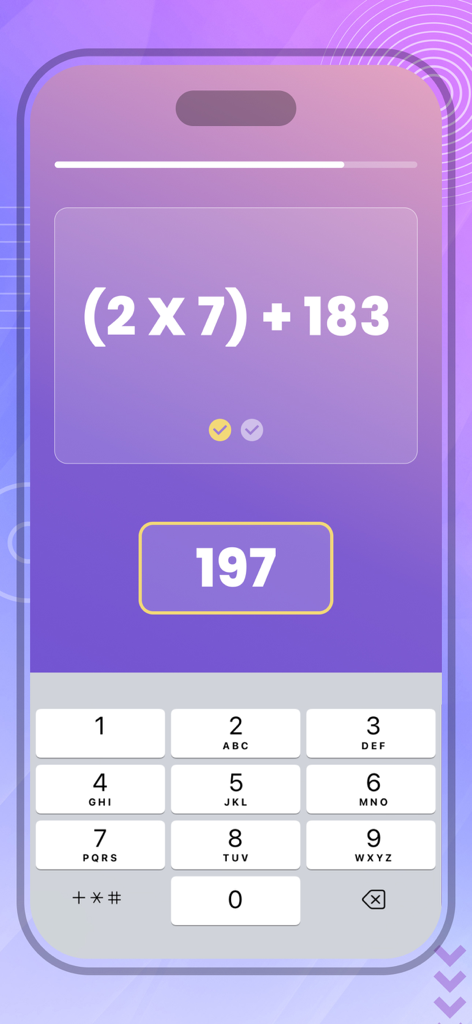
Alarm Clock: Smart Waking Up - Math problem task to dismiss the smart alarm clock
Math problem task to dismiss the smart alarm clock

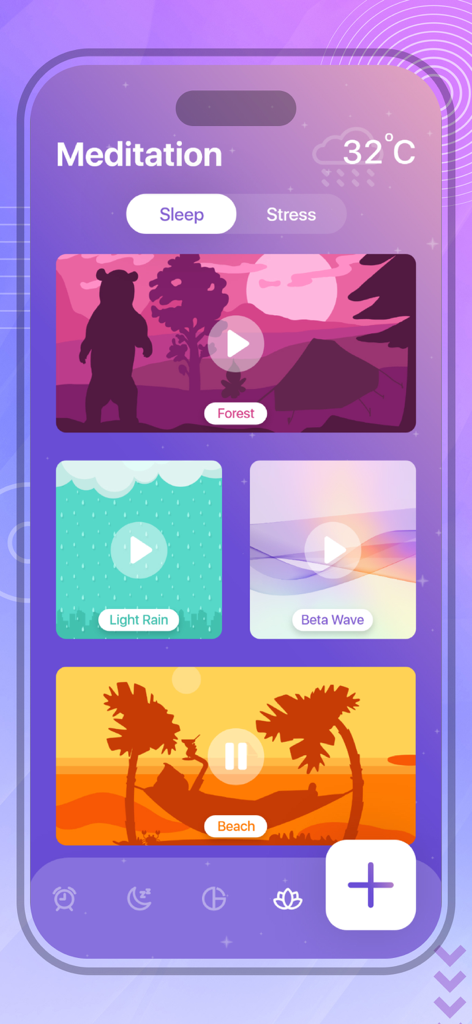
Alarm Clock: Smart Waking Up - Meditation screen of the Alarm Clock app featuring various ambient sleep sounds like forest and beach.

Meditation screen of the Alarm Clock app featuring various ambient sleep sounds like forest and beach.

Description

Wake up with the right attitude every day with an easy-to-use alarm clock for you to never wake up late again! Customize your alarm; track your important events; set personal timers, and go to bed easily with the large list of functions you can have in the palm of your hand. * Set as many alarms as you need, and use them along the day to any necessity. * Customize the alarms in just a couple of steps, and select the exact hour, the days of the week, or any other feature you may need to make your alarm the most accurate possible. * Personalize your alarm music and vibration mode, for you to wake up every morning with the correct attitude. * Track the days, hours, minutes, and even seconds that are missing to your important events with our in-app countdown. * Decide how many hours you want to sleep, and keep track of your sleep cycle by selecting your bedtime and wake time in an easy-to-use user interface. * Get informed of your sleeping habits by looking at your daily and weekly statistics to learn more about how well are your sleeping hours. * Forget about problems when going to bed with our in-app meditation modality for you to eliminate stress, sleep correctly, and get as many hours of good sleep as your body needs. * Don’t worry about accidentally dismissing your alarm and falling asleep again; with just a couple of taps, you can select the activity you want to do to turn your alarm off. * Add notes and reminders to your alarms in case you have something you don’t want to forget. The solution to never wake up late again, to improve your sleeping habits, to keep track of your health, so don’t forget all those important events, and to get the wake-up alarm you are looking for in just one single app. Below is subscription detail: • Monthly Subscription Price: 3 Day Free Trial then $6.99 USD/month • Yearly Subscription Price: 3 Day Free Trial then $29.99 USD/Year • Paid features: Unlock all the features of the app • Payment will be charged to iTunes Account at confirmation of purchase • Subscription automatically renews unless auto-renew is turned off at least 24-hours before the end of the current period. You can turn of the auto-renew subscription from iPhone setting • Account will be charged for renewal within 24-hours prior to the end of the current period, and identify the cost of the renewal • Subscriptions may be managed by the user and auto-renewal may be turned off by going to the user's Account Settings after purchase • Any unused portion of a free trial period, if offered, will be forfeited when the user purchases a subscription to that publication, where applicable Background Eraser adds the great features above and are available through an auto-renewing subscription. Subscriptions will be charged to your credit card through your iTunes account. Your subscription will automatically renew unless cancelled at least 24 hours before the end of your current subscription, and you can cancel a subscription during the active period. You can manage your subscription at any time, either by viewing your account in iTunes from your Mac or PC, or Account Settings on your device after purchase. Read our privacy policy at https://topappsandpopulargames.wordpress.com/privacy-policy/ Read our Terms of Service at https://topappsandpopulargames.wordpress.com/terms-of-use/

Download

Download on App Store

This page is not an official page of the app or its developer, but an independent editorial publication created for informational and commentary purposes. Unless expressly stated otherwise, neither the app nor its developer is affiliated with, endorsed by, sponsored by, authorized by, or otherwise officially connected with MWM, Apple, Google Play, the app publisher, or the app's developer, and nothing on this page implies that the app was developed using MWM's services. Any trademarks, logos, screenshots, and other content remain the property of their respective owners.