
This page is not an official page of the app or its developer, but an independent editorial publication created for informational and commentary purposes. Unless expressly stated otherwise, neither the app nor its developer is affiliated with, endorsed by, sponsored by, authorized by, or otherwise officially connected with MWM, Apple, Google Play, the app publisher, or the app's developer, and nothing on this page implies that the app was developed using MWM's services. Any trademarks, logos, screenshots, and other content remain the property of their respective owners.

Animal Typing - Lite
Turn keyboard practice into a wild race! From snails to cheetahs, your child will learn proper finger placement through engaging lessons designed to build speed and lifelong accuracy.
Downloads
455K+User Rating
Total Ratings
21K+Publisher
Category
EducationLocales
17Latest Version
3.32Size
58.3 MBFirst Released
Oct 15, 2014Turn Typing Practice Into a Wild Adventure
Animal Typing combines gamified racing with professional finger-placement guides to help your child master touch typing with speed and precision.
Speed Meets Rewards
The faster and more accurately you type, the faster your animal becomes. Can you reach the Cheetah level?
Visual Finger Guides
On-screen animated hands teach proper placement, ensuring kids learn healthy habits and ergonomic technique early.
Frequently Asked Questions
Everything you need to know about Animal Typing - Lite
What is Animal Typing - Lite?
Animal Typing - Lite is an application designed to teach touch typing to all ages through a simple and fun method. The animal received depends on typing speed and accuracy.
How does Animal Typing - Lite reward typing skills?
Animal Typing - Lite rewards typing skills by assigning an animal based on speed and accuracy. Faster, more accurate typing results in a faster animal, such as a cheetah.
Can I use a hardware keyboard with Animal Typing - Lite?
Yes, Animal Typing - Lite supports both virtual keyboards and hardware Bluetooth keyboards. A hardware Bluetooth keyboard is recommended for the best experience.
How many lessons are included in Animal Typing - Lite?
Animal Typing - Lite includes 28 lessons for learning keyboard keys. It also features two sets of 32 lessons specifically designed for kids under 12 years old.
Does Animal Typing - Lite offer lessons for children?
Yes, Animal Typing - Lite includes two dedicated sets of 32 lessons tailored for kids under 12 years old. These lessons are designed for Qwerty and Dvorak layouts.
Can users import custom lessons into Animal Typing - Lite?
Yes, users can import their own lessons into Animal Typing - Lite by adding them using iCloud Drive. This allows for personalized typing practice content.
Does Animal Typing - Lite show correct finger placement?
Yes, Animal Typing - Lite includes animated fingers that demonstrate the proper typing technique. This feature helps users learn correct hand and finger positioning.
What keyboard layouts does Animal Typing - Lite support?
Animal Typing - Lite supports multiple keyboard layouts, including Qwerty (US/UK), Dvorak, Colemak, Workman, Qwertz (German/Swiss), and Azerty (France).
Does Animal Typing - Lite support multiple users?
Yes, Animal Typing - Lite features a local user login system. This allows multiple users to switch between their individual profiles and track their progress separately.
Can I customize finger typing zones in Animal Typing - Lite?
Yes, Animal Typing - Lite offers the possibility to customize the finger typing zones. This allows users to adjust the areas designated for specific fingers during practice.
Does Animal Typing - Lite include a dictation mode?
Yes, Animal Typing - Lite includes a dictation mode. This feature spells out the words that need to be typed, providing an auditory aid for learning.
Are there advanced lessons for special characters in Animal Typing - Lite?
Yes, Animal Typing - Lite includes advanced lessons specifically for special characters, such as numbers (1234...) and symbols (#$%[]...).
The following screenshots and description are sourced directly from the app's official store listing and are the property of the app developer.
App Store
Screenshots
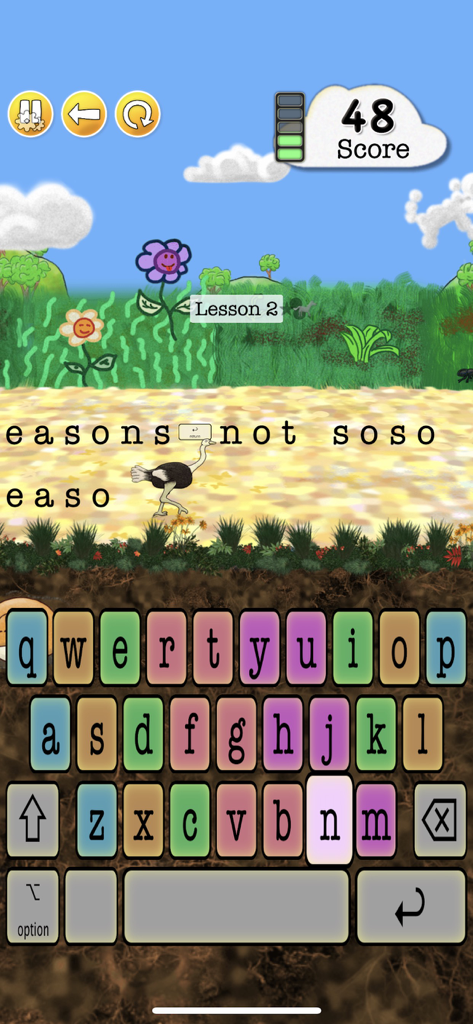
Animal Typing gameplay interface featuring an ostrich character and a colorful keyboard for typing practice
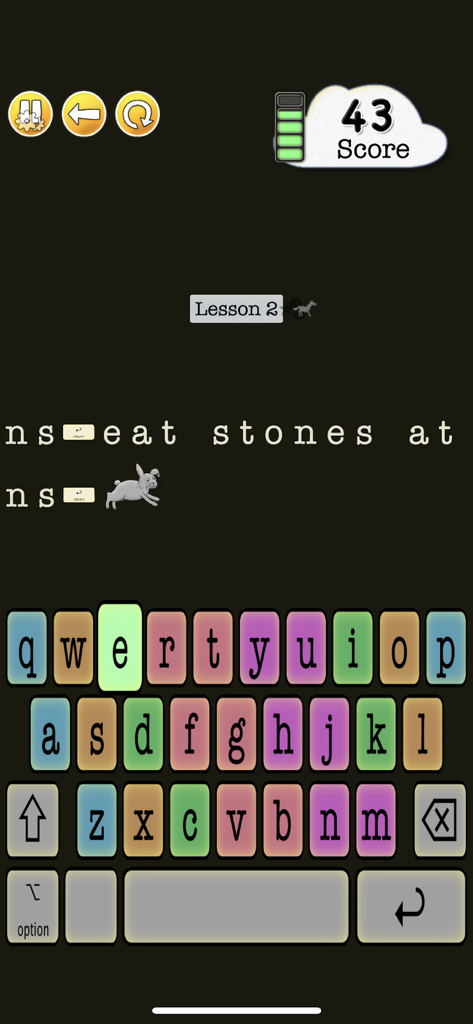
A touch typing lesson in Animal Typing Lite featuring a rabbit character and a colorful keyboard
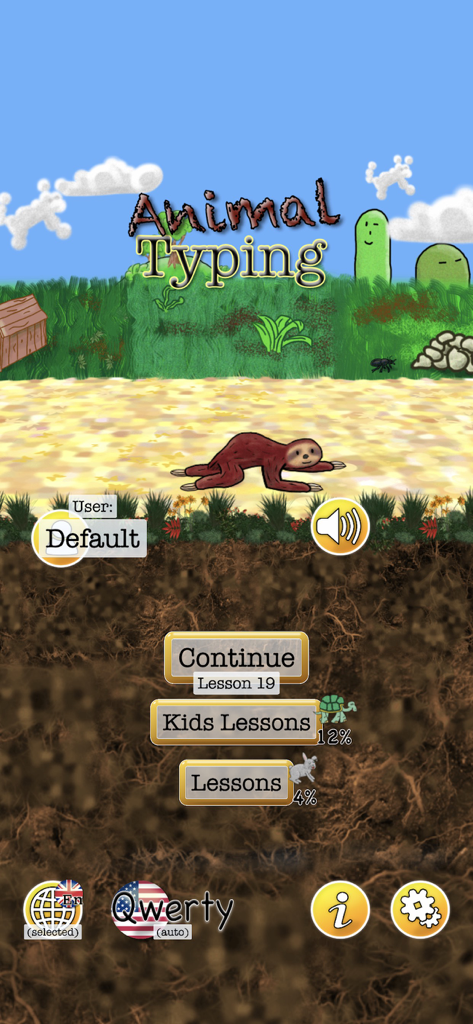
The main menu of the Animal Typing Lite app showing a sloth character and options for kids lessons
Description
Download
More Like This
Apps with similar features and user experience


This page is not an official page of the app or its developer, but an independent editorial publication created for informational and commentary purposes. Unless expressly stated otherwise, neither the app nor its developer is affiliated with, endorsed by, sponsored by, authorized by, or otherwise officially connected with MWM, Apple, Google Play, the app publisher, or the app's developer, and nothing on this page implies that the app was developed using MWM's services. Any trademarks, logos, screenshots, and other content remain the property of their respective owners.