ArtRage

ArtRage

Download on App StoreDownload on Google Play
Logo of ArtRage

ArtRage: The Professional Studio for Realistic Digital Painting

Experience the world’s most advanced simulation of real-world oils, watercolors, and pencils. Master the flow and texture of traditional media on your digital canvas—without the mess or expense.

Publisher

Ambient Design Ltd.

Category

Entertainment

Downloads

439K+

User Rating

4.0/5

Total Ratings

3K+

Locales

7

Your Digital Studio

Discover the interface used by 439K+ users.

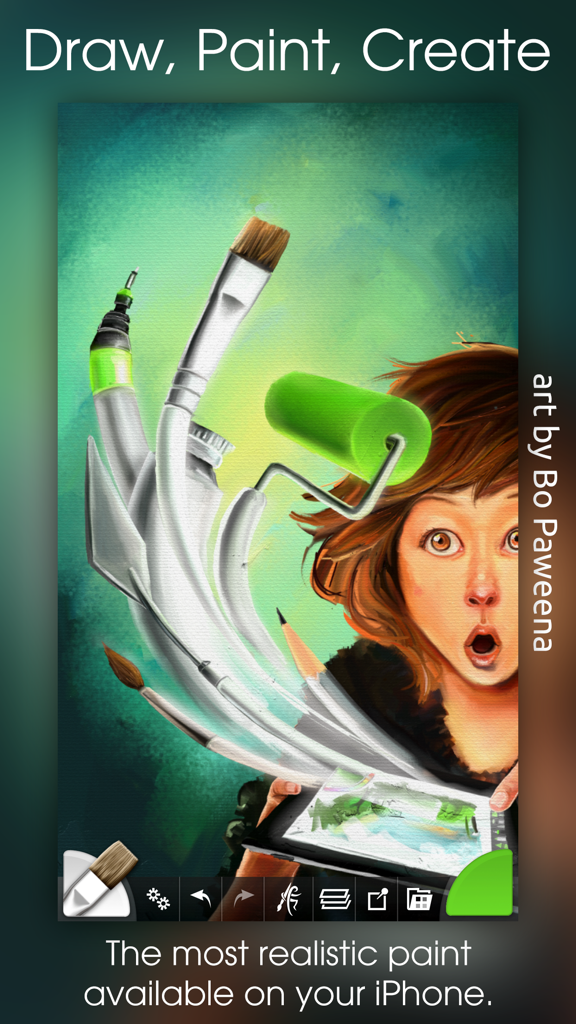
Digital illustration of a girl with floating art tools showing the realistic paint simulation of the ArtRage app
Digital illustration of a girl with floating art tools showing the realistic paint simulation of the ArtRage app

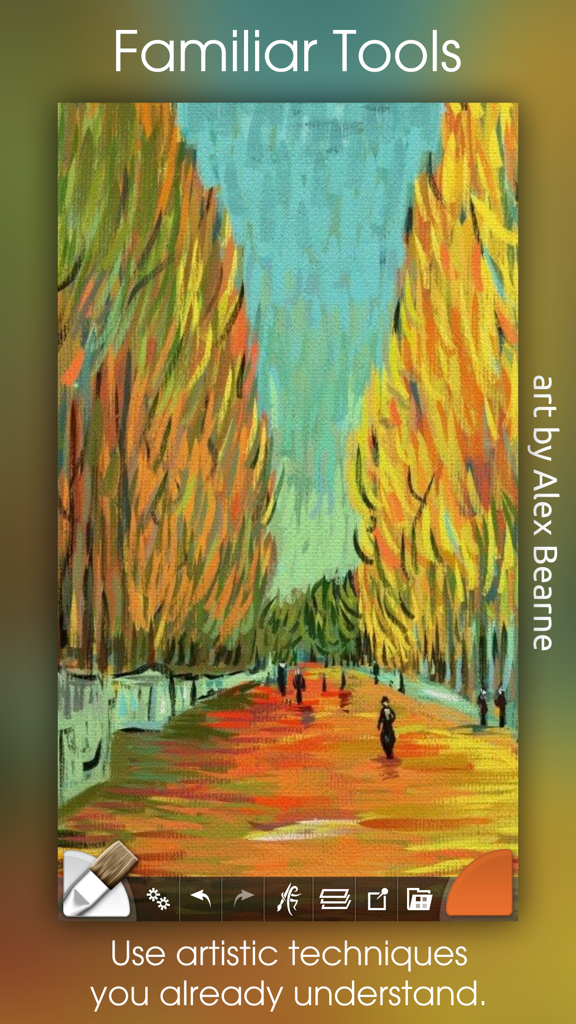
A colorful impressionist oil painting of a tree-lined path created inside the ArtRage digital art app.
A colorful impressionist oil painting of a tree-lined path created inside the ArtRage digital art app.

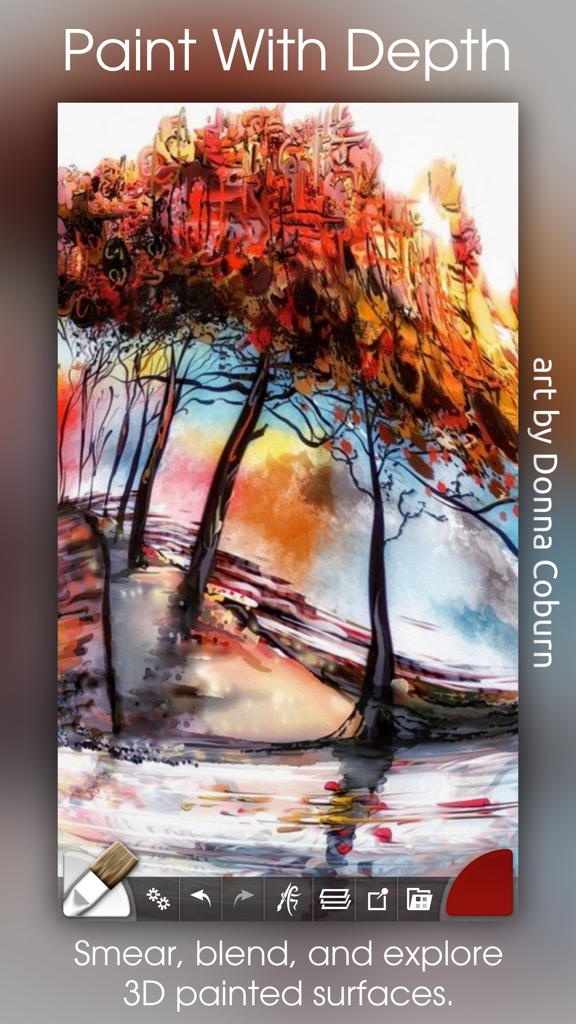
Digital oil painting of colorful trees with thick textured paint effects in the ArtRage app
Digital oil painting of colorful trees with thick textured paint effects in the ArtRage app

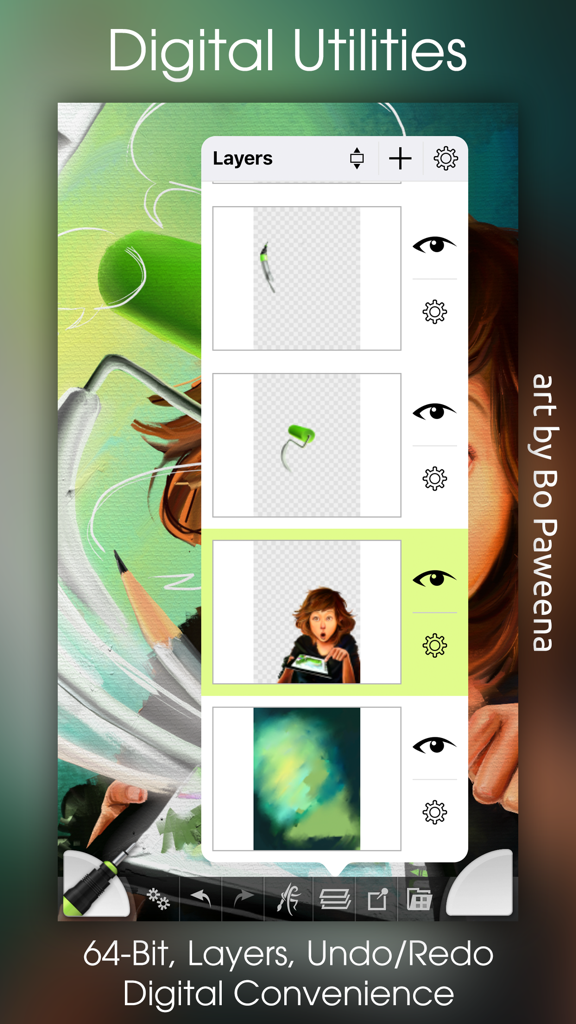
A screenshot of the ArtRage app showing the layers management panel over a colorful digital painting.
A screenshot of the ArtRage app showing the layers management panel over a colorful digital painting.

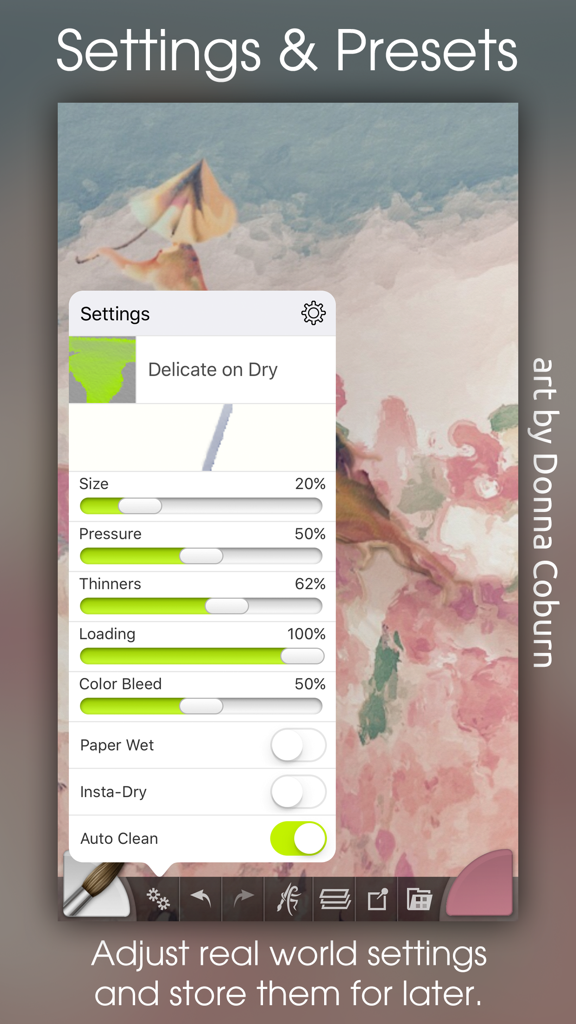
ArtRage mobile app interface showing detailed brush settings and presets for digital painting

ArtRage mobile app interface showing detailed brush settings and presets for digital painting

Master the Art of Real-World Painting

The tools that make this app stand out, trusted by 439K+ users.

🎨

Hyper-Realistic Paint Physics

Unlike flat digital tools, ArtRage tracks paint wetness and thickness. Smear, blend, and mix colors on the canvas exactly as you would with physical tubes of oil or watercolor.

✏️

Built for Precision Hardware

Take full advantage of your Apple Pencil and iPad Pro. With professional-grade support for pressure, tilt, and 3D touch, every stroke responds to your unique artistic touch.

✨

The Mess-Free Professional Studio

Enjoy the freedom of a complete art studio in your pocket. Use layers, tracing images, and high-resolution exports to create masterpieces without the cost or cleanup of traditional supplies.

About the app

Everything you need to know about ArtRage.

Description

The most advanced simulation of real paint on iOS! Get creative on a digital canvas with smearing, blending oils, delicate watercolor, and much more! Ever wanted to try painting your masterpiece but were put off by the mess and expense? Now you can! ArtRage isn't just about color: It knows how much paint you've used so you can smear it around to spread it over the canvas. It knows how wet your paint is so you can blend it with other paints. It even knows about the roughness of your paper so your pencils can be used for soft shading. It's not just a special effect either - ArtRage is a live simulation of the properties of real artistic media that lets you can get creative with colors and textures using tools you already know how to use! ArtRage takes full advantage of the features of your device like larger canvases on iPad Pro, Apple Pencil support for pressure & tilt, and 3D touch on your iPhone. Join the ArtRage community: Forums: forums.artrage.com Facebook: www.facebook.com/artrage Features: Real world painting tools: Oils, Watercolors, Paint Rollers, Pencils, Crayons and more. Each tool has a range of familiar properties such as how much thinner is applied to the paint, or how soft a pencil tip is. Tools apply texture as well as color, and blend under the brush. Add Layers to your painting and work on individual elements without damaging others. ArtRage supports a wide range of Layer Blend Modes, and layer contents can be scaled moved and rotated independently. Import images, converting them to oil for smearing or as Reference Images pinned to the canvas as a visual guide. Load photos as Tracing Images which are overlaid on the canvas, and have ArtRage select colors automatically as you paint. The interface has been designed to maximize your creative space without hiding away critical functions such as tool and color selection. As you paint, it gets out of the way so that you don’t have to stop and manually adjust panels. Record your paintings! The ArtRage Script system lets you record strokes while you paint for playback in desktop versions of the product at higher resolution. Import and Export using external services such as Dropbox, and iCloud Drive. Share your images on Facebook, Twitter, and any other sharing app on your device. Tools: • Oil Brush, Watercolor, Airbrush, Palette Knife, Paint Roller, Paint Tube, Inking Pen, Pencil, Marker Pen, Chalk, Crayon, Glitter Tube, Gloop Pen, Eraser, Flood Fill. • Paint simulation monitors the physical properties of your paints to allow natural blending, smearing, and other real world behavior. • Preset support to save your favorite settings for later use. • Supports the Apple Pencil's Pressure and Tilt properties, and 3D Touch where available to add realism to the simulated paint strokes. Layers: • Unlimited layers with Photoshop standard blend modes, visibility and opacity controls. Scale, rotate, and position layer contents independently. Utilities: • Record your paintings as Scripts then play them back in a desktop version of ArtRage. • Unlimited Undo / Redo. Load photos as References or Tracing images. Store color samples for later use. Files: • Create paintings up to 2048 x 2048 or 4096 x 4096 on iPad Pro. • Control the texture and color of the canvas to create different effects. Canvas presets can be stored to save your favorite settings for later. • Export PTG, JPG or PNG to services such as Email, iOS11 Files, Adobe Creative Cloud, Dropbox, and more. Share images on Facebook or Twitter. Import photos to a new file or a layer, with camera support. Interface: • Easy access pods provide functionality without getting in the way. Elements vanish as you paint so you can paint underneath. Multi-Touch shortcuts for canvas manipulation, Undo/Redo, and Brush Size. • Adapts to suit iPhone layouts. Stylus & Input Support: • Apple Pencil Pressure & Tilt. • Supports 3D Touch. • Includes support for Wacom, Adonit, Adobe, and Pogo styluses.

Latest Version

2.4.0

Size

62.1 MB

First Released

Sep 27, 2010

Ready to Paint Your Masterpiece?

Join over 400,000 artists and turn your iPad into a professional, mess-free studio. Experience the true physics of oil, watercolor, and canvas today.

Download on App StoreDownload on Google Play

App information, icons, screenshots, and descriptions displayed on this page are sourced from the Apple App Store and are the property of their respective developers. Download estimates and rankings are based on MWM's proprietary models and may not reflect actual figures. This page is provided for informational and analytical purposes only.

Believe this page infringes your intellectual property? File a dispute