Assemblr EDU: Learn in 3D & AR

Assemblr EDU: Learn in 3D & AR


Download on App Store
Logo of Assemblr EDU: Learn in 3D & AR

Assemblr EDU: Bring Lessons to Life with Interactive 3D & Augmented Reality

Elevate classroom engagement and simplify lesson prep. Empower your students to explore complex concepts and build their own 3D projects with our easy-to-use, no-code AR platform.

Publisher

Assemblr Pte. Ltd.

Category

Education

Downloads

31K+

User Rating

4.3/5

Total Ratings

100

Locales

1

The Future of Learning, Visualized

Discover the interface used by 31K+ users.
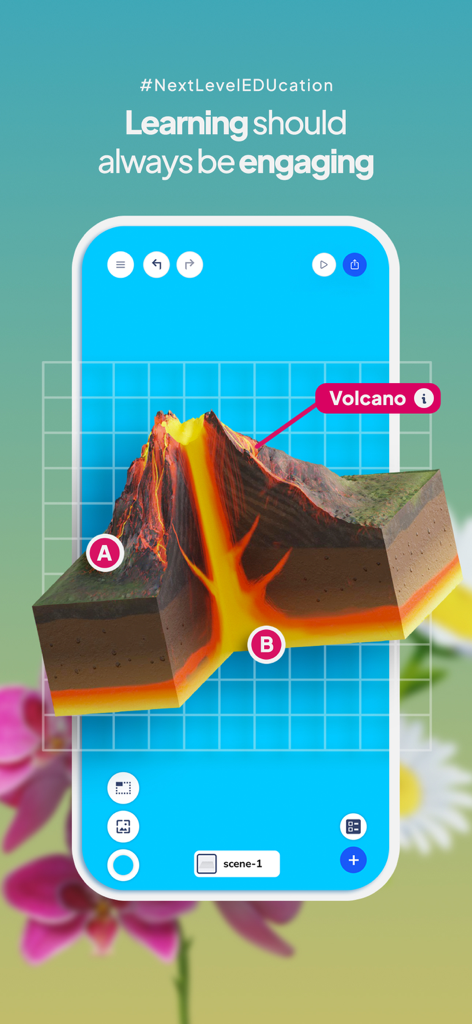
Assemblr EDU mobile app displaying an interactive 3D cross-section of a volcano.

Assemblr EDU mobile app displaying an interactive 3D cross-section of a volcano.

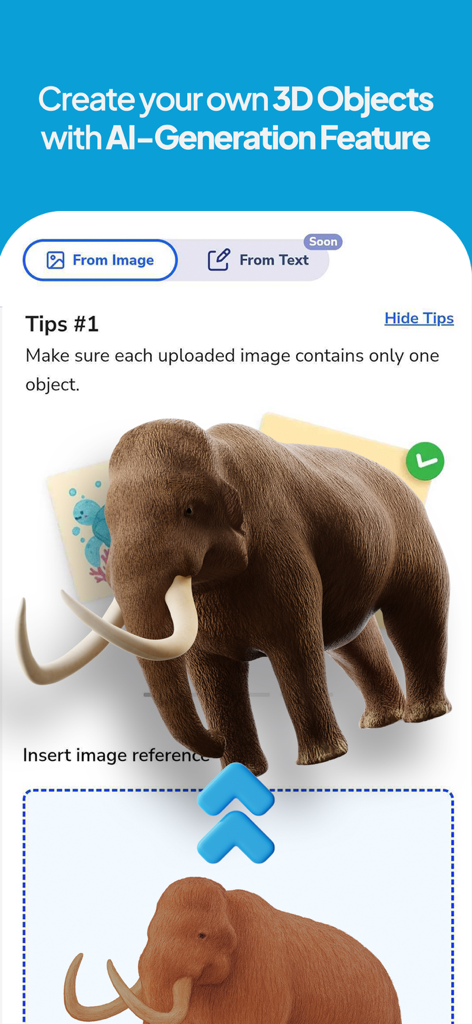
Assemblr EDU app interface showing the AI generation feature creating a 3D mammoth from an image.

Assemblr EDU app interface showing the AI generation feature creating a 3D mammoth from an image.

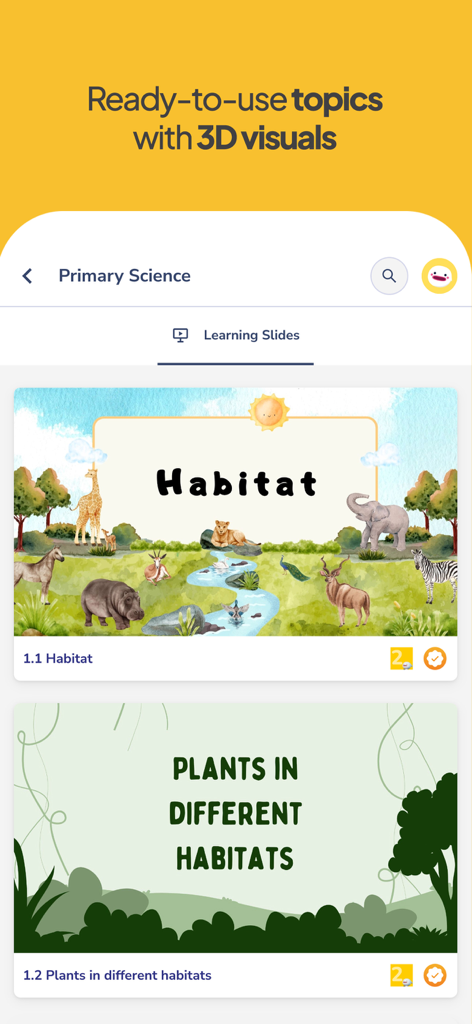
The Assemblr EDU app interface displaying a list of primary science learning slides about habitats and plants with 3D visuals.

The Assemblr EDU app interface displaying a list of primary science learning slides about habitats and plants with 3D visuals.

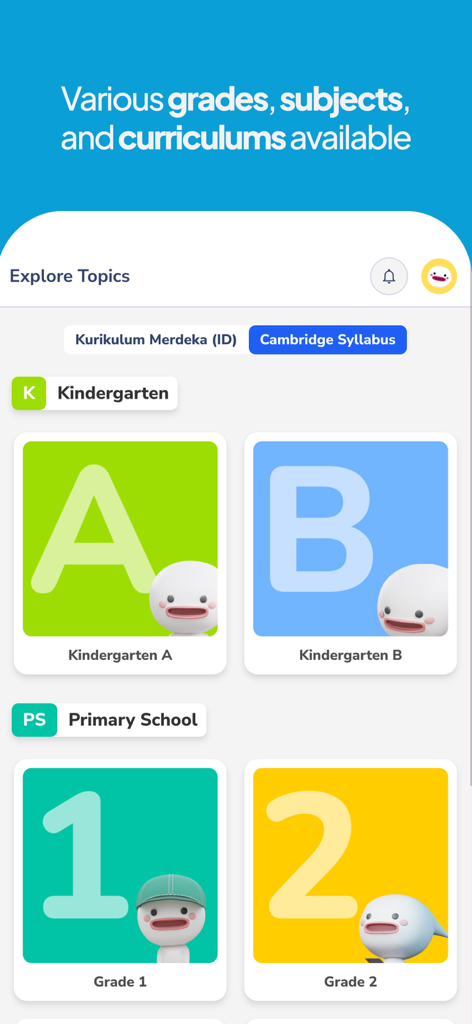
Assemblr EDU app screen displaying curriculum categories for kindergarten and primary school students

Assemblr EDU app screen displaying curriculum categories for kindergarten and primary school students

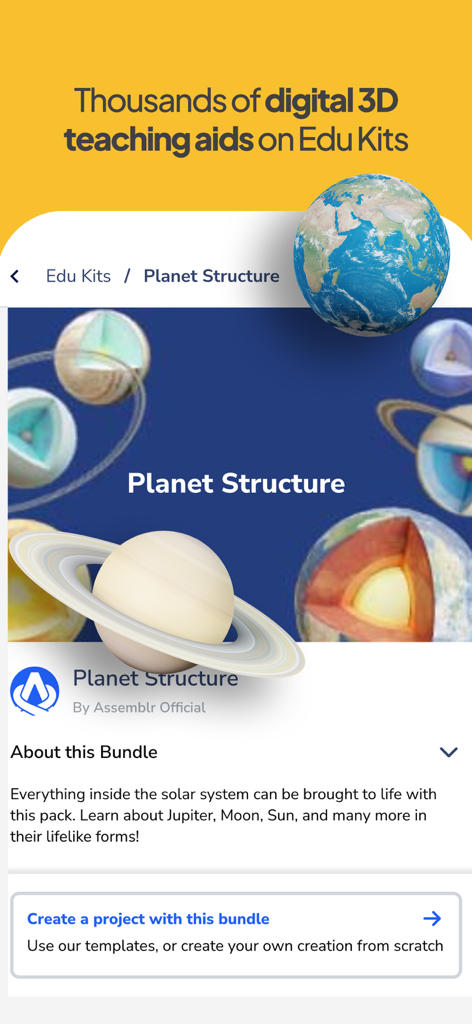
Assemblr EDU interface showcasing 3D planet structure teaching aids for K-12 science education

Assemblr EDU interface showcasing 3D planet structure teaching aids for K-12 science education

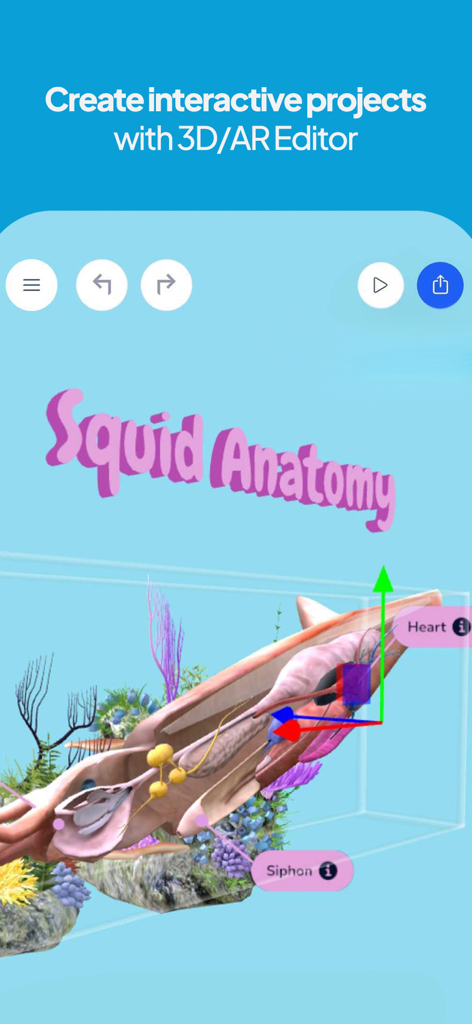
Interface of the Assemblr EDU 3D and AR editor showing a project about squid anatomy with interactive labels

Interface of the Assemblr EDU 3D and AR editor showing a project about squid anatomy with interactive labels

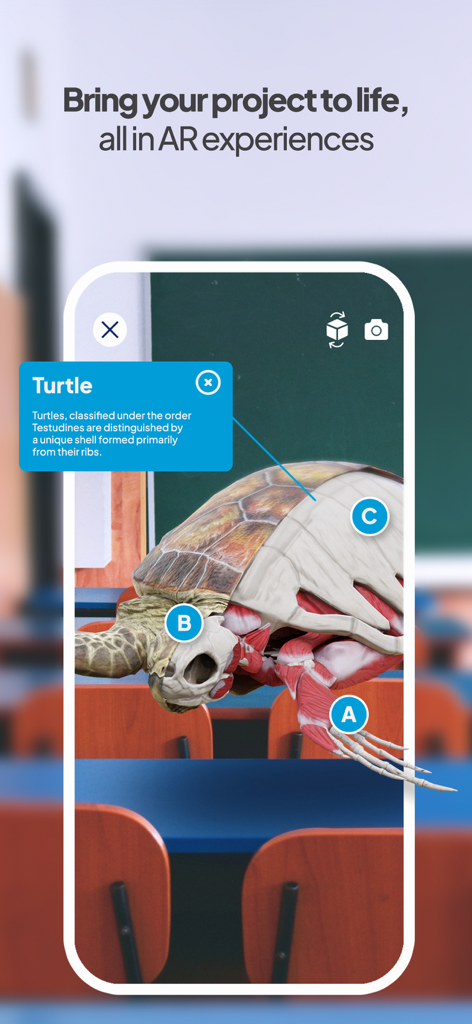
A 3D augmented reality model of a turtle skeleton and muscles displayed on a smartphone in a classroom environment.

A 3D augmented reality model of a turtle skeleton and muscles displayed on a smartphone in a classroom environment.

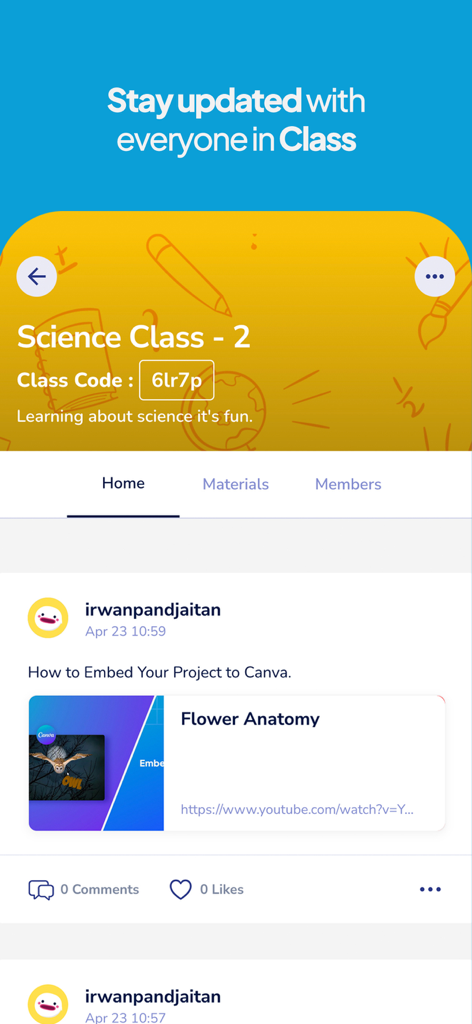
Interface of Assemblr EDU app showing a science class feed with a lesson on flower anatomy

Interface of Assemblr EDU app showing a science class feed with a lesson on flower anatomy

Revolutionize Your Classroom with Immersive Learning

The tools that make this app stand out, trusted by 31K+ users.

Instant Lesson Prep

Save hours of planning with hundreds of ready-to-use 3D interactive slides. Aligned with STEM and K-12 standards, these topics are ready for your next class in seconds.

🎮

Engage Digital Natives

Harness the power of 'Minecraft-style' learning. Our drag-and-drop 3D editor lets students build their own projects without any coding, turning passive learners into active creators.

🚀

Bring Objects to Life

Use Augmented Reality to project 6,000+ animated 3D models onto any classroom surface. Transform abstract concepts like DNA or plate tectonics into tangible, hands-on experiences.

About the app

Everything you need to know about Assemblr EDU: Learn in 3D & AR.

Description

Assemblr EDU is the one-stop platform for teachers and students to bring fun & interactive 3D/AR learning. Whenever and wherever it is, we believe learning should always be engaging. Here's the #NextLevelEDUcation—both for teachers and students! • Find hundreds of ready-to-use Topics From kindergarten to senior high school grades, you can easily find premade interactive presentation slides—enhanced with 3D visualizations. Get your class preparation done faster & easier for all subjects! • Make use of 6,000+ 3D teaching aids on Edu Kits With Edu Kits, you can bring the complex, abstract concepts closer to your students. View interactive and engaging 3D teaching aids in various subjects, looking real and lively! Psst... They're also animated • Get creative on 3D/AR Editor Need any ideas to hone students' creativity? Let them create their own 3D/AR projects, as easy as drag-and-drop! Use thousands of 2D & 3D assets and elements, so it's easy for students to start creating. • Enliven projects in AR experiences Finished creating the projects? It's presentation time! Invite your students to present their works in front of the classroom, and get ready to bring their projects to life. • Stay connected in Class Set up virtual classes for you and students, and get easily connected virtually. Share works, find lessons, and see what’s going on in one space. Learning goes beyond the walls! SUITABLE FOR ALL SUBJECTS Science, Biology, Physics, Chemistry, Math, STEM, History, Geography, English, Physical Education, and more COMPATIBLE ON ALL DEVICES • PC (browser-based) • Laptop (browser-based) • Tablets (mobile app & browser-based) • Smartphones (mobile app & browser-based) For customer service assistance, send an e-mail to edu@assemblrworld.com, or you can find us on the following platforms. Any topic ideas or feature suggestions are welcomed: Website: edu.assemblrworld.com Instagram: @assemblredu & @assemblredu.id Twitter: @assemblrworld YouTube: youtube.com/c/AssemblrWorld Facebook: facebook.com/assemblrworld Community: facebook.com/groups/assemblrworld/

Latest Version

1.8.9

Size

5.1 MB

First Released

May 12, 2020

Ready to Bring Your Lessons to Life?

Join the #NextLevelEDUcation today. Download Assemblr EDU to start creating, exploring, and sharing interactive 3D & AR experiences across all your classroom devices.

Download on App Store

App information, icons, screenshots, and descriptions displayed on this page are sourced from the Apple App Store and are the property of their respective developers. Download estimates and rankings are based on MWM's proprietary models and may not reflect actual figures. This page is provided for informational and analytical purposes only.

Believe this page infringes your intellectual property? File a dispute