
This page is not an official page of the app or its developer, but an independent editorial publication created for informational and commentary purposes. Unless expressly stated otherwise, neither the app nor its developer is affiliated with, endorsed by, sponsored by, authorized by, or otherwise officially connected with MWM, Apple, Google Play, the app publisher, or the app's developer, and nothing on this page implies that the app was developed using MWM's services. Any trademarks, logos, screenshots, and other content remain the property of their respective owners.


Attendant Pro for Zoom
Transform your iPad into a dedicated switchboard. Effortlessly manage participants, breakout rooms, and waiting rooms so you can focus on leading seamless, professional meetings.
Downloads
9K+User Rating
Total Ratings
0Publisher
Category
BusinessLocales
5Latest Version
3.2Size
213.6 MBFirst Released
Oct 22, 2020Take Full Command of Your Meetings
Transform your iPad or iPhone into a professional meeting switchboard. Stop digging through menus and start leading with effortless precision from your second screen.
One-Tap Participant Control
Instantly eliminate distractions with 'Mute Everyone Else' and 'Auto Mute' features. Maintain a professional atmosphere without fumbling through nested Zoom menus.
Pro-Level Engagement Workflow
Master your Q&A sessions. With a single tap, you can simultaneously handle audio, video, and spotlighting as participants raise their hands to keep the conversation flowing.
The following screenshots and description are sourced directly from the app's official store listing and are the property of the app developer.
App Store
Screenshots
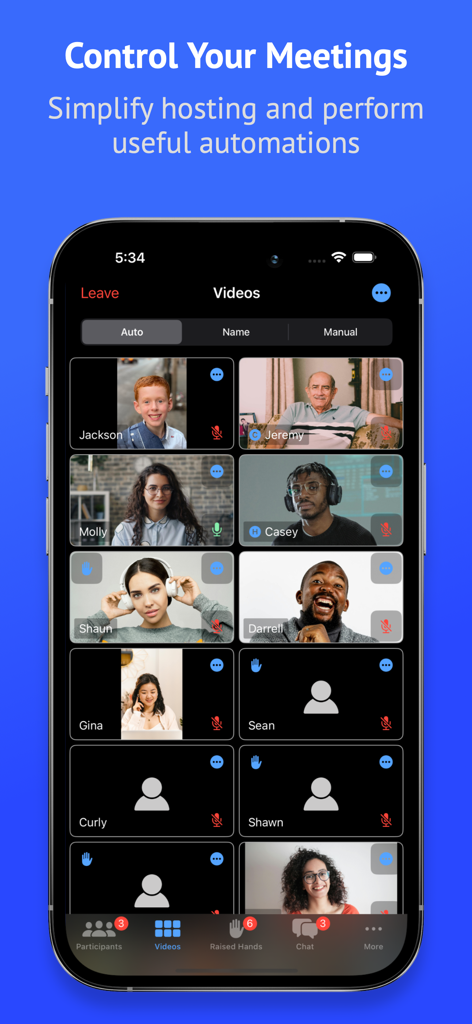
Attendant Pro for Zoom app interface showing a video grid of meeting participants with hosting controls
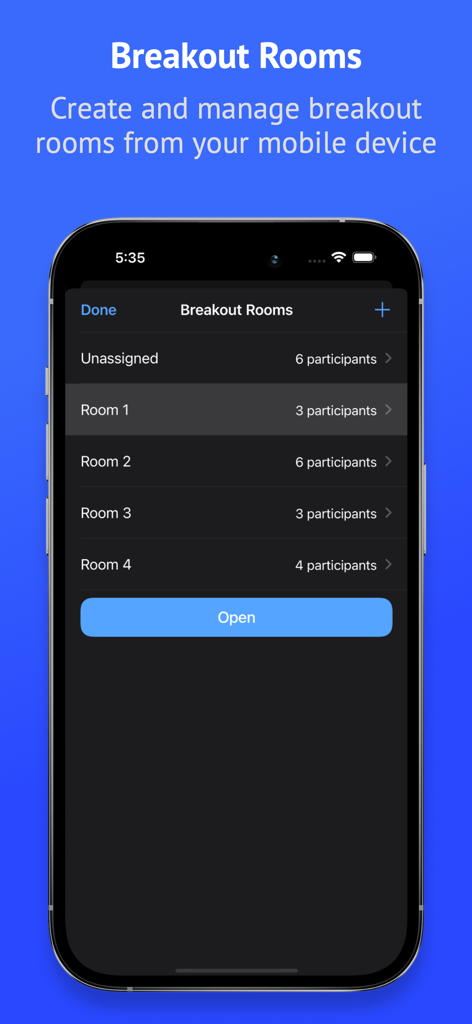
Interface of Attendant Pro for Zoom showing breakout room creation and participant management on a mobile device
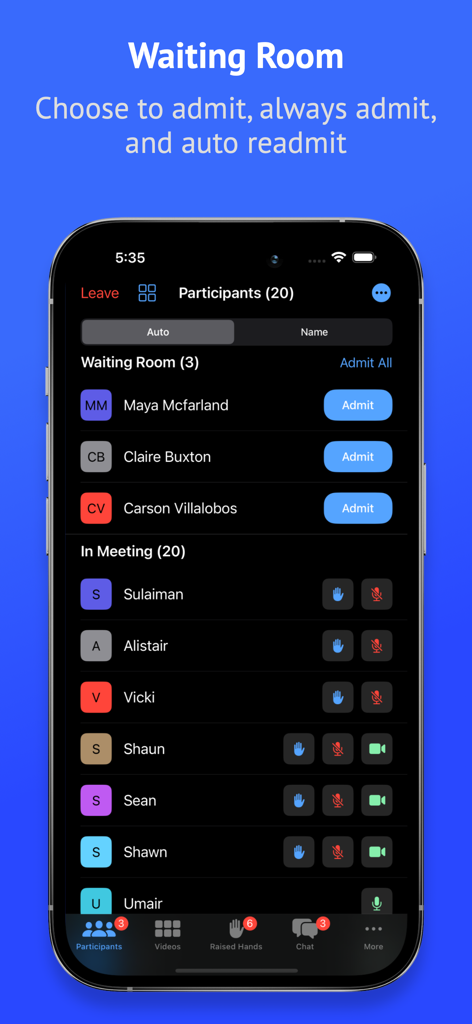
Interface of Attendant Pro for Zoom showing the waiting room and participant list management on a mobile device.
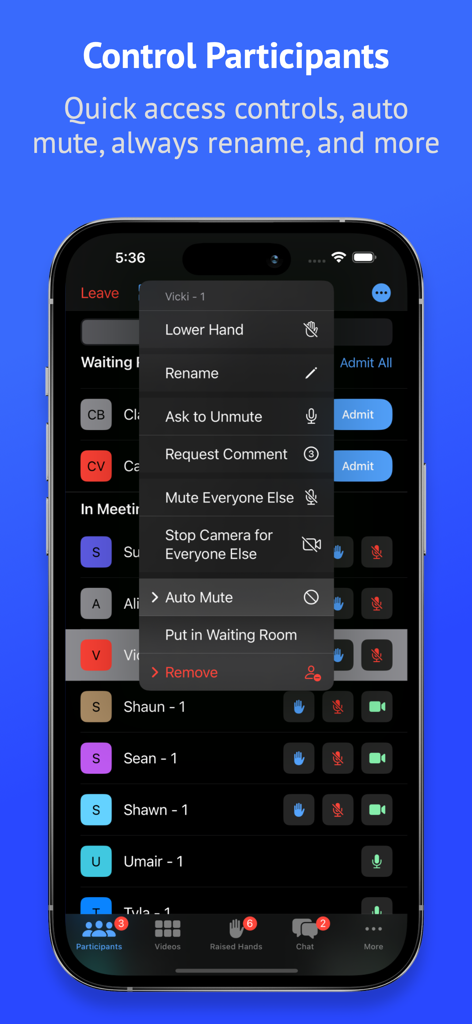
Mobile app interface of Attendant Pro for Zoom showing advanced participant management tools including mute all and waiting room controls
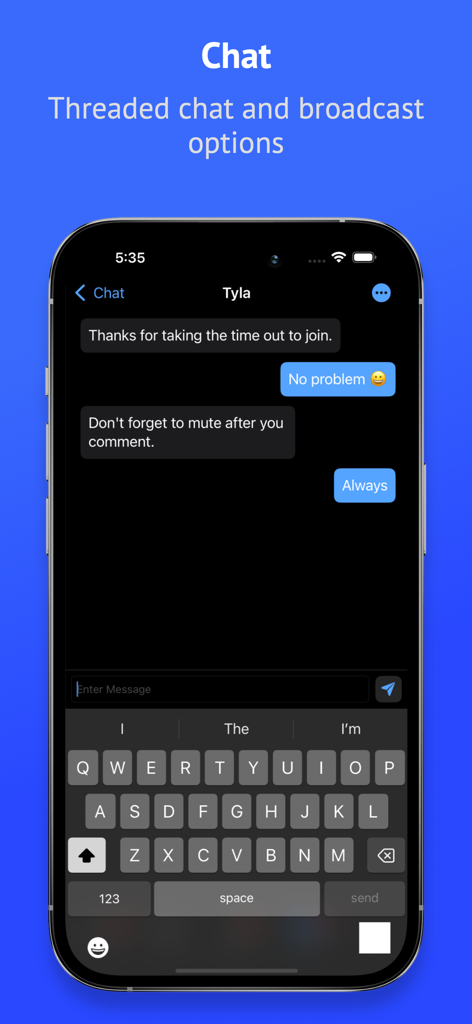
Threaded chat and broadcast options screen in the Attendant Pro for Zoom app
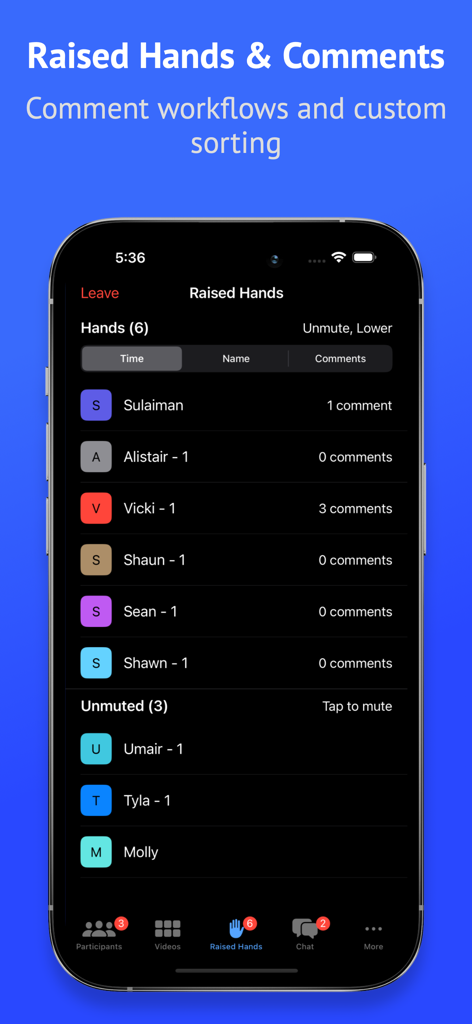
Interface of Attendant Pro for Zoom showing a list of participants with raised hands and comment counts for meeting management.
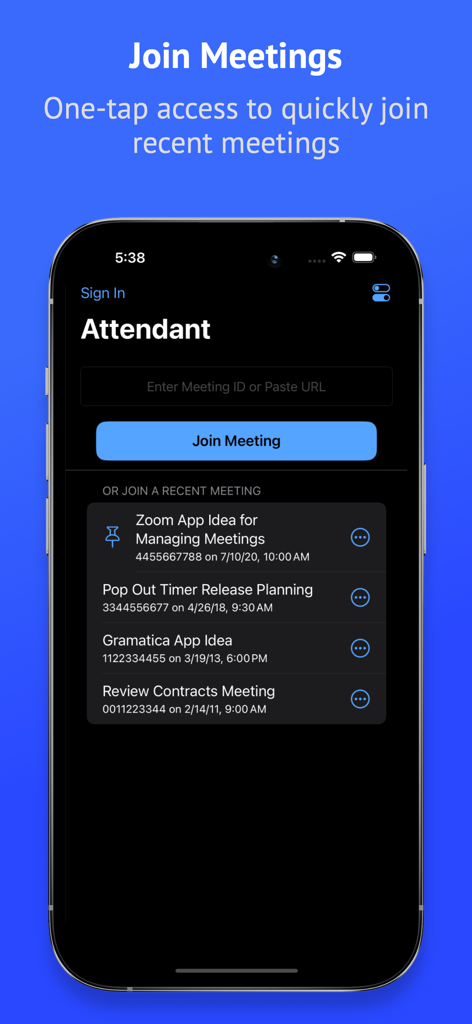
Mobile interface of Attendant Pro for Zoom showing the Join Meeting screen with a list of recent meetings and a field to enter a meeting ID.
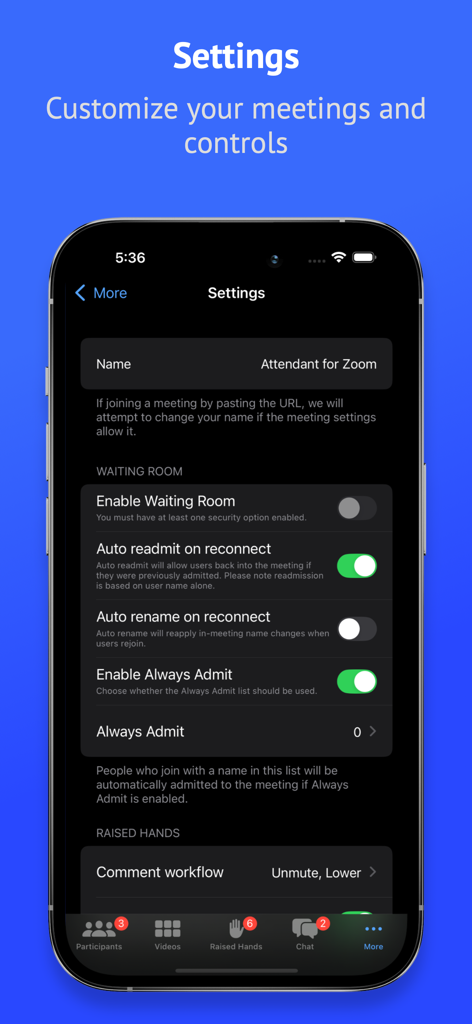
Settings interface of Attendant Pro for Zoom showing customization options for the Waiting Room and Raised Hands workflow.
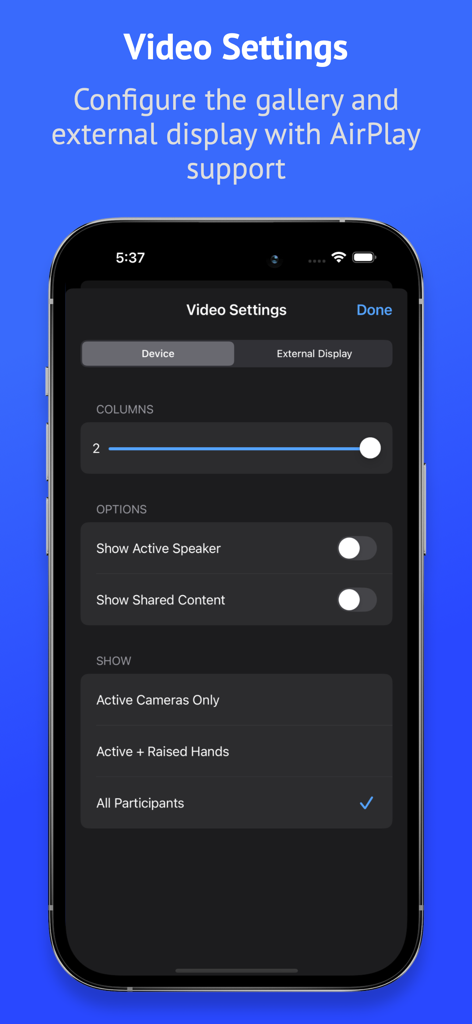
Video settings screen in Attendant Pro for Zoom showing gallery layout and external display configuration options
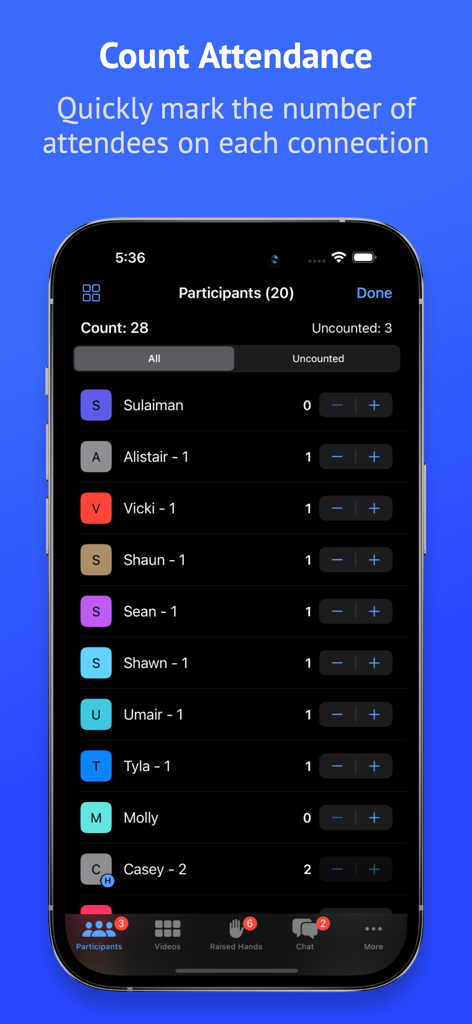
A smartphone screen displaying the attendance counting feature in the Attendant Pro for Zoom app.
Description
Download
More Like This
Top-ranked apps in the same category

Microsoft Teams
Microsoft Corporation

Zoom Workplace
Zoom Communications, Inc.

WhatsApp Business
WhatsApp Inc.

Indeed Job Search
Indeed Inc.

LinkedIn: Network & Job Finder
LinkedIn Corporation

Adobe Acrobat Reader: Sign PDF
Adobe Inc.

WeCom-Work Communication&Tools
Tencent Technology (Shenzhen) Company Limited

BOSS直聘-招聘求职找工作神器
Beijing China Product Bo Farce Network Technology Co., Ltd.

DingDing - Redefine Work in AI
DingTalk Technology Co., Ltd.
This page is not an official page of the app or its developer, but an independent editorial publication created for informational and commentary purposes. Unless expressly stated otherwise, neither the app nor its developer is affiliated with, endorsed by, sponsored by, authorized by, or otherwise officially connected with MWM, Apple, Google Play, the app publisher, or the app's developer, and nothing on this page implies that the app was developed using MWM's services. Any trademarks, logos, screenshots, and other content remain the property of their respective owners.