
This page is not an official page of the app or its developer, but an independent editorial publication created for informational and commentary purposes. Unless expressly stated otherwise, neither the app nor its developer is affiliated with, endorsed by, sponsored by, authorized by, or otherwise officially connected with MWM, Apple, Google Play, the app publisher, or the app's developer, and nothing on this page implies that the app was developed using MWM's services. Any trademarks, logos, screenshots, and other content remain the property of their respective owners.


Aucast - mp3 audiobook player
Stop paying for subscriptions and reclaim your library. Effortlessly transfer your personal audiobooks via WiFi, Dropbox, or AirDrop, with automatic progress saving and seamless Siri integration for the modern ownership advocate.
Downloads
0User Rating
Total Ratings
0Publisher
Category
BooksLocales
12Latest Version
2.0.2Size
95.7 MBFirst Released
Jul 21, 2019Take Control of Your Audiobook Library
The premium player for listeners who value ownership over subscriptions. Seamlessly transfer, play, and manage your DRM-free collection without the monthly fees.
Cable-Free Media Transfer
Ditch the bulky cables. Import your MP3 and M4A files instantly via Dropbox, AirDrop, or high-speed WiFi transfer directly from your web browser.
Smart Progress Tracking
Never lose your place again. Aucast remembers exactly where you left off and can automatically delete files after playback to keep your storage clutter-free.
The following screenshots and description are sourced directly from the app's official store listing and are the property of the app developer.
App Store
Screenshots
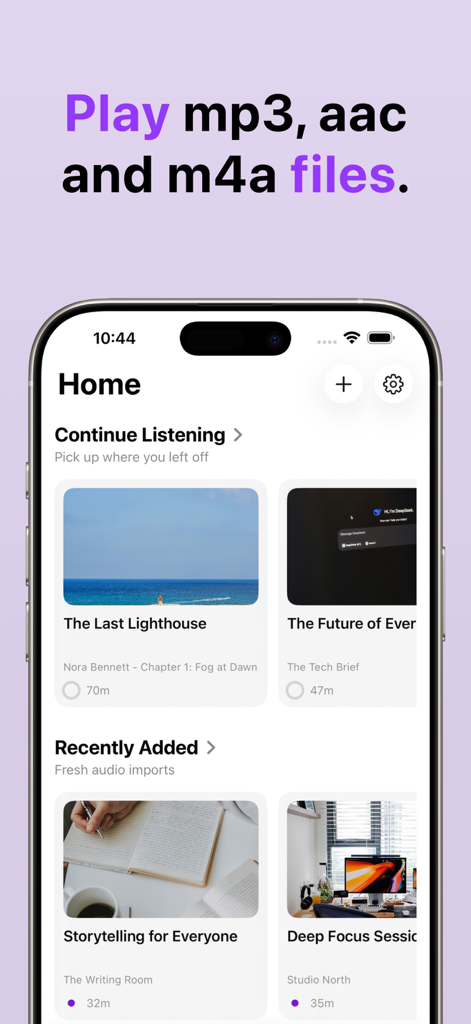
Aucast app home screen displaying the continue listening and recently added audiobooks sections
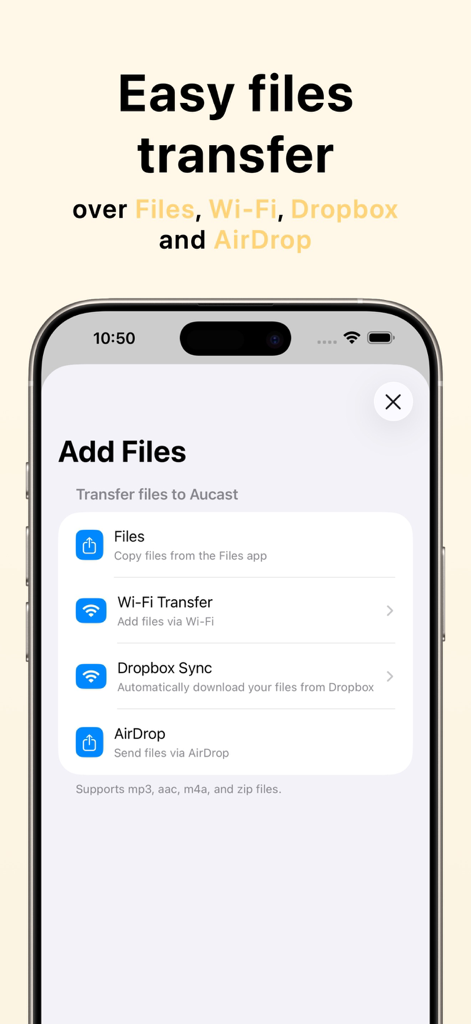
Aucast app screen showing easy file transfer options like Wi-Fi, Dropbox, and AirDrop for audiobooks.
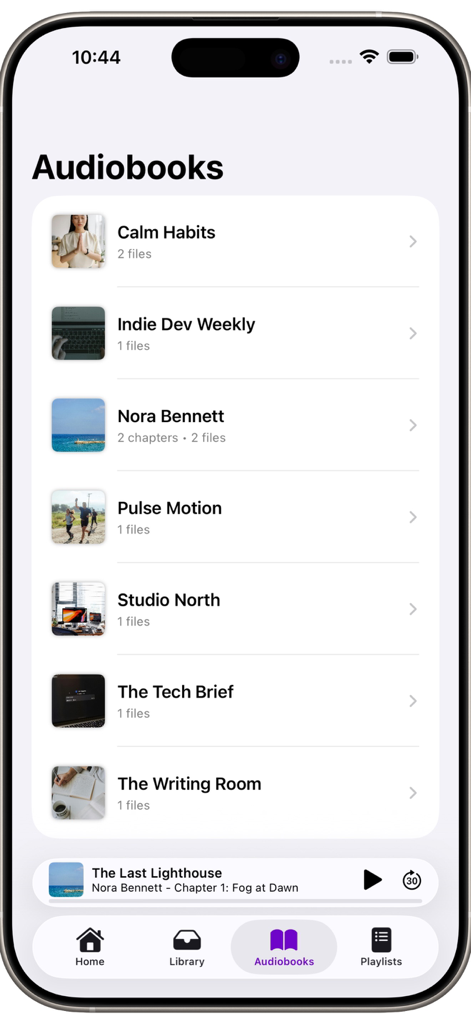
Aucast app interface displaying a collection of audiobooks and a playback bar
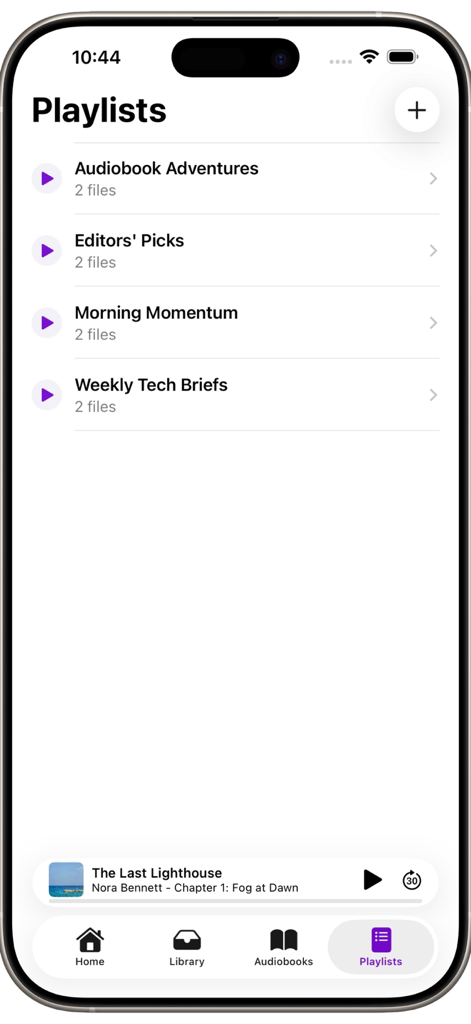
Aucast mobile app showing the Playlists screen with a list of audiobook collections and a playback bar at the bottom.
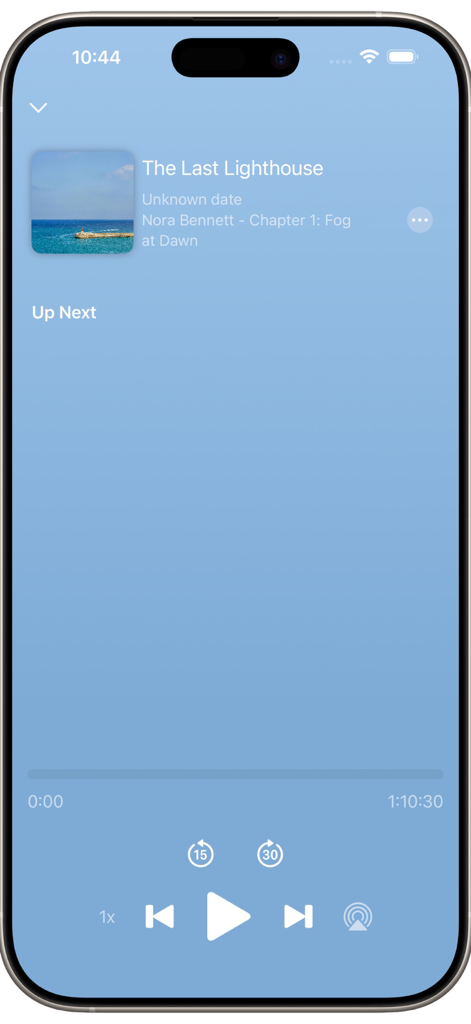
Aucast app now playing screen for an audiobook with playback controls
Description
Download
More Like This
Top-ranked apps in the same category

Amazon Kindle
AMZN Mobile LLC

Audible: Audiobooks & Podcasts
Audible, Inc.

七猫小说-看小说电子书的阅读神器
Shanghai Seven-Cat Culture Media Co.,Ltd.

QQ阅读
Shenzhen Tencent Computer Systems Company Limited

Wattpad - Read & Write Stories
Wattpad Corp

Libby, the library app
OverDrive, Inc.

القرآن الكريم كاملا دون انترنت
Maher Al Masri

微信读书
Tencent Technology (Shenzhen) Company Limited

起点读书-看小说听书的阅读神器
Shanghai Xuan Ting Entertainment Information & technology CO.,LTD
This page is not an official page of the app or its developer, but an independent editorial publication created for informational and commentary purposes. Unless expressly stated otherwise, neither the app nor its developer is affiliated with, endorsed by, sponsored by, authorized by, or otherwise officially connected with MWM, Apple, Google Play, the app publisher, or the app's developer, and nothing on this page implies that the app was developed using MWM's services. Any trademarks, logos, screenshots, and other content remain the property of their respective owners.