
This page is not an official page of the app or its developer, but an independent editorial publication created for informational and commentary purposes. Unless expressly stated otherwise, neither the app nor its developer is affiliated with, endorsed by, sponsored by, authorized by, or otherwise officially connected with MWM, Apple, Google Play, the app publisher, or the app's developer, and nothing on this page implies that the app was developed using MWM's services. Any trademarks, logos, screenshots, and other content remain the property of their respective owners.


Augin
The ultimate AR platform for AEC professionals to visualize designs on-site, detect costly errors before construction, and deliver immersive project presentations that win clients.
Downloads
65K+User Rating
Total Ratings
300Publisher
Category
BusinessLocales
1Latest Version
6.08Size
452.6 MBFirst Released
Jul 27, 2018Precision-Engineered AR for Professionals
Bridge the gap between digital design and the physical site with powerful Augmented Reality tools designed for the modern AEC industry.
True-to-Scale 1:1 Visualization
Walk through your projects at full scale on-site to identify design clashes and spatial conflicts before any concrete is poured.
Seamless BIM Integration
Directly sync models from Revit, SketchUp, or ArchiCAD. Access technical data and real-time BIM info directly in the environment.
Frequently Asked Questions
Everything you need to know about Augin
What is Augin?
Augin is an augmented reality platform designed for professionals and companies to view, check, review, and present projects at a 1:1 scale in their actual environment.
Does Augin support real-time visualization of BIM models?
Yes, Augin allows users to visualize information from BIM models in real-time, integrating project data directly into the augmented reality view.
How can projects be uploaded to the Augin app?
Projects are uploaded to the Augin app through the dedicated website or by utilizing compatible plugins, providing flexible import options.
Where can users find tutorials for the Augin app?
Yes, Augin offers comprehensive tutorials on its YouTube channel, guiding users through the app's features and functionalities.
Can users edit models within the Augin app?
Yes, Augin includes tools for editing models. Users can access functions like 'Cut' and 'Measure' to modify or analyze their augmented reality projects.
Does the Augin app have measurement tools for models?
Yes, Augin provides measurement capabilities. The 'Measure' tool under the 'Edit' menu allows users to take precise measurements of objects within their models.
Does Augin allow users to filter elements in BIM models?
Yes, Augin supports filtering of BIM model elements. The 'Filter' menu allows toggling visibility for elements like 'Door', 'Wall', 'Furniture', and 'Window'.
Does Augin offer collaborative features for project review?
Yes, Augin supports collaborative features, indicated by 'Online', 'Chat', and 'Mic' options. This suggests real-time interaction among multiple users.
Is a pointer tool available in Augin?
Yes, Augin provides a 'Pointer' tool, as shown in the top bar. This feature facilitates guided navigation and highlighting specific areas within the augmented reality environment.
The following screenshots and description are sourced directly from the app's official store listing and are the property of the app developer.
App Store
Screenshots
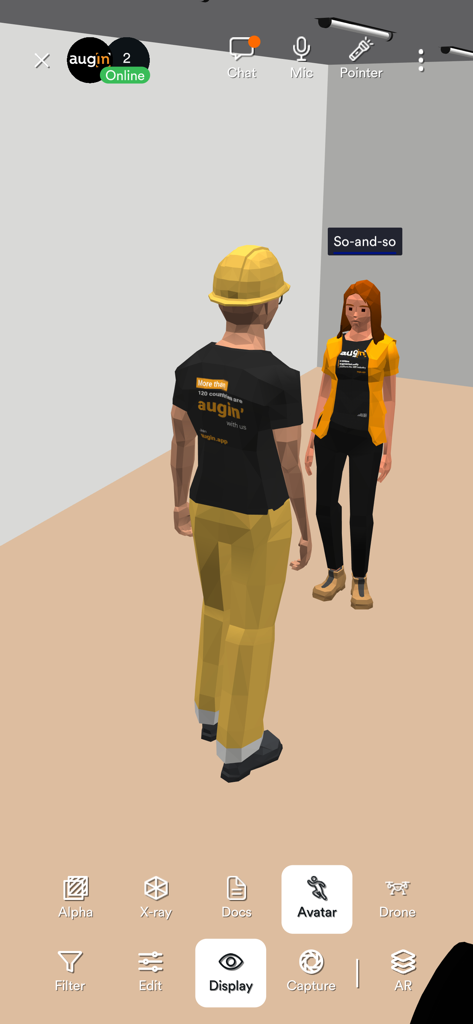
Two 3D avatars in a virtual collaborative environment within the Augin app
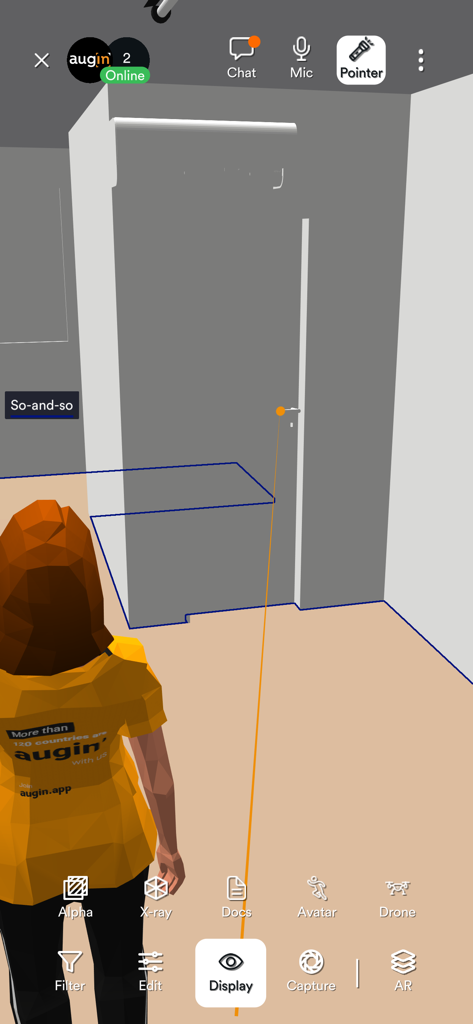
Augin app interface showing a 3D avatar within an augmented reality architectural model.
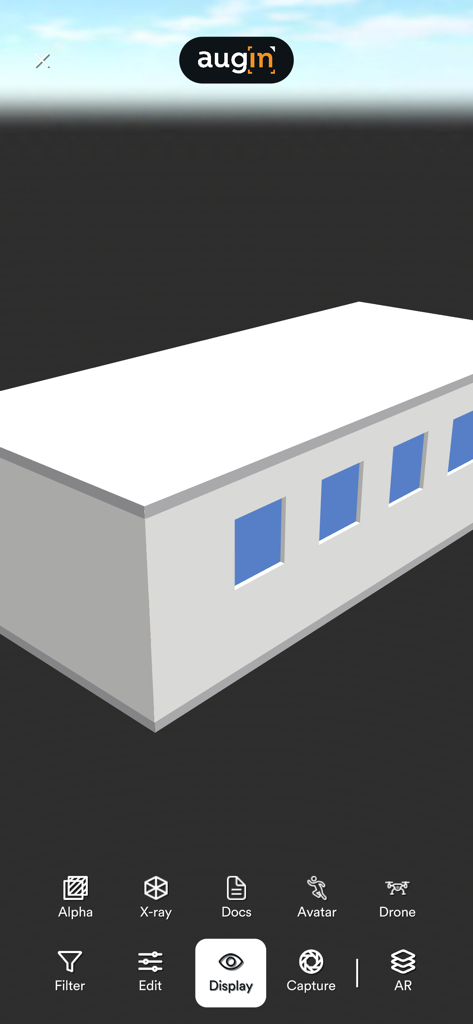
Interface of the Augin app displaying a 3D building model with various viewing and editing tools
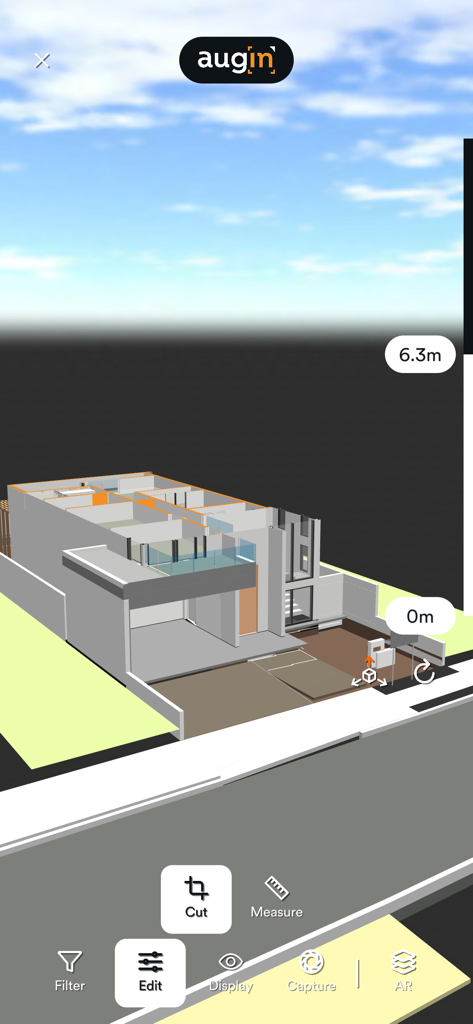
A 3D architectural model of a house being viewed in the Augin AR app interface with measurement tools
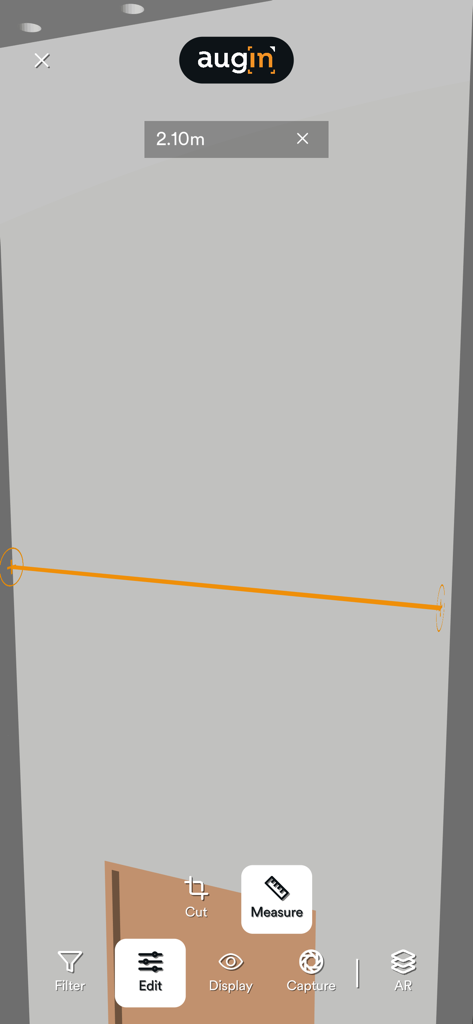
Augin app measurement tool showing a 2.10 meter distance on a 3D model
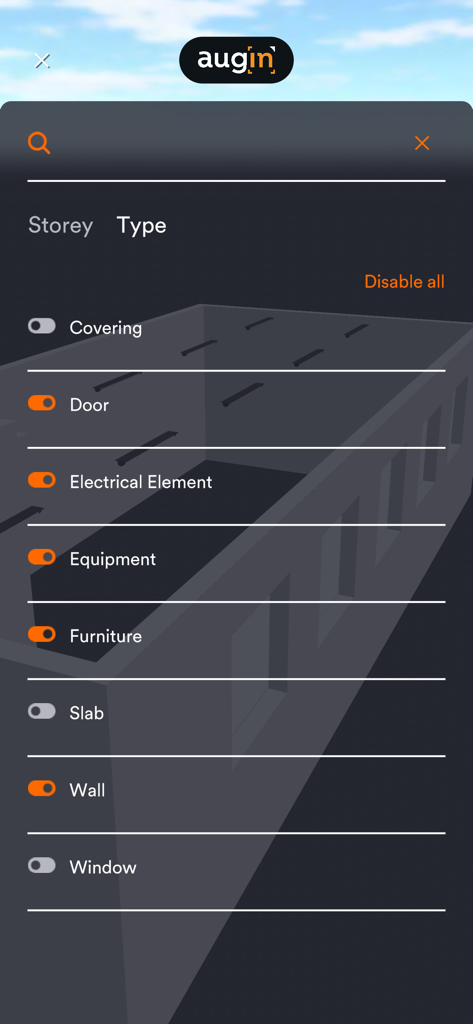
Augin app interface showing 3D model element filters like walls doors and electrical elements
Description
Download
More Like This
Top-ranked apps in the same category

Microsoft Teams
Microsoft Corporation

Zoom Workplace
Zoom Communications, Inc.

WhatsApp Business
WhatsApp Inc.

Indeed Job Search
Indeed Inc.

LinkedIn: Network & Job Finder
LinkedIn Corporation

Adobe Acrobat Reader: Sign PDF
Adobe Inc.

WeCom-Work Communication&Tools
Tencent Technology (Shenzhen) Company Limited

BOSS直聘-招聘求职找工作神器
Beijing China Product Bo Farce Network Technology Co., Ltd.

DingDing - Redefine Work in AI
DingTalk Technology Co., Ltd.
This page is not an official page of the app or its developer, but an independent editorial publication created for informational and commentary purposes. Unless expressly stated otherwise, neither the app nor its developer is affiliated with, endorsed by, sponsored by, authorized by, or otherwise officially connected with MWM, Apple, Google Play, the app publisher, or the app's developer, and nothing on this page implies that the app was developed using MWM's services. Any trademarks, logos, screenshots, and other content remain the property of their respective owners.