
This page is not an official page of the app or its developer, but an independent editorial publication created for informational and commentary purposes. Unless expressly stated otherwise, neither the app nor its developer is affiliated with, endorsed by, sponsored by, authorized by, or otherwise officially connected with MWM, Apple, Google Play, the app publisher, or the app's developer, and nothing on this page implies that the app was developed using MWM's services. Any trademarks, logos, screenshots, and other content remain the property of their respective owners.


Autodesk Construction Cloud
Bring your 3D models, sheets, and critical workflows to the jobsite. Eliminate rework and deliver high-quality projects on time with the most trusted mobile platform for construction management.
Downloads
1M+User Rating
Total Ratings
24K+Publisher
Category
BusinessLocales
18Latest Version
7.69.0Size
638.9 MBFirst Released
Feb 15, 2012Master Your Jobsite from Anywhere
Empower your field teams with the industry-leading platform to manage documents, track progress, and deliver high-quality projects on time and under budget.
Instant Access to BIM & 2D Sheets
View Revit and AutoCAD models directly on your iPad. Compare versions and markup drawings in real-time to eliminate rework and ensure precision.
Seamless RFI & Issue Tracking
Resolve roadblocks faster by assigning responsibilities on the fly. Link photos and documents to issues to maintain a clear trail of accountability.
Frequently Asked Questions
Everything you need to know about Autodesk Construction Cloud
What is the Autodesk Construction Cloud app?
The Autodesk Construction Cloud app is a construction management tool for teams on over 2.5 million projects. It integrates Autodesk Build, BIM Collaborate, Docs, and PlanGrid for comprehensive project management.
Which Autodesk products integrate with the Autodesk Construction Cloud mobile app?
The Autodesk Construction Cloud mobile app integrates with Autodesk Build, BIM Collaborate, Autodesk Docs, Revit, Navisworks, PlanGrid, and AutoCAD, bringing their functionalities to the field.
How does Autodesk Construction Cloud help manage project schedules?
The Autodesk Construction Cloud app provides a centralized schedule. Users can view it by timespans, filter critical items, review dependencies, and assess schedule suggestions to keep projects on track.
Can users track and resolve issues using the Autodesk Construction Cloud app?
Yes, the Autodesk Construction Cloud app allows users to track issues from design to handover. They can add due dates, responsible parties, photos, files, and RFIs to resolve issues faster.
How does the Autodesk Construction Cloud app facilitate quality control with forms?
The Autodesk Construction Cloud app provides adaptable forms for gathering critical information, such as safety programs or daily checklists. This helps deliver higher quality projects.
Does Autodesk Construction Cloud support asset lifecycle management?
Yes, the Autodesk Construction Cloud app manages the lifecycle of project assets from design through commissioning and handover. Assets are tracked, stored, and connected to other workflows within the app.
How can I access drawings on the Autodesk Construction Cloud mobile app?
The Autodesk Construction Cloud mobile app provides quick access to the latest drawings and shared plans. Users can download, search, compare, share, and markup sheets directly from the field.
What types of 3D models does the Autodesk Construction Cloud app support?
The Autodesk Construction Cloud app supports 3D models from Revit, AutoCAD, and other file types including RVT, DWG, NWC, IFC, and NWD, enabling critical decisions faster in the field.
How does the Autodesk Construction Cloud app manage RFIs?
The Autodesk Construction Cloud app offers seamless RFI management, connecting RFIs across the project lifecycle. This reduces duplicate work and ensures greater accountability.
Can users view and search submittal information in the Autodesk Construction Cloud app?
Yes, the Autodesk Construction Cloud app allows users to keep all relevant submittal information on hand. Users can quickly search for submittals to view progress and next steps.
What photo capabilities does the Autodesk Construction Cloud app offer?
The Autodesk Construction Cloud app allows users to capture, tag, reference, and geolocate photos. Photos track progress and can link to issues, RFIs, and schedule activities.
The following screenshots and description are sourced directly from the app's official store listing and are the property of the app developer.
App Store
Screenshots
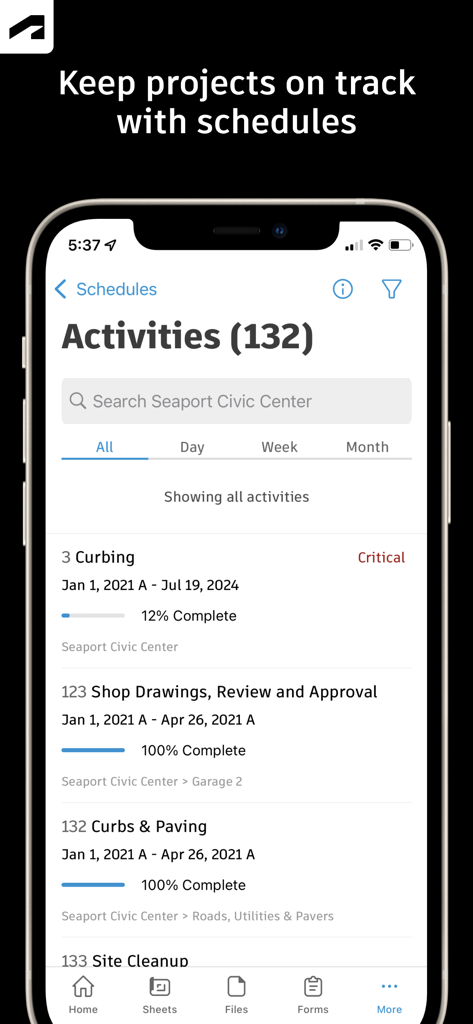
Autodesk Construction Cloud mobile app displaying a project activity schedule with progress tracking and completion percentages
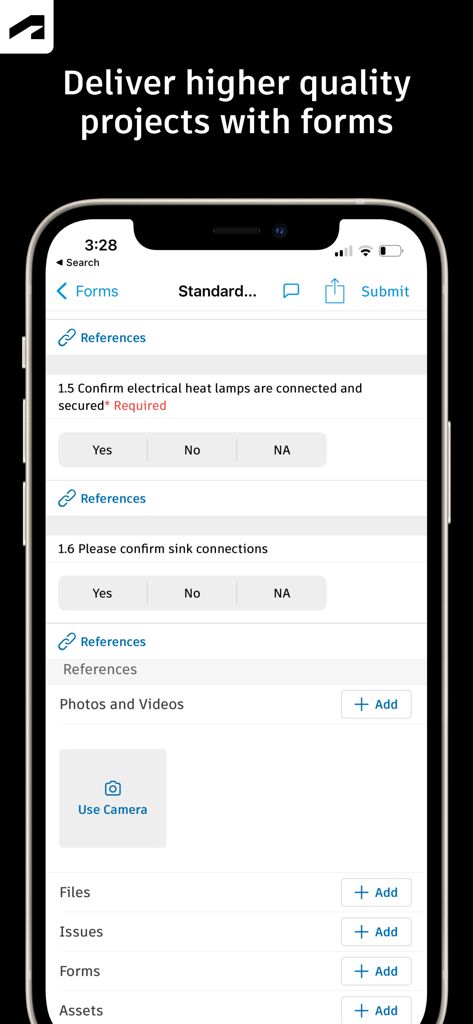
A mobile interface from Autodesk Construction Cloud showing a construction site inspection form with checklists for project quality control
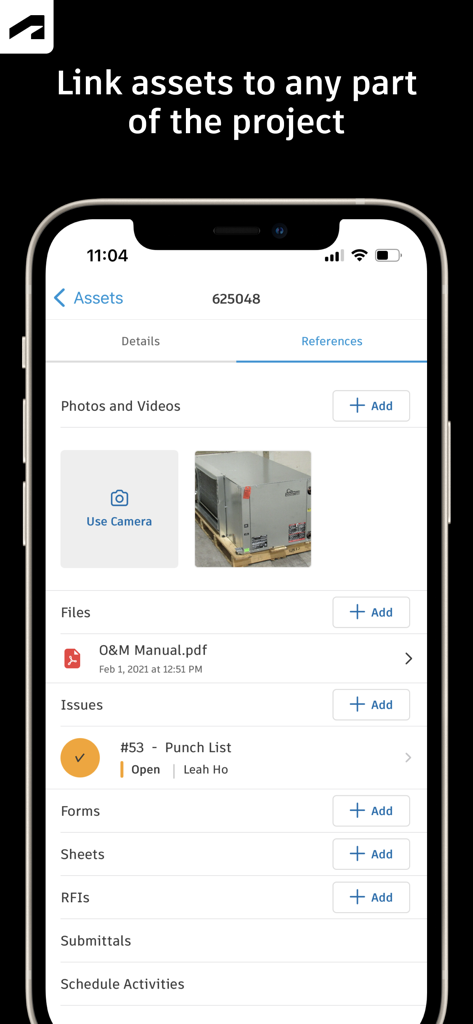
Autodesk Construction Cloud mobile app screen showing asset references including photos files and punch list issues
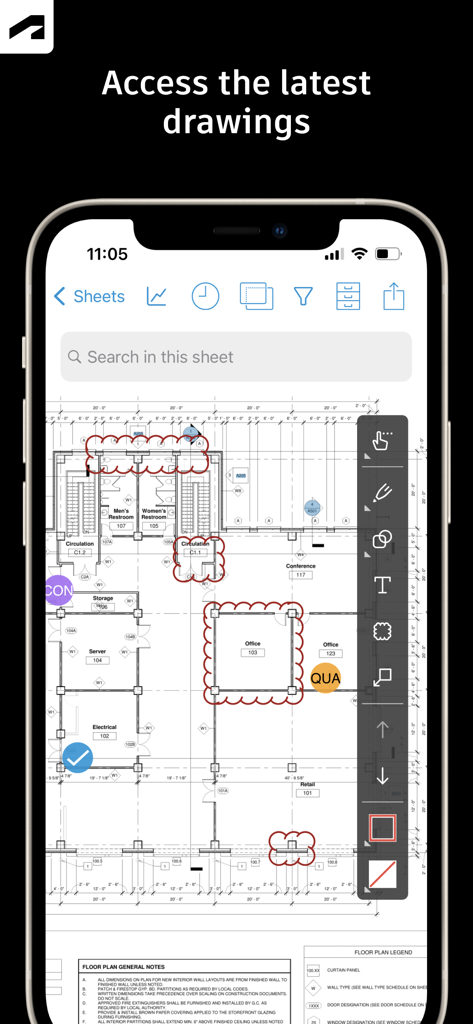
Autodesk Construction Cloud app showing construction drawings and markup tools on a smartphone
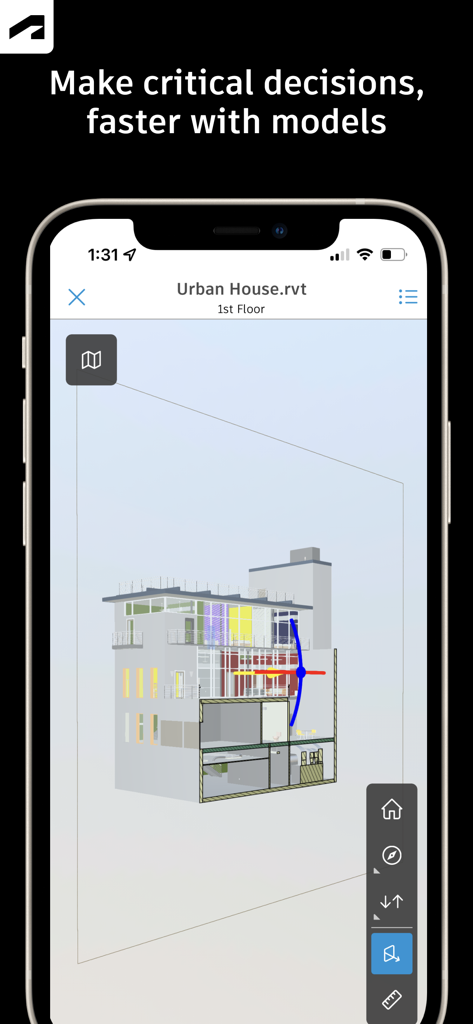
A 3D architectural model of a building displayed on a smartphone using the Autodesk Construction Cloud app

Autodesk Construction Cloud app showing an RFI detail screen for design column wraps with status and reviewer information
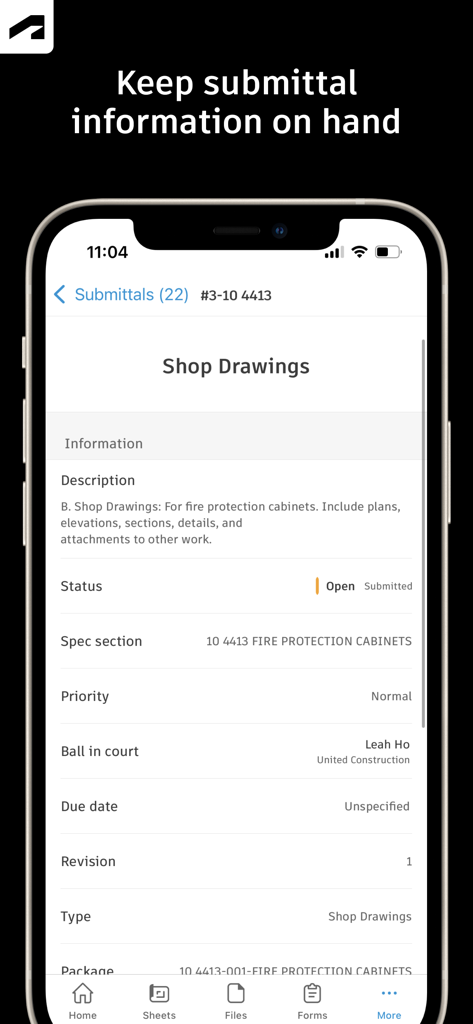
Autodesk Construction Cloud app showing submittal details for shop drawings on a mobile device
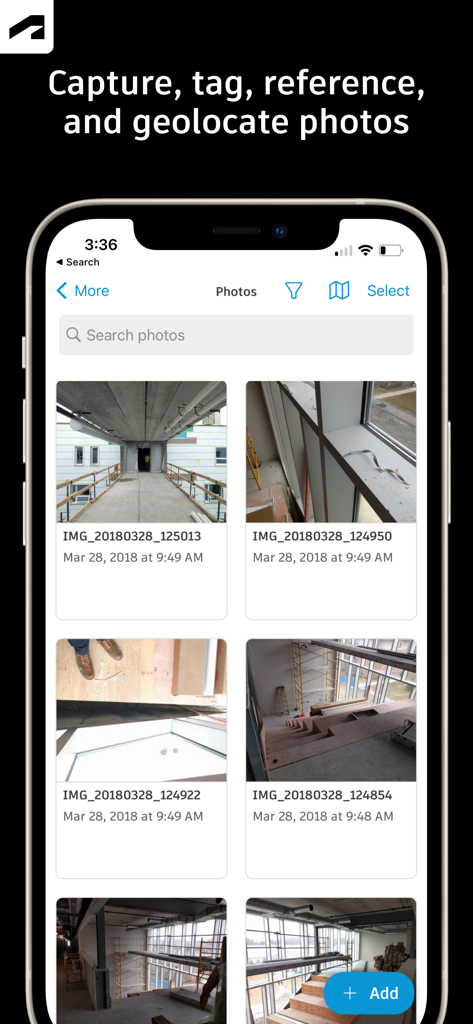
Interface of the Autodesk Construction Cloud mobile app showing a gallery of construction site progress photos.
Description
Download
More Like This
Apps with similar features and user experience

Doximity
Doximity

PrepWizard
CyberDynamite LLC

MaintainX Work Orders
MAINTAINX INC.

WAGO
WAGO Kontakttechnik GmbH & Co. KG

Flash.It
Structured Steel Pty Ltd

iCoder CPT RVU ICD10 HCPCS
StarInix Corporation

Summons Partner+
n.u. logistics

OneClick Code - Building Codes
One Click Reports

德馨ּּ维修
小东 何
This page is not an official page of the app or its developer, but an independent editorial publication created for informational and commentary purposes. Unless expressly stated otherwise, neither the app nor its developer is affiliated with, endorsed by, sponsored by, authorized by, or otherwise officially connected with MWM, Apple, Google Play, the app publisher, or the app's developer, and nothing on this page implies that the app was developed using MWM's services. Any trademarks, logos, screenshots, and other content remain the property of their respective owners.