
This page is not an official page of the app or its developer, but an independent editorial publication created for informational and commentary purposes. Unless expressly stated otherwise, neither the app nor its developer is affiliated with, endorsed by, sponsored by, authorized by, or otherwise officially connected with MWM, Apple, Google Play, the app publisher, or the app's developer, and nothing on this page implies that the app was developed using MWM's services. Any trademarks, logos, screenshots, and other content remain the property of their respective owners.


Autograph+ (Lite Version)
The ultimate tool for busy professionals and digital memorabilia hunters. Capture realistic autographs with your camera, draw manually on your screen, or generate polished signatures for your business documents on the go.
Downloads
151K+User Rating
Total Ratings
100Publisher
Category
BusinessLocales
9Latest Version
3.6Size
117.8 MBFirst Released
Jul 5, 2012Professional Signatures and Memorable Autographs
Whether you are closing a business deal or meeting a celebrity, Autograph+ is the ultimate tool to digitize your signature on the go.
Instant Camera Scanning
Turn your physical signature into a realistic digital asset. Simply point your camera at paper and digitize it instantly for professional use.
Natural Manual Capture
Never miss a moment. Use smooth finger gestures to collect autographs from celebrities or sign NDAs directly on your screen.
Frequently Asked Questions
Everything you need to know about Autograph+ (Lite Version)
What is Autograph+ (Lite Version)?
Autograph+ (Lite Version) is an application that allows users to scan signatures from paper, draw them manually with finger gestures, or create auto-signatures using a keypad. It facilitates saving and sharing digital autographs.
How can users create a signature in Autograph+?
Autograph+ provides three methods: scanning from a device camera, drawing manually with finger gestures in Manual Mode, and generating text-based signatures using a keypad in Auto Mode.
Can Autograph+ scan signatures from physical paper?
Yes, Autograph+ can scan your signature directly from paper using your device's camera. Users simply place the camera over the signature to scan it.
Does Autograph+ allow users to draw signatures manually?
Yes, Autograph+ offers a Manual Mode. This feature allows users to draw customized signatures and autographs directly on the app's canvas using finger gestures.
How does the auto-signature feature work in Autograph+?
The Auto Mode in Autograph+ enables users to create signatures by typing text with the keypad. It offers various fonts, colors, and styles for personalized auto-signatures.
Can signatures be customized in Autograph+ (Lite Version)?
Yes, Autograph+ allows extensive customization. Users can choose brush colors, thickness, and textures. Additionally, scanned signatures can be cropped and rotated for a professional appearance.
What sharing options are available for signatures in Autograph+?
Autograph+ facilitates sharing signatures via email and various social mediums. Users can also apply autographs to videos, photos, or documents directly from the app.
Can users add the date and time to signatures in Autograph+?
Yes, Autograph+ includes a feature to add the current date and time directly to your signature or autograph, providing additional context.
The following screenshots and description are sourced directly from the app's official store listing and are the property of the app developer.
App Store
Screenshots
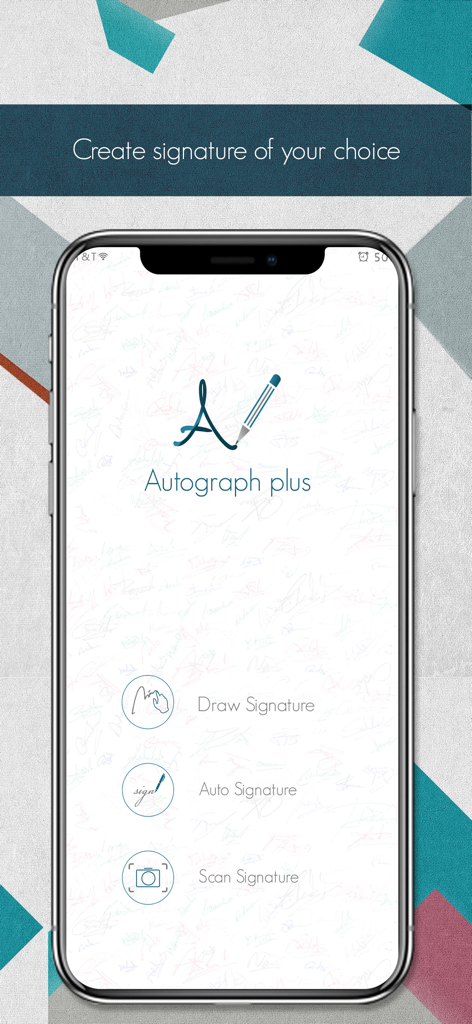
Autograph plus app home screen showing options to draw auto generate and scan signatures
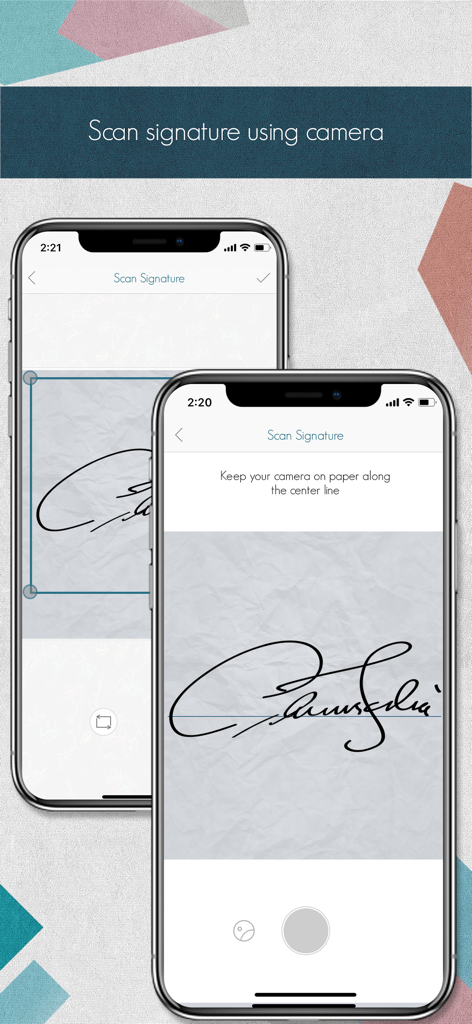
A mobile phone scanning a handwritten signature from paper using the Autograph plus app camera feature.
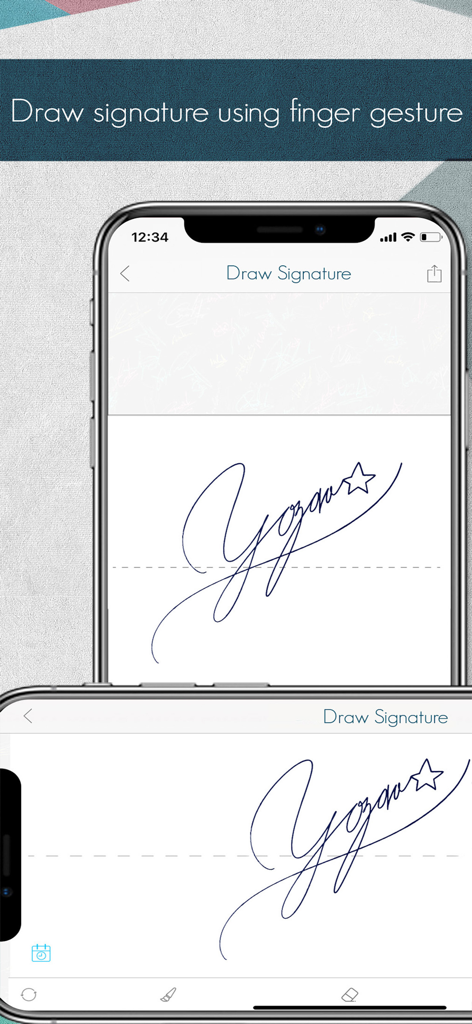
Smartphone screen showing the manual draw signature feature in the Autograph plus Lite app
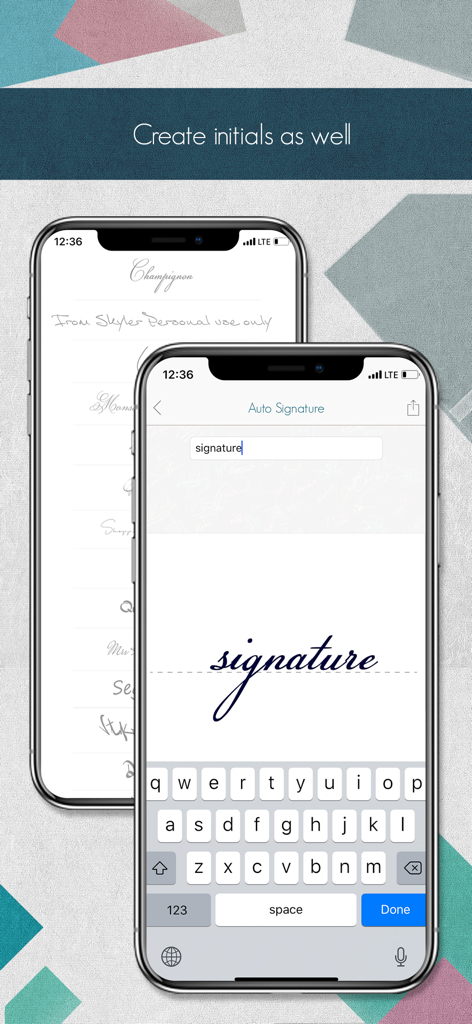
Autograph Plus app screen on iPhone showing the auto signature feature which converts typed text into a cursive digital signature
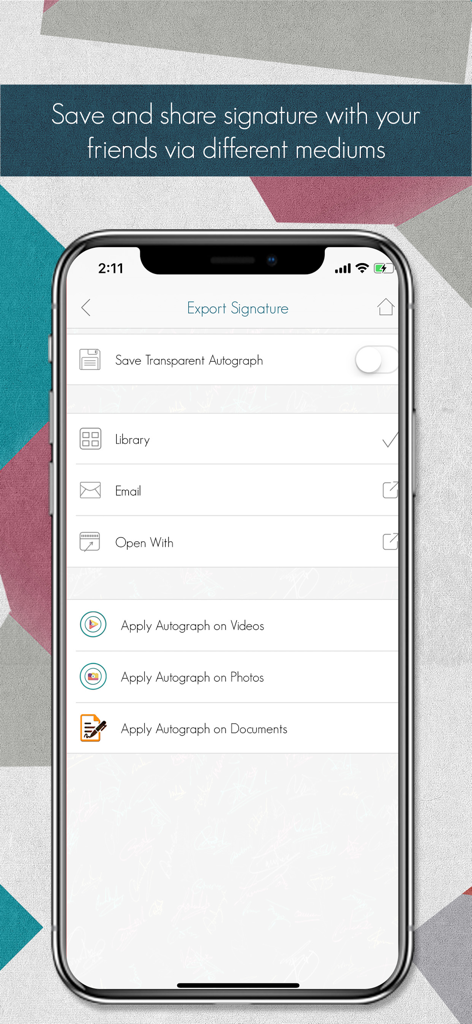
Interface of Autograph plus app showing options to export and apply signatures to photos videos and documents
Description
Download
More Like This
Top-ranked apps in the same category

Microsoft Teams
Microsoft Corporation

Zoom Workplace
Zoom Communications, Inc.

WhatsApp Business
WhatsApp Inc.

Indeed Job Search
Indeed Inc.

LinkedIn: Network & Job Finder
LinkedIn Corporation

Adobe Acrobat Reader: Sign PDF
Adobe Inc.

DingDing - Redefine Work in AI
DingTalk Technology Co., Ltd.

WeCom-Work Communication&Tools
Tencent Technology (Shenzhen) Company Limited

BOSS直聘-招聘求职找工作神器
Beijing China Product Bo Farce Network Technology Co., Ltd.
This page is not an official page of the app or its developer, but an independent editorial publication created for informational and commentary purposes. Unless expressly stated otherwise, neither the app nor its developer is affiliated with, endorsed by, sponsored by, authorized by, or otherwise officially connected with MWM, Apple, Google Play, the app publisher, or the app's developer, and nothing on this page implies that the app was developed using MWM's services. Any trademarks, logos, screenshots, and other content remain the property of their respective owners.