AutoResponder for WA
Download on App Store

This page is not an official page of the app or its developer, but an independent editorial publication created for informational and commentary purposes. Unless expressly stated otherwise, neither the app nor its developer is affiliated with, endorsed by, sponsored by, authorized by, or otherwise officially connected with MWM, Apple, Google Play, the app publisher, or the app's developer, and nothing on this page implies that the app was developed using MWM's services. Any trademarks, logos, screenshots, and other content remain the property of their respective owners.


Logo of AutoResponder for WA
Download on App Store

AutoResponder for WA

Scale your small business with no-code automation. Instantly reply to leads, schedule your off-hours, and message unsaved numbers to stay productive without the communication fatigue.

Key Figures

Downloads

42K+

User Rating

4.2/5

Total Ratings

500

Publisher

Kailashben Radadiya

Category

Social Networking

Locales

8

Latest Version

2.0

Size

36.2 MB

First Released

Aug 2, 2024
Features

Scale Your Business With Smart Automation

Transform your WhatsApp into a 24/7 customer service powerhouse. Manage leads, automate replies, and reclaim your time with tools designed for the modern entrepreneur.

No-Code Chatbot Builder

Automate repetitive FAQs and greet new leads instantly without writing a single line of code.

Custom Response Scheduling

Set your business hours to auto-reply while you're offline, ensuring no client ever feels ignored.

The following screenshots and description are sourced directly from the app's official store listing and are the property of the app developer.

App Store

Screenshots
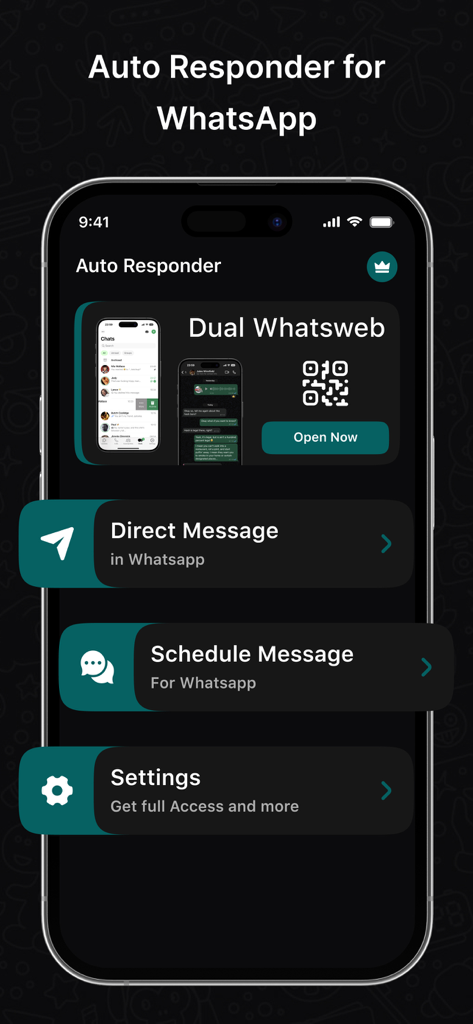
AutoResponder for WA - Home screen of the AutoResponder for WA app displaying options for Dual Whatsweb, Direct Message, and Schedule Message.
Home screen of the AutoResponder for WA app displaying options for Dual Whatsweb, Direct Message, and Schedule Message.

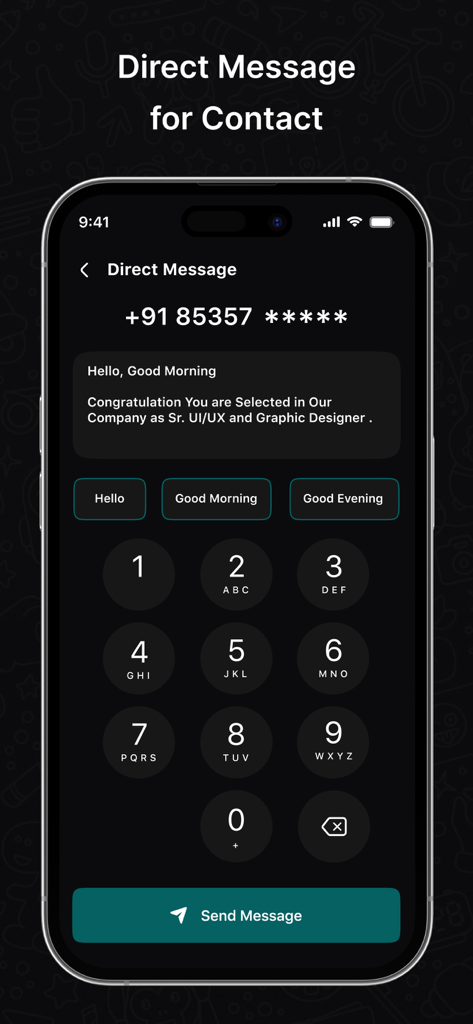
AutoResponder for WA - Interface for sending direct WhatsApp messages to unsaved numbers with quick reply options
Interface for sending direct WhatsApp messages to unsaved numbers with quick reply options

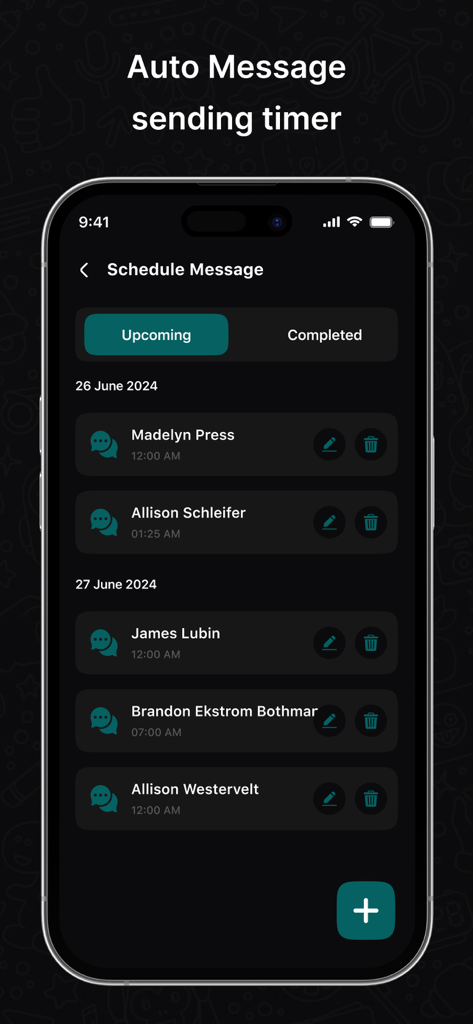
AutoResponder for WA - A mobile phone screen displaying the Schedule Message feature of the AutoResponder for WA app showing a list of upcoming automated messages for various contacts.
A mobile phone screen displaying the Schedule Message feature of the AutoResponder for WA app showing a list of upcoming automated messages for various contacts.

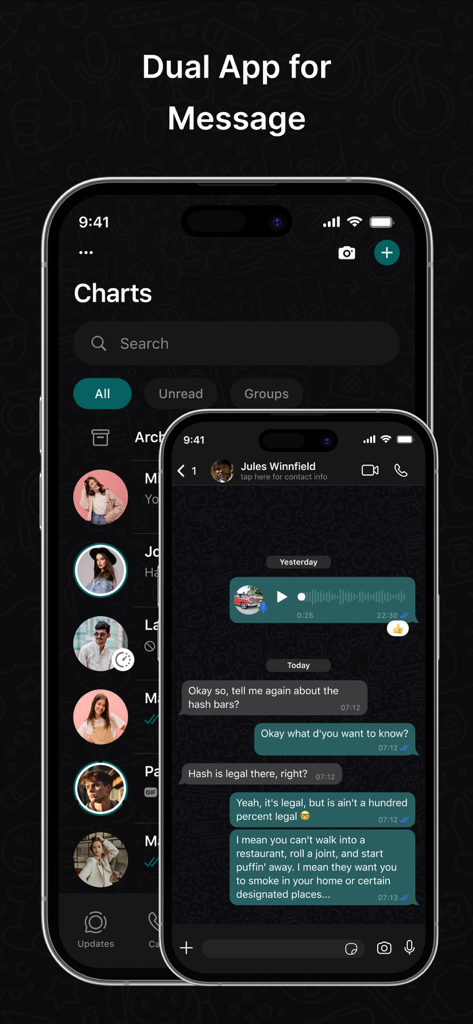
AutoResponder for WA - Dual app messaging interface for AutoResponder for WA showing chat list and conversation

Dual app messaging interface for AutoResponder for WA showing chat list and conversation

Description

Automatically respond to custom received WhatsApp or WA Business messages with this bot. You have a lot of settings to customise each auto reply for your needs. Build Your Bot Create your own chat bot more easily than any other apps in the world. No more technical skills required to build your bot.
AutoResponder for WhatsApp is best tool for WhatsApp to send messages to any numbers that are not saved in your Contacts. How it works? 1. Enter a number to which you are going to send message. 2. Type your text message and tap on send button. 3. This will take you to the official app then a chat window is created on WhatsApp with the given number. 1.Contact Matters Always choose to whom you want to send a reply. 2.Smart Reply Customise the reply time. You can set WhatsAuto to send auto reply continuously or to send after some time delay or to send only once. 3.Schedule Schedule your time to turn WhatsAuto On and Off automatically to send auto reply to your incoming messages. This feature is useful when you're out of business hours. 4.WhatsWeb You just have to open WhatsWeb and scan the other account's QR code and now you are done to use the dual chat feature with this web cloning app. Note - This app or app developer is not associated with WhatsApp. WhatsApp is a registered trademark of WhatsApp Inc. You should follow WhatsApp's terms & condition while sending messages through WhatsAuto App. SUBSCRIPTION AND TERMS: You may purchase an auto-renewing subscription through an In-App Purchase to enjoy all App Features without Ads: • Auto-renewable subscription • Weekly, 1 month and 1-year durations • Your subscription will be charged to your iTunes account at confirmation of purchase and will automatically renew (at the duration selected) unless auto-renew is turned off at least 24 hours before the end of the current period. • Current subscription may not be canceled during the active subscription period; however, you can manage your subscription and/or turn off auto-renewal by visiting your iTunes Account Settings after purchase. Read our full Terms of Service and our Privacy Policy at: * Link to Privacy Policy: https://autoresponderforwa.blogspot.com/2024/07/privacy-policy.html * Link to Terms of use: https://autoresponderforwa.blogspot.com/2024/07/terms-conditions.html * Link to EULA : https://autoresponderforwa.blogspot.com/2024/07/eula.html

Download

Download on App Store

This page is not an official page of the app or its developer, but an independent editorial publication created for informational and commentary purposes. Unless expressly stated otherwise, neither the app nor its developer is affiliated with, endorsed by, sponsored by, authorized by, or otherwise officially connected with MWM, Apple, Google Play, the app publisher, or the app's developer, and nothing on this page implies that the app was developed using MWM's services. Any trademarks, logos, screenshots, and other content remain the property of their respective owners.