B737 Cockpit Companion
Download on App Store

This page is not an official page of the app or its developer, but an independent editorial publication created for informational and commentary purposes. Unless expressly stated otherwise, neither the app nor its developer is affiliated with, endorsed by, sponsored by, authorized by, or otherwise officially connected with MWM, Apple, Google Play, the app publisher, or the app's developer, and nothing on this page implies that the app was developed using MWM's services. Any trademarks, logos, screenshots, and other content remain the property of their respective owners.


Logo of B737 Cockpit Companion
Download on App Store

B737 Cockpit Companion

Master the NG, MAX, and Classics with Bill Bulfer’s legendary systems guides, interactive schematics, and deep technical insights designed for the professional flight deck.

Key Figures

Downloads

110K+

User Rating

4.8/5

Total Ratings

2K+

Publisher

Flight Simulation Systems, LLC

Category

Education

Locales

1

Latest Version

6.6.0

Size

2.0 GB

First Released

Nov 8, 2012
Features

Master Your Aircraft with Unrivaled Technical Depth

Go beyond the standard manuals. Access the legendary Bill Bulfer insights through a powerful, interactive database designed specifically for professional 737 pilots and students.

Interactive Spatial Navigation

Skip the search in thousands of PDF pages. Tap any panel or control head in our high-resolution cockpit view to instantly surface deep-dive technical data.

Advanced 'Theory of Operation'

Master the logic behind the automation. Our high-resolution vector schematics explain the mechanical and electrical plumbing that standard airline training omits.

The following screenshots and description are sourced directly from the app's official store listing and are the property of the app developer.

App Store

Screenshots
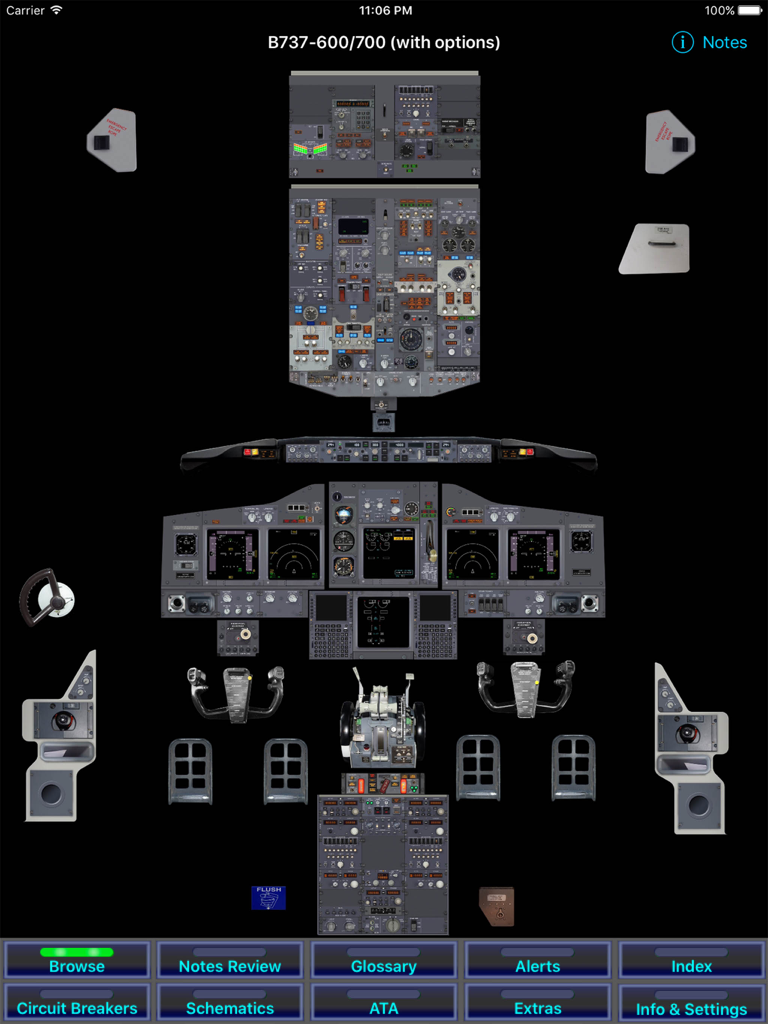
B737 Cockpit Companion - Interactive Boeing 737 cockpit layout showing various instrument panels and navigation buttons
Interactive Boeing 737 cockpit layout showing various instrument panels and navigation buttons

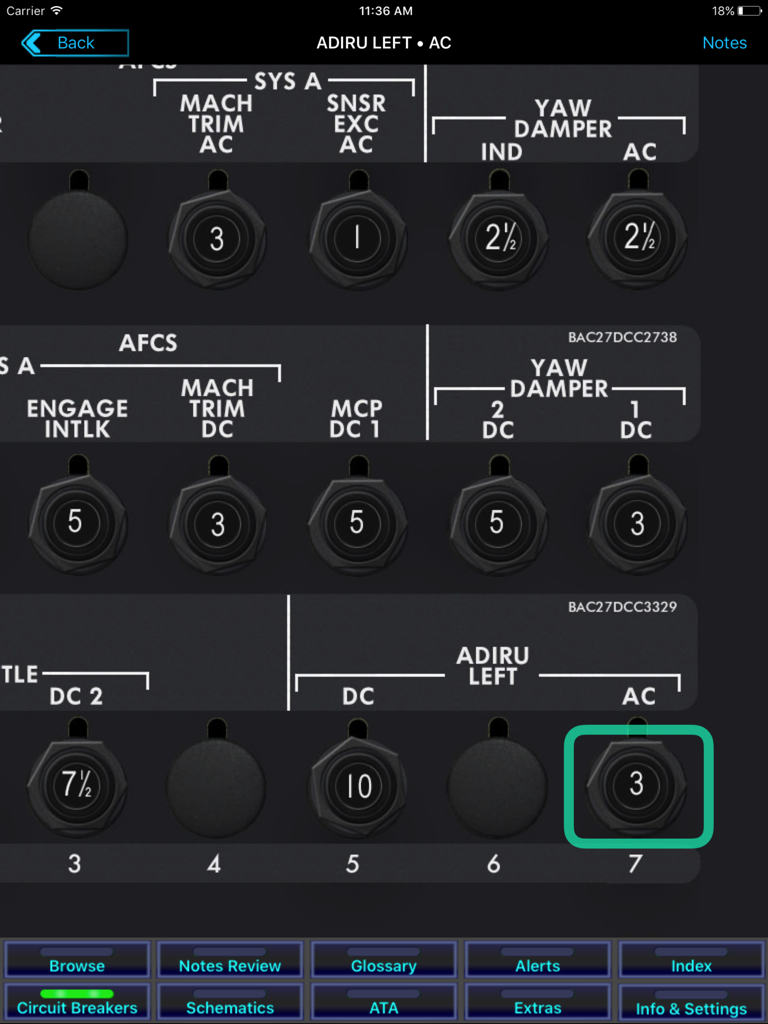
B737 Cockpit Companion - A detailed view of the B737 Cockpit Companion app showing an interactive circuit breaker panel for aircraft systems like ADIRU and AFCS.
A detailed view of the B737 Cockpit Companion app showing an interactive circuit breaker panel for aircraft systems like ADIRU and AFCS.

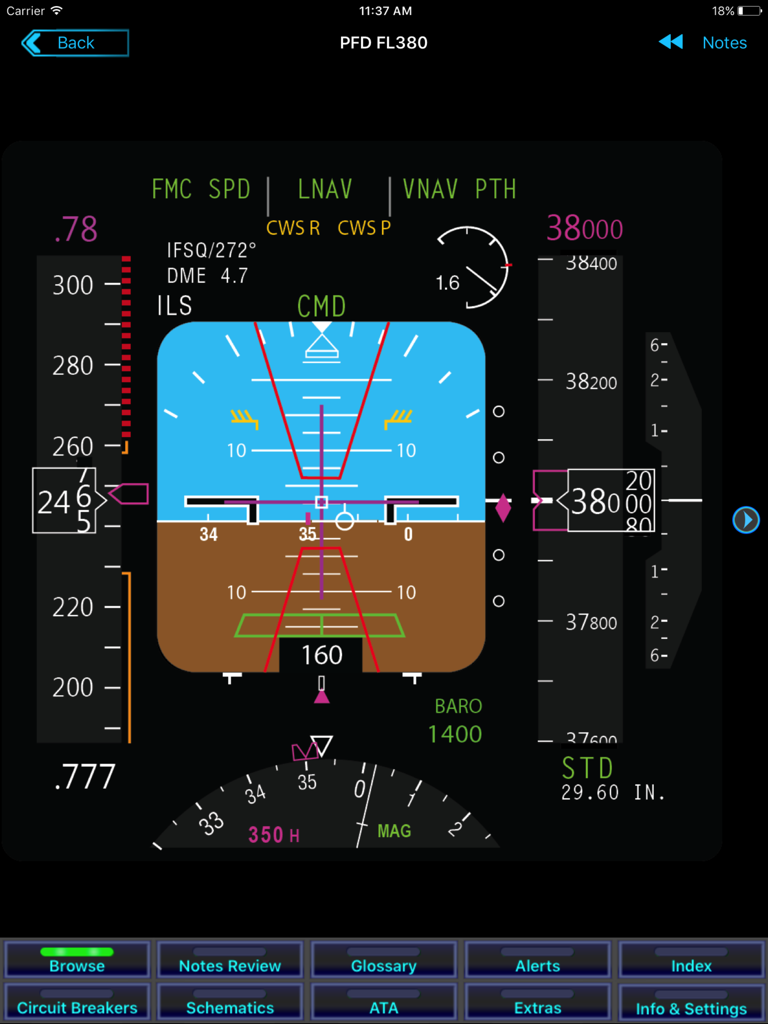
B737 Cockpit Companion - B737 Cockpit Companion app showing a detailed Primary Flight Display PFD at flight level 380
B737 Cockpit Companion app showing a detailed Primary Flight Display PFD at flight level 380

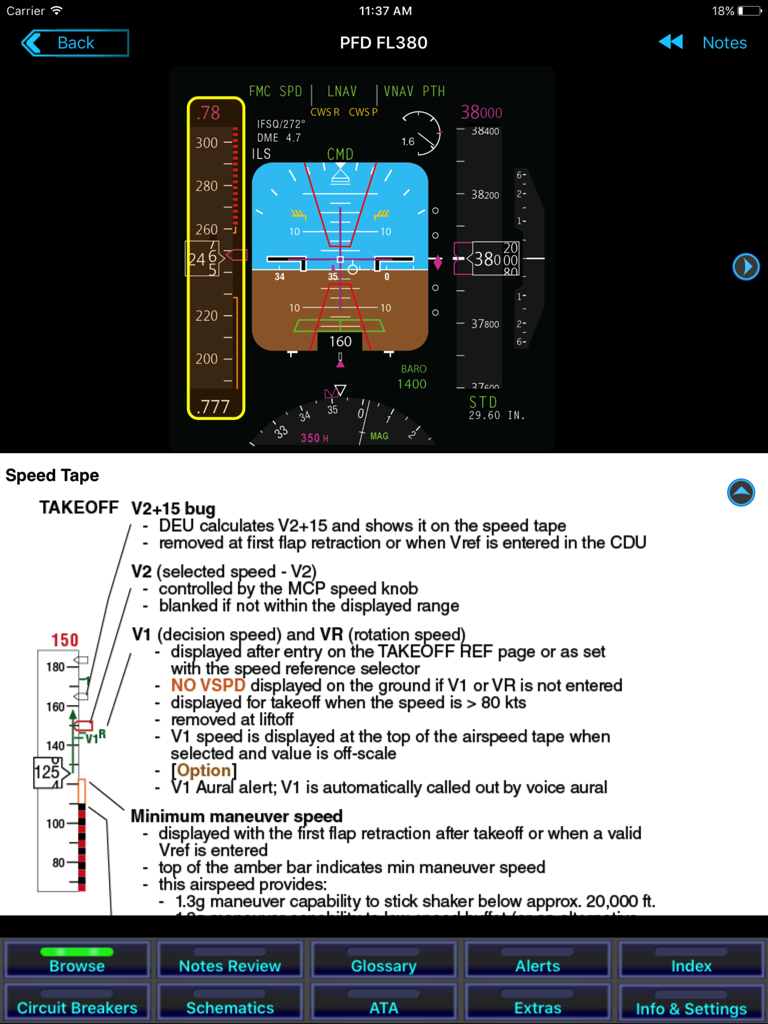
B737 Cockpit Companion - B737 Cockpit Companion app showing a Primary Flight Display and detailed Speed Tape technical reference
B737 Cockpit Companion app showing a Primary Flight Display and detailed Speed Tape technical reference

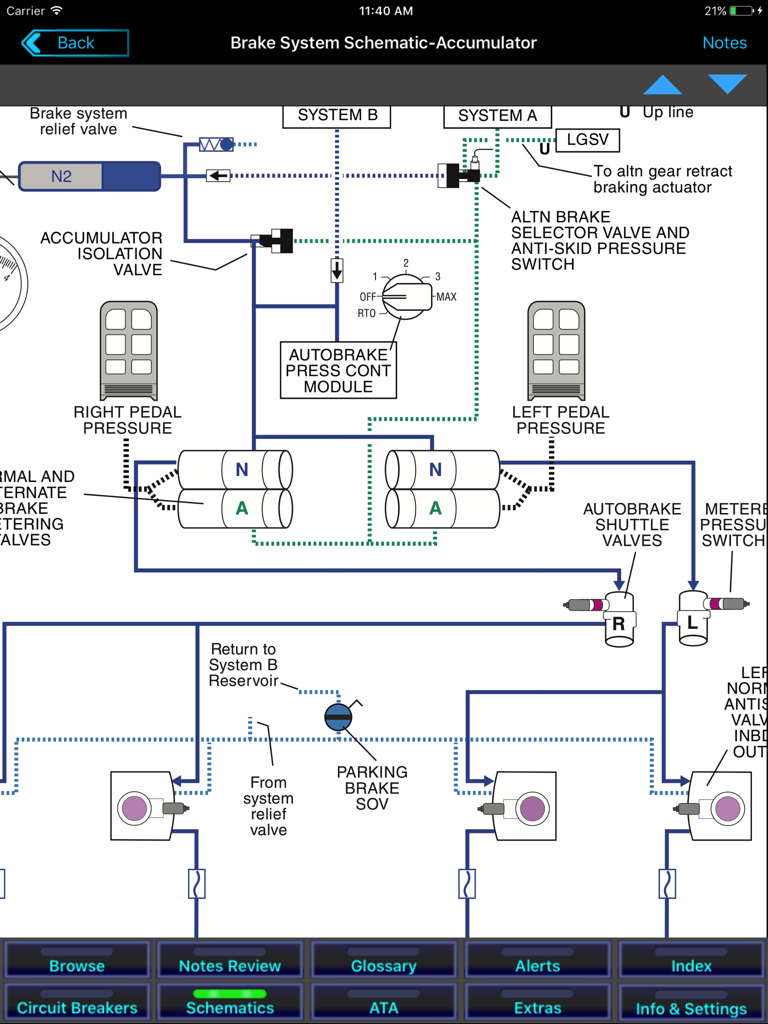
B737 Cockpit Companion - A detailed technical schematic of the Boeing 737 brake system accumulator within the B737 Cockpit Companion app.

A detailed technical schematic of the Boeing 737 brake system accumulator within the B737 Cockpit Companion app.

Description

B737 Cockpit Companion for iPad is a conversion of Bill Bulfer's B737 NG Cockpit Companion book series to an iPad app. It covers the NG, Classics, and the 737 MAX. Since 1998, B737 Cockpit Companion has been a valued resource for airline pilots worldwide. It is a convenient accessible guide to systems, incorporating notes on functionality, "theory of operation", and Bill's extensive experience as a line pilot with a major US carrier. B737 Cockpit Companion steps far beyond the "need to know" philosophy that is characteristic of modern systems training, and which frustrates many line pilots. The app is much more than an "eBook." At its heart is a powerful database engine that allows a tremendous number of configuration options to be customized without forcing the user to wade through clutter: When you browse a control head, for instance, you will see only content related to that control head. The app features a touch-based navigation scheme, so you can start with the top-level cockpit view, and find notes specific to the panel you deal with. It also contains a number of reference options, so you can look up information without having to work through the control panels. The major features include: - Extensive coverage of the B737-600, -700, -800, -900, the BBJs, the 737 MAX, and the Classic EFIS/EIS. - The complete text of the B737 NG Cockpit Companion print version--and more. - All-new, high-resolution graphics detailing every panel and control head. - A note-taking capability. - The ability to create your own flashcards. - An extensive index of over 700 items, linked to the main text. - A circuit breaker locator. - Bill's high-resolution, vector-based schematics. - The content of the B737 Alerts app—a $15 value—optimized for the new database. - An extensive glossary. - A database update feature to help keep the database up to date (requires a wireless connection). Of interest to students or prospective pilots, we also include: - A sample Limitations function. - A sample Master Minimum Equipment List, based on FAA Rev 55a. - An ATA chapter database. As with all products of this type, this program is for informational purposes only. Your FAA-approved company flight manual is the final authority as to the safe and correct operation of your airplane. One optional in-app subscription, "Pro App", is available. This includes the text of FMC Guide, Bill Bulfer's book on the Flight Management System; and Quizzer. This is a convenient way of reviewing systems operation, and was written by Bill. Pro Pilot also includes a BITE CDU emulator and Airworthiness Directives. As we add new features, we will be adding them under Pro Pilot. • The subscription lasts one year. • Payment will be charged to your iTunes Account at confirmation of purchase • The subscription automatically renews unless auto-renew is turned off at least 24-hours before the end of the current period. • Your account will be charged for renewal within 24-hours prior to the end of the current period, and identify the cost of the renewal at the time. • Subscriptions may be managed by you, and auto-renewal may be turned off by going to your iTunes Account Settings in System Settings after purchase. NOTE: The app is generally supported for the current version of iOS, the previous version, and the iPad hardware that supports those versions. EULA: http://www.fss.aero/EULA.html

Download

Download on App Store

This page is not an official page of the app or its developer, but an independent editorial publication created for informational and commentary purposes. Unless expressly stated otherwise, neither the app nor its developer is affiliated with, endorsed by, sponsored by, authorized by, or otherwise officially connected with MWM, Apple, Google Play, the app publisher, or the app's developer, and nothing on this page implies that the app was developed using MWM's services. Any trademarks, logos, screenshots, and other content remain the property of their respective owners.