
This page is not an official page of the app or its developer, but an independent editorial publication created for informational and commentary purposes. Unless expressly stated otherwise, neither the app nor its developer is affiliated with, endorsed by, sponsored by, authorized by, or otherwise officially connected with MWM, Apple, Google Play, the app publisher, or the app's developer, and nothing on this page implies that the app was developed using MWM's services. Any trademarks, logos, screenshots, and other content remain the property of their respective owners.

Basketball Stats Assistant
Stop guessing and start winning. Empower your coaching with intuitive drag-and-drop tracking, advanced shot charts, and professional efficiency reports designed for the modern game.
Downloads
51K+User Rating
Total Ratings
800Publisher
Category
SportsLocales
12Latest Version
1.43Size
82.9 MBFirst Released
Nov 17, 2020Analyze Like a Pro, Play Like a Champion
Transform raw game data into winning strategies with our intuitive tracking system and NBA-grade analytics designed for coaches, scouts, and dedicated athletes.
Ultra-Fast Drag & Drop Tracking
Never miss a play. Capture every assist, rebound, and turnover with simple gestures designed to keep your focus on the live action.
Advanced Performance Analytics
Go beyond basic box scores with detailed shot charts, heat maps, and advanced metrics like eFG% and True Shooting to identify your team's edge.
Frequently Asked Questions
Everything you need to know about Basketball Stats Assistant
How does Basketball Stats Assistant track game statistics?
Basketball Stats Assistant tracks actions using a drag-and-drop system. Users drag any basketball action to the selected player on the court. Continuation dialogs enable quick tracking of second plays with a single tap.
What basketball statistics can Basketball Stats Assistant track?
Basketball Stats Assistant tracks shot charts, free throws, points, assists, rebounds, fouls, steals, turnovers, blocks, timeouts, and minutes per player. It offers comprehensive individual and team statistical tracking.
Can users correct mistakes in Basketball Stats Assistant?
Yes, users can correct mistakes quickly in Basketball Stats Assistant. Drop the red cross icon on the player needing correction. Shot positions are also editable, even after the game concludes, ensuring accuracy.
Does Basketball Stats Assistant provide season reports?
Yes, Basketball Stats Assistant provides detailed season reports per team and player. These reports include shot charts, stats per opponent and date, overall team statistics, and advanced metrics like eFG% and TS%.
How does Basketball Stats Assistant manage game time and score?
Basketball Stats Assistant manages game time with a center court play/pause button. Users can edit the remaining time and current quarter directly via the scoreboard. It displays game scores and fouls per quarter.
Can I share game statistics with others using Basketball Stats Assistant?
Yes, Basketball Stats Assistant allows sharing a unique team link with players or coaches. They can analyze statistics after logging into the app and clicking the shared link, receiving notifications when games are backed up.
Does Basketball Stats Assistant support different game formats like 3x3 or 5x5?
Yes, Basketball Stats Assistant supports both 3x3 and 5x5 basketball game formats. This flexibility enables users to track statistics for various team sizes effectively within the application.
How does Basketball Stats Assistant analyze team lineups?
Basketball Stats Assistant analyzes best team lineups by generating reports for best plus-minus, scoring, defending, and rebounding lineups. This feature assists in optimizing team performance based on data.
Can I view live stats for individual players in Basketball Stats Assistant?
Yes, Basketball Stats Assistant allows viewing live statistics for individual players during a game. Users drag any player to the center of the court to instantly check their real-time performance data.
Does Basketball Stats Assistant offer advanced basketball statistics?
Yes, Basketball Stats Assistant provides advanced statistics within season reports. These include shooting (eFG%, TSA, TS%), ball handling, rebounding, and scoring (FTR), offering in-depth performance analysis.
The following screenshots and description are sourced directly from the app's official store listing and are the property of the app developer.
App Store
Screenshots
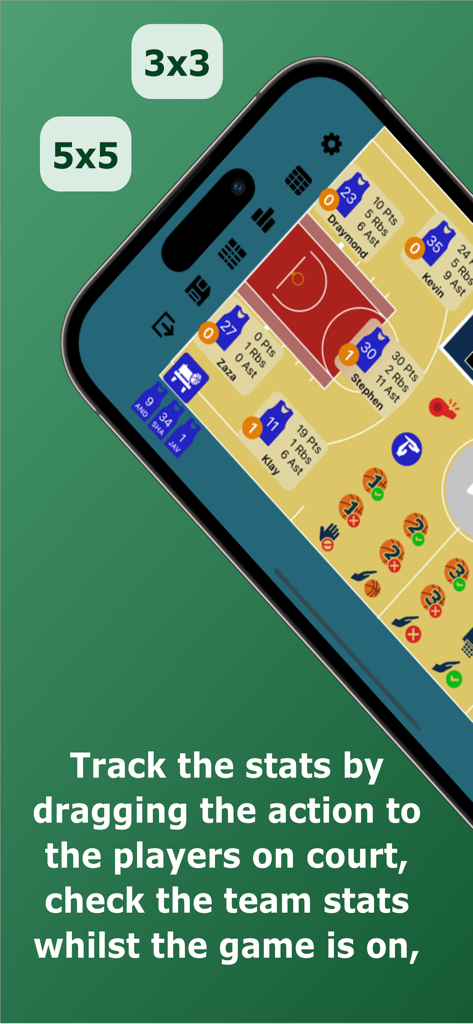
Mobile screen showing live basketball player stats and drag and drop tracking system on a digital court
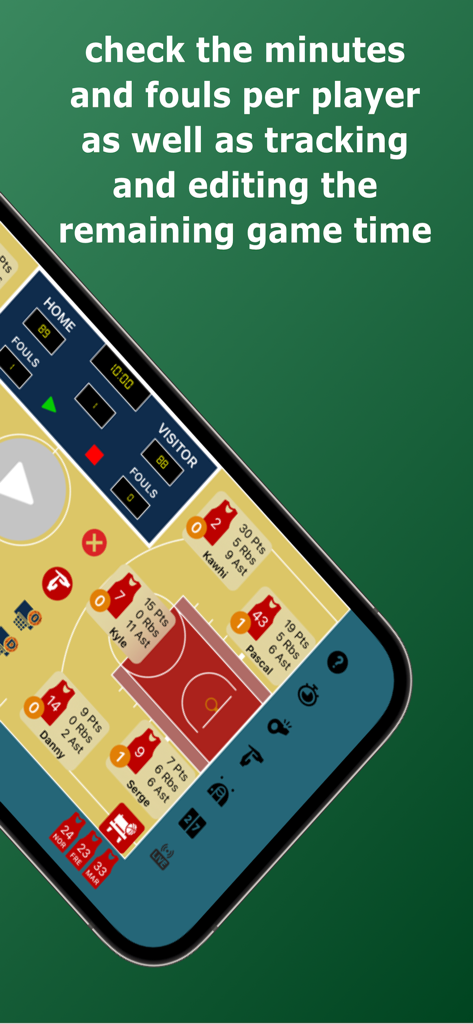
Live basketball game statistics and time tracking interface
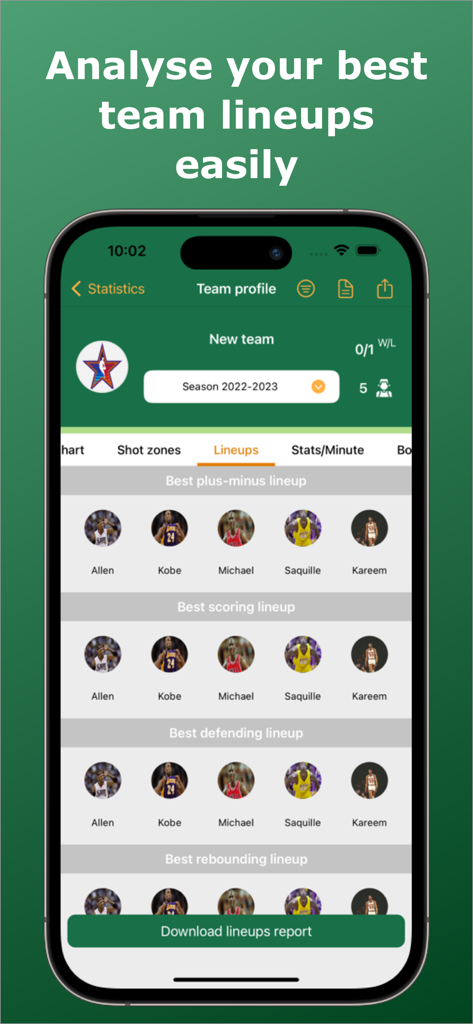
Basketball Stats Assistant app interface showing the best team lineups analysis based on performance statistics.
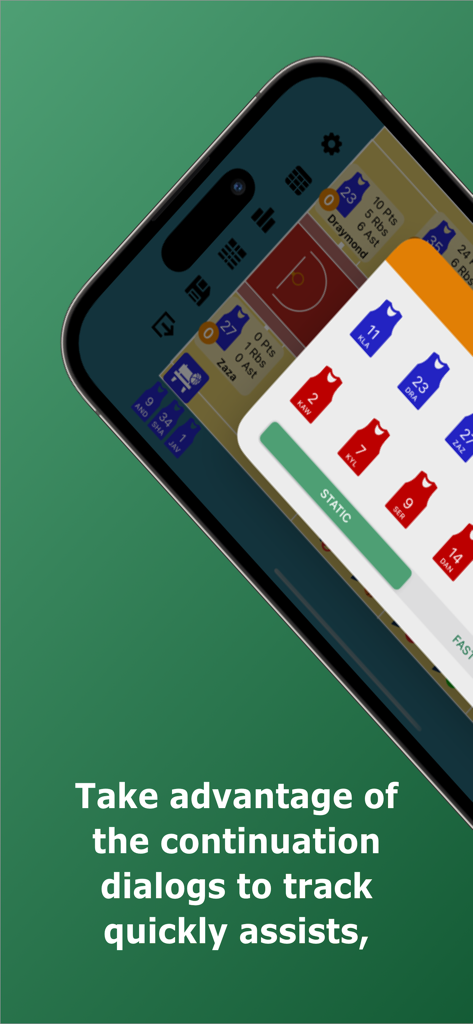
Smartphone screen showing the continuation dialog feature in the Basketball Stats Assistant app for quick game stat tracking
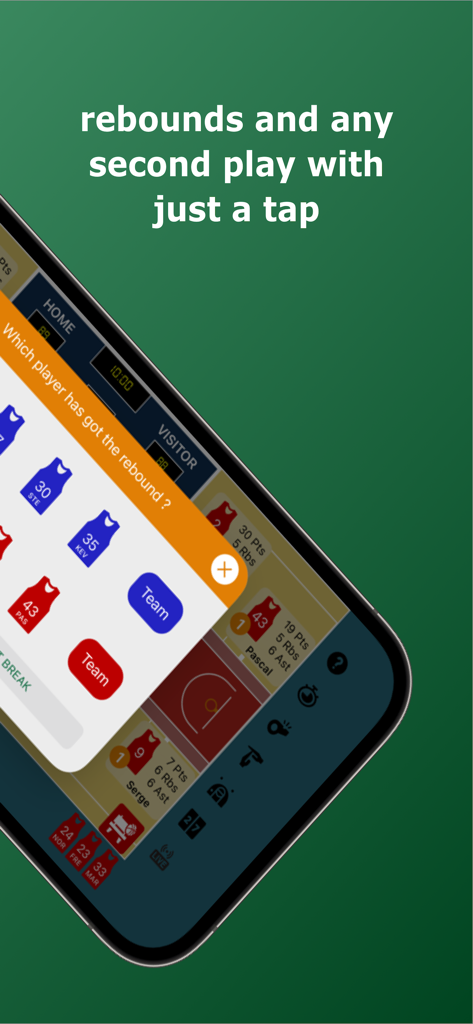
Interface of the Basketball Stats Assistant app showing a prompt to select which player grabbed a rebound.
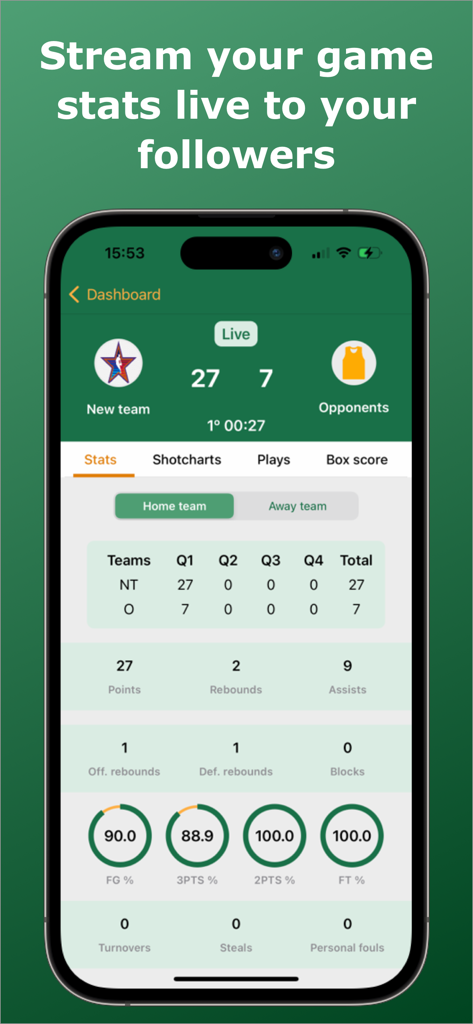
Live basketball game statistics dashboard showing team performance metrics and shooting percentages
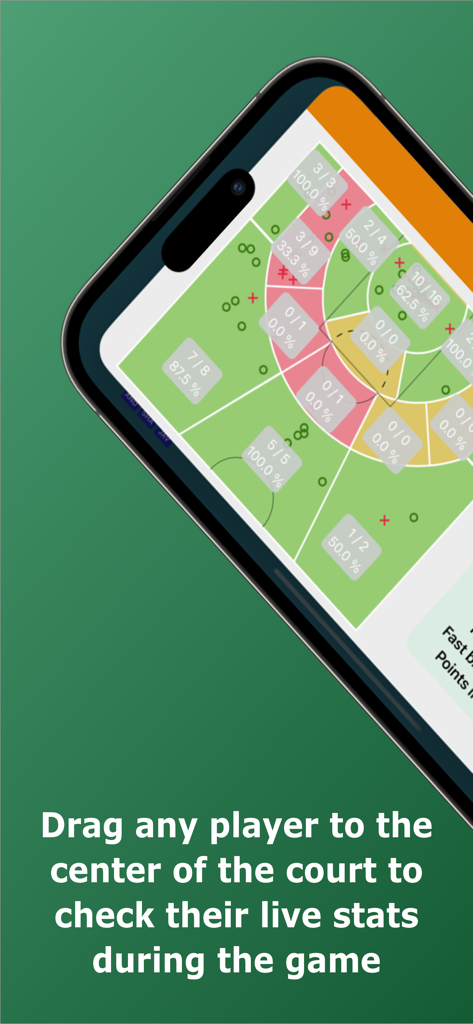
Basketball shot chart on a smartphone showing scoring percentages by court zone
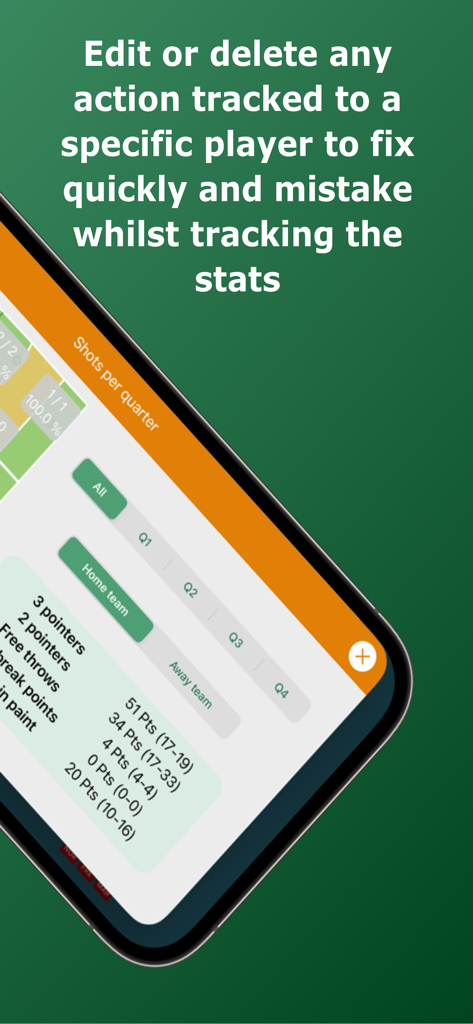
Basketball Stats Assistant app interface showing options to edit or delete tracked actions and view shots per quarter statistics.
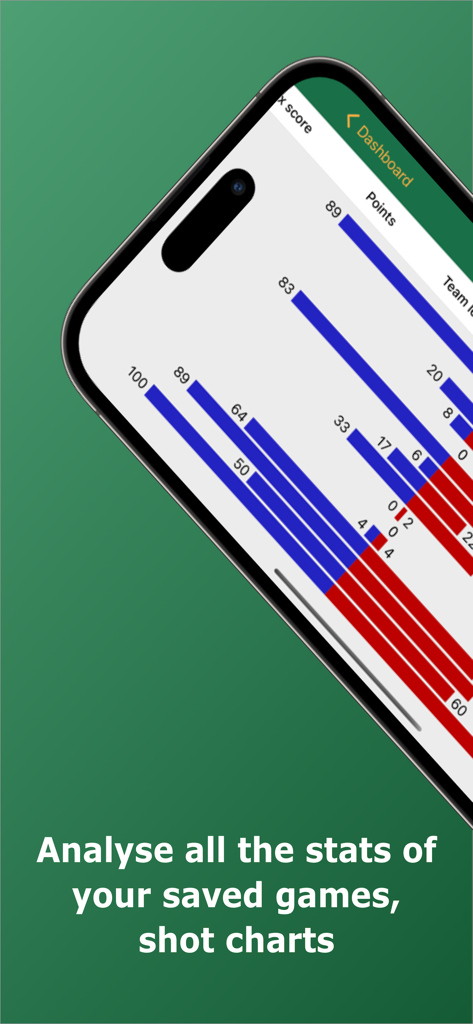
Mobile screen showing basketball game statistics and points comparison bar charts
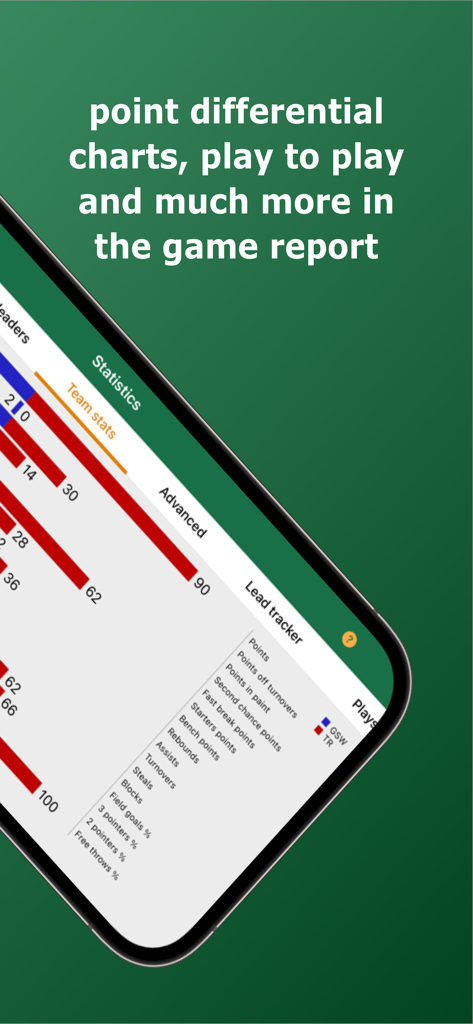
A detailed basketball game report on the Basketball Stats Assistant app showing point differential and team statistics
Description
Download
More Like This
Apps with similar features and user experience

Padel Fit Score Tracker
IVAN LEVIN

Carv Digital Ski Coach
Motion Metrics Limited

Spalding TF DNA
SstatzZ Oy

Basketball Stats PRO
Ladislav Klinc

Tenpin Toolkit: Bowling Tools
Internet Stuff Ltd

HealthFit
Stephane Lizeray

Easy Stats for Basketball
zach prager

Padelio: Track Padel Activity
Marcos Sabaris

MYLAPS Speedhive
MYLAPS B.V
This page is not an official page of the app or its developer, but an independent editorial publication created for informational and commentary purposes. Unless expressly stated otherwise, neither the app nor its developer is affiliated with, endorsed by, sponsored by, authorized by, or otherwise officially connected with MWM, Apple, Google Play, the app publisher, or the app's developer, and nothing on this page implies that the app was developed using MWM's services. Any trademarks, logos, screenshots, and other content remain the property of their respective owners.