BedrockConnect

BedrockConnect

Download on App Store
Logo of BedrockConnect

BedrockConnect: Join Any Minecraft Server on Your Console

The ultimate bridge for Xbox, PlayStation, and Switch players to join third-party servers and use custom texture packs without limits.

Publisher

GKM Interactive UG haftungsbeschraenkt

Category

Utilities

Downloads

76K+

User Rating

4.4/5

Total Ratings

4K+

Locales

9

Your Console, Unlocked

Discover the interface used by 76K+ users.

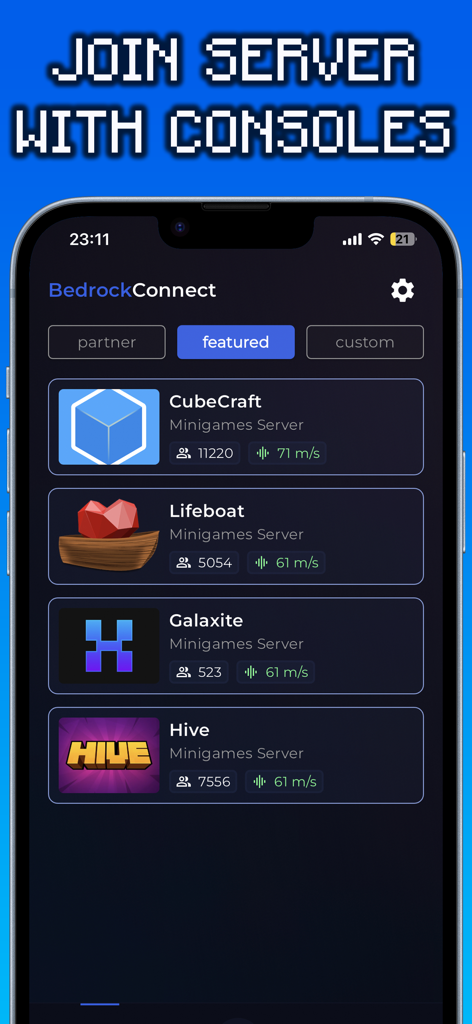
BedrockConnect app interface showing a list of featured Minecraft servers including CubeCraft and Hive
BedrockConnect app interface showing a list of featured Minecraft servers including CubeCraft and Hive

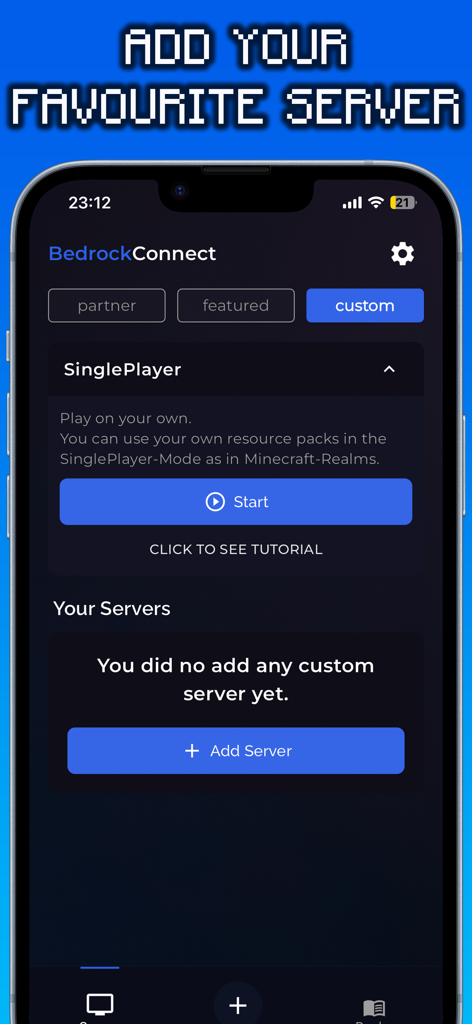
BedrockConnect app interface showing the screen to add custom Minecraft servers
BedrockConnect app interface showing the screen to add custom Minecraft servers

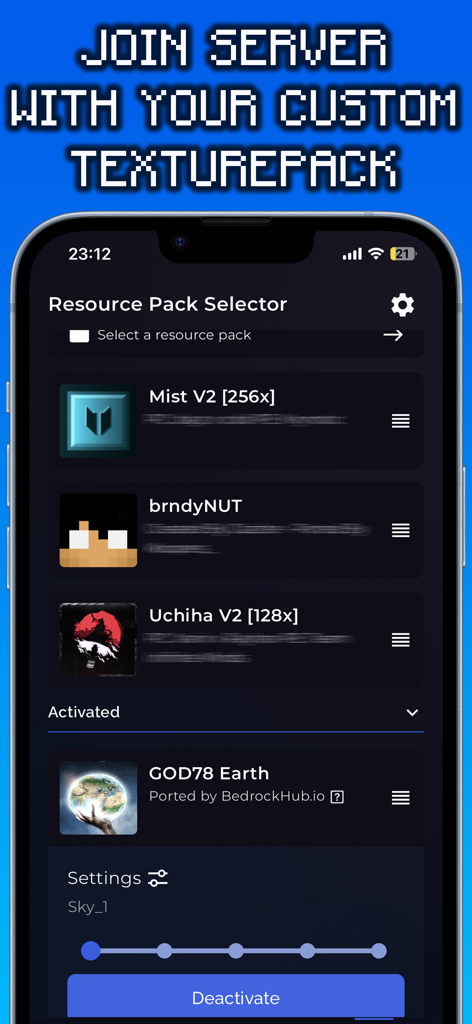
Interface of the BedrockConnect app showing the resource pack selector for custom Minecraft texture packs.

Interface of the BedrockConnect app showing the resource pack selector for custom Minecraft texture packs.

Level Up Your Console Experience

The tools that make this app stand out, trusted by 76K+ users.

🌐

Join Any Third-Party Server

Break free from the default list. Connect to any Minecraft Bedrock server by simply entering an IP address on your phone.

🎨

Free Custom Texture Packs

Skip the Marketplace costs. Use your favorite community-made resource packs to personalize your game world for free.

🎮

Seamless Console Support

Designed specifically for Xbox, PlayStation, and Switch players who want the full Minecraft experience without the technical headache.

About the app

Everything you need to know about BedrockConnect.

Description

The BedrockConnect app is a revolutionary multiplayer connection solution for the popular video game Minecraft Bedrock Edition. With this app, players can seamlessly play together on third-party servers across different platforms like PlayStation, Xbox, and Switch. Especially for console players, the BedrockConnect app provides a great opportunity to use free custom texture packs/resource packs on supported servers using the serverpacks method. This allows them to personalize the game and customize their gaming environment. Using the BedrockConnect app is easy. Make sure that all the devices involved, including the console and mobile phone, are connected to the same Wi-Fi network. Avoid using VPN services or ad blockers, as these can affect the functionality of the app. Also, note that Wi-Fi boosters or repeaters can have an impact on the app. BedrockConnect has proven to be an essential tool for Minecraft players who want to play with friends on different third-party servers. Here are the basic steps to use the app for PlayStation and Xbox: 1. Open the app and confirm all the important information. 2. Swipe right and click on the "+" symbol. 3. Enter the IP address and port of the desired Bedrock server. The server must be online and compatible with the Bedrock Edition. 4. Click on "Start & show ads". 5. The server should now appear in the Minecraft friends list. Click on it to join. 6. Join the server on the console! Done! You will be redirected to the desired server. To use a Texture Pack / Resource Packs on a server, follow these steps: 1. Go to the app settings and enable "Serverpacks". 2. Select a valid Minecraft Bedrock-compatible Texture Pack. 3. Start a supported server (a list can be found at https://serverlist.bedrockhub.io). 4. Open Minecraft, go to settings, and navigate to "Storage" -> "Cached Data". 5. Delete any existing "Serverpacks". 6. Start the supported server in the BedrockConnect app. 7. Join the server on the console! Done! The pack will be downloaded, and you will be redirected to the desired server. Visit our Discord server at https://discord.bedrockhub.io for further support and information. There you can also find a list of servers we support with serverpacks: https://serverlist.bedrockhub.io. Key Features Summary: - Server list for a compact overview of all servers with player count, ping, MOTD, and version. - "Featured Server" category for special recommendations. - Serverpacks feature for using custom Texture Packs on supported servers. - Automatic updates for supported serverpacks. - Support for the Switch console (available for Apple users only). - Modern and user-friendly design. Avoiding Common Issues: - Ensure that all devices, including console and mobile phone, are connected to the same Wi-Fi network. - Avoid using VPN services or ad blockers, as they can affect the app's functionality. - Avoid using Wi-Fi boosters or repeaters, as they can impact the app. - Check firewall settings and router configurations as they can cause issues. - For iOS devices, make sure the "Local Network" setting is enabled for the app. - Make sure ads are shown, as the app relies on ad display for free users. - Note that shaders, modpacks, addons, clients, or skin packs will not work. The app only supports resource packs / texture packs, using only the "Front", "Textures", "Sounds", and "Particles" folders from the texture pack while ignoring the rest. Disclaimer: BedrockConnect is a third-party application and is not affiliated with Mojang AB or Minecraft. BedrockConnect is not an extension of Minecraft or Mojang AB and is not affiliated with them. It is a third-party solution created by the community to enable cross-platform connections in the Bedrock Edition. Terms of Use (EULA): https://www.apple.com/legal/internet-services/itunes/dev/stdeula/

Latest Version

2.0.91

Size

97.0 MB

First Released

Nov 2, 2022

Ready to Break the Limits of Your Console?

Join over 76,000 players connecting to custom servers and using free texture packs on Xbox, PlayStation, and Switch. Get BedrockConnect today and start playing Minecraft without boundaries.

Download on App Store
Recommendations

More Like This

Apps with similar features and user experience
App information, icons, screenshots, and descriptions displayed on this page are sourced from the Apple App Store and are the property of their respective developers. Download estimates and rankings are based on MWM's proprietary models and may not reflect actual figures. This page is provided for informational and analytical purposes only.

Believe this page infringes your intellectual property? File a dispute