Best Clock Radio & Podcast
Download on App Store

This page is not an official page of the app or its developer, but an independent editorial publication created for informational and commentary purposes. Unless expressly stated otherwise, neither the app nor its developer is affiliated with, endorsed by, sponsored by, authorized by, or otherwise officially connected with MWM, Apple, Google Play, the app publisher, or the app's developer, and nothing on this page implies that the app was developed using MWM's services. Any trademarks, logos, screenshots, and other content remain the property of their respective owners.

Logo of Best Clock Radio & Podcast
Download on App Store

Best Clock Radio & Podcast

Stream over 40,000 radio stations, enjoy your favorite podcasts, and check the 5-day weather forecast from one reliable app. Designed for your perfect routine with AutoDim technology and 9 easy-to-program preset buttons.

Key Figures

Downloads

52K+

User Rating

3.3/5

Total Ratings

0

Publisher

Mark Linthicum

Category

Music

Locales

1

Latest Version

8.9.4

Size

216.8 MB

First Released

Apr 12, 2012
Features

Your Ultimate Bedside Companion

The reliability of a classic clock radio meets the power of modern streaming. Control your morning routine with global radio, podcasts, and weather in one simple interface.

One-Touch Radio Presets

Just like your classic car stereo, program up to 9 favorite buttons with global stations, local news, or custom music streams for instant access.

Comfortable AutoDim Display

No more blinding night lights. The screen automatically dims when you sleep and brightens when you wake, making it the perfect dedicated bedside clock.

The following screenshots and description are sourced directly from the app's official store listing and are the property of the app developer.

App Store

Screenshots
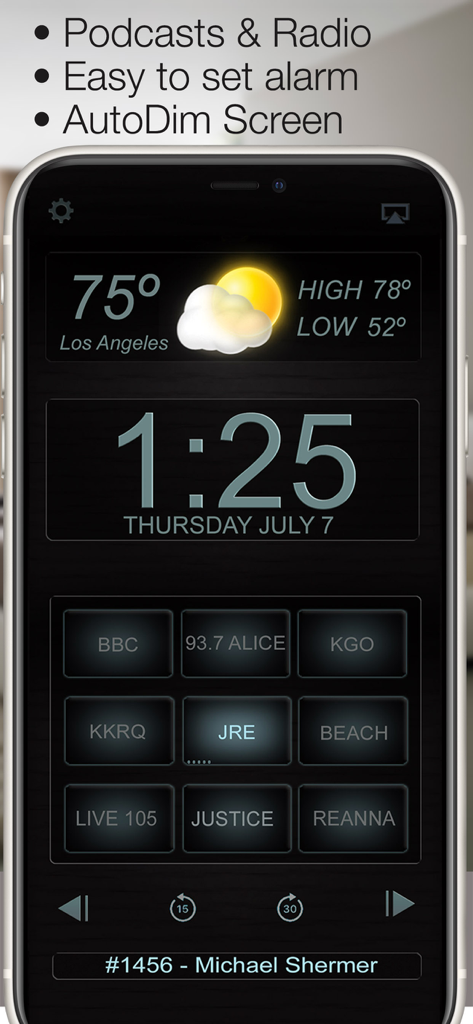
Best Clock Radio & Podcast - Digital clock radio app screen with Los Angeles weather and programmable station presets
Digital clock radio app screen with Los Angeles weather and programmable station presets

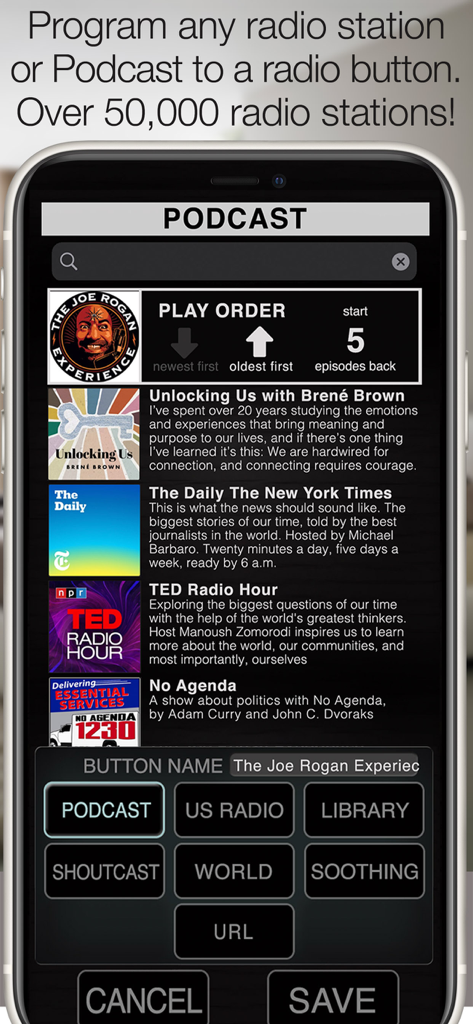
Best Clock Radio & Podcast - Interface for programming podcasts and radio stations to preset buttons in the Best Clock Radio app.
Interface for programming podcasts and radio stations to preset buttons in the Best Clock Radio app.

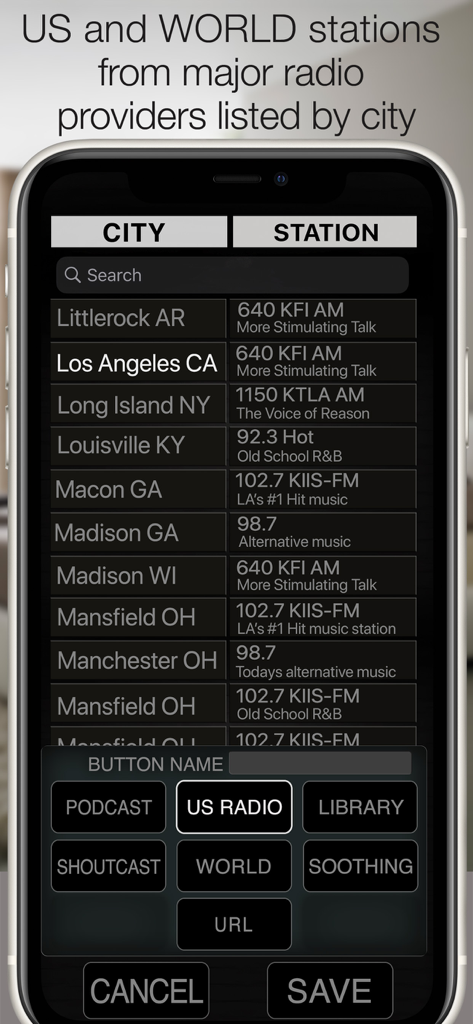
Best Clock Radio & Podcast - Interface of the Best Clock Radio app showing a list of US and world radio stations sorted by city for manual programming
Interface of the Best Clock Radio app showing a list of US and world radio stations sorted by city for manual programming

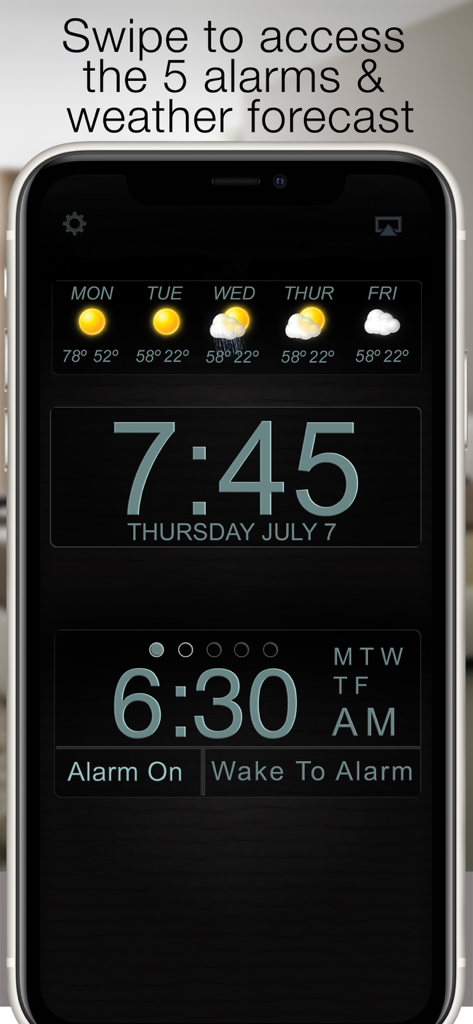
Best Clock Radio & Podcast - Best Clock Radio app interface featuring digital time 5 day weather forecast and alarm settings
Best Clock Radio app interface featuring digital time 5 day weather forecast and alarm settings

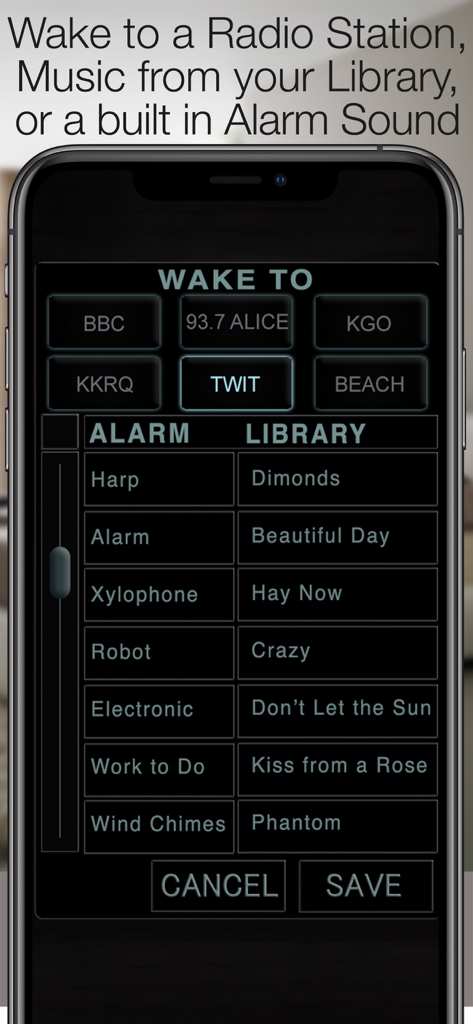
Best Clock Radio & Podcast - Interface for selecting radio stations, alarm sounds, and music library tracks to wake up to.
Interface for selecting radio stations, alarm sounds, and music library tracks to wake up to.

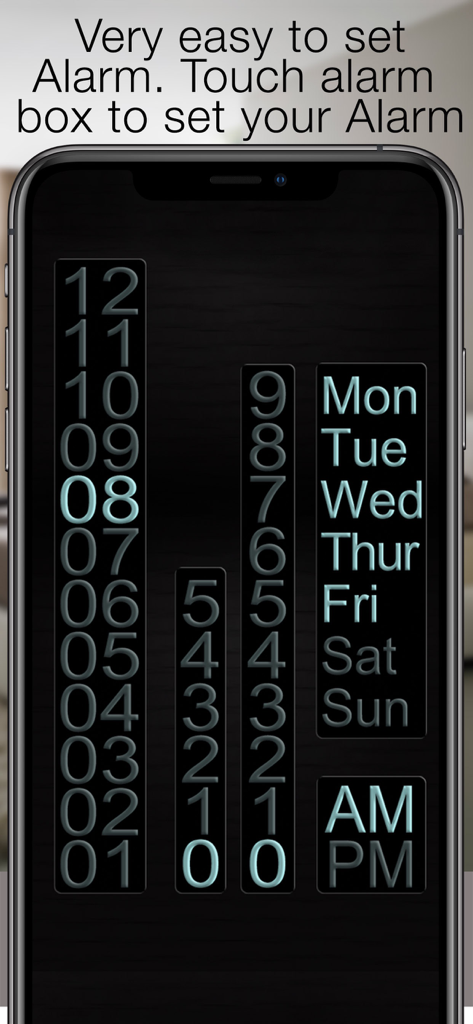
Best Clock Radio & Podcast - User interface for setting an alarm time and selecting recurring days of the week

User interface for setting an alarm time and selecting recurring days of the week

Description

“Your app is outstanding - by far the best radio alarm clock app available!” - David Riviello “By far the most usable clock radio available anywhere” - Jay Adams New in version 8, program a Podcast to a radio button. Press and hold the radio button to bring up the radio sources, Select a Podcast and scroll through the top 100 or use the search bar to search for your favorite podcast. After saving to the radio button, play the podcast and touch the info bar below the radio buttons to bring up the episode list, here you can select the play order and mark podcasts as played or unplayed so they can be skipped or played again. Use the arrows on the top to set the order in which the episodes are played. Available episodes are represented by little ticks on the radio button, 5 ticks mean there are 5 or more available episodes. 3 ticks mean there are 3 available episodes. For the alarm to work properly you must allow notifications to be sent from the app, For Radio to be used as an alarm Best Clock Radio must be open, closing the app will cause a backup alarm to sound. AutoDim feature dims the screen automatically at night so it is not too bright and brightens it up again in the morning. 9 programmable radio buttons (8 on the iPad) to store your favorite Radio Stations, Music Library Playlists or Soothing Sound. See our website for demo videos www.BeautifulClockRadio.com Radio stations from all over the world, US, UK, Australia, Dutch, Netherlands, Norway, New Zealand, Switzerland, Germany, Ireland, Canada, Spain, South Africa, Germany, Serbia, Sweden, Ukraine. 5 Alarms allow you to program 5 different alarm times and sounds, With this feature you can trigger the radio to turn on when your favorite show starts. Radio, touch and hold a radio button to program it to your favorite Playlist, Soothing sound, or internet streaming radio station. There are over 40,000 stations available, or you add your own URL. It takes mere seconds to program a button and you can continue to listen to your music in the background when the app is closed. The weather shows the current weather forecast, swipe to the left and you get a 6-day forecast. swipe again to contact support. Swipe to the right and turn the weather display off. Best Clock Radio is stable and reliable and very easy to use. Best Clock Radio features: • Powerful podcast player • Plays any radio station in the world! • 5 easy to set alarms • One-touch radio • Weather Current Temp, High, Low, & 5 Day forecast • AutoDim • Support link in the Weather Panel • Very easy to use, stable and reliable • Wake up to radio, music or one of the 32 included alarm sounds • AutoSleep button turns the radio off after a set time • Select from 12-hour and 24-hour mode • 9 programmable buttons for internet streaming radio station (8 programmable buttons iPad) • Thousands of Shoutcast, U.S., and World Radio stations. • Soothing sounds to help you sleep. • URL option Allows you to program a streaming radio URL to a button •Contact support for any questions or help

Download

Download on App Store

This page is not an official page of the app or its developer, but an independent editorial publication created for informational and commentary purposes. Unless expressly stated otherwise, neither the app nor its developer is affiliated with, endorsed by, sponsored by, authorized by, or otherwise officially connected with MWM, Apple, Google Play, the app publisher, or the app's developer, and nothing on this page implies that the app was developed using MWM's services. Any trademarks, logos, screenshots, and other content remain the property of their respective owners.







