Bill Organizer

Bill Organizer

Download on App Store
Logo of Bill Organizer

Bill Organizer: The Smartest Way to Manage and Forecast Every Payment

Take total control of your household finances with automated reminders, collaborative bill sharing, and powerful insights designed for the modern household CFO.

Download on App Store

Publisher

Space-O Digicom Private Limited

Category

Finance

Downloads

301K+

User Rating

4.3/5

Total Ratings

5K+

Locales

1

Your Financial Command Center

Discover the interface used by 301K+ users.

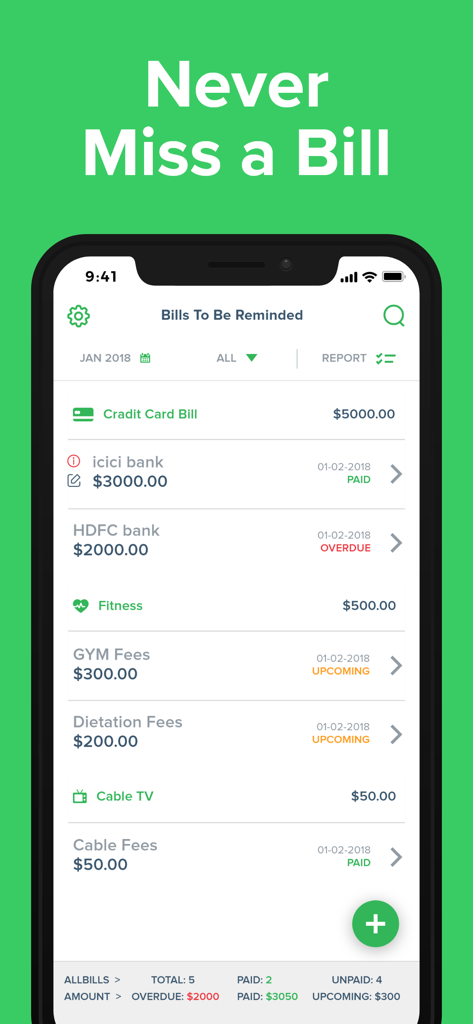
Screenshot of the Bill Organizer app showing a list of bills with labels for paid overdue and upcoming statuses
Screenshot of the Bill Organizer app showing a list of bills with labels for paid overdue and upcoming statuses

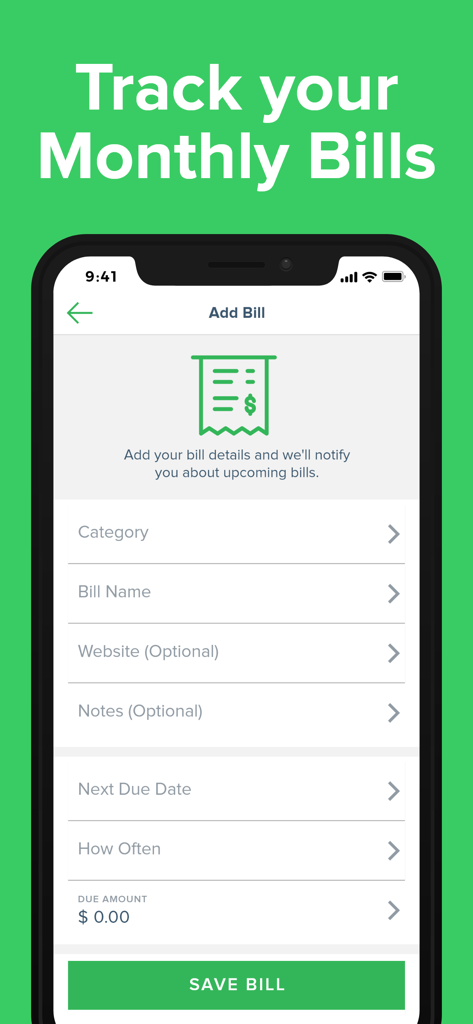
Smartphone screen showing the add bill form in the Bill Organizer app
Smartphone screen showing the add bill form in the Bill Organizer app

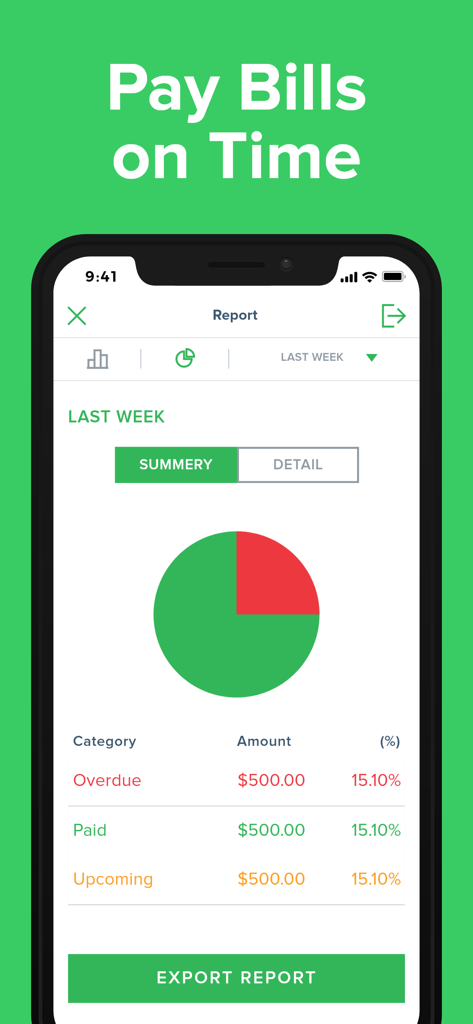
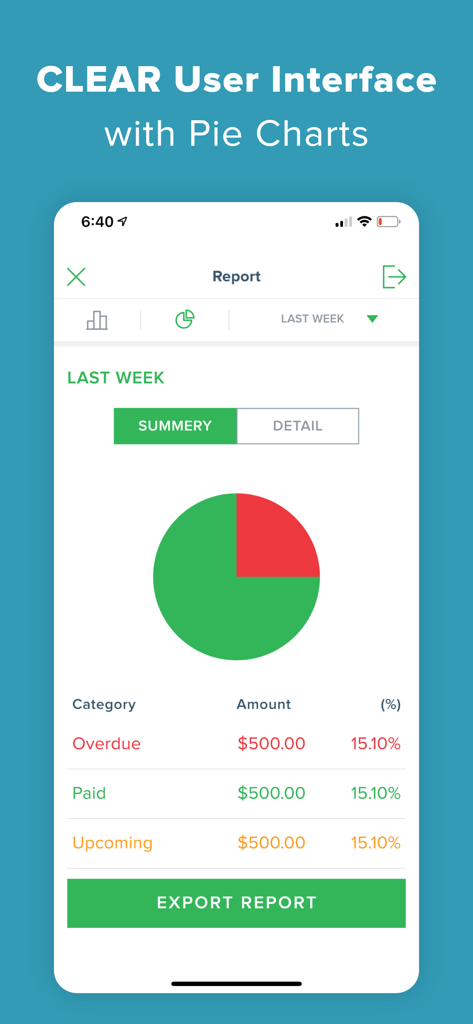
A mobile app screen showing a pie chart summary of overdue paid and upcoming bills with a button to export the report
A mobile app screen showing a pie chart summary of overdue paid and upcoming bills with a button to export the report

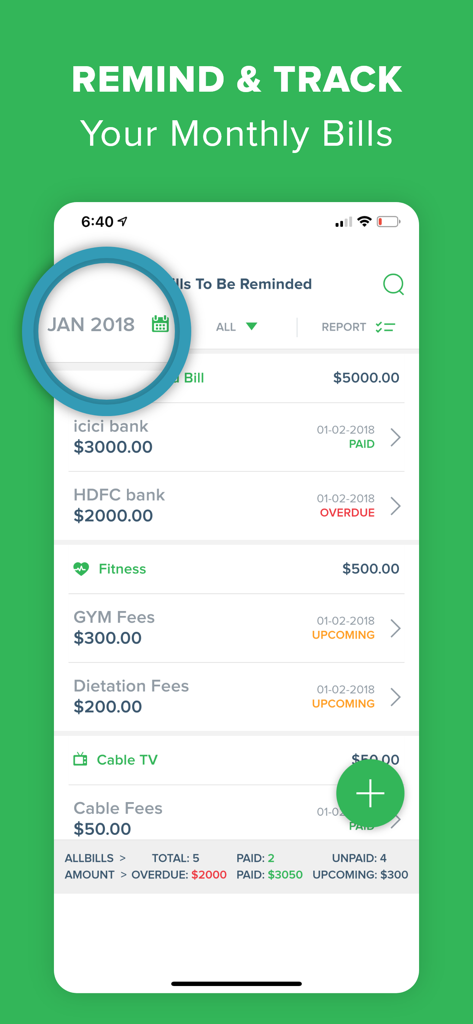
Interface of the Bill Organizer app showing a list of monthly bills with status labels for paid, overdue, and upcoming payments.
Interface of the Bill Organizer app showing a list of monthly bills with status labels for paid, overdue, and upcoming payments.

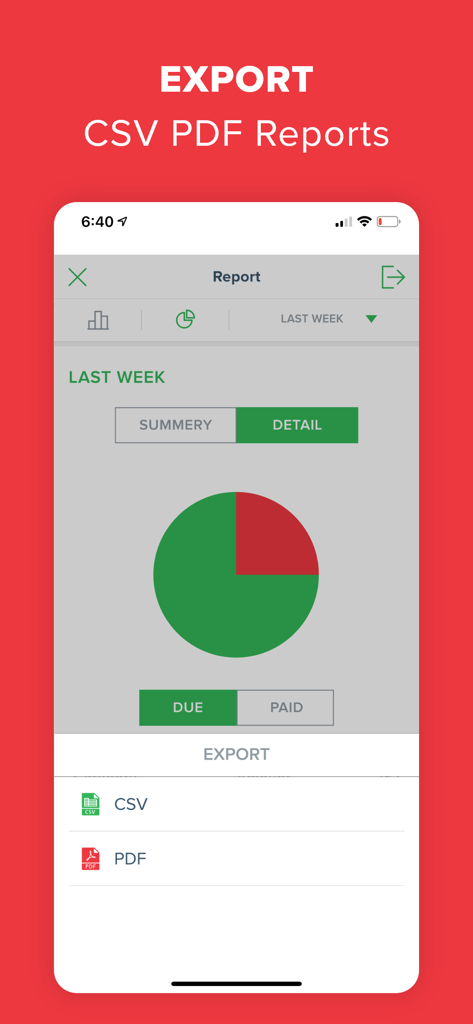
Bill Organizer app export screen showing options for CSV and PDF reports
Bill Organizer app export screen showing options for CSV and PDF reports

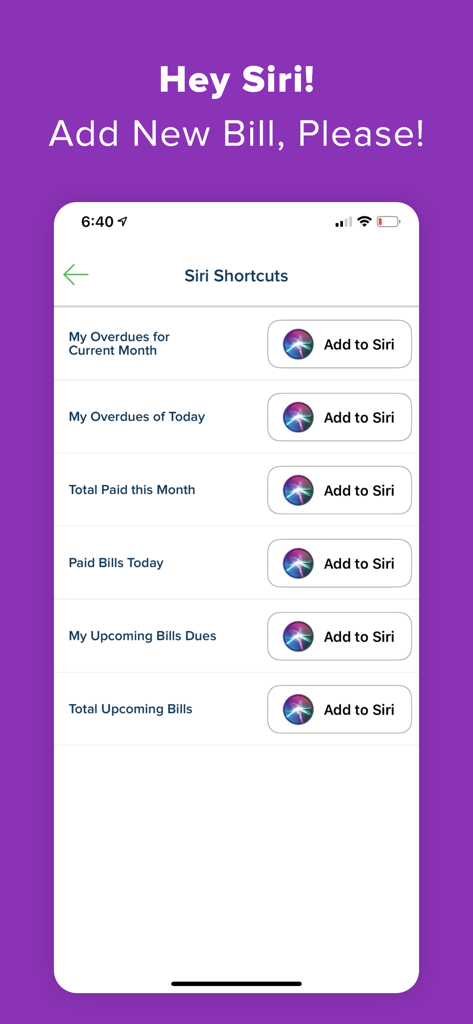
Interface for adding Siri Shortcuts to the Bill Organizer app for voice-controlled financial management.
Interface for adding Siri Shortcuts to the Bill Organizer app for voice-controlled financial management.

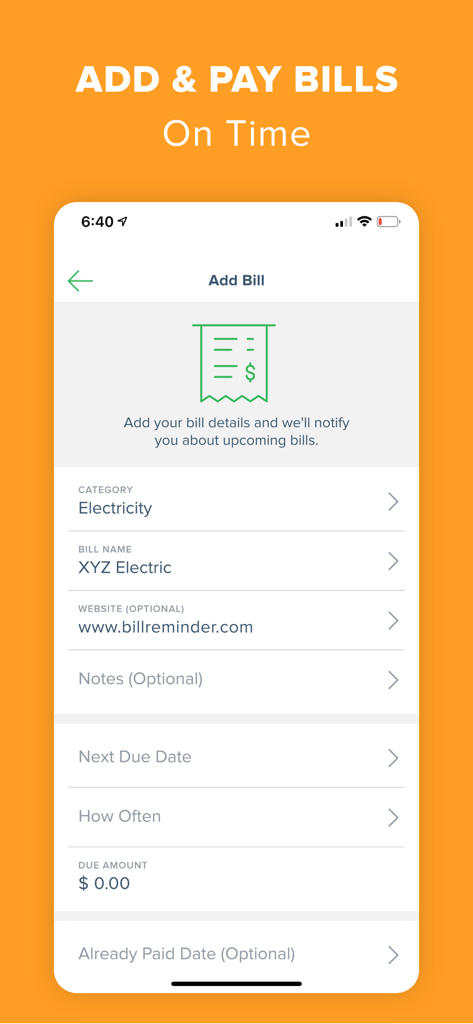
Screenshot of the Add Bill screen in the Bill Organizer app showing fields for electricity category and bill name
Screenshot of the Add Bill screen in the Bill Organizer app showing fields for electricity category and bill name

Bill Organizer app report screen showing a pie chart of overdue and paid bills
Bill Organizer app report screen showing a pie chart of overdue and paid bills

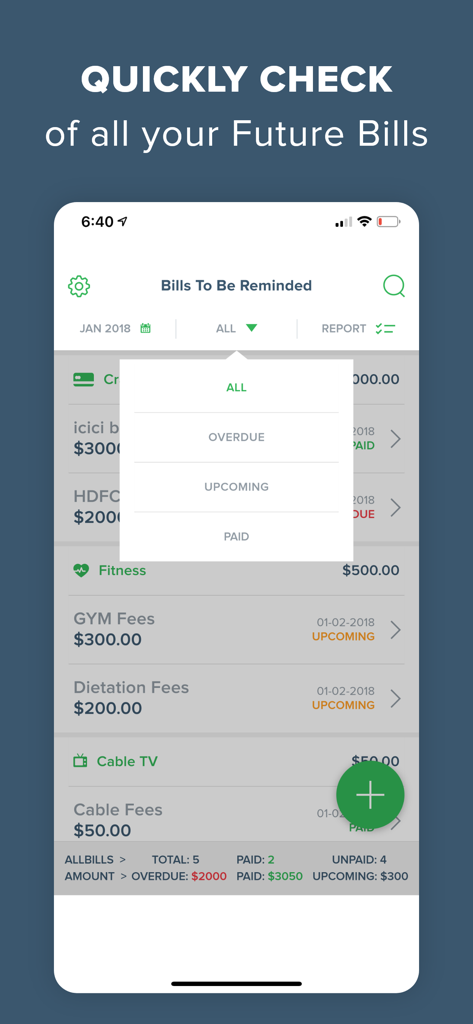
Bill Organizer app interface showing a list of bills with status filters for overdue and upcoming payments
Bill Organizer app interface showing a list of bills with status filters for overdue and upcoming payments

Promotional graphic for Bill Organizer app showing a number one ranking and icons for taxes, shopping, and utilities surrounding a hand holding cash.

Promotional graphic for Bill Organizer app showing a number one ranking and icons for taxes, shopping, and utilities surrounding a hand holding cash.

Master Your Household Finances

The tools that make this app stand out, trusted by 301K+ users.

Smart Alerts & Forecasting

Eliminate the mental load with customizable reminders and a visual calendar that forecasts your cash flow weeks in advance.

👥

Collaborative Bill Sharing

Add family members or roommates to specific bills. Track payments in real-time and end the friction of wondering who paid what.

📊

Deep Financial Insights

Analyze your spending trends with graphical reports and export professional PDF or CSV summaries for taxes and long-term planning.

About the app

Everything you need to know about Bill Organizer.

Description

*** Bill Reminder which can remind/manage/forecast your monthly bills - all this and much more in the easiest way *** New Feature Added : ** Add Members to the Bill ** - Now you can add members to the particular bills. - Filter the bills that are shared with you - Get notified when you are added to any bill - Keep track of all the activities related to bills and members Invest some time in feeding your monthly pay bills with Easy Bill Reminder and get assured that you will have a companion on your device, which will not allow you to forget to pay bills (provided you have money to pay your bills) The app will help you to manage/plan your payment schedule and budget with intuitive graphical reports and smart statistical analysis. Yes, we are improving the lookout for new features soon…. Features: * Pre-define expense categories to manage expenses category-wise. Such as household, loan, insurance, commercial, taxes, credit card bills, etc. * You can create as many new categories as you want. * Provision for adding your monthly recurring bills. (no need to add the repeating bills, again and again, every month) * Different types of graphical reports, which will help you to manage/plan your budget. * Set alert time, that will remind you to pay your dues. * Multiple currency support * Calendar that will provide you on hand details for over due, plan, and paid expenses. * Export reports with charts via email in .csv and .pdf format. * Passcode function to protect your info and Intruder Detection * Search your bills by keywords of name, note, category * Post your Bills into your device calendar automatically. * Customizable upcoming Tab (see overdue bills * Different set of Ringtones for the local notification alert * Schedule repeat alert notification to remind you of your bill's due date * Impressive user interface that makes you paying & reminder bills less painful About Subscription Plan: • Name of Subscriptions: Bill Pay Reminder Premium • Price of Auto-renewal begins: Yearly : $8.99 for 1 month, then $49.99/year Monthly : $14.99 per month * All Prices are in USD • Payment will be charged to iTunes Account at confirmation of purchase • Subscription automatically renews unless auto-renew is turned off at least 24-hours before the end of the current period. You can turn off the auto-renew subscription from the iPhone setting • The account will be charged for renewal within 24-hours prior to the end of the current period, and identify the cost of the renewal • Subscriptions may be managed by the user and auto-renewal may be turned off by going to the user's Account Settings after purchase • Any unused portion of a free trial period, if offered, will be forfeited when the user purchases a subscription to that publication, where applicable Bill Pay Reminder adds the great features above and are available through an auto-renewing subscription. Subscriptions will be charged to your credit card through your iTunes account. Your subscription will automatically renew unless canceled at least 24 hours before the end of your current subscription, and you can cancel a subscription during the active period. You can manage your subscription at any time, either by viewing your account in iTunes from your Mac or PC or Account Settings on your device after purchase. • Privacy Policy: https://upsquaresolutions.com/bill-organizer/privacy-policy.html • Terms of use: https://upsquaresolutions.com/bill-organizer/terms-of-use.html • Contact Support : https://upsquaresolutions.com/bill-organizer/index.html#support

Latest Version

6.6.5

Size

60.1 MB

First Released

Apr 13, 2012

Ready to Master Your Household Finances?

Join over 300,000 users who have eliminated late fees and reclaimed their peace of mind. Download Bill Organizer and turn your bill management into a well-oiled machine today.

Download on App Store

App information, icons, screenshots, and descriptions displayed on this page are sourced from the Apple App Store and are the property of their respective developers. Download estimates and rankings are based on MWM's proprietary models and may not reflect actual figures. This page is provided for informational and analytical purposes only.

Believe this page infringes your intellectual property? File a dispute